
VidTranslate
What is VidTranslate?
VidTranslate is an AI-powered video translation platform designed to help creators, businesses, educators, and global teams make their video content accessible in multiple languages. By combining advanced translation technology, subtitle generation, voice synchronization, and dubbing features, the platform makes it easier to share videos with audiences around the world.
Language barriers often limit the reach of valuable video content. Whether it is an online course, marketing campaign, product demonstration, interview, or entertainment video, reaching international viewers usually requires expensive localization workflows. This solution simplifies the process by allowing users to upload a video file or provide a video link and quickly generate translated content.
Supporting more than 100 languages and common video formats, it provides a practical way for creators to expand their audience without spending significant time on manual transcription and translation tasks.
Key Features
- AI Video Translation: Translate video content into multiple languages while maintaining the original meaning and context.
- Automatic Subtitle Generation: Create translated subtitles without manually writing captions.
- AI Dubbing Support: Generate translated voice content to make videos more natural for international audiences.
- Multiple Input Options: Upload videos directly or use supported video links for processing.
- Wide Language Support: Translate content across more than 100 languages for global communication.
- Voice Synchronization: Match translated audio timing with the original speaker's delivery.
- Subtitle Customization: Adjust subtitle appearance, placement, and style according to your needs.
User Interface
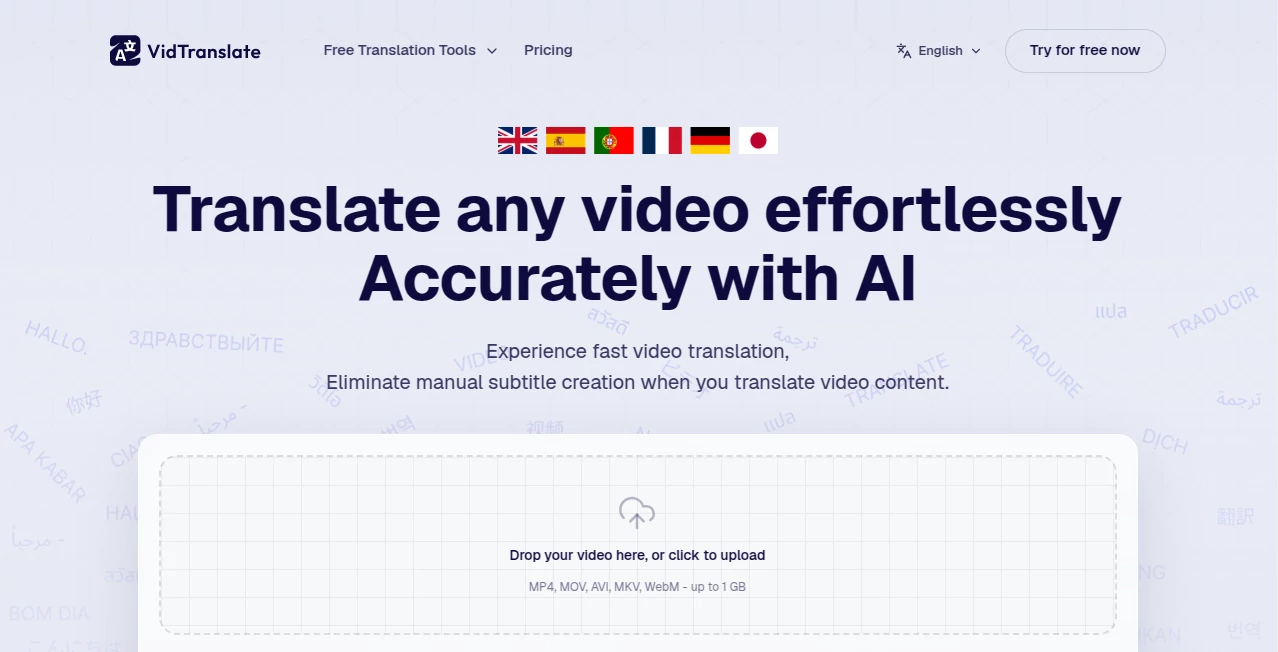
The platform offers a simple workflow designed for users who do not have professional video editing experience. The clean upload process allows users to select their source language, choose a target language, and begin translation with only a few steps.
Instead of managing complicated editing software, users can focus on their content while the system handles transcription, translation, and synchronization tasks in the background.
Accuracy & Performance
The platform focuses on producing natural translations by analyzing the context of conversations rather than relying only on direct word replacement. This helps maintain the original message, tone, and purpose of the video.
For creators publishing educational videos, social media content, or business presentations, accurate translations can improve viewer understanding and create a more professional experience for international audiences.
Capabilities
This tool can process different types of video content, including uploaded files and online videos. It supports popular formats such as MP4, MOV, AVI, and WebM, making it flexible for different content workflows.
Users can create localized versions of videos for marketing campaigns, online courses, social media channels, product tutorials, and entertainment content. The combination of subtitles, transcripts, and voice options provides several ways to communicate with audiences worldwide.
Security & Privacy
Protecting user content is an important part of any video processing platform. Users can manage their own uploaded materials and use the service for personal, educational, and commercial projects while keeping control over their translated content.
Use Cases
- Content Creators: Expand YouTube, TikTok, and social media audiences by publishing videos in different languages.
- Businesses: Localize product videos, advertisements, and customer education materials for international markets.
- Education: Translate online courses, tutorials, and training videos for students worldwide.
- Marketing Teams: Create multilingual campaigns that connect with customers in their native language.
- Media Production: Adapt interviews, documentaries, and entertainment content for global viewers.
Pros and Cons
Pros
- Supports a large number of languages.
- Reduces the time required for manual translation and subtitle creation.
- Works with common video formats and online video sources.
- Useful for creators, businesses, and educators.
- Combines translation, subtitles, and dubbing features in one workflow.
Cons
- Complex professional localization projects may still require human editing.
- Processing time can depend on video length and content complexity.
- Advanced features may require a paid plan.
Pricing Plans
The platform provides a free option that allows users to test its video translation capabilities before choosing a paid plan. Free users can translate short video samples, while larger projects and extended usage are available through premium options.
Pricing availability may vary depending on usage requirements, video length, and selected features. Users who need regular translation for professional content can choose plans designed for higher-volume workflows.
How to Use VidTranslate
- Upload a video file or provide a supported video link.
- Select the original language or allow automatic language detection.
- Choose the language you want to translate the video into.
- Customize subtitle and voice settings if needed.
- Process the video and receive the translated result.
Comparison with Similar Tools
Many video translation solutions focus only on subtitle generation, but this platform provides a broader workflow that combines translation, transcription, and voice-related features. This makes it suitable for users who want more than simple captions.
Compared with traditional localization methods, AI-powered translation can significantly reduce production time and costs. However, professional studios may still be preferred for highly sensitive content requiring detailed human review.
Conclusion
Creating content for a global audience has become easier with AI-powered translation solutions. This platform gives creators, educators, and businesses a practical way to transform videos into multilingual experiences without complicated editing processes.
With support for multiple languages, automatic subtitles, voice features, and an easy workflow, it is a valuable choice for anyone looking to share video content beyond language limitations.
Frequently Asked Questions (FAQ)
Can I translate videos into different languages?
Yes, the platform supports video translation into many languages, helping users create content for international audiences.
What video formats are supported?
It supports common formats such as MP4, MOV, AVI, and WebM.
Can I translate YouTube videos?
Yes, users can provide supported video links and create translated versions without manually downloading and editing the content.
Is there a free version available?
Yes, users can try the service with limited free usage before upgrading for larger translation needs.
AI Video Generator , AI Video Editor , AI Text to Speech , AI Speech to Text .
These classifications represent its core capabilities and areas of application. For related tools, explore the linked categories above.

VidTranslate Alternatives Product

Seedance 2.0…

Free Sora Ge…

mp3tourl

Wurt.app

Seedance 2.0

Visfeng AI F…

JSON to Video

Pixelfox AI

AI ASMR Gene…