


















voiact
What is voiact?
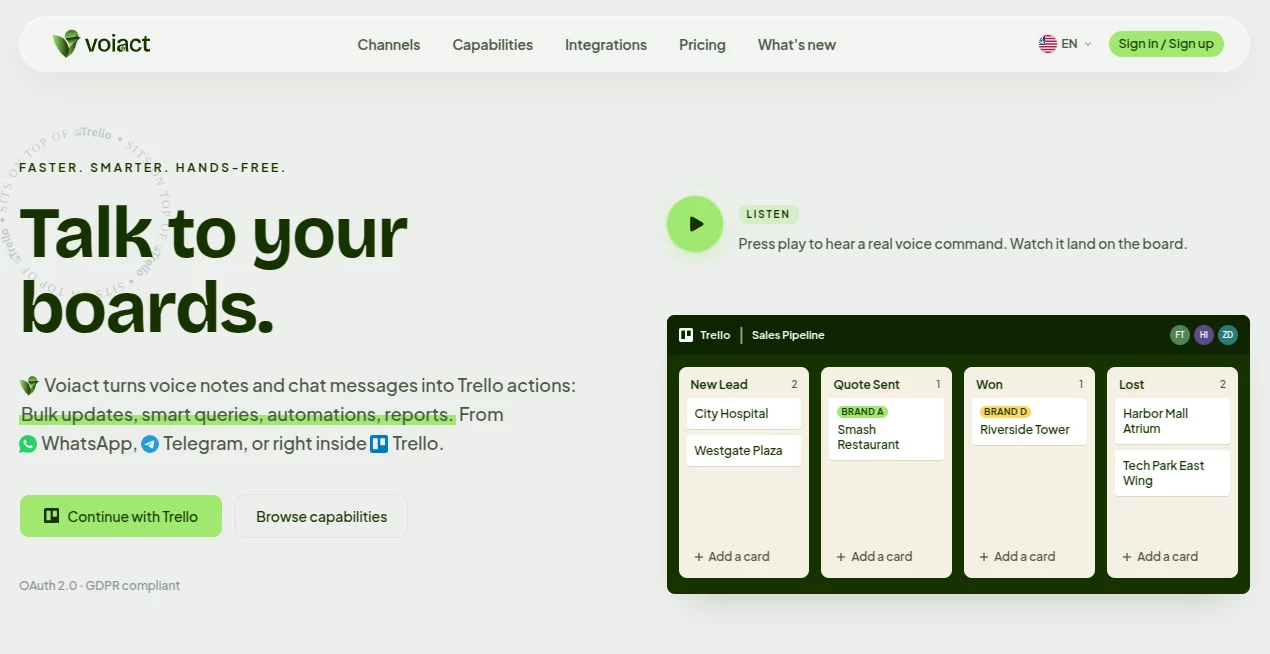
Managing projects becomes much easier when every update can be completed with a simple conversation instead of dozens of clicks. This solution brings voice commands, AI-powered automation, and intelligent task management together, allowing teams to create, edit, organize, and search Trello boards naturally from chat applications or directly inside their workspace. Whether someone is traveling, attending meetings, or working away from a keyboard, productivity continues without interruption.
Instead of treating voice as a novelty, the platform transforms spoken instructions into structured project actions. A single message can create multiple cards, move tasks across lists, update custom fields, assign labels, generate checklists, or answer questions about ongoing projects. The result feels less like operating software and more like collaborating with an experienced assistant that understands how work should flow.
Beyond voice interaction, the platform extends project management with AI-powered research, scheduled workflows, reminders, bulk operations, and integrations with popular communication and productivity services. This combination reduces repetitive work while helping teams stay organized without adding unnecessary complexity.
Key Features
User Interface
The interface is designed around natural conversations rather than complicated menus. Users can communicate through WhatsApp, Telegram, Slack, a web application, or directly within Trello. Commands are written or spoken in everyday language, making adoption quick even for people with little technical experience.
Accuracy & Performance
The AI accurately interprets conversational requests and converts them into structured Trello actions. Multiple operations can be completed from a single instruction, reducing manual editing while maintaining organized boards. Smart queries also provide quick answers by analyzing existing project data instead of requiring users to search manually.
Capabilities
- Convert voice messages into Trello cards.
- Create, update, and organize boards using natural language.
- Perform bulk updates across multiple cards.
- Generate reminders and scheduled automations.
- Research information from the web and attach findings to cards.
- Create files such as PDFs, Excel documents, and reports.
- Import information from spreadsheets and CSV files.
- Read and send Gmail and Outlook emails.
- Manage Google Calendar and Microsoft Calendar events.
- Work across WhatsApp, Telegram, Slack, web, and Trello.
Security & Privacy
Security has been considered throughout the platform. OAuth 2.0 authentication protects account access without exposing login credentials, while GDPR compliance and encrypted data transmission provide confidence for both individual professionals and business teams handling sensitive project information.
Use Cases
- Sales teams updating CRM pipelines while traveling.
- Project managers organizing tasks during meetings.
- Construction and field service professionals creating updates hands-free.
- Marketing agencies coordinating client campaigns across multiple boards.
- Real estate agents converting business card photos into organized contacts.
- Remote teams collaborating through messaging applications.
- Operations managers automating repetitive Trello workflows.
Pros and Cons
- Pros
- Natural voice and text interaction.
- Excellent Trello workflow automation.
- Supports several communication platforms.
- Useful integrations with email and calendar services.
- Bulk editing saves considerable time.
- Built-in reporting, reminders, and file generation.
- Cons
- Primarily designed for Trello users.
- Advanced automation benefits may require paid plans.
- Heavy usage depends on monthly AI request limits.
Pricing Plans
A free plan is available for users who want to explore the platform with a limited number of AI requests each month. Paid subscriptions increase request limits, automation capacity, and productivity features, making them suitable for freelancers, growing teams, and organizations with heavier workloads. A free trial is also available for users who want to evaluate premium capabilities before subscribing.
How to Use Voiact
Begin by connecting a Trello account through secure authentication. Next, choose a preferred communication channel such as Telegram, WhatsApp, Slack, the web application, or the Trello Power-Up. Once connected, simply speak or type requests in natural language. The AI interprets commands, performs updates, organizes boards, creates reminders, generates reports, and keeps projects synchronized with connected email and calendar services.
Comparison with Similar Tools
Many productivity assistants focus on note-taking, transcription, or simple chat interactions. This platform stands out by directly executing project management tasks instead of only generating suggestions. Its combination of conversational AI, workflow automation, bulk editing, web research, document creation, and native Trello integration makes it particularly valuable for professionals whose daily work revolves around project boards. Rather than replacing existing workflows, it enhances them with faster execution and fewer manual steps.
Conclusion
Professionals who rely on Trello often spend significant time performing repetitive updates that interrupt their workflow. This AI-powered assistant transforms those repetitive actions into quick conversations, making project management more natural and significantly more efficient. The combination of voice interaction, intelligent automation, messaging platform support, email integration, scheduling, and secure authentication creates a practical productivity companion for individuals and collaborative teams alike. For organizations seeking a smarter way to manage Trello without adding unnecessary complexity, it delivers an impressive balance of convenience and capability.
Frequently Asked Questions (FAQ)
Can it create Trello cards using voice commands?
Yes. Voice messages can be converted into fully structured Trello cards with labels, checklists, and other details.
Does it support messaging applications?
Yes. Users can work through WhatsApp, Telegram, Slack, the web application, and the Trello Power-Up.
Can it manage emails and calendars?
Yes. It integrates with Gmail, Outlook Mail, Google Calendar, and Microsoft Calendar for productivity workflows.
Is it suitable for business teams?
Yes. Automation, reminders, bulk operations, reporting, and collaboration features make it appropriate for both individuals and professional teams.
Does it provide secure authentication?
Yes. The platform supports OAuth 2.0 authentication, encrypted communication, and GDPR compliance to protect user data.
AI Task Management , AI Team Collaboration , AI Workflow Management , AI Project Management .
These classifications represent its core capabilities and areas of application. For related tools, explore the linked categories above.

voiact Alternatives Product

Picmim

TutuoAI

vivgrid

AI Wire

Solovio

Jamy.ai | Au…

LaunchBoard

BillEasy Inc

TruthSpine
