
















5SVG
What is 5SVG?
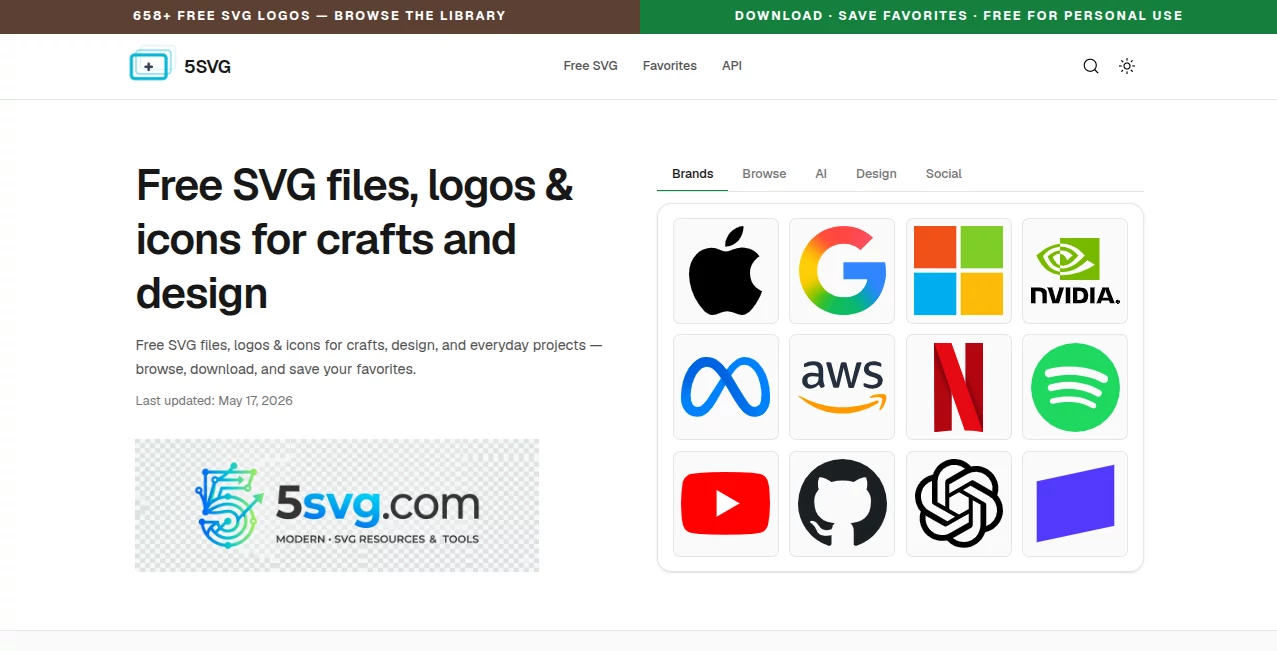
Finding good, clean vector files for your projects can be surprisingly frustrating. You either pay for premium assets or settle for low-quality ones full of messy paths. 5SVG solves that by offering a growing library of clean, production-ready SVG logos and icons—all completely free. Whether you're designing for Cricut, building a website, creating presentations, or working on print projects, it gives you quick access to high-quality vectors that just work. I've used it to grab brand logos for mockups and simple icons for UI designs, and the files are always crisp and easy to edit.
Introduction
In the world of digital design, SVG files are gold. They scale perfectly, stay lightweight, and can be edited in any vector program. But hunting them down one by one is time-consuming. This platform has built a well-organized collection of brand logos and general icons that designers, crafters, and developers actually use daily. No sign-up required for most downloads, no hidden watermarks, and everything is ready for commercial and personal projects. It's become a quiet favorite for people who need vectors fast without the usual hassle or cost.
Key Features
User Interface
The site is refreshingly straightforward. You can browse by category (logos, icons, specific industries) or use the search bar to find exactly what you need. Each asset page shows a clean preview, lets you copy the SVG code with one click, or download the file directly. No cluttered ads or confusing navigation—just a focused, fast experience that respects your time.
Accuracy & Performance
The SVGs are well-optimized: clean paths, reasonable file sizes, and accurate representations of the original logos and icons. They render sharply at any scale, which is exactly what you want from vectors. Downloads are quick even on slower connections, and the files open cleanly in Illustrator, Figma, Inkscape, or Cricut Design Space without issues.
Capabilities
You get hundreds of popular brand logos and a solid collection of general icons organized by category. Everything is free to download and use. You can copy SVG code directly for web projects or download the files for design software. The library is regularly updated with new assets, making it a reliable long-term resource for ongoing work.
Security & Privacy
No account is required for browsing and downloading, so you don't have to hand over personal information just to grab a few icons. The platform keeps things simple and focused on delivering the assets without unnecessary tracking or data collection. It's a low-friction experience that feels trustworthy.
Use Cases
A small business owner grabs brand logos for competitor research and mockups. A Cricut crafter downloads icons for personalized gifts and projects. A web developer quickly adds SVG icons to a new site without hunting across multiple libraries. A teacher creates educational materials with clean vector illustrations. Designers use it as a starting point for client projects when they need fast, editable assets. It's especially handy when you need something right now and don't want to pay or wait.
Pros and Cons
Pros:
- Completely free with no hidden limits or watermarks on downloads.
- Clean, well-optimized SVGs that work great across different software.
- Fast and simple browsing experience—no account needed.
- Regularly updated library with popular brands and useful icons.
- Great for both beginners and experienced designers.
Cons:
- Library is still growing, so not every brand or icon is available yet.
- No advanced editing tools built-in (you'll use your own software for modifications).
- Search could be more powerful for very specific needs.
Pricing Plans
The entire library is free to use. There are no paid tiers or premium assets hidden behind subscriptions. Everything you see is available to download and use at no cost. That open approach makes it especially valuable for students, freelancers, and small businesses who need quality vectors without adding to their monthly expenses.
How to Use 5SVG
Browse categories or search for the brand or icon you need. Click on any asset to see a larger preview. Use the "Copy SVG" button to grab the code for web projects, or click download to save the file. Open it in your favorite design program to make adjustments if needed. It's that simple—usually under 30 seconds from search to having the vector in your project.
Comparison with Similar Tools
Many free icon sites offer low-quality or heavily watermarked files. Paid libraries can get expensive quickly. This one stands out by focusing on clean, usable SVGs with zero cost and minimal friction. While it may not have every possible icon yet, the quality and accessibility make it a strong go-to resource compared to cluttered or limited alternatives.
Conclusion
Good design shouldn't require a big budget or endless searching. This platform makes quality vector assets available to everyone with almost zero barriers. Whether you're building websites, crafting physical projects, or just need a clean logo for a presentation, it saves time and frustration while delivering reliable results. In a world full of expensive design resources, having a free, high-quality SVG library like this feels like a genuine gift to the creative community.
Frequently Asked Questions (FAQ)
Are the SVGs really free for commercial use?
Yes—most assets are free for both personal and commercial projects.
Do I need to create an account?
No account is required to browse and download.
Can I edit the downloaded SVGs?
Absolutely—they are standard vector files that work in Illustrator, Figma, Inkscape, and more.
How often is the library updated?
New logos and icons are added regularly to keep the collection fresh.
What if I can't find a specific logo?
You can suggest missing brands through the site—many user requests get added over time.