
AdControlCenter
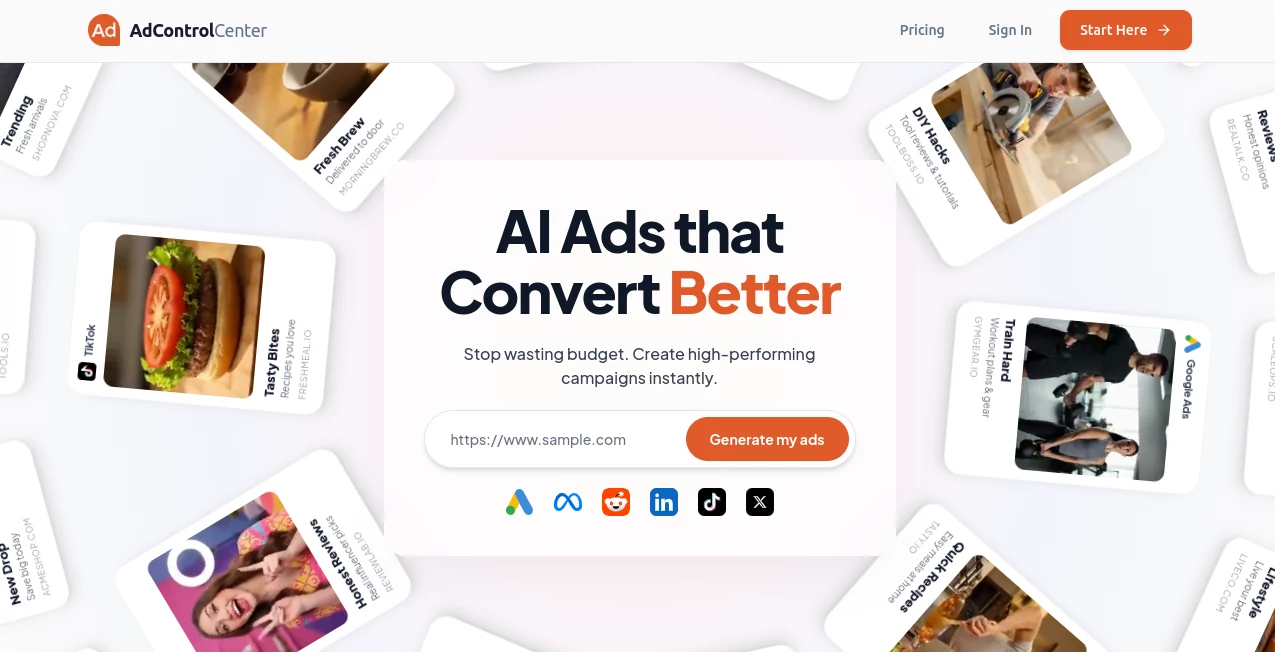
What is AdControlCenter?
Managing digital advertising campaigns across multiple platforms can quickly become overwhelming, especially when data is scattered and performance tracking is inconsistent. This platform is designed to bring everything into one centralized dashboard, helping marketers and businesses take full control of their ad operations without unnecessary complexity.
Instead of jumping between different ad networks and analytics tools, users get a unified environment where campaign monitoring, optimization, and reporting feel seamless and intuitive. It is built for teams who want clarity, speed, and better decision-making in their advertising strategy.
Key Features
User Interface
The interface is clean and structured, focusing on usability rather than clutter. Users can easily navigate between campaigns, performance metrics, and optimization tools without a steep learning curve. Even beginners can get comfortable within a short time.
Accuracy & Performance
Real-time data tracking ensures that performance metrics remain up to date, allowing marketers to react quickly to changes in campaign behavior. The system emphasizes reliability, reducing delays in reporting and improving decision accuracy.
Capabilities
- Centralized campaign management across multiple ad channels
- Performance tracking with real-time analytics
- Automated optimization suggestions based on data trends
- Budget monitoring and allocation insights
- Reporting tools for teams and stakeholders
Security & Privacy
Security is a core focus, ensuring that advertising data and account information remain protected. The system applies standard encryption practices and controlled access settings to maintain user confidentiality and platform integrity.
Use Cases
- Marketing teams managing multiple client campaigns
- E-commerce businesses optimizing ad spend
- Agencies handling large-scale advertising portfolios
- Startups looking to scale paid acquisition efficiently
Pros and Cons
Pros
- Centralized dashboard for all advertising activities
- Improves efficiency in campaign monitoring
- Real-time performance insights
- User-friendly interface
Cons
- May require initial setup time for integrations
- Advanced features may need learning for beginners
Pricing Plans
The platform typically follows a flexible pricing structure designed for different user needs, ranging from individual marketers to large agencies. Depending on the plan, users may access basic tracking features or advanced automation and optimization tools.
How to Use
Getting started usually involves creating an account, connecting advertising platforms, and importing active campaigns. Once connected, users can monitor performance, adjust budgets, and review analytics from a single dashboard. Over time, the system provides insights that help refine targeting and improve return on ad spend.
Comparison with Similar Tools
Compared to other advertising management solutions, this platform focuses more on simplicity and centralized control. While many tools emphasize either analytics or campaign creation separately, this solution combines both into one streamlined experience, making it easier for teams to stay aligned and efficient.
Conclusion
For marketers who struggle with fragmented advertising systems, this platform offers a practical way to regain control and improve campaign performance. Its balance of usability, analytics, and management tools makes it a strong option for both small teams and larger organizations aiming to scale their advertising efforts.
Frequently Asked Questions (FAQ)
Is it suitable for beginners?
Yes, the interface is designed to be intuitive, making it accessible even for users with limited advertising experience.
Can it manage multiple ad platforms?
Yes, it is built to centralize campaigns from different advertising networks into one dashboard.
Does it provide real-time data?
Yes, performance metrics are updated in real time to support faster decision-making.
Is it useful for agencies?
Absolutely, agencies can benefit from centralized management and reporting features for multiple clients.
AI Ad Creative Assistant , AI Marketing Plan Generator , AI Analytics Assistant , AI Advertising Assistant .
These classifications represent its core capabilities and areas of application. For related tools, explore the linked categories above.
AdControlCenter details
Website unavailable — View Alternatives
Pricing
- Free
Apps
- Web App
Categories

AdControlCenter Alternatives Product

Sprokl

Candidate Sc…

CoinIQ

Marketbetter…

Alter

Enji

Embedful

VideoDubber'…

Sorank