
Adoption Layer
What is Adoption Layer?
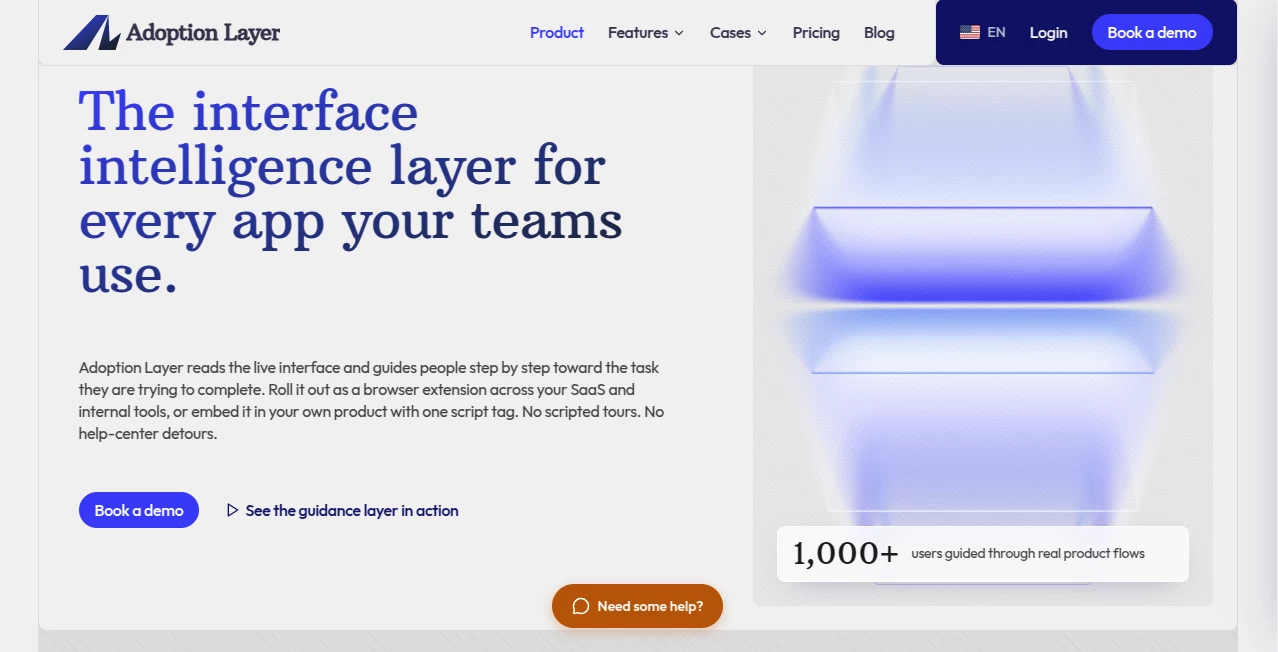
Most people don’t get stuck because they lack documentation. They get stuck because the next button isn’t obvious, the form field is confusing, or the workflow jumps somewhere unexpected. I’ve watched teams spend weeks writing help articles and recording product tours only to see users still open support tickets for the same simple steps. This platform takes a different route. It reads the live interface itself and quietly shows people exactly what to do next, right inside the app they’re already using. No new tab, no long search, just clear guidance at the moment it matters.
Introduction
Digital adoption tools used to mean rigid, pre-scripted walkthroughs that break every time a button moves. The approach here is smarter. It treats the actual product interface as the knowledge base. Whether you roll it out as a browser extension across the SaaS tools your team already pays for, or embed it with a single script tag in your own product, the guidance stays contextual and up to date. The result feels less like training and more like having a patient colleague sitting next to the user, pointing at the right place on the screen. Teams report fewer repetitive tickets, higher completion rates, and software that finally gets used the way it was intended.
Key Features
User Interface
The experience is deliberately light. A small assistant appears when needed and stays out of the way when it isn’t. Guidance shows up as clear step-by-step prompts with element highlighting, so the exact button or field lights up. Users can click through without leaving the page. For admins, the configuration stays clean and agent-friendly, with a simple schema and documentation written for both people and coding tools. Setup is measured in minutes, not days.
Accuracy & Performance
Because it analyzes the live page structure, the guidance adapts when screens change. Element highlighting is precise, and the AI focuses on interactive elements rather than guessing from outdated screenshots. Optional help articles can be added to make answers even more specific, but the system already works without them. In practice, users finish tasks they previously abandoned, and support teams see a noticeable drop in the same questions coming in day after day.
Capabilities
Beyond real-time guidance, it offers proactive hints that trigger based on page, timing, or element visibility. Smart escalation hands complex issues to a human with full context. Actionable insights surface recurring friction points every hour and suggest one-click improvements. The whole system is designed so coding agents can configure it through a scoped API, making it easy to keep the experience aligned with product changes.
Security & Privacy
Privacy is built in from the start. No tracking cookies, no IP logging, and no personal data stored. The widget only looks at structural information about interactive elements—buttons, links, labels—never form values or sensitive content. All communication runs over HTTPS. The platform is GDPR-compliant by design, so users get help without privacy banners or opt-in friction.
Use Cases
A SaaS company embeds the guidance so new customers complete onboarding without opening a single support ticket. An internal IT team deploys the browser extension across finance and HR tools, cutting the volume of “how do I do this?” messages. A product team uses the insights to spot drop-off points after signup and apply proactive hints the same day. Support leaders shift from answering the same five questions to handling only the complex cases that need a person. In each case, the software people already pay for starts delivering more of its intended value.
Pros and Cons
Pros:
- Guides users inside the live interface instead of sending them to documentation
- Works as a browser extension or a single script tag with almost no setup
- Adapts to interface changes without constant re-scripting
- Strong privacy posture with no personal data collection
- Gives support teams actionable insights they can act on quickly
Cons:
- Best results still come when teams review the insights and apply the suggested improvements
- Enterprise features and multi-app pricing require a custom conversation
Pricing Plans
Pricing is straightforward and built around real deployment. The Standard annual plan runs $590 per month when billed yearly and covers one application with unlimited users and all product features. A month-to-month Standard option is available at $690. Enterprise starts from $15,000 per year and includes SSO, security reviews, SLAs, and multi-application options. Every engagement begins with a prepared demo focused on the actual workflows that matter to the team.
How to Use Adoption Layer
Start by booking a short demo so the team can see the guidance working inside a real interface. Once ready, either install the browser extension across the tools your people already use or add one script tag to your product. The assistant appears automatically. You can optionally upload existing help content to refine answers, set proactive rules for high-friction pages, and review the daily insights that highlight where users struggle. From there, apply the one-click recommendations or let a coding agent handle configuration updates through the scoped API.
Comparison with Similar Tools
Traditional digital adoption platforms rely on pre-written tours that break whenever the interface changes. Generic chatbots answer questions in a side panel but cannot point to the exact element on the screen. This approach sits in between: it sees the live interface, highlights the next action, and keeps guidance current without constant maintenance. The focus on real product flows rather than static documentation makes the difference noticeable within the first week of use.
Conclusion
Software only creates value when people can actually finish the work they set out to do. This platform removes the quiet friction that causes drop-offs, abandoned tasks, and endless support tickets. By treating the interface itself as the source of truth and delivering help exactly where users need it, it turns complex tools into something people can navigate with confidence. For teams tired of writing the same answers or watching expensive software sit underused, the change feels practical, immediate, and lasting.
Frequently Asked Questions (FAQ)
Is it hard to install?
No. Add one script tag or deploy the browser extension. Setup takes less than a minute and works with any web application.
Do I need to upload documentation?
Documentation is optional. The system works from the page structure alone, though adding help articles improves specificity.
Is it privacy-friendly?
Yes. No tracking cookies, no personal data stored, and full GDPR compliance by design.
Can it handle complex issues?
It guides common tasks and escalates complex cases to humans with full context so the right person can take over.
How does pricing work for multiple apps?
Group deployments are priced case by case, and the per-application cost can decrease as the scope grows.
AI Workflow Management , AI Knowledge Management , AI Productivity Tools , AI Customer Service Assistant .
These classifications represent its core capabilities and areas of application. For related tools, explore the linked categories above.
Adoption Layer details
Website unavailable — View Alternatives
Pricing
- Freemium
Apps
- Web App
Categories

Adoption Layer Alternatives Product

Block Poster…

Fina Money

Beat API

Oasis

UPDF AI

Reloq

FormRoyale

Presenti AI

TryApplyNow