


















Agent-Company
What is Agent-Company?
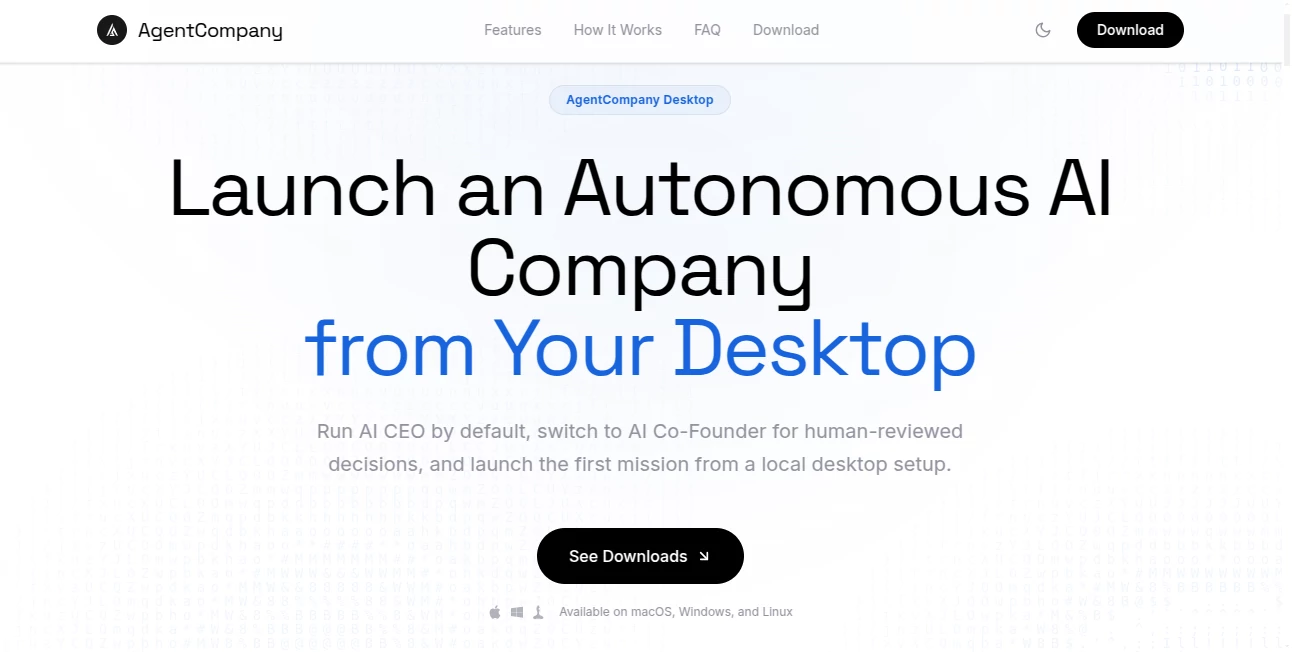
Imagine sitting at your laptop, describing a business idea, and watching an entire AI-powered company spin up around it — complete with a CEO that hires specialists, breaks down goals into tasks, and coordinates work across departments. That’s the experience AgentCompany delivers. It turns the concept of autonomous agents from theory into something you can actually run locally, on your own machine. I’ve spoken with indie developers and side-project founders who say it feels like having a full team working while they focus on the big picture. The best part? Everything stays private on your desktop.
Introduction
Most AI tools help you with single tasks. This one goes further — it lets you build and run a complete, self-organizing AI company right from your computer. You set the mission, choose your AI models, and the AI CEO takes over: it designs the org chart, creates specialized agents, assigns work, and drives progress toward your goal. You can run it fully autonomously or stay in the loop for important decisions. It’s built for entrepreneurs, developers, and curious minds who want to experiment with multi-agent systems without relying on cloud services or complex setups. The local-first approach makes it feel empowering rather than overwhelming.
Key Features
User Interface
The desktop app keeps things clean and focused. You start by naming your company, describing the mission, and connecting your preferred AI runtime. From there, the interface shows departments, agents, ongoing tasks, and communication channels in an intuitive layout. It feels like watching a real company dashboard come alive, but without the clutter. Switching between AI CEO mode and human-reviewed Co-Founder mode is seamless, giving you the right level of control depending on the project.
Accuracy & Performance
The AI CEO breaks down goals logically and creates relevant roles without unnecessary fluff. Agents communicate clearly, report progress, and escalate blockers sensibly. Because it runs locally with your chosen models (Claude, OpenAI, Gemini, etc.), performance depends on your hardware but stays responsive for most workflows. The system handles multi-agent coordination remarkably well, turning high-level objectives into actionable steps with fewer hallucinations than many standalone agent setups.
Capabilities
You can launch a full company with one goal and watch it self-organize into departments like Engineering, Design, Marketing, and Operations. Agents generate documents, write code, conduct research, and collaborate through internal channels. It supports human-in-the-loop approvals for critical decisions and stores deliverables in a built-in document center. The flexibility to mix different AI models for different roles adds another layer of power for advanced users.
Security & Privacy
Everything runs locally on your machine. Your data, prompts, and generated work stay private — no cloud uploads unless you explicitly connect external APIs. Secrets are stored securely using your operating system’s keychain. This local-first design is a big reason many founders feel comfortable experimenting with sensitive business ideas.
Use Cases
A solo founder uses it to validate a startup idea by letting the AI company draft a business plan, build a landing page prototype, and create initial marketing copy. A developer launches a small coding team to help build and test features for a side project. An educator creates a simulated company for students to observe how AI agents coordinate complex tasks. Teams use it to brainstorm and prototype internal tools before committing real development resources. The possibilities grow as you experiment with different missions and team structures.
Pros and Cons
Pros:
- Truly local and private — everything runs on your desktop.
- Impressive multi-agent coordination and task management.
- Flexible AI runtime support gives you choice and control.
- Human-in-the-loop option keeps you safely in command.
- Great for rapid experimentation without cloud costs.
Cons:
- Performance depends on your local hardware and chosen models.
- Setting up the first company takes some initial configuration.
- Still early-stage, so some advanced enterprise features are evolving.
Pricing Plans
The core application is completely free to download and use. You only pay for the AI model usage through your chosen providers (Claude, OpenAI, Gemini, etc.). There are no monthly fees or usage limits imposed by the platform itself. This transparent approach makes it accessible for individuals and small teams who want to experiment without surprise bills.
How to Use AgentCompany
Download the app for your operating system (macOS, Windows, or Linux). Install and open it, then connect at least one AI runtime during the first-run setup. Name your company, describe the mission, and choose your preferred mode (full AI CEO or human-reviewed Co-Founder). The system will create the initial org chart and kick off the first tasks. Monitor progress through the dashboard, review key decisions, and guide the company as needed. It’s designed to feel natural whether you check in daily or let it run autonomously for stretches.
Comparison with Similar Tools
Many agent frameworks require heavy coding or cloud infrastructure. This one stands out by being a complete desktop experience that’s ready to run out of the box. While some platforms focus on single agents or simple automation, AgentCompany builds entire organizations with hierarchy, communication, and task management. The local-first approach gives it an edge in privacy and control compared to purely cloud-based solutions.
Conclusion
AgentCompany turns the exciting but abstract idea of multi-agent systems into something you can actually use today, on your own computer. It’s a powerful playground for entrepreneurs, developers, and innovators who want to explore what happens when AI runs a company instead of just completing tasks. Whether you’re validating ideas, building prototypes, or simply curious about the future of work, it offers a practical and private way to experiment. The barrier to entry has never been lower — and the potential feels genuinely exciting.
Frequently Asked Questions (FAQ)
Do I need coding skills to use it?
No — the app handles most setup. Basic familiarity with AI models helps, but it’s designed to be approachable.
Is my data safe and private?
Yes — everything runs locally. Your prompts and outputs stay on your machine.
Which AI models can I use?
It supports Claude, OpenAI, Gemini, and several others through their official runtimes.
Can I run it without internet?
Some local models (like Ollama) work offline after initial setup, but most cloud providers need an internet connection.
Is it suitable for commercial use?
Yes — many users run business experiments and prototypes with it. Check your AI provider’s terms for generated content.
AI Workflow Management , AI App Builder , AI Team Collaboration , AI Developer Tools .
These classifications represent its core capabilities and areas of application. For related tools, explore the linked categories above.
Agent-Company details
Website unavailable — View Alternatives
Pricing
- Free
Apps
- Web App
- Windows App
- Mac App
- Linux App
Categories

Agent-Company Alternatives Product

LocaFlow

Somnio

BootstrapKing

Miro

Kimi K2.5

TruthSpine

Standard Com…

Emergent
Mythx AI
