

















What is AI Ghibli Filter?
AI Ghibli Filter is a simple way to give ordinary photographs a warm, hand-painted animation look inspired by the visual feeling of Studio Ghibli. Instead of requiring drawing skills or complicated editing software, it transforms an uploaded photo while keeping the original subject, pose, and composition recognizable.
The results are particularly appealing with landscapes, gardens, pets, streets, cozy interiors, and everyday moments. A simple photograph taken during an afternoon walk can become something that feels like a carefully painted frame from an animated story. Portraits can also work well, especially when the original image has natural lighting and a clear subject.
One of the nicest aspects is the straightforward experience. There is no account creation step, no watermark on downloaded results, and images are processed directly without being permanently stored. That makes it convenient for anyone who simply wants to experiment with a few personal photographs.
Key Features
- Transforms ordinary photographs into a soft, hand-painted animation aesthetic.
- Works especially well with landscapes, pets, gardens, and everyday scenes.
- Supports JPG, PNG, and WebP image uploads.
- Keeps the original identity, pose, and composition of portraits recognizable.
- Processes images on the fly without requiring an account.
- Provides high-resolution downloads without a watermark.
- Images are processed in memory and are not permanently stored or shared.
- Includes a generous daily usage allowance for free users.
User Interface
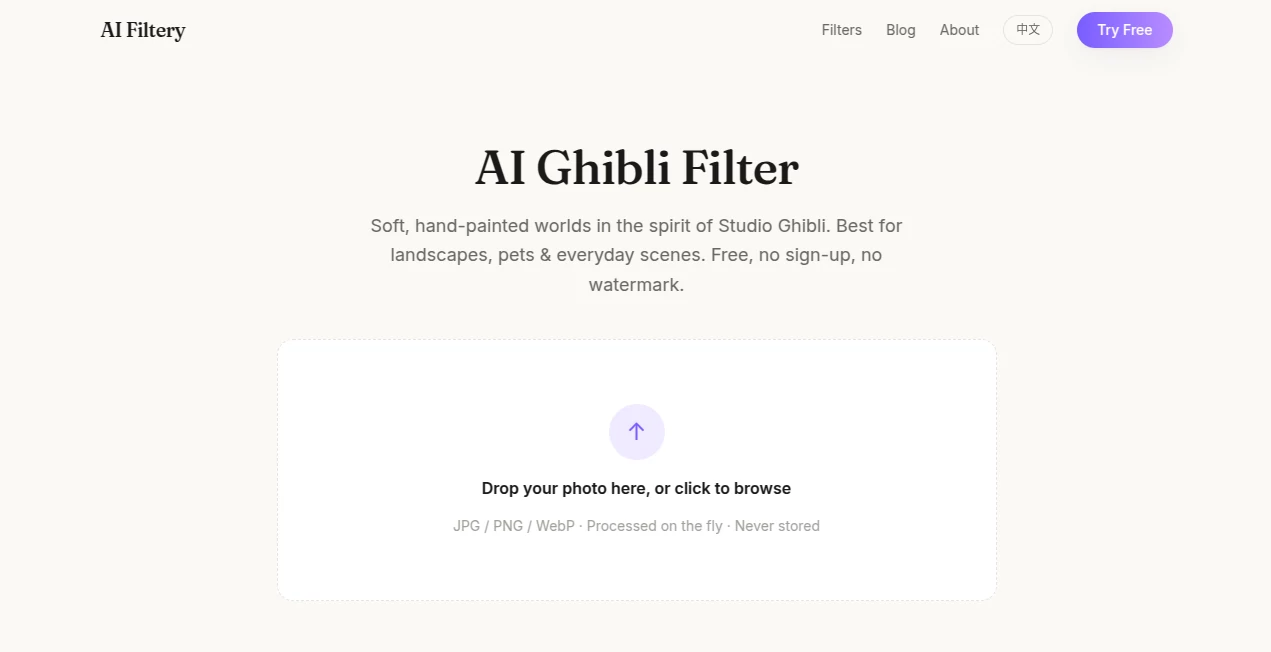
The interface is deliberately uncomplicated. Users can drop a photograph into the upload area or browse their device to select a JPG, PNG, or WebP file. There are no complicated editing panels or settings that need to be understood before getting started.
This simplicity is useful for casual users. You can take a photograph, upload it, wait for the transformation, and download the finished image without learning a traditional image-editing workflow. The experience feels closer to using a creative filter than operating a professional editing application.
Accuracy & Performance
The transformation is designed to change the visual treatment of a photograph rather than completely reinvent the original scene. The system aims to preserve identity, pose, and composition while applying softer colors, watercolor-like skies, lush greenery, warm lighting, and subtle brush textures.
Image selection has a noticeable effect on the final result. Photos taken in golden-hour or overcast lighting tend to fit the aesthetic naturally. Organic textures such as trees, clouds, grass, old streets, and cozy rooms also give the transformation plenty of visual detail to work with.
Capabilities
The strongest results come from photographs where the environment plays an important role. A pet sitting near a window, a person walking through a park, a quiet street, or a vacation landscape can all become visually distinctive after processing.
Portraits are supported as well. Rather than turning the person into an entirely different character, the transformation is intended to retain recognizable facial identity while giving the surrounding scene a storybook quality.
The high-resolution, watermark-free downloads also make the results more useful beyond social media experiments. Users can create wallpapers, postcards, personal photo collections, or even printed memories from their transformed images.
Security & Privacy
Privacy is one of the more reassuring parts of the service. Uploaded photographs are processed in memory and are deleted after the result is ready. The service states that images are never stored or shared, which is particularly relevant when users are working with personal photographs.
There is also no requirement to create an account before using the filter. That keeps the barrier to experimentation low while reducing the amount of personal information users need to provide.
Use Cases
This tool is a good fit for people who want to give familiar photographs a completely different visual mood without spending time learning image-editing software.
- Travel photography: Turn vacation landscapes, city streets, and memorable locations into illustrated-looking scenes.
- Pet photography: Create charming storybook-style images from cats, dogs, and other pets.
- Portraits: Give personal portraits a softer animated atmosphere while keeping the subject recognizable.
- Social media: Create distinctive profile images, posts, and visual content.
- Wallpapers: Transform personal photographs into atmospheric desktop or mobile backgrounds.
- Printed memories: Use high-resolution results for photo prints, postcards, or personal albums.
- Creative experiments: Explore how ordinary scenes look when interpreted through a hand-painted animation aesthetic.
Pros and Cons
Pros
- Free to use with a generous daily limit.
- No account or sign-up is required.
- No watermark on downloaded images.
- Supports common JPG, PNG, and WebP formats.
- Strong results with landscapes, pets, and natural scenes.
- Portrait identity, pose, and composition are designed to remain recognizable.
- High-resolution output is suitable for printing.
- Photos are processed in memory rather than permanently stored.
Cons
- The free service has a daily usage limit.
- Results can vary depending on the lighting and quality of the original photograph.
- Images with poor lighting or very little environmental detail may produce less impressive transformations.
- The visual style is intentionally focused on one particular hand-painted animation aesthetic rather than offering extensive manual customization.
Pricing Plans
The service is available for free and does not require users to create an account before processing an image. A generous daily usage limit is provided, while downloaded results remain watermark-free.
There is no complicated subscription process described for the filter, making it particularly attractive for users who only need occasional image transformations. Someone experimenting with a vacation album or a handful of personal photographs can start without committing to a paid plan.
How to Use It
- Open the image filter page.
- Drop a photograph into the upload area or click to browse your device.
- Choose a JPG, PNG, or WebP image.
- Allow the service to process the photograph.
- Review the transformed result.
- Download the high-resolution, watermark-free image.
For the strongest visual results, start with photographs taken in natural light. Golden-hour and overcast photographs are particularly suitable, while scenes containing trees, grass, clouds, gardens, old streets, or cozy interiors tend to translate nicely into the painted aesthetic.
Comparison with Similar Tools
Compared with general-purpose AI image generators, this type of filter takes a more controlled approach. Instead of asking users to describe an entirely new image with a prompt, it starts with a photograph that already contains the desired subject and composition.
That distinction makes it useful when preserving the feeling of the original photograph matters. General image generators can offer broader creative freedom, but they may also change faces, objects, layouts, or other important details. Here, the goal is much more focused: retain the recognizable scene while giving it a carefully defined painted appearance.
It also compares favorably with traditional photo-editing workflows for users who want speed. Rather than manually adjusting colors, textures, lighting, and artistic effects, the transformation is handled automatically in a single workflow.
Conclusion
AI Ghibli Filter offers an enjoyable and accessible way to turn everyday photographs into soft, illustrated memories. Its strongest advantage is not an overwhelming list of controls, but the fact that the entire process is remarkably straightforward.
The combination of free access, no sign-up requirement, watermark-free downloads, high-resolution output, and a privacy-focused processing approach makes it easy to recommend for casual creative projects. Landscapes and pet photographs are especially promising, while well-lit portraits can also produce charming results.
If you have a camera roll filled with ordinary moments that deserve a more artistic presentation, this is the kind of tool worth trying. Sometimes a photograph does not need a new subject or a dramatic composition. A different visual treatment is enough to make a familiar moment feel surprisingly special.
Frequently Asked Questions (FAQ)
Is it free to use?
Yes. The service is free to use and provides a generous daily usage limit. No sign-up is required to get started, and downloaded images do not contain a watermark.
What image formats are supported?
The upload interface supports JPG, PNG, and WebP images.
Will a person's face remain recognizable?
The transformation is designed to preserve identity, pose, and composition while changing the visual treatment of the scene. Clear portraits with good lighting are generally the best starting point.
What photographs produce the best results?
Landscapes, gardens, pets, warm everyday scenes, and photographs containing natural textures tend to work particularly well. Golden-hour and overcast lighting can also complement the intended aesthetic.
Are the downloaded images watermarked?
No. The service provides high-resolution downloads without a watermark, making them suitable for personal wallpapers, sharing, and standard photo printing.
Are uploaded photographs stored?
No. According to the service, photographs are processed in memory and deleted after the result is ready. They are not permanently stored or shared.
Can the generated images be printed?
Yes. The downloaded results are high-resolution and suitable for standard photo printing, including personal prints and postcards.
Is the service officially affiliated with Studio Ghibli?
No. The service describes itself as an independent AI filter inspired by the hand-painted animation aesthetic and states that it is not affiliated with or endorsed by Studio Ghibli.
Do I need to create an account?
No. The filter can be used without signing up, which makes it convenient for quick experiments and occasional projects.