
AI for Database
What is AI for Database?
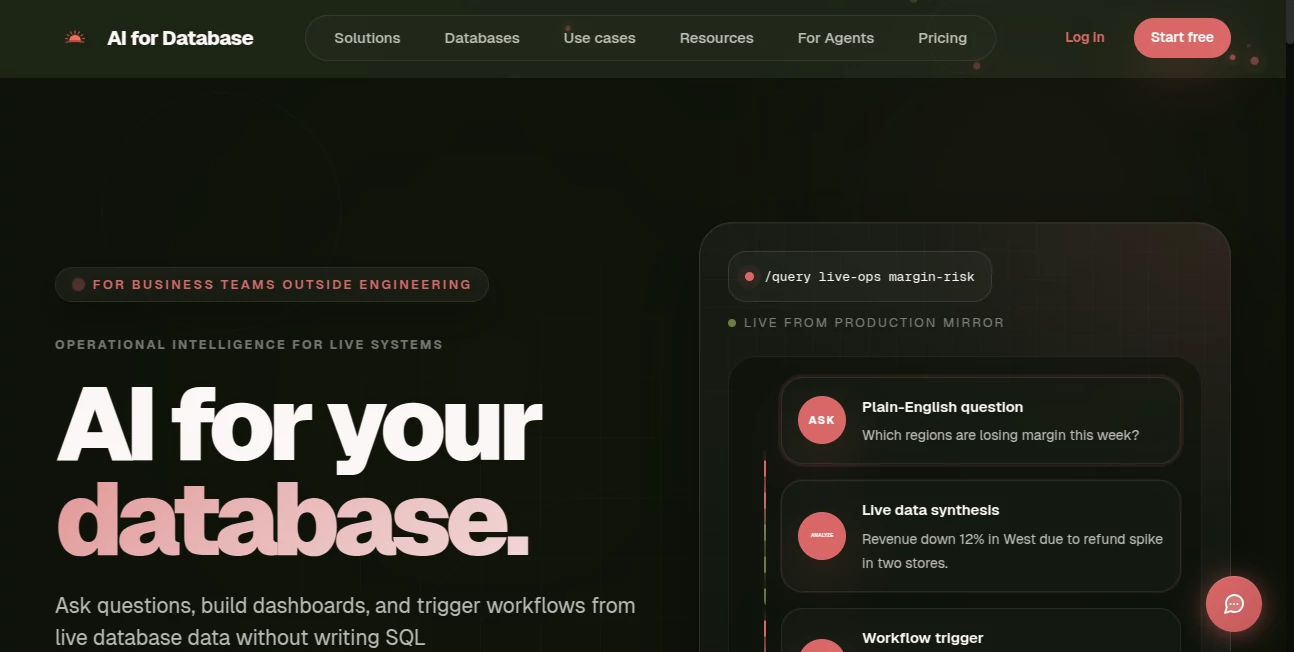
Most business teams sit one step removed from their own data. They wait for engineers to write SQL, build dashboards, or check numbers—sometimes for days. This tool removes that wait. You connect your database once, then ask plain-English questions like “Which regions lost margin this week?” and get clear answers, charts, and even automated actions. It feels like having a sharp data analyst who never sleeps and works directly from your live systems. I’ve seen operations managers catch refund spikes early and sales leaders spot stuck deals before they become problems—all because they could finally talk to their data in normal language.
Introduction
Databases hold the truth about your business, but accessing that truth has traditionally required technical skills most teams don’t have. This platform changes that by letting non-technical users ask questions, build reports, and trigger workflows directly from live production data. It connects to PostgreSQL, MySQL, MongoDB, and more, then translates your words into accurate queries behind the scenes. The result is operational intelligence that feels instant and actionable. No more tickets to engineering. No more outdated spreadsheets. Just answers and next steps when you need them.
Key Features
User Interface
The experience is clean and focused. You type questions in a chat-like interface, and answers appear with tables, charts, and suggested actions. Dashboards can be built from any answer with one click. Everything stays in one place so you can follow up naturally (“What caused that drop?”) without switching tools. It’s designed for business users—simple enough for a first-time user, powerful enough for daily operations.
Accuracy & Performance
It turns natural language into reliable queries with impressive accuracy, even on complex business questions. Responses come back fast, pulling from live data so you’re never looking at yesterday’s numbers. The system understands context across follow-up questions, keeping conversations coherent. Teams report catching issues and making decisions much faster because the answers feel trustworthy and up-to-date.
Capabilities
Ask anything in plain English, get instant analysis and visualizations. Turn answers into shareable dashboards and scheduled reports. Trigger workflows—Slack alerts, emails, CRM updates, or webhooks—when data changes. It supports read-only exploration or controlled actions depending on your permissions. Whether you need quick insights, recurring reports, or automated responses to business events, it handles the full cycle from question to action in one place.
Security & Privacy
Security is taken seriously with SOC 2 and GDPR compliance, role-based access, and encryption. You control exactly what the AI can read or write. Self-hosted options keep everything inside your infrastructure if needed. For business teams handling sensitive operational data, this careful approach builds real confidence.
Use Cases
Sales managers ask “Which deals are stuck?” and get a prioritized list with automatic Slack reminders. Operations teams monitor “Which SKUs are running low?” and trigger restock workflows. Product leaders explore “What features drive retention?” and turn insights into dashboards. Finance teams track margin shifts and get weekly summaries delivered automatically. It empowers every department to work directly with data instead of waiting in line for reports.
Pros and Cons
Pros:
- Plain English access to live data—no SQL required.
- Fast insights and automated actions that save real hours.
- Beautiful auto-generated charts and shareable dashboards.
- Strong security and self-hosted options for enterprise needs.
- Works with major databases and common business tools.
Cons:
- Complex or highly custom business logic may need some initial guidance.
- Free tier is limited; heavier usage benefits from paid plans.
Pricing Plans
It starts with a free tier using open-source models so you can test the value without cost. The Pro plan unlocks premium models (GPT-4o, Claude, Gemini, etc.), unlimited workflows, and advanced features. Pricing is transparent and predictable—no surprise usage fees. Many teams find it pays for itself quickly through faster decisions and reduced engineering dependency.
How to Use AI for Database
Connect your database (PostgreSQL, MySQL, MongoDB, etc.) in minutes with secure credentials. Invite your team with role-based permissions. Start asking questions in plain English—“Show me stores with refund spikes this week.” Review the answer, charts, and suggested actions. Turn useful responses into dashboards or scheduled reports. Set up alerts or workflows for ongoing monitoring. The more you use it, the more natural the conversations become.
Comparison with Similar Tools
Traditional BI tools require SQL knowledge and dashboard building time. Other AI query tools often stop at answers without action capabilities. This one combines natural language access, visualization, and workflow automation in one focused platform. It gives business teams independence from engineering while maintaining security and accuracy—something many alternatives struggle to balance.
Conclusion
Your database already knows the answers. This tool simply lets the right people ask the right questions and act on them without delay. It turns data from something locked away in engineering tickets into a living part of daily operations. For teams tired of waiting for reports or guessing at numbers, it brings clarity, speed, and confidence. In fast-moving businesses, that kind of operational intelligence isn’t a luxury—it’s becoming essential.
Frequently Asked Questions (FAQ)
Do I need to know SQL?
No—the whole point is asking in plain English.
Which databases are supported?
PostgreSQL, MySQL, MongoDB, SQL Server, and more.
Can it trigger actions automatically?
Yes—Slack alerts, emails, webhooks, CRM updates, and more.
Is my data secure?
Yes—SOC 2 & GDPR compliant, with strong encryption and role-based access.
Can I self-host?
Yes—full self-hosted deployment is available for teams that need it.
AI Workflow Management , AI Documents Assistant , AI Research Tool , AI Analytics Assistant .
These classifications represent its core capabilities and areas of application. For related tools, explore the linked categories above.
AI for Database details
Website unavailable — View Alternatives
Pricing
- Free
Apps
- Web App
Categories

AI for Database Alternatives Product

AI OCR

Duct Tape AI…

Surmado

Preuve AI

Patches Answ…

MacroMicro

AI text clea…

Kimi K2.5

langextract.…