
AI QA Monkey
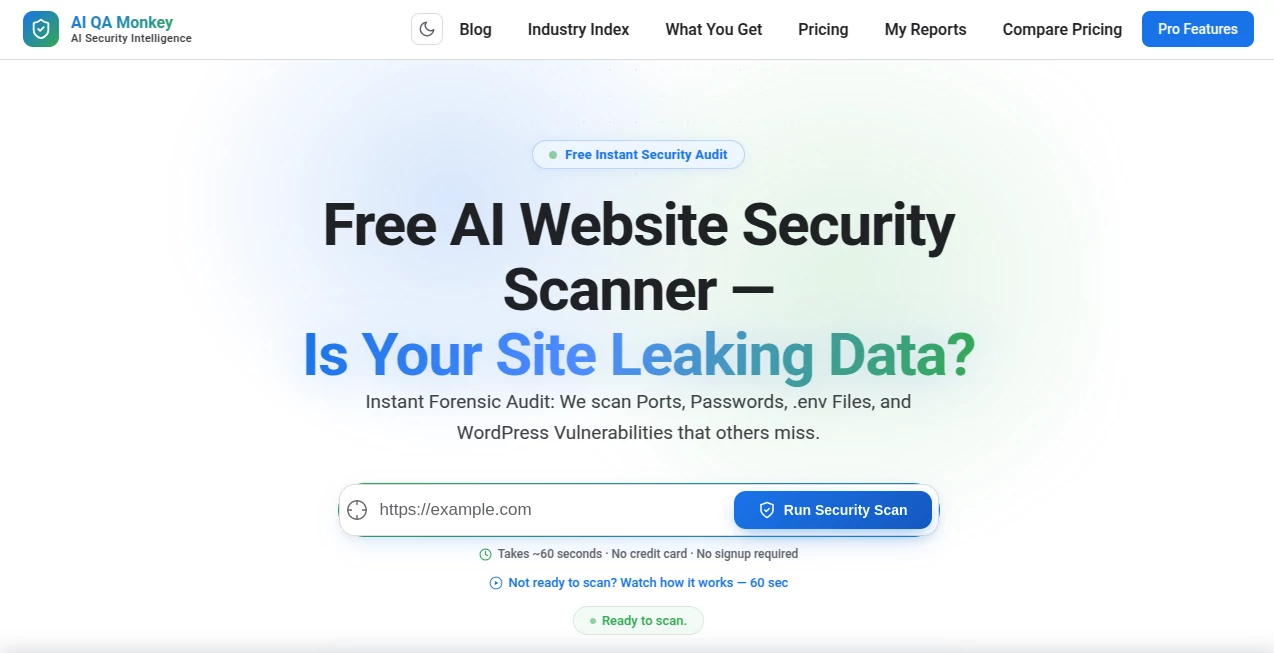
What is AI QA Monkey?
Website security is no longer something businesses can afford to overlook. Even a small configuration mistake or an exposed file can create opportunities for attackers. This platform simplifies security assessments by automatically scanning websites for common vulnerabilities and presenting the findings in a clear, actionable report. Instead of spending hours performing manual checks, users can receive a detailed overview of their website's security posture within minutes.
Designed for developers, agencies, SaaS founders, and IT professionals, the platform combines automated reconnaissance with artificial intelligence to identify risks such as exposed credentials, security headers, open ports, WordPress vulnerabilities, leaked environment files, and other common security weaknesses. The result is a practical solution that makes routine security auditing accessible to both technical and non-technical users. :contentReference[oaicite:0]{index=0}
Key Features
User Interface
The interface is intentionally simple. Users only need to enter a website address to begin a security scan, eliminating lengthy setup processes or complicated configurations. Reports are organized logically so that vulnerabilities can be reviewed quickly and prioritized based on severity.
Accuracy & Performance
The security engine performs dozens of automated checks within seconds, analyzing the website's external attack surface, security configuration, exposed resources, DNS records, and other potential weaknesses. AI-generated recommendations help users understand both the problem and the suggested remediation. :contentReference[oaicite:1]{index=1}
Capabilities
- Instant website security scanning
- Detection of exposed sensitive files and credentials
- Open port discovery
- Security header analysis
- SSL certificate verification
- WordPress vulnerability detection
- DNS security checks including SPF, DKIM, and DMARC
- Attack surface mapping
- AI-generated remediation suggestions
- Export reports in PDF, JSON, and CSV formats
- GDPR-related security assessments
- No registration required for basic scans
Security & Privacy
Security is the platform's primary focus. Rather than modifying websites, it analyzes publicly accessible information to identify risks before attackers do. Detailed reports allow teams to strengthen configurations, protect sensitive assets, and improve overall compliance with security best practices. :contentReference[oaicite:2]{index=2}
Use Cases
- Audit newly launched websites before going live.
- Perform routine security checks on business websites.
- Identify accidentally exposed configuration files.
- Review WordPress installations for known security issues.
- Generate reports for clients as part of security consulting.
- Support compliance and cybersecurity assessments.
- Monitor the external attack surface of SaaS applications.
Pros and Cons
Pros
- Very fast website security analysis.
- Easy to use with minimal technical setup.
- AI-powered explanations make findings easier to understand.
- Supports multiple report export formats.
- Free basic scanning without account registration.
- Suitable for developers, agencies, and security professionals.
Cons
- Advanced capabilities may require a paid plan.
- Focuses on external security assessment rather than internal infrastructure.
- Manual remediation is still required after vulnerabilities are identified.
Pricing Plans
A free security scan is available without requiring account registration. Additional capabilities, enterprise features, and extended reporting options are offered through paid plans designed for professional users and organizations. :contentReference[oaicite:3]{index=3}
How to Use AI QA Monkey
Open the platform, enter the website you want to evaluate, and start the scan. Within a short time, the system analyzes numerous security checkpoints and generates a detailed report highlighting vulnerabilities, configuration issues, and recommended fixes. Reports can then be reviewed online or exported for documentation and further analysis.
Comparison with Similar Tools
Unlike many traditional vulnerability scanners that require installation or technical expertise, this platform emphasizes accessibility and speed. AI-assisted explanations make technical findings easier to interpret, while comprehensive attack surface analysis and report exports provide value for both individual developers and enterprise security teams. It offers an efficient alternative for organizations seeking regular website security assessments without deploying complex infrastructure.
Conclusion
Maintaining a secure website requires continuous monitoring, and this platform makes that process remarkably straightforward. Its combination of automated security analysis, AI-generated remediation guidance, rapid scanning, and professional reporting helps organizations identify weaknesses before they become costly problems. Whether managing a personal project or a large business website, it delivers valuable insights that contribute to stronger cybersecurity practices.
Frequently Asked Questions (FAQ)
Is a free scan available?
Yes. Users can perform a basic website security scan without creating an account. :contentReference[oaicite:4]{index=4}
What types of vulnerabilities can be detected?
The scanner checks for exposed files, security headers, SSL configuration, open ports, WordPress issues, DNS security settings, leaked credentials, and other common website vulnerabilities. :contentReference[oaicite:5]{index=5}
Can reports be exported?
Yes. Security reports can be exported in multiple formats including PDF, JSON, and CSV. :contentReference[oaicite:6]{index=6}
Who should use this platform?
It is well suited for developers, agencies, IT administrators, SaaS founders, cybersecurity consultants, and website owners.
Does the platform provide remediation guidance?
Yes. AI-generated recommendations help users understand detected vulnerabilities and suggest practical solutions. :contentReference[oaicite:7]{index=7}
Other , AI Testing & QA , AI Developer Tools , AI Monitor & Report Builder .
These classifications represent its core capabilities and areas of application. For related tools, explore the linked categories above.

AI QA Monkey Alternatives Product

AgentOne

UpMocker

Bulletin

DeepSeek

FurWall

Gemini Omni

Empiriolabs …

Yes No Oracle

URL to Any