

















AI Image Upscaler
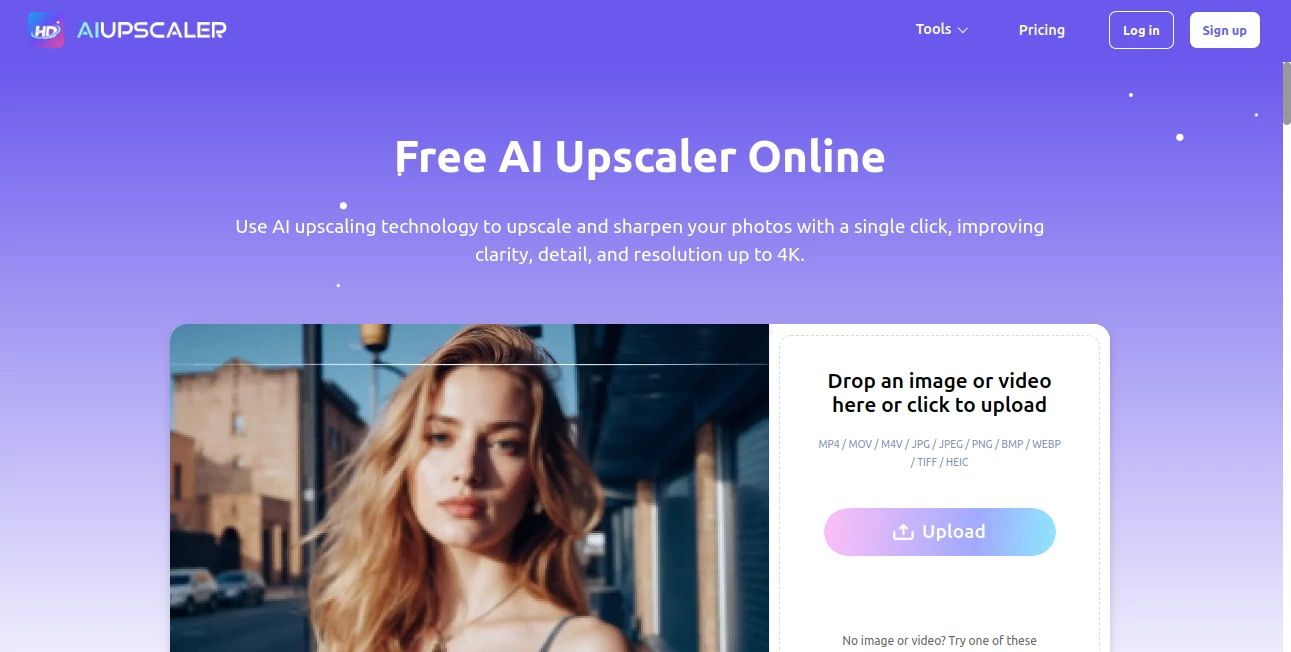
What is AI Image Upscaler?
In a digital world where visuals define first impressions, having sharp, high-resolution images is more important than ever. This platform is designed to transform low-quality or pixelated images into crisp, detailed visuals that look professionally edited. Whether you're a designer, photographer, marketer, or simply someone who wants better-looking images, it offers a fast and effortless way to upgrade your visuals without complex editing skills.
What makes it stand out is its ability to preserve fine details while increasing image resolution. Instead of stretching pixels and creating blur, it intelligently reconstructs missing information, giving images a naturally enhanced look.
Key Features
User Interface
The interface is clean, minimal, and designed for simplicity. Users can upload an image and get results in just a few clicks. There is no steep learning curve, making it accessible even for beginners who have never used image editing software before.
Accuracy & Performance
The enhancement engine focuses on maintaining clarity and sharpness. It works especially well with portraits, product images, and digital artwork. The processing is quick, and the output maintains a natural appearance without over-processing or artificial smoothing.
Capabilities
This tool can upscale images to higher resolutions while preserving edges, textures, and fine details. It is also effective in reducing noise, correcting blur, and improving overall image quality. It performs well on both modern images and older, lower-quality photos.
Security & Privacy
User privacy is taken seriously. Uploaded images are processed securely, and unnecessary data retention is avoided. This ensures that users can enhance their images with confidence, especially when working with personal or professional content.
Use Cases
- Enhancing product photos for e-commerce listings
- Improving social media visuals for better engagement
- Restoring old or low-resolution personal photos
- Upscaling digital artwork for printing or portfolios
- Preparing marketing visuals for professional campaigns
Pros and Cons
Pros
- Simple and beginner-friendly interface
- Fast processing with high-quality output
- Maintains natural details and textures
- Useful for both personal and professional needs
Cons
- Advanced editing customization is limited
- Performance may vary depending on image quality
- Requires stable internet connection for processing
Pricing Plans
The platform typically offers flexible pricing options to suit different users. A free tier may be available for basic enhancements, while premium plans unlock higher resolution outputs, faster processing, and batch processing features. This makes it suitable for both casual users and professionals who need consistent, high-volume image processing.
How to Use This Tool
Getting started is straightforward. Users simply upload an image, select the desired enhancement level, and let the system process it automatically. Within moments, the improved version is ready for download. No technical expertise or editing knowledge is required, making the entire experience smooth and efficient.
Comparison with Similar Tools
Compared to traditional photo editing software, this solution removes complexity and manual adjustments. While many tools require layers, filters, and manual tuning, this platform automates the entire enhancement process. Against other online enhancers, it focuses more on natural-looking results rather than overly sharpened or artificial outputs, which makes it more suitable for professional use.
Conclusion
For anyone looking to quickly improve image quality without diving into complicated software, this platform offers a practical and reliable solution. It balances ease of use with strong enhancement capabilities, making it a valuable tool for designers, marketers, content creators, and everyday users alike. The ability to turn low-resolution images into sharp, usable visuals can significantly improve the quality of digital content across multiple industries.
Frequently Asked Questions (FAQ)
Is this tool suitable for professional use?
Yes, it is widely used by professionals who need quick and reliable image enhancement for commercial projects, marketing materials, and design work.
Does it require any installation?
No installation is needed. Everything works directly through a web-based interface.
Can it improve old or blurry photos?
Yes, it is particularly effective at restoring older or low-quality images by enhancing clarity and reducing noise.
Is it beginner-friendly?
Absolutely. The platform is designed to be simple enough for beginners while still being useful for advanced users.
Does it support high-resolution output?
Yes, it can generate high-resolution images suitable for printing and professional use.
AI Photo Enhancer , AI Graphic Design , AI Photography , AI Image to Image .
These classifications represent its core capabilities and areas of application. For related tools, explore the linked categories above.
AI Image Upscaler details
Website unavailable — View Alternatives
Pricing
- Free
Apps
- Web App
Categories

AI Image Upscaler Alternatives Product
Ernie Image

Pygmalion Pr…

GTA AI
FitHairAI

Better Image

BeYourCover

UndressMe AI

Omoglow
Banana AI
