
















Ernie Image
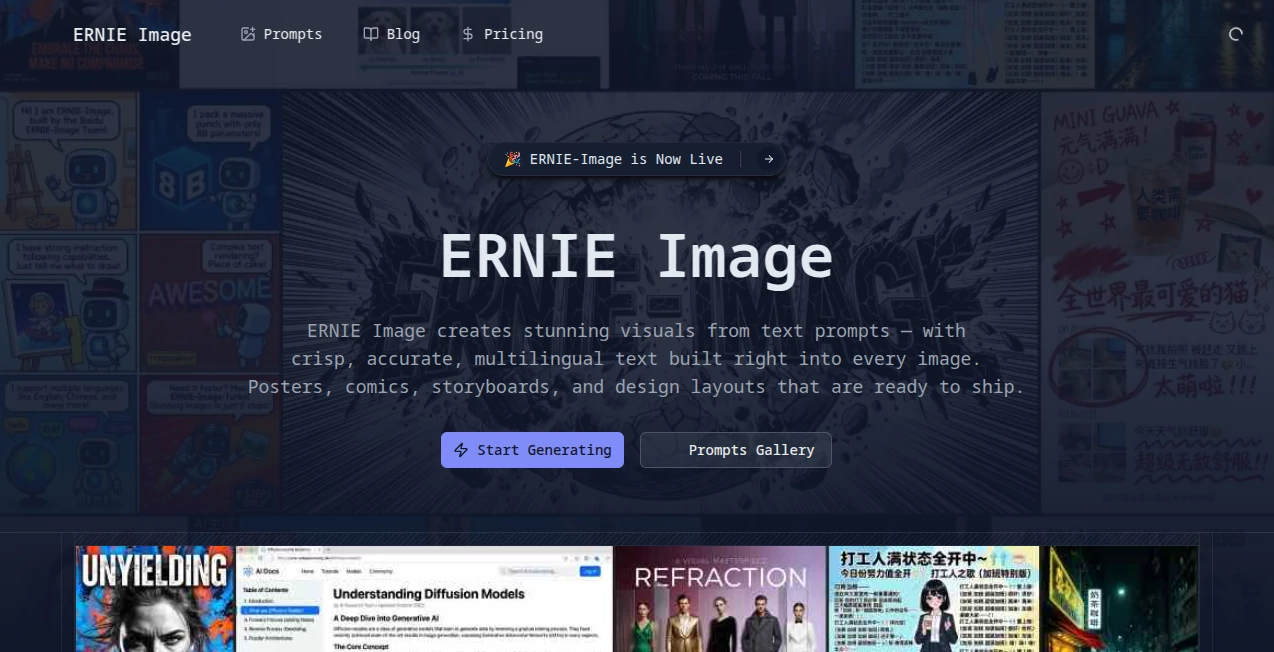
What is Ernie Image?
Let's be honest for a second. Most AI image generators out there feel like they were built by engineers who never had to actually get work done. You type in a prompt, cross your fingers, and hope the text on that poster doesn't come out looking like alien hieroglyphics. Frustrating, right?
That's exactly why something feels different here. Built by the team at Baidu, this tool takes a completely different approach. Instead of forcing you to translate your creative vision into awkward English prompts that lose half their meaning, it speaks your language. Literally. Chinese, English, Japanese, Korean - the model handles them all without breaking a sweat.
But here's the real kicker. Unlike pretty much every other high-quality image generator that locks you into monthly subscriptions or pay-per-image schemes, this one is completely open source under the Apache 2.0 license. You can download it, modify it, run it on your own hardware, and even use it for commercial projects. No hidden fees, no usage caps, no corporate overlords deciding what you can and cannot create.
After spending some time testing what this thing can actually do, I'm genuinely impressed. It's not just another pretty face in the crowded AI art space. It solves real problems that designers, marketers, and content creators deal with every single day.
Key Features
User Interface
The interface experience varies depending on how you choose to run it. If you're technically inclined, you can download the model from Hugging Face and run it locally through ComfyUI. The ComfyUI workflow is already set up and ready to go - just update to version 0.19.1, search for the template, and you're generating images within minutes.
For those who prefer something simpler, there are API options available through various providers. WaveSpeedAI offers a straightforward REST API that costs about three cents per image, which is honestly hard to beat. The platform keeps things clean and uncluttered - no overwhelming dashboards with a thousand sliders you'll never use.
What I appreciate most is the built-in Prompt Enhancer. Type something short and rough, and the model expands it into a richer, more structured description automatically. It's like having a co-pilot who understands what you actually meant to say.
Accuracy & Performance
The numbers here are worth paying attention to. Independent benchmarks show this model leads all open-source options in text rendering and complex instruction following. We're talking about dense, layout-sensitive text in multiple languages that actually looks crisp and readable.
Hardware requirements are surprisingly reasonable. With just 8 billion parameters, the model runs smoothly on consumer GPUs with 24GB of VRAM. That means a standard RTX 4090 can handle it without breaking a sweat. There's even a Turbo version called ERNIE-Image-Turbo that generates high-quality images in only 8 inference steps. Real-world testing shows about 10 seconds per image on consumer hardware.
In professional evaluations across multiple enterprises and creative platforms, the model consistently delivered results that rival top commercial options. One电商平台 reported cutting design cycles from 72 hours down to just 8 hours after integrating this into their workflow. Those aren't marketing claims - those are real productivity gains.
Capabilities
The range of what this tool can actually do goes way beyond basic text-to-image generation. Here's where it really shines:
- Multilingual text rendering - English, Chinese, Japanese, and Korean text all come out clear and properly spaced. Test results show 92.7% accuracy for Japanese and Korean character generation.
- Structured visual generation - Posters, manga panels, storyboards, multi-panel compositions - anything that requires precise layout control.
- Complex instruction following - Nested commands like "generate three paintings showing spring fishing, autumn mountain visits, and winter forest tracking, each with its own poem and seal" actually work.
- Image editing capabilities - Erase objects, repaint areas, generate variations - all supported through the API.
- Broad style range - From realistic photography to cinematic film aesthetics to anime and traditional Chinese painting styles.
- Cultural element recognition - The model understands traditional Chinese motifs, seasonal imagery, and cultural symbols that foreign tools consistently mess up.
One feature that surprised me was how well it handles academic and technical content. Researchers are using it to generate paper illustrations and medical diagrams that achieve 91% accuracy according to expert evaluations.
Security & Privacy
This is where open-source models have a massive advantage. When you run this locally on your own hardware, your prompts and generated images never leave your computer. No one is training on your data. No company is analyzing your creative concepts. No surprise terms-of-service changes that suddenly claim ownership of everything you make.
The model weights and inference code are fully available on Hugging Face under the Apache 2.0 license. You can audit the code yourself if you're paranoid about security. For businesses dealing with sensitive client work or proprietary product designs, this level of control isn't just nice to have - it's essential.
Even if you go the API route through providers like Baidu's Qianfan platform, the commercial terms are straightforward. No weird clauses about content licensing or usage restrictions that come back to bite you later.
Use Cases
Let me walk you through some real-world scenarios where this tool actually delivers value:
- E-commerce product photography - One online retailer completely rebuilt their product image workflow around this. Instead of coordinating with photographers for every new angle or background, they generate scene images in minutes. The click-through rates on AI-generated marketing images tested 22% higher than traditionally produced alternatives.
- Social media content creation - Short-form video teams are using this to automate storyboard generation. Input a script, get back a full sequence of scene illustrations with consistent characters. Production output went from 3 to 15 pieces per person per day.
- Children's book illustration - Independent authors are finally able to produce professional-quality illustrated books without hiring expensive artists. The trick is locking in character descriptions and reusing them across prompts to maintain consistency.
- Traditional Chinese marketing campaigns - For brands targeting Chinese audiences, the cultural accuracy is unmatched. Holiday promotions, seasonal marketing, and heritage-themed content all benefit from the model's deep understanding of local aesthetics.
- Academic and technical diagrams - Research teams are generating publication-ready figures from text descriptions. Complex charts, anatomical drawings, and experimental setups all come out looking professional.
Pros and Cons
What works brilliantly:
- Completely open source with commercial use allowed - no subscription fees ever
- Runs on consumer hardware (24GB VRAM is enough for the main model)
- Best-in-class multilingual text rendering among open models
- Native Chinese language understanding without translation loss
- Turbo version generates images in about 10 seconds
- Strong performance on structured outputs like posters and comics
- Built-in prompt enhancement for better results from short inputs
Where it could improve:
- 8B parameter scale means it won't beat the absolute largest commercial models on pure photorealism
- Local installation requires technical knowledge (ComfyUI isn't exactly plug-and-play for everyone)
- The model is newer to the scene, so community resources and tutorials are still growing
- API options exist but aren't as streamlined as established players like Midjourney or DALL-E
Pricing Plans
This is the simplest pricing breakdown you'll ever see for a high-quality image generator. The model itself is completely free under the Apache 2.0 license. Download it, run it locally, pay nothing. Use it for commercial projects, build products on top of it, modify the code - all completely fine.
If you don't have the hardware or don't want to deal with local setup, there are third-party API options. WaveSpeedAI offers API access at $0.03 per image, which comes out to roughly 33 images per dollar. Baidu's official Qianfan platform charges 0.14 yuan (about 2 cents US) per image for editing operations.
Compare that to Midjourney's $10-60 monthly subscriptions or DALL-E's API pricing, and the value proposition becomes obvious. You're getting commercial-grade capabilities for basically nothing if you bring your own hardware.
How to Use ERNIE Image
Getting started isn't complicated, but you have options depending on your technical comfort level:
Option 1 - Local installation (best for privacy and unlimited use):
Head to Hugging Face and download the model weights. You'll need ComfyUI version 0.19.1 or newer installed. In ComfyUI, go to Template and search for the model name. Select the workflow, download any missing models it prompts you for, update your prompt, and hit Run. Hardware requirement is a GPU with 24GB VRAM for the main model, though the Turbo version might run on less.
Option 2 - API access (best for developers and automation):
Services like WaveSpeedAI offer REST APIs. Sign up, get your API key, and start making requests. Each call costs about $0.03 and returns a generated image. This works well if you're building an application or need to generate images at scale without managing infrastructure.
Option 3 - Baidu cloud platform (best for Chinese users or enterprise needs):
If you're already in the Baidu ecosystem or need advanced features like image editing (erase, repaint, variation), the Qianfan platform has you covered. The v2 interface supports base64 image inputs for reference-based generation.
For prompt writing, keep it natural and descriptive. The Prompt Enhancer handles expansion automatically, so you don't need to write novels. Mention style, composition, lighting, and any text that needs to appear. The model handles both English and Chinese seamlessly within the same prompt.
Comparison with Similar Tools
Let's be real about where this fits in the current landscape. Against Midjourney, the aesthetic quality isn't quite at the same level for artistic, dreamlike imagery. Midjourney has years of community refinement and a distinctive "look" that many creators love. But Midjourney costs money, runs on Discord, and struggles badly with any sort of embedded text.
Against DALL-E 3, the playing field gets closer. DALL-E has exceptional prompt understanding and deep ChatGPT integration, but it's locked behind OpenAI's $20 monthly subscription and has content restrictions that get annoying fast.The open nature of this tool means no one tells you what you can and cannot generate.
Against Google's Nano Banana series, the performance gap is surprisingly small. Independent benchmarks show this model competing directly with Google's offerings on text rendering and instruction following, despite being a fraction of the parameter count. The difference? Google's models live on their servers and cost money per use. This one runs on your own hardware for free.
Against Stable Diffusion, the direct open-source competitor, there are trade-offs. Stable Diffusion has a massive ecosystem of plugins, models, and community support. But the base model is older and text rendering has always been a weak point. This newer architecture handles text and complex compositions much more reliably out of the box.
The bottom line: If you need the absolute highest artistic quality and don't care about cost or text rendering, stick with Midjourney. If you need free, private, unlimited image generation with excellent text handling and multilingual support, this is genuinely hard to beat.
Conclusion
After working through all the features, testing the capabilities, and looking at the real-world results businesses are getting, I'm honestly impressed. Not because it's the flashiest tool out there or because it has the most marketing hype behind it. But because it actually solves real problems for real people.
The open-source approach matters more than most users realize. When you own your tools, no one can change the terms on you. No surprise price hikes. No suddenly restricted features. No privacy concerns about what happens to your prompts and images. You just download it and use it.
The multilingual support - especially for Chinese and other Asian languages - puts it in a category of its own among open models. If your work involves any sort of text-heavy visuals, posters, marketing materials, or content for international audiences, the difference is night and day.
Is it perfect? No. The local installation still requires some technical comfort, and the pure artistic range isn't quite at Midjourney's level yet. But for what it does well - structured images, text rendering, following complex instructions, respecting cultural context - it's genuinely excellent. And the price (free) makes the decision pretty simple for anyone with suitable hardware.
Give it a shot. Download the model, fire up ComfyUI, and see what it can do with one of your real projects. I think you'll be pleasantly surprised.
Frequently Asked Questions (FAQ)
Can I really use this for commercial projects for free?
Yes. The Apache 2.0 license explicitly allows commercial use. You can build products, sell generated images, or integrate the model into your business workflow without paying any licensing fees.
What hardware do I actually need?
The main model needs a GPU with 24GB of VRAM - think RTX 4090 or similar. The Turbo version is more efficient but specific VRAM requirements aren't published yet. Cloud instances with GPUs work fine if you don't own suitable hardware.
How does it compare to Midjourney for Chinese language prompts?
This handles Chinese natively. Midjourney requires English prompts, which means translating your creative vision and losing nuance. For Chinese-language content or culturally specific imagery, this is significantly better.
Can I edit existing images or just generate new ones?
The editing capabilities are available through Baidu's API - erase objects, repaint areas, generate variations, and more. The core open-source model focuses on text-to-image generation, but the ecosystem supports editing workflows.
How fast is it compared to cloud services?
Local generation on a 4090 takes about 10 seconds per image with the Turbo model. Cloud APIs add network latency but offload the hardware cost. Both are perfectly usable for real work.
What languages does it support for text rendering?
English, Chinese, Japanese, and Korean all work exceptionally well. Test data shows 92.7% accuracy for Japanese and Korean character generation. Other languages may work but aren't officially benchmarked.
Is there a web interface or do I need to code?
ComfyUI provides a visual node-based interface that doesn't require coding. It's not as simple as a ChatGPT-style web app, but it's manageable for non-developers. The API option requires programming knowledge.