

















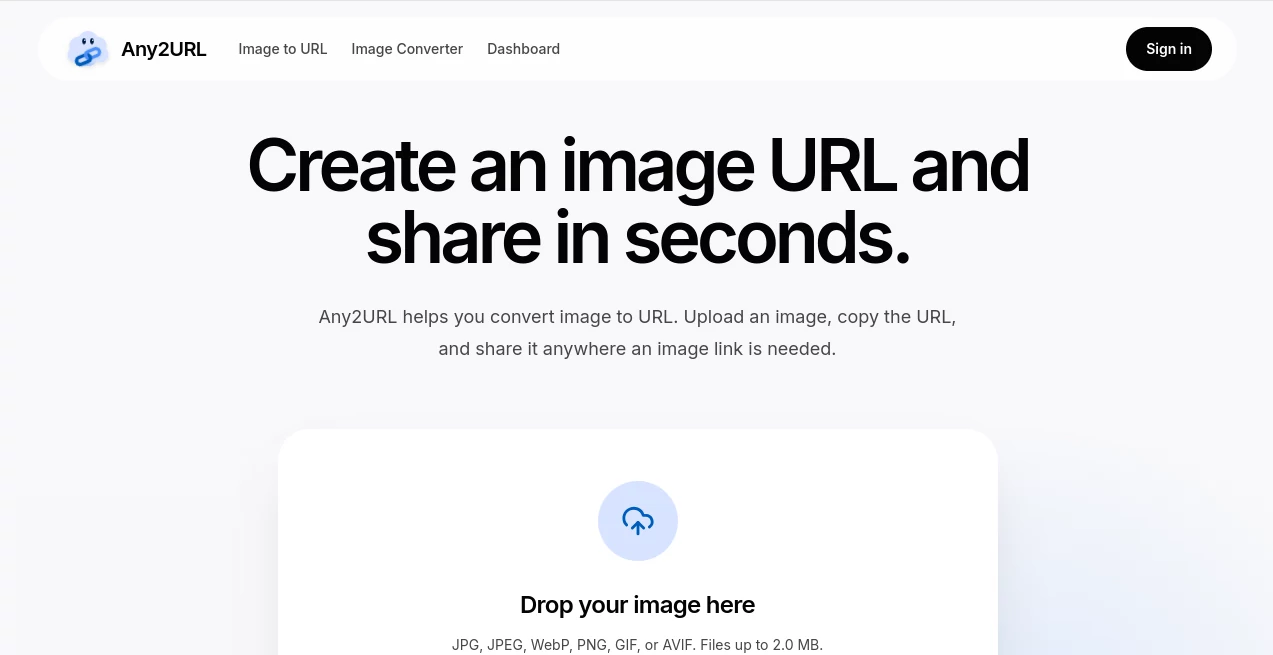
What is Any2URL?
Ever needed to share a photo but the website only accepted a link, not an attachment? Or tried sending a picture from your phone to your computer without emailing it to yourself? This simple service solves those everyday annoyances. You upload an image — any common format — and instantly get a clean, shareable URL you can paste anywhere. No accounts required to start, no complicated steps, just upload, copy, and go. It’s become my go-to when forms demand a picture link or when I need to move visuals between devices quickly.
Introduction
In our fast-paced digital life, we constantly need to move images around — for support tickets, social posts, online forms, product listings, or just sharing with friends. Traditional methods like email, cloud drives, or heavy hosting services often feel slower than they should. Any2URL makes it effortless: drop your picture, get a working link in seconds, and paste it wherever you need. It’s built for speed and simplicity, focusing on the one thing you actually want — a reliable public URL for your image without extra hassle. Thousands of people use it daily for exactly these quick, practical moments.
Key Features
User Interface
The design is wonderfully minimal. A large drop zone welcomes you as soon as you arrive, with clear support for dragging files or clicking to browse. Supported formats (JPG, PNG, WebP, GIF, AVIF) are listed so there are no surprises. After upload, you get the direct link immediately, along with helpful copy buttons and sharing options. No cluttered dashboards or unnecessary steps — it feels like the tool disappears so you can focus on what you came to do.
Accuracy & Performance
Uploads are fast and reliable, even for reasonably sized files (up to 2MB on the free tier). The generated links work instantly across browsers, chat apps, forms, and documents. Images are delivered through CDN-backed hosting, so they load quickly for people viewing them. In real use, it rarely fails — you get a working URL almost every time, which is exactly what you need when you’re in a hurry.
Capabilities
Beyond basic image-to-URL conversion, it supports multiple formats, provides both original and optimized WebP versions for better performance, and lets you manage saved uploads once you sign in. You can replace an image while keeping the same URL (very useful for updates), set expirations, or delete files completely. It’s perfect for quick shares, product photos, profile pictures, support tickets, Markdown documents, or any situation where a direct image link is required.
Security & Privacy
Links are public by design (that’s the point), but you control what you upload. Anonymous uploads are temporary, while signed-in users get a personal dashboard to manage their files. You can delete anything at any time. The service doesn’t push unnecessary data collection, keeping the focus on simple, functional sharing.
Use Cases
A freelancer quickly turns product photos into links for client proposals. A student submits assignment images that only accept URLs. Someone moves vacation pictures from phone to desktop without emailing large files. Support agents attach screenshots to tickets in seconds. Social media users create clean links for stories or posts. It shines anywhere a form or platform demands “image URL” instead of an attached file.
Pros and Cons
Pros:
- Dead simple — upload and get a working link in seconds.
- No account needed for basic use, lowering the barrier completely.
- Fast loading images thanks to CDN delivery.
- Works on mobile and desktop equally well.
- Free tier is genuinely useful for everyday needs.
Cons:
- Anonymous uploads are temporary (sign in to keep them longer).
- File size limit on free tier (2MB) may require compression for larger images.
- No advanced editing or compression tools built-in (it focuses purely on hosting/sharing).
Pricing Plans
The free plan covers most casual and light professional use with decent storage and daily limits. Paid upgrades provide more storage, higher upload limits, permanent file hosting, and priority features for heavier users. It’s a fair, transparent model — you only pay when your needs grow beyond basic sharing.
How to Use Any2URL
Go to the homepage, drag your image into the drop zone or click to select a file. Wait a moment while it uploads, then copy the generated URL. Paste it wherever you need — chat, form, document, social post, or email. For repeated use, sign in to save images in your dashboard, manage links, or replace files while keeping the same URL. That’s the entire workflow — clean, fast, and reliable.
Comparison with Similar Tools
Many image hosts feel bloated with extra features you don’t need or require accounts from the start. This one keeps things focused on the core task: turning a local picture into a usable URL as quickly as possible. It avoids the complexity of full cloud storage platforms while delivering better speed and simplicity than basic free hosts. For anyone who just needs a link right now, it’s often the smoothest option available.
Conclusion
In our daily digital routines, small friction points add up. Any2URL removes one of the most common ones — turning any image into a shareable link without fuss. It’s not trying to be everything; it simply does one thing extremely well. For freelancers, students, support teams, social users, or anyone who regularly needs image URLs, it’s the kind of practical tool that quietly makes life easier every single time you use it.
Frequently Asked Questions (FAQ)
How long do links last?
Signed-in uploads stay as long as you keep them. Anonymous ones are temporary but can be claimed later.
What file types are supported?
Common image formats including JPG, PNG, WebP, GIF, and AVIF.
Do I need an account?
No for basic uploads — sign in only if you want to save and manage your links.
Are the links public?
Yes — anyone with the link can view the image, so avoid uploading sensitive content.
Can I replace an image later?
Yes, signed-in users can replace the file while keeping the same URL.