AnyLogo
What is AnyLogo?
Building a memorable brand identity often starts with a logo, but turning ideas into polished designs can take time and creative expertise. This platform simplifies that process by allowing users to begin with visual inspiration instead of a blank canvas. Whether you're launching a startup, refreshing an existing brand, or experimenting with new concepts, it transforms reference designs into original logo ideas that match your brand personality.
Unlike traditional logo generators that rely only on text prompts, the platform encourages a more visual workflow. Users can select a design they admire or upload their own reference image, then provide a brand name and optional description. The AI analyzes the style, colors, composition, and overall aesthetic to generate fresh concepts while keeping every result unique. The experience feels surprisingly intuitive and gives creative control without requiring professional design skills.
Key Features
User Interface
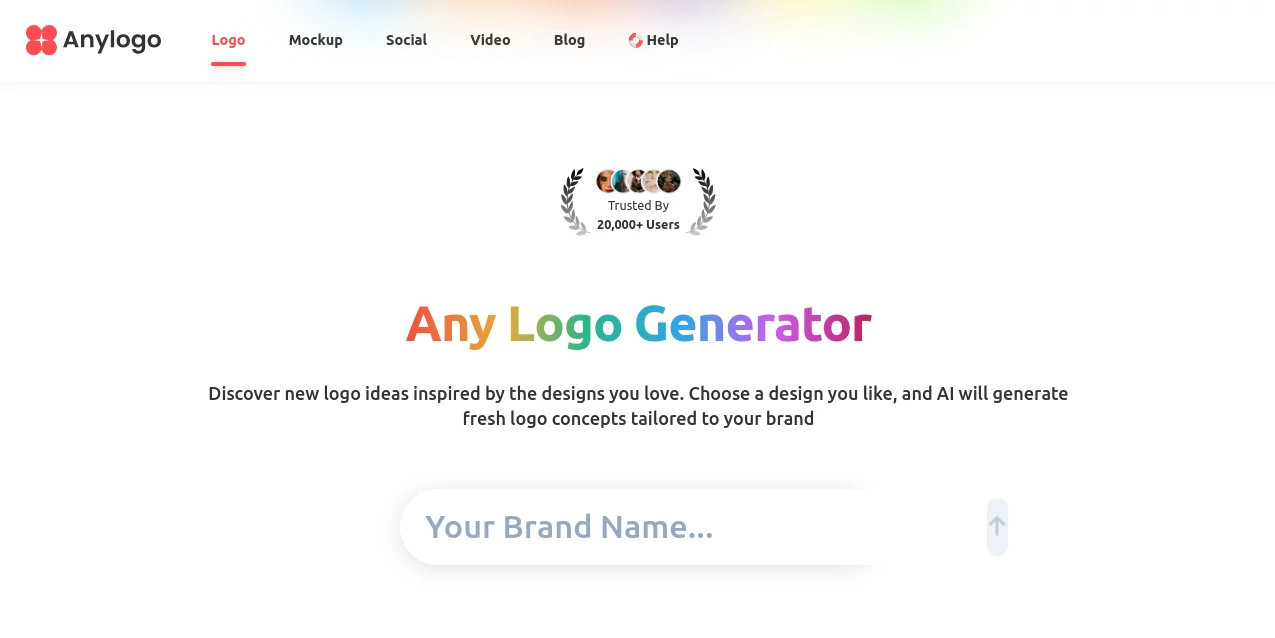
The interface is designed for speed and simplicity. Logo styles are organized into categories such as modern, cartoon, emblem, signature, text, combination, and lettermark, making it easy to find a starting point. Every step is presented clearly, allowing even first-time users to move from inspiration to finished branding in just a few minutes.
Accuracy & Performance
The generation process focuses on understanding visual references rather than copying them. By analyzing style, layout, colors, and brand context, the AI creates original concepts that capture a similar creative direction while remaining suitable for commercial branding. Results are generated quickly, allowing users to explore multiple design variations before making a final decision.
Capabilities
- Generate original logos from reference designs.
- Upload custom logo inspiration for personalized results.
- Create logos across multiple design styles.
- Analyze brand names and optional descriptions for better recommendations.
- Download vector-ready logo files for professional use.
- Create branded mockups for presentations and marketing materials.
- Generate additional brand assets for a consistent visual identity.
- Create animated logo videos for modern digital branding.
- Produce multiple design variations within seconds.
Security & Privacy
Uploaded references are processed to generate customized branding assets through an online workflow. Users can work directly in the browser without installing software, making the design process convenient while maintaining a streamlined cloud-based experience.
Use Cases
- Designing logos for startups and small businesses.
- Refreshing an existing company brand.
- Creating visual identities for freelancers and agencies.
- Producing branding concepts for client presentations.
- Building logos for online stores and SaaS products.
- Generating marketing mockups before launching a product.
- Creating animated logo intros for social media and video content.
Pros and Cons
Pros
- Reference-based workflow produces highly relevant results.
- Simple interface suitable for beginners.
- Supports numerous logo styles.
- Fast generation with multiple creative variations.
- Vector downloads simplify professional usage.
- Includes branding mockups and logo animation features.
Cons
- Advanced designers may still prefer manual refinement for highly specialized branding.
- The quality of generated concepts depends on the selected visual inspiration.
Pricing Plans
The service offers a freemium model, allowing users to explore logo generation before upgrading for additional features, downloads, and branding capabilities. Premium plans unlock more advanced creative options and professional-quality assets.
How to Use AnyLogo
- Select one of the available logo styles or upload your own reference image.
- Enter your brand name.
- Add an optional description explaining your brand.
- Generate multiple logo concepts.
- Choose your favorite design.
- Refine the result with AI.
- Download vector files and create mockups or animated branding assets.
Comparison with Similar Tools
Many AI logo generators depend entirely on written prompts, which can make it difficult to achieve a specific visual direction. This platform stands out by letting users begin with existing design inspiration, producing results that feel closer to the intended brand style. The addition of vector downloads, realistic mockups, and logo animation tools also makes it a more complete branding solution rather than just a logo generator.
Conclusion
Creating a professional logo no longer requires weeks of revisions or advanced design experience. By combining visual inspiration with intelligent AI generation, this platform offers a practical way to develop original branding assets quickly. The ability to move from reference images to logos, mockups, vector files, and even animated brand videos creates an efficient workflow for entrepreneurs, agencies, creators, and growing businesses. For anyone seeking an approachable yet powerful branding solution, it delivers an impressive balance of creativity, speed, and flexibility.
Frequently Asked Questions (FAQ)
Can I upload my own logo as inspiration?
Yes. Users can upload their own reference images to guide the AI toward a preferred visual style.
Does it create original logos?
Yes. The AI generates new concepts inspired by selected references rather than duplicating existing designs.
Can I download vector files?
Yes. Generated logos can be exported in vector-ready formats suitable for professional branding.
Is it suitable for beginners?
Absolutely. The guided workflow makes logo creation accessible even for users without graphic design experience.
Can it create branding assets beyond logos?
Yes. The platform also supports mockups, additional brand assets, and animated logo videos to help build a complete visual identity.
AI Logo Generator , AI Design Generator , AI Graphic Design , AI Design Assistant .
These classifications represent its core capabilities and areas of application. For related tools, explore the linked categories above.

AnyLogo Alternatives Product

EaseMaker
AI Consisten…

Pixel Art Vi…
String Art

NanoBanana P…
Face Shape D…
Grok Imagine
HD Photo Con…

Banana Promp…