


















AppGen
What is AppGen?
Most people with a great app idea never bring it to life because the process feels overwhelming—coding, design, backend, deployment. This tool removes those barriers. You describe what you want in plain English, and it builds a functional mobile (and web) app for you. No coding, no complex tutorials, just an idea and a few minutes. I’ve seen non-technical founders go from “I wish I had an app for this” to having something they can actually show investors or customers the same day. It’s the kind of platform that makes building feel exciting again instead of intimidating.
Introduction
AppGen stands out because it focuses on speed and simplicity without sacrificing usability. You start with a description of your app—“a habit tracker with streaks, reminders, and social sharing” or “a local service marketplace for plumbers and electricians”—and the AI generates the full structure, screens, and basic functionality. You can then customize the look, add features, and publish. It’s especially powerful for entrepreneurs, small businesses, and creators who want to test ideas quickly or launch simple tools without hiring a development team. The results aren’t just mockups; they’re real, working apps you can install and share.
Key Features
User Interface
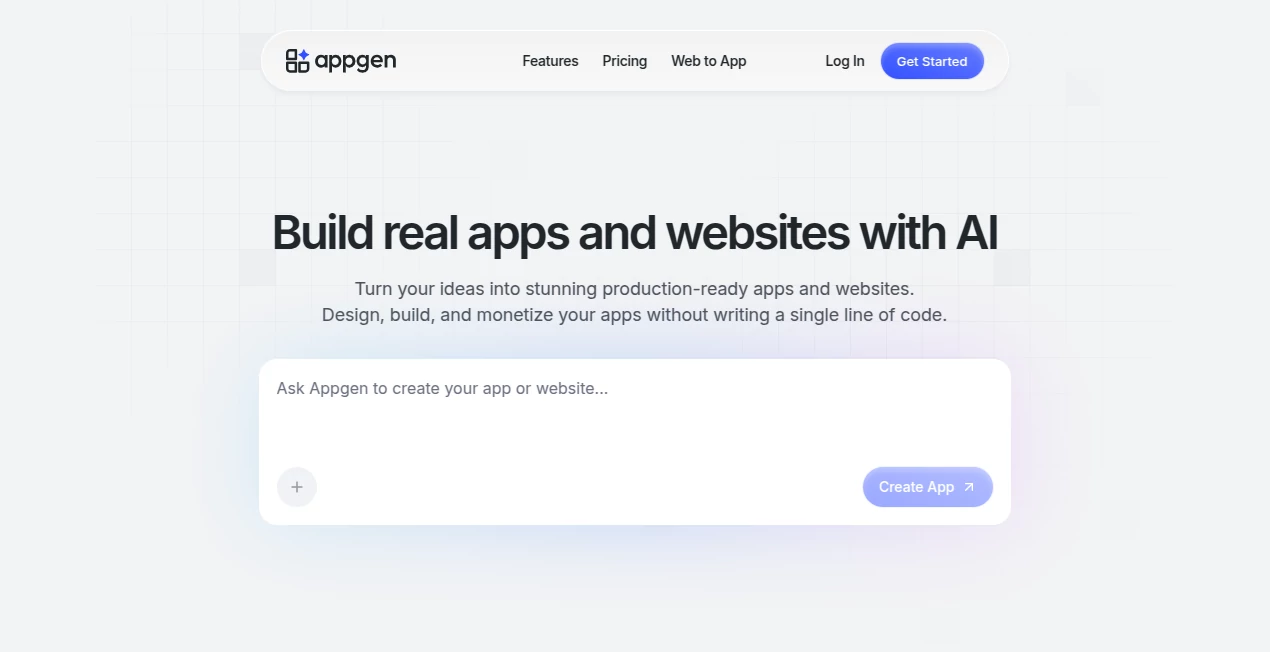
The builder feels approachable from the first click. A prominent prompt area lets you describe your vision naturally, while a live preview updates as you refine. Customization tools for colors, layouts, and components are visual and intuitive—no code required. Everything stays organized so you can focus on building rather than learning the interface. It’s designed for speed: many users report going from idea to testable app in under 30 minutes.
Accuracy & Performance
The AI understands context well and translates descriptions into logical app flows. Generated apps feel coherent, with sensible navigation and features that match what you asked for. Performance is snappy both during building and in the final apps. While complex logic may need some manual tweaking, the starting point is remarkably solid, saving enormous time compared to starting from scratch.
Capabilities
It supports a wide range of app types—from productivity tools and marketplaces to habit trackers and content apps. You get native-like mobile experiences plus web versions, easy customization of UI elements, basic backend features (auth, database, notifications), and one-click publishing options. The platform handles common needs like user accounts, payments, and data storage so you don’t have to set them up manually. It’s ideal for MVPs, internal tools, and simple customer-facing apps.
Security & Privacy
Your app data and ideas stay under your control. The platform uses standard secure practices for generated apps, and you retain ownership of what you build. For entrepreneurs testing business ideas, that sense of control and privacy is reassuring.
Use Cases
A fitness coach builds a simple workout tracker for clients in one afternoon. A local bakery creates a loyalty app with rewards and ordering. A teacher makes an interactive learning tool for students. A freelancer launches a service booking app for their niche. Solo entrepreneurs test multiple ideas quickly before committing to full development. It shines anywhere you need a functional app fast without a big budget or team.
Pros and Cons
Pros:
- Turns natural language descriptions into working apps remarkably fast.
- No coding required—perfect for non-technical founders and creators.
- Good balance of speed and customization options.
- Real, publishable apps rather than just prototypes.
- Helpful for rapid idea validation and MVP building.
Cons:
- Very complex or highly custom logic may still need developer help later.
- Free tier has usage limits; serious projects benefit from paid plans.
- Advanced design control is good but not unlimited like hand-coded apps.
Pricing Plans
It offers a free tier so you can test the platform and build basic apps without cost. Paid plans unlock more generations, advanced features, higher usage limits, and priority support. Pricing is straightforward and scales with your needs, making it accessible for solo makers while supporting growing projects.
How to Use AppGen
Describe your app idea in the prompt box as clearly as possible. Review the generated structure and preview. Customize screens, colors, and features using the visual editor. Test the app flow, make adjustments, and when you’re happy, publish to web or export for mobile stores. The whole process is designed to be iterative—you can refine as you go until it feels right. Many users start with a rough idea and polish it into something shareable within one session.
Comparison with Similar Tools
Other no-code platforms often require learning specific rules or dragging many components. Traditional development is powerful but slow and expensive. AppGen sits nicely in the middle: faster than coding, more approachable than complex no-code builders, and more functional than pure prototyping tools. Its strength in natural language input makes it especially accessible for first-time app makers.
Conclusion
Having an app idea shouldn’t mean months of waiting or big upfront costs. This tool makes the leap from concept to reality feel achievable and even enjoyable. It empowers regular people—entrepreneurs, creators, small business owners—to bring their ideas to life without needing a technical co-founder or large budget. In a world where speed matters, having the ability to build and test apps quickly is a genuine advantage. If you’ve ever had an idea for an app, this is one of the easiest ways to see what it could actually look like.
Frequently Asked Questions (FAQ)
Do I need coding experience?
No—the whole point is that you describe what you want in plain English.
Can I publish to app stores?
Yes, generated apps can be exported and submitted to Apple and Google stores.
How customizable are the apps?
You can change layouts, colors, add features, and refine screens visually.
Is there a free way to try it?
Yes, the free tier lets you build and test basic apps.
What kinds of apps work best?
Productivity tools, marketplaces, trackers, simple utilities, and content apps tend to work especially well.
AI Workflow Management , AI App Builder , AI No-Code & Low-Code , AI Developer Tools .
These classifications represent its core capabilities and areas of application. For related tools, explore the linked categories above.

AppGen Alternatives Product

Somnio

JSON to TOON…

ModelsLab
HostFinder

ClawBridge

Vurge
You.bot

AI Agent Ski…

Scillus
