AppIconKitchen
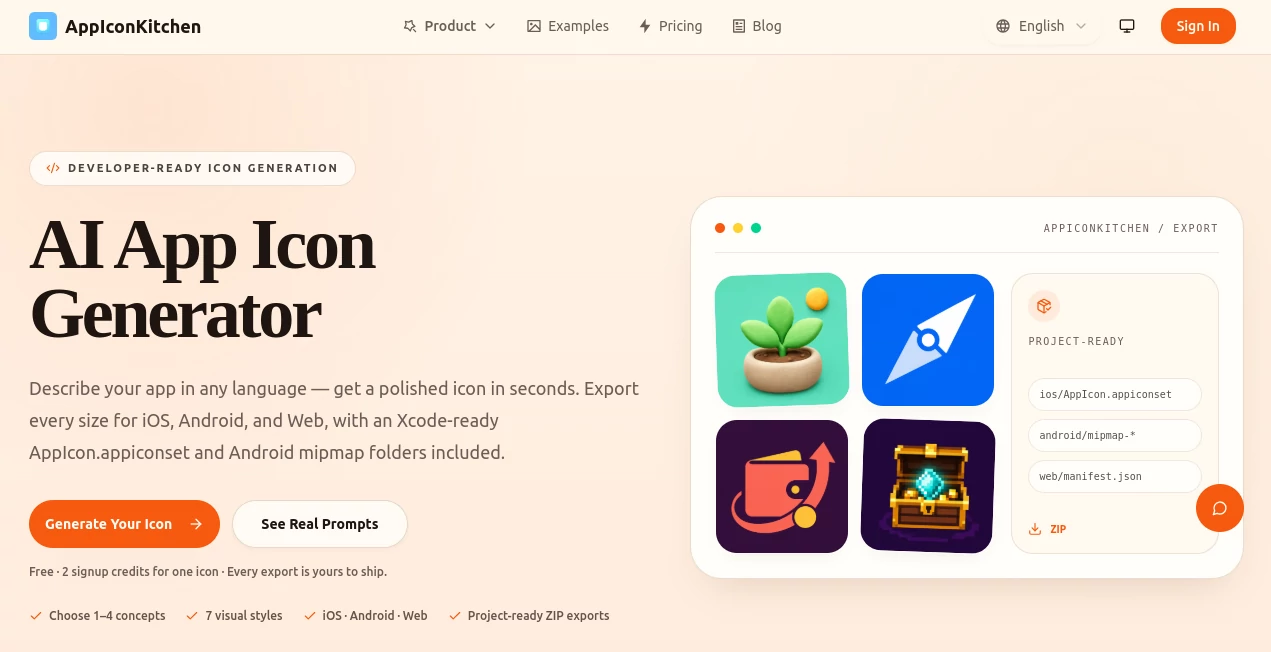
What is AppIconKitchen?
Creating an attractive app icon often takes far more time than developers expect. Between brainstorming ideas, designing multiple concepts, resizing assets, and preparing platform-specific files, a simple branding task can quickly become a lengthy design project. This platform simplifies the entire process by combining AI-powered icon generation with production-ready exports, making professional app branding accessible to developers, startups, indie creators, and product teams.
Instead of relying on complex graphic design software, users simply describe their application in natural language. The AI transforms that idea into polished icon concepts that can be refined through an intuitive editing workspace. Once satisfied with the design, users can export optimized assets for iOS, Android, Flutter, Expo, websites, Progressive Web Apps, and other development environments without manually resizing dozens of images.
Whether launching a mobile application, updating an existing brand, or rapidly testing multiple concepts before release, this solution dramatically reduces the effort required to produce professional-looking icons while maintaining excellent quality across every platform.
Key Features
User Interface
The workspace is refreshingly simple and designed with developers in mind. After entering a prompt, users immediately receive generated icon concepts that can be customized by adjusting colors, backgrounds, visual styles, and fine details. The editing process feels straightforward, making it easy to iterate until the icon matches the intended brand identity.
Accuracy & Performance
The AI produces visually consistent icons that closely follow user descriptions while supporting multiple artistic styles. Instead of requiring repeated manual edits, users can refine generated results through natural adjustments and quickly prepare assets suitable for production. Export packages are generated in seconds, saving considerable development time.
Capabilities
- Generate professional app icons from text descriptions.
- Choose from multiple visual design styles.
- Edit colors, backgrounds, and visual details after generation.
- Create assets for iOS, Android, Flutter, Expo, Web, and PWA projects.
- Export Xcode-ready AppIcon.appiconset packages.
- Generate Android adaptive icon assets.
- Create favicon and web manifest icons.
- Support commercial use for generated icons under supported plans.
Security & Privacy
User prompts, uploaded assets, and generated icons are processed to provide the requested service. Account information is used for authentication and project management, while usage data helps improve reliability and security. The platform also outlines clear policies regarding ownership of user-submitted content and commercial usage of generated assets.
Use Cases
- Design icons for new mobile applications.
- Create branding for startup MVPs.
- Generate assets for Flutter and React Native projects.
- Prepare icons for Progressive Web Apps.
- Produce Android adaptive icons without manual editing.
- Build App Store and Google Play ready icon packages.
- Rapidly prototype multiple branding concepts.
- Help solo developers who lack graphic design experience.
Pros and Cons
Pros
- Fast AI-powered icon generation.
- Developer-focused export workflow.
- Supports numerous mobile and web platforms.
- No advanced design skills required.
- Built-in editing workbench for quick refinements.
- Ready-to-use export packages reduce manual work.
- Free credits available for new users.
Cons
- Advanced generation features require paid credits.
- Creative results may require several refinements for highly specific branding.
- Users seeking complete vector editing will still need dedicated design software.
Pricing Plans
The platform offers a free plan that includes permanent credits for creating initial icons and exploring the workflow. Paid plans are available through one-time credit purchases rather than subscriptions, allowing users to generate additional icons, refine existing designs, remove backgrounds, and export production-ready assets whenever needed. Credits never expire, making the pricing model attractive for both occasional creators and professional developers.
How to Use AppIconKitchen
Begin by describing your application and the type of icon you want to create. The AI generates one or more visual concepts based on your description. Next, customize colors, backgrounds, style, and details inside the editing workspace until the design matches your vision. Finally, export the complete package for your preferred platform, including iOS asset catalogs, Android adaptive icons, or web-ready favicon bundles, and integrate the files directly into your project.
Comparison with Similar Tools
Unlike traditional icon generators that focus mainly on resizing existing artwork, this solution combines AI-powered creativity with production-ready exports in a single workflow. It eliminates the repetitive process of creating multiple file sizes manually while supporting modern development stacks such as Flutter, Expo, Android, iOS, and Progressive Web Apps. This combination makes it especially valuable for independent developers and software teams that need speed without sacrificing professional presentation.
Conclusion
A memorable app icon plays an important role in attracting downloads and strengthening brand identity. This platform transforms what was once a time-consuming design task into a streamlined creative workflow powered by artificial intelligence. From concept generation to platform-specific exports, it delivers everything developers need to create polished visual identities quickly and efficiently. For startups, solo creators, agencies, and software teams looking to simplify app branding, it represents an excellent balance between convenience, flexibility, and production-ready quality.
Frequently Asked Questions (FAQ)
Can beginners create professional app icons?
Yes. The interface is designed for users without graphic design experience, allowing anyone to generate polished icons through simple text prompts.
Can generated icons be used commercially?
Commercial usage is supported according to the platform's licensing terms and supported pricing plans.
Which platforms are supported?
Exports are available for iOS, Android, Flutter, Expo, websites, Progressive Web Apps, and other modern development workflows.
Can icons be customized after generation?
Yes. Users can adjust colors, backgrounds, styles, and design details before exporting the final assets.
Is there a free version?
Yes. New users receive free permanent credits to generate and test icons before purchasing additional credits if needed.
AI Icon Generator , AI Design Assistant , AI Design Generator , AI Graphic Design .
These classifications represent its core capabilities and areas of application. For related tools, explore the linked categories above.

AppIconKitchen Alternatives Product

Sketchready

Lexica AI

AnividAI

Thumbspick

GPT Imagine

Banana Promp…

ai banana

Luma AI

Mage