


















ArchGee
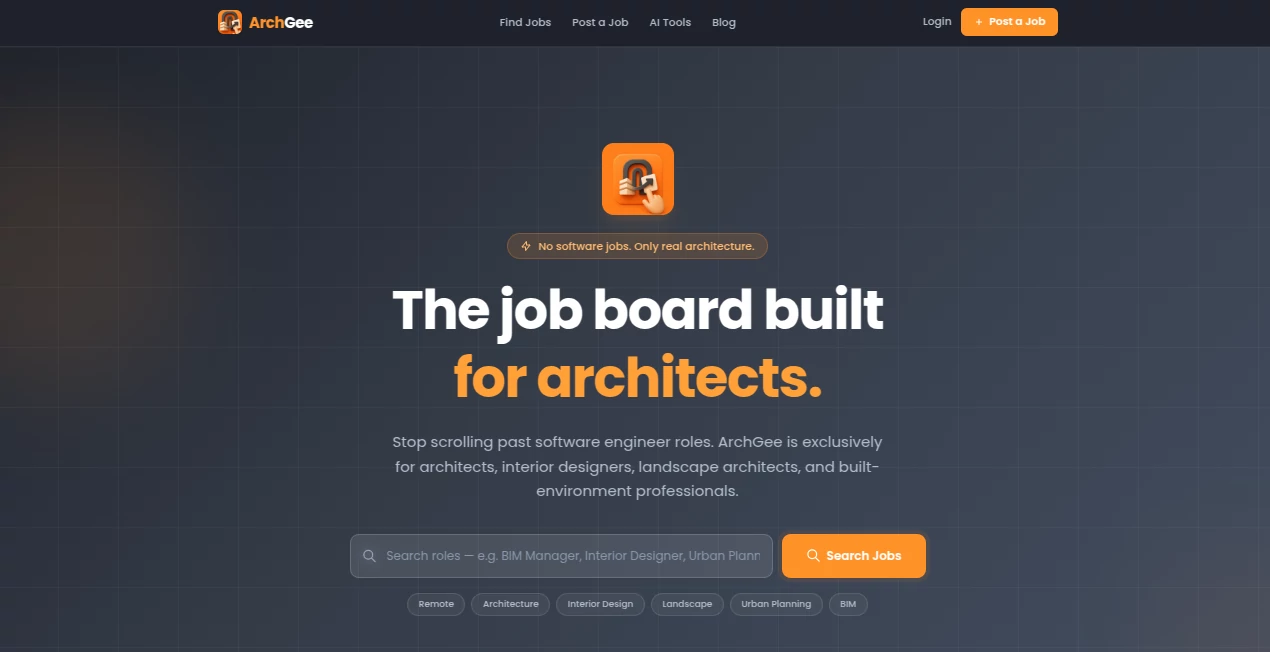
What is ArchGee?
Finding the right architecture job shouldn’t feel like digging through a mountain of irrelevant tech listings. This platform changes that experience completely. It’s built from the ground up for architects, interior designers, landscape architects, and built-environment professionals — no software engineering roles, no “software architect” nonsense, just genuine opportunities in the fields that actually shape our physical world. I’ve heard from friends in the industry how refreshing it is to open the site and immediately see roles that match their skills and passion instead of scrolling past endless developer positions.
Introduction
Traditional job boards have become frustrating for architects. Your search for a design role gets buried under tech listings, and the few relevant ones are often mixed with unrelated opportunities. ArchGee solves this by curating only built-environment jobs across 15+ countries. Whether you’re a junior designer looking for your first studio position or a principal architect seeking your next big project, the platform filters noise so you can focus on what matters. It’s become a trusted space where studios post openings knowing they’ll reach the right people, and professionals can browse without wasting time. The result is a cleaner, more meaningful job search that respects your expertise.
Key Features
User Interface
The design is clean and purposeful — exactly what you’d hope for from a platform made by people who understand architects. Clear filters for location (remote or on-site), experience level, specialization, and country make narrowing down options effortless. Listings load fast with good visuals, and the mobile experience feels just as thoughtful. You don’t get lost in clutter; everything is arranged to help you find your next role quickly and without frustration.
Accuracy & Performance
The AI filtering is impressively accurate — it consistently removes irrelevant tech jobs while surfacing real architecture, interior, landscape, and planning positions. Listings feel fresh, with many posted within the last few days. Search results match expectations, and the platform’s focus means higher quality opportunities overall. Professionals report finding relevant roles faster than on general boards, which makes the daily check-in actually worthwhile.
Capabilities
Beyond basic job search, it offers strong specialization filters (Architect, Interior Designer, Landscape Architect, Urban Planner, BIM Specialist, etc.), international coverage across many countries, and the ability to save searches and set alerts. Studios can post openings easily, knowing they’ll reach a targeted audience of built-environment professionals. The combination of curation and smart filtering creates a more efficient marketplace for both sides — those hiring and those looking.
Security & Privacy
Your search activity and profile details stay private by default. The platform focuses on connecting the right people without unnecessary data collection or intrusive tracking. For professionals in a competitive field, that respectful approach builds confidence when browsing sensitive career moves.
Use Cases
A mid-level architect tired of generic boards finds three strong studio positions in one morning that match her expertise in sustainable design. A recent graduate discovers remote interior design roles he would have missed on bigger platforms. A firm looking to hire a senior landscape architect posts the opening and receives targeted applications from qualified candidates within days. Freelancers use it to find short-term consulting gigs in urban planning. Across experience levels and specializations, it connects people who actually speak the same professional language.
Pros and Cons
Pros:
- Zero irrelevant tech jobs — every listing is architecture or built-environment focused.
- Strong international coverage with roles from top studios worldwide.
- Thoughtful filters that actually match how architects search for work.
- Clean, fast interface that respects your time.
- Free for job seekers with no annoying paywalls for basic use.
Cons:
- Still growing, so volume isn’t as high as massive general job boards (yet quality is higher).
- Some niche specializations have fewer listings than others.
Pricing Plans
Job seekers can use the platform completely free — browse, filter, save searches, and apply without any cost. For firms and studios posting openings, there are clear, reasonable paid options that ensure visibility to the right audience. The model keeps the experience open for talent while providing value for those doing the hiring.
How to Use ArchGee
Visit the site, use the search bar or browse by specialization. Apply smart filters for location, experience level, and role type. Save promising listings or set up email alerts for new matches. When you find something interesting, the application process links directly to the studio’s preferred method. For employers, posting is straightforward and listings go live quickly after review. The whole experience is designed to be efficient so you can spend more time on actual architecture and less time job hunting.
Comparison with Similar Tools
General job boards overwhelm you with unrelated roles and make relevant architecture positions hard to find. Other niche boards can feel limited in scope or outdated. ArchGee stands out by staying strictly focused on the built environment while maintaining good volume and modern usability. It’s less about sheer quantity and more about relevance and quality — which is exactly what busy professionals need.
Conclusion
Job hunting in architecture shouldn’t feel like fighting through noise. This platform creates a cleaner, more respectful space where real design roles can connect with the right talent. By removing the irrelevant and highlighting the meaningful, it saves time, reduces frustration, and helps move careers forward. For anyone serious about architecture and the built environment, it’s quickly becoming an essential part of the search process.
Frequently Asked Questions (FAQ)
Is it really only architecture jobs?
Yes — every listing is reviewed to ensure it’s for architects, designers, or built-environment roles. No software jobs.
Is it free for job seekers?
Completely free — browsing, alerts, and applications cost nothing.
How international is the platform?
Roles from 15+ countries, including major studios in Europe, Asia, Australia, and North America.
Can firms post jobs easily?
Yes — posting is straightforward and listings are reviewed and published quickly.
What specializations are covered?
Architect, Interior Designer, Landscape Architect, Urban Planner, BIM Specialist, Project Manager, Sustainability Consultant, and more.
These classifications represent its core capabilities and areas of application. For related tools, explore the linked categories above.

ArchGee Alternatives Product

Founder Best

ATOZAITOOLS

5SVG

AIToolFame

NewTool.site

Digitool

Aidirs

Shipstry

Saas Vault
