

















ArchOne AI
What is ArchOne AI?
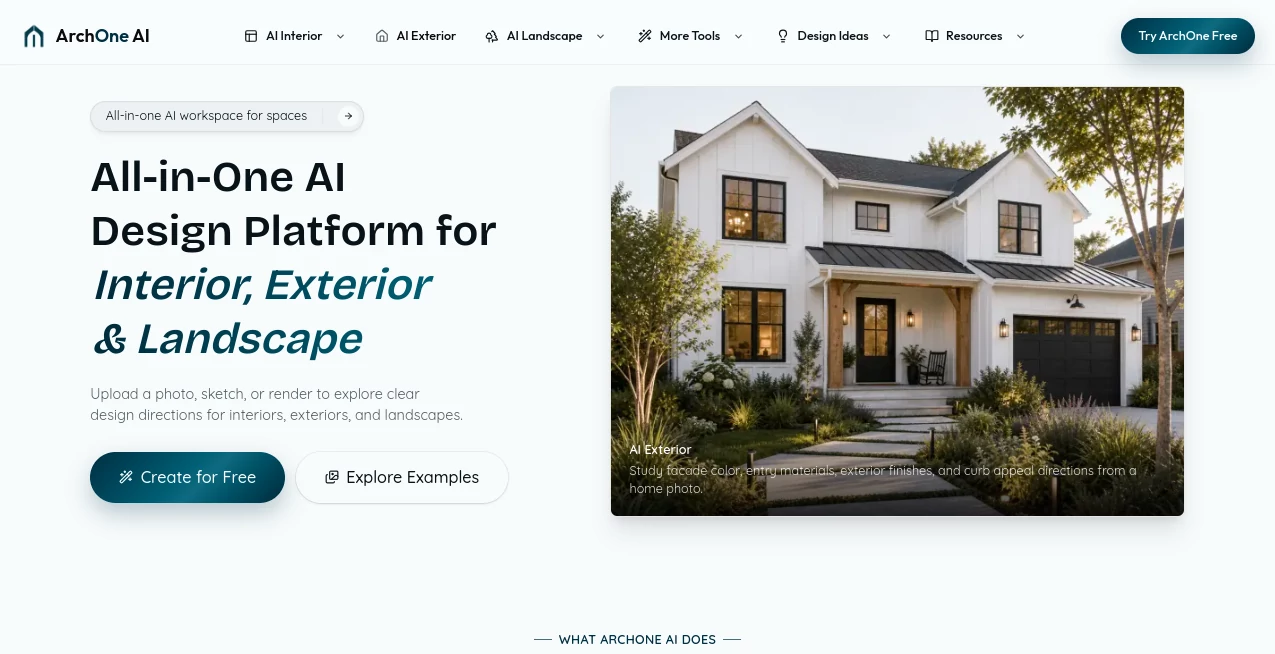
ArchOne AI is an AI design visualization platform that helps architects, interior designers, landscape designers, homeowners, and creative teams transform photos, sketches, renders, and reference images into inspiring design concepts. Built for exploring interior, exterior, and landscape ideas, it makes it easier to visualize different possibilities before moving into detailed design stages.
Design decisions often begin with a simple idea: changing a room atmosphere, refreshing a home's exterior, improving a garden layout, or exploring new materials. Turning these ideas into something visual can traditionally require significant time and resources. This platform helps users quickly experiment with different directions and create realistic concept visuals that support better conversations and faster decision-making.
Instead of starting from a blank canvas, users can work with real project images and guide the creative process with design notes, styles, materials, and preferences. This makes early-stage visualization more practical for professionals and individuals who want to see potential outcomes before committing to larger projects.
Key Features
User Interface
The platform provides a straightforward workflow designed for both professionals and beginners. Users can upload an existing image, sketch, render, or reference material, describe their desired direction, and generate visual concepts without needing advanced 3D modeling skills.
The clean workflow allows designers and clients to focus on ideas rather than complicated technical processes. Whether testing a new living room style, exploring facade improvements, or planning outdoor spaces, the experience is designed to keep the creative process simple.
Accuracy & Performance
The system focuses on maintaining the important elements of an original space while creating new design possibilities. Existing structures, layouts, architectural details, and environmental characteristics remain valuable references during the visualization process.
By using AI-powered image generation technology, users can quickly compare different concepts and explore multiple directions in less time than traditional visualization methods.
Capabilities
The platform supports a variety of design workflows, including interior concepts, exterior improvements, landscape ideas, material exploration, lighting moods, furniture directions, and renovation inspiration.
Architects can use it for early project discussions, interior designers can prepare visual options for clients, and homeowners can preview possible transformations before making important decisions.
Security & Privacy
Uploaded images are used to process requested design concepts and support the product experience. Users should avoid uploading sensitive personal information and review the platform's privacy policies for detailed information about data handling.
Use Cases
This tool can support many creative and professional scenarios:
- Architects exploring early design concepts from sketches and project images.
- Interior designers creating mood boards and visual directions for clients.
- Landscape designers testing garden layouts, planting ideas, and outdoor concepts.
- Homeowners imagining renovation possibilities before investing in construction.
- Property teams improving presentations for listings and development ideas.
- Design students experimenting with different architectural styles.
Pros and Cons
Pros
- Fast concept visualization from existing images.
- Useful for interior, exterior, and landscape design exploration.
- Helps communicate ideas between designers and clients.
- Reduces the time needed for early creative experiments.
- Accessible for both professionals and non-designers.
Cons
- Generated concepts are not replacements for professional construction documents.
- Final measurements, regulations, and technical decisions still require expert review.
- Results may require multiple attempts to achieve the desired creative direction.
Pricing Plans
The platform offers flexible options for users who want to explore AI-powered design visualization. New users can start by testing the available features, while users with ongoing design needs can choose paid options or additional credits for more frequent concept generation.
Pricing availability and features may change over time depending on generation limits, export options, and workspace requirements.
How to Use ArchOne AI
Using the platform is simple:
- Upload a room photo, exterior image, landscape photo, sketch, or render.
- Add information about the preferred style, materials, atmosphere, or changes you want to explore.
- Generate different design directions and compare the results.
- Select the concepts that best match your vision and continue refining your project.
Comparison with Similar Tools
Many AI image generators can create attractive visuals from text prompts, but they often focus on general image creation rather than real-world spaces. This platform is designed specifically around architecture and spatial design workflows, where keeping the original environment and project context matters.
Compared with traditional rendering methods, AI visualization provides a faster way to explore ideas during the early stages of a project. It works best as a creative assistant that helps teams discover possibilities before investing significant time into detailed production.
Conclusion
AI-powered visualization is changing how people approach design exploration. By making it easier to transform ideas into realistic concepts, this platform helps professionals and homeowners communicate better, test more options, and make confident design decisions.
Whether you are redesigning a room, improving a home's exterior, or planning an outdoor environment, this technology provides a practical way to explore creative directions before taking the next step.
Frequently Asked Questions (FAQ)
What can this AI design platform create?
It can generate visual concepts for interior spaces, home exteriors, landscapes, renovation ideas, materials, lighting styles, and other design directions.
Can I upload my own images?
Yes. Users can start with photos, sketches, renders, and reference images to create personalized design concepts.
Is it suitable for professional designers?
Yes. Architects, interior designers, landscape professionals, and creative teams can use it for early visualization and client discussions.
Does it replace architects or designers?
No. It is designed as a visualization assistant that helps explore ideas faster. Technical planning, construction decisions, and professional reviews still require qualified experts.
Can homeowners use it without design experience?
Yes. The workflow is designed to help anyone visualize possible changes to their spaces without needing advanced design software skills.