


















BerryViral
What is BerryViral?
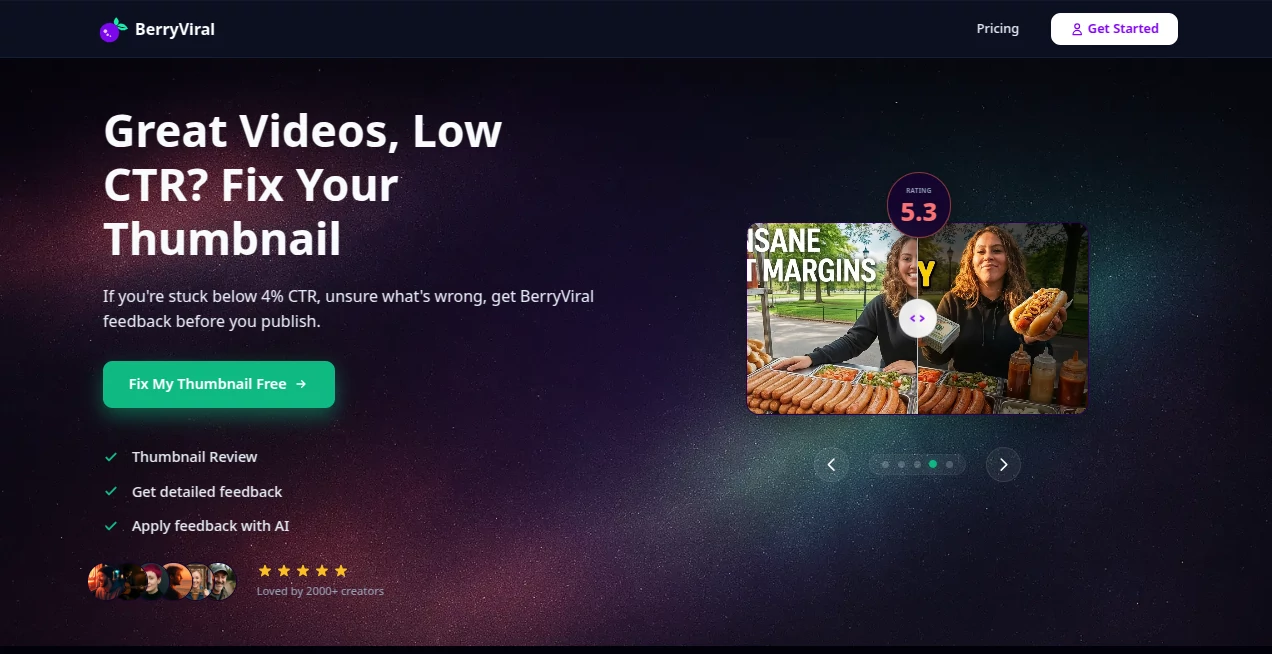
Most creators pour days into a video only to watch it sit at 2% CTR because the thumbnail didn’t stop the scroll. BerryViral changes that equation. Upload your thumbnail (or even just your video), get an instant clickability score, clear explanations of what’s working and what’s hurting you, and smart suggestions to make it better. It’s not another generic AI image tool — it’s built specifically for YouTube, trained on what actually gets clicks. I’ve seen creators go from frustrated guessing to confident publishing after one round with this, and the difference in performance is often dramatic.
Introduction
YouTube is a brutal first-impression game. Your video can be brilliant, but if the thumbnail doesn’t hook in the first 1–2 seconds, almost no one will click. BerryViral was created by a creator who got tired of that uncertainty. It combines real viewer-behavior data with sharp AI to tell you exactly how clickable your thumbnail is and why. More importantly, it gives you practical, human-understandable feedback so you can fix it fast — or generate stronger alternatives. Thousands of creators now test every thumbnail here before hitting publish. The confidence that brings is addictive.
Key Features
User Interface
The experience is refreshingly straightforward. Drag in your thumbnail or paste a YouTube link, and within seconds you get a clear score out of 100 plus a breakdown of strengths and weaknesses. Side-by-side comparisons, actionable tips, and one-click improvement options make the whole process feel smooth and productive. No steep learning curve — just honest feedback presented in plain English.
Accuracy & Performance
The scoring aligns remarkably well with real-world performance. Creators regularly report that thumbnails scoring high here actually deliver better CTR once published. Feedback is specific: color contrast, facial expressions, text readability, emotional pull — it covers the factors that matter on YouTube. Processing is fast, even during busy times, so it fits naturally into your workflow instead of slowing you down.
Capabilities
You can analyze existing thumbnails, generate new concepts from your video, refine with your own instructions, and get title suggestions that match the visual. It understands YouTube psychology deeply — what stops the scroll in gaming, beauty, tech, vlogs, and more. The AI avoids the usual over-exaggerated faces and generic AI look, focusing instead on clean, clickable designs that feel authentic to your channel.
Security & Privacy
Your thumbnails and videos are processed securely and not used to train public models. You stay in control of what gets saved or shared. For creators who value their brand and content strategy, that respect for privacy is a big plus.
Use Cases
A tech reviewer tests three thumbnail options for a new video and picks the one scoring 92 — it becomes their highest CTR video that month. A gaming creator uses video-to-thumbnail generation to quickly create consistent branding across a series. A lifestyle vlogger fixes weak thumbnails on old videos and sees dormant content wake up with fresh views. Whether you’re just starting or managing a big channel, having this kind of objective second opinion before publishing removes so much guesswork.
Pros and Cons
Pros:
- Honest, data-informed feedback that actually helps you improve.
- Fast turnaround — test multiple ideas in minutes.
- Focuses on real clickability instead of generic “pretty” designs.
- Works for both analyzing your own thumbnails and generating new ones.
- Creator-first approach that respects your vision and brand.
Cons:
- Free tier has limited reviews (great for testing, but heavier users upgrade).
- Still learning some very niche content types.
Pricing Plans
It starts with free reviews so you can experience the quality yourself. Paid plans offer more monthly analyses, unlimited generations, priority processing, and advanced features. The pricing is reasonable for the time and views it helps creators earn — many say it pays for itself after just one or two well-performing videos.
How to Use BerryViral
Head to the site, upload your current thumbnail or paste a YouTube video link. Get your score and detailed breakdown within seconds. Read the feedback, choose which suggestions to apply, add your own instructions if you want, and generate refined versions. Pick the strongest one, download it, and publish with confidence. Many creators now make this the final step before every upload.
Comparison with Similar Tools
Most thumbnail generators focus only on creating pretty images and leave the strategy part to you. BerryViral stands out by combining smart generation with genuine performance intelligence and honest critique. It’s less about making something flashy and more about making something that actually gets clicked — which is what matters on YouTube.
Conclusion
Great content deserves great first impressions. BerryViral gives creators a practical, intelligent way to make sure their thumbnails are pulling their weight. It removes the guesswork, saves time, and helps good videos get the audience they deserve. If you’re tired of wondering whether your thumbnail is good enough, this tool finally gives you a clear answer — and a better one if it isn’t.
Frequently Asked Questions (FAQ)
How accurate is the clickability score?
Very — it’s trained on real viewer behavior and consistently correlates with actual performance.
Can I generate thumbnails from scratch?
Yes — just upload your video and it will suggest strong concepts tailored to your content.
Does it force AI-looking results?
No. You stay in full control and can reject suggestions that don’t match your style.
Is there a free way to try it?
Yes — start with several free reviews to see the difference it makes.
AI Ad Creative Assistant , AI Marketing Plan Generator , AI Digital Marketing Generator , AI Thumbnail Maker .
These classifications represent its core capabilities and areas of application. For related tools, explore the linked categories above.

BerryViral Alternatives Product

Adscriptly

AiProposer

Enji

BuildRoy

Roipad

Reddit Campa…

AI Thumbnail…

Ad Suite AI

Lutains
