

















AiProposer
What is AiProposer?
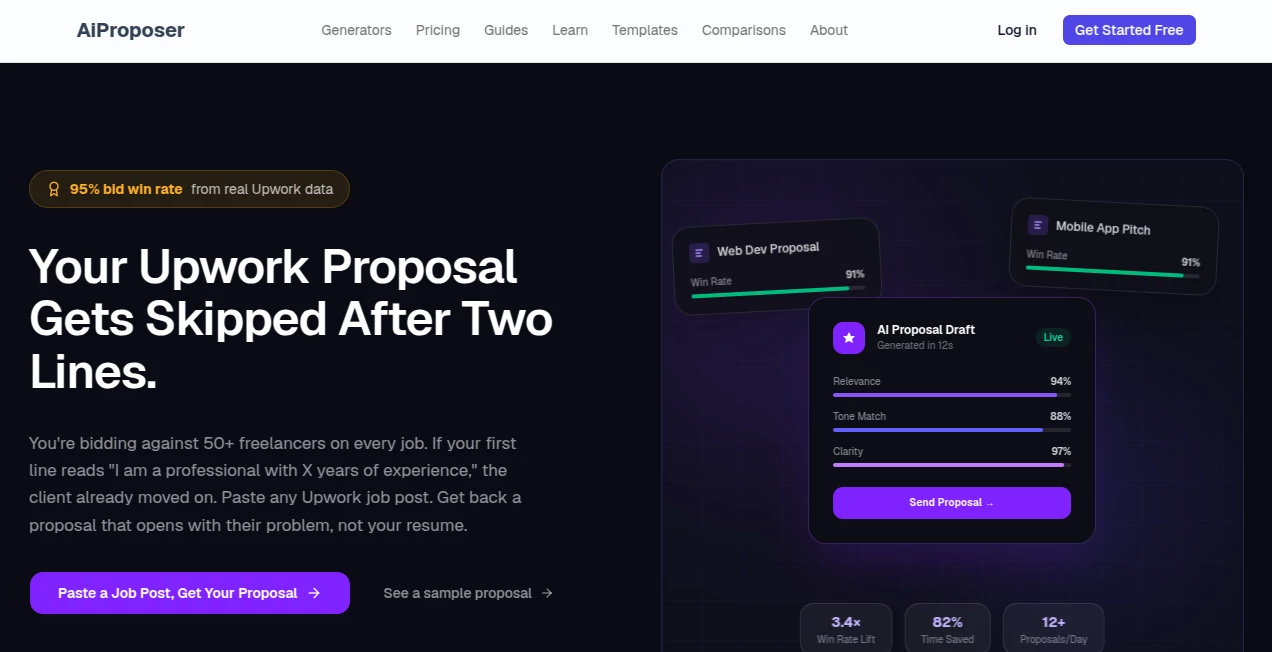
Most Upwork proposals get skipped after the first two lines. You know the ones — “Hi, I’m a professional with 5 years experience…” — the client has already moved on. This tool changes that. Paste any job post and it writes a proposal that opens with the client’s actual problem, speaks in their language, and makes them want to reply. Built by a freelancer who consistently hits high win rates, it’s not guessing — it’s trained on what actually works. I’ve watched friends go from sending 20 bids a week with radio silence to getting interviews from half their proposals. The difference is striking.
Introduction
Freelancing on Upwork is a numbers game, but the real game is the first impression. Generic proposals blend into the noise. This platform cuts through by focusing on one thing: writing proposals that feel personal and relevant from the very first sentence. It doesn’t spit out robotic templates. Instead, it analyzes the job post, spots the client’s real pain points, and crafts a response that shows you understand what they need. Whether you’re a developer, designer, writer, or virtual assistant, it adapts to your niche and helps you stand out in a sea of 50+ bids. For busy freelancers tired of writing the same thing over and over, it’s like having a sharp, experienced bidding partner who never gets tired.
Key Features
User Interface
The interface is refreshingly straightforward. Paste the job description, select your niche if needed, and hit generate. Within seconds you get a full proposal with a quality score and suggestions. You can tweak tone, length, or specific points easily before copying. No complicated dashboards or endless settings — just a clean flow that respects your time. Even on mobile it works smoothly when you’re checking jobs on the go.
Accuracy & Performance
It consistently opens with the client’s problem rather than your resume, which is exactly what gets attention. The tone feels human, not AI-generated, and it avoids the common red flags clients spot immediately. Win rates reported by users are noticeably higher because the proposals read like they were written by someone who actually read the job post. Generation is fast — usually under 30 seconds — so you can respond to good opportunities before they disappear.
Capabilities
Specialized generators for over a dozen niches including web development, content writing, graphic design, data science, virtual assistance, and more. It supports URL pasting, screenshot uploads, and direct text input. You get relevance scoring, tone matching, and clarity checks before sending. Proposals are ready-to-customize and optimized for the first two lines that matter most. It also includes helpful guides and real examples so you can learn while using it.
Security & Privacy
Your job posts and proposals stay private. No unnecessary data collection, and everything is handled securely. You don’t have to worry about your bidding strategy or client details being shared or used for training. That peace of mind matters when you’re working on competitive proposals.
Use Cases
A web developer pastes a React project post and gets a proposal that references the client’s specific stack and timeline challenges, landing an interview the same day. A content writer uses it for SEO gigs and sees reply rates jump because the opening line shows she understood the audience. A virtual assistant submits cleaner, more targeted proposals and books consistent monthly clients. Even experienced freelancers use it to save time on volume bidding while maintaining quality. It shines whenever you need to stand out quickly in a crowded marketplace.
Pros and Cons
Pros:
- Opens with the client’s problem — the single biggest factor in getting read.
- Niche-specific tuning produces more natural, effective proposals.
- Saves enormous time while improving quality and win rates.
- Quality scoring helps you submit only strong proposals.
- Great learning resource with real examples and guides.
Cons:
- Still requires your personal touch for the absolute best results.
- Free tier has usage limits for heavy bidders.
- Works best when you provide a good job description.
Pricing Plans
It starts with a generous free tier so you can test real proposals and see the difference. Paid plans unlock unlimited generations, priority features, and advanced customization options. Pricing is reasonable for the time and opportunities it creates — many freelancers say it pays for itself after landing just one or two extra clients.
How to Use AiProposer
Find a job you like on Upwork. Copy the full description (or paste the URL). Drop it into the generator, select your niche if prompted, and click generate. Review the proposal, check the quality score, make any small personal tweaks, then copy and send. The whole process takes under a minute once you get the rhythm. Over time you’ll notice which openings and structures work best for your style and niche.
Comparison with Similar Tools
Many AI proposal writers produce generic, robotic text that clients spot immediately. This one stands out by focusing on diagnosis-first openings and niche-specific language that actually gets replies. It’s less about volume automation and more about quality that wins conversations. For freelancers who want better results rather than just faster typing, it’s clearly ahead of the pack.
Conclusion
Winning on Upwork isn’t just about skills — it’s about getting noticed and understood in the first few seconds. This tool gives you that edge consistently, without turning you into another generic bidder. It respects your time, sharpens your voice, and helps you land better opportunities. If you’re serious about growing your freelance business, having a smart, reliable proposal partner like this can make all the difference between surviving and thriving.
Frequently Asked Questions (FAQ)
Will clients know it’s AI-generated?
Not if you add your personal touch. The base output already avoids common AI tells and sounds natural.
How much time does it actually save?
Most users go from 15–20 minutes per proposal to under one minute, allowing them to bid on more jobs.
Does it work for every niche?
It’s strongest in popular freelance categories, with specialized tuning for each. New niches are added regularly.
Can I edit the proposals?
Absolutely — they’re designed to be customized with your voice and specific experience.
Is there a free way to try it?
Yes, the free tier lets you generate several proposals to see the quality for yourself.