
BeyondComments
What is BeyondComments?
I used to dread opening the comments section after uploading a video. Hundreds of messages, some kind, some confused, some asking for the exact thing I forgot to mention. Reading through them felt like searching for needles in a haystack. Then I started using this tool and everything changed. It reads every comment and hands me back a clear report: what people loved, where they got stuck, what they want next, and even which ones deserve a personal reply. Suddenly, my comment section became one of the best sources of ideas for future videos. It’s like having a smart assistant who actually listens to your audience for you.
Introduction
YouTube comments contain pure gold — real feedback, video ideas, objections, praise, and sometimes even sponsor leads. But most creators don’t have time to read thousands of them properly. This platform uses AI to analyze comments at scale and turns the chaos into structured, useful insights. It groups similar thoughts, spots recurring themes, flags high-intent comments, and even suggests what your next video could be. Creators who use it regularly say it helps them understand their audience on a deeper level and make content that actually resonates. It’s not just another analytics dashboard — it’s a direct line into what your viewers are really thinking.
Key Features
User Interface
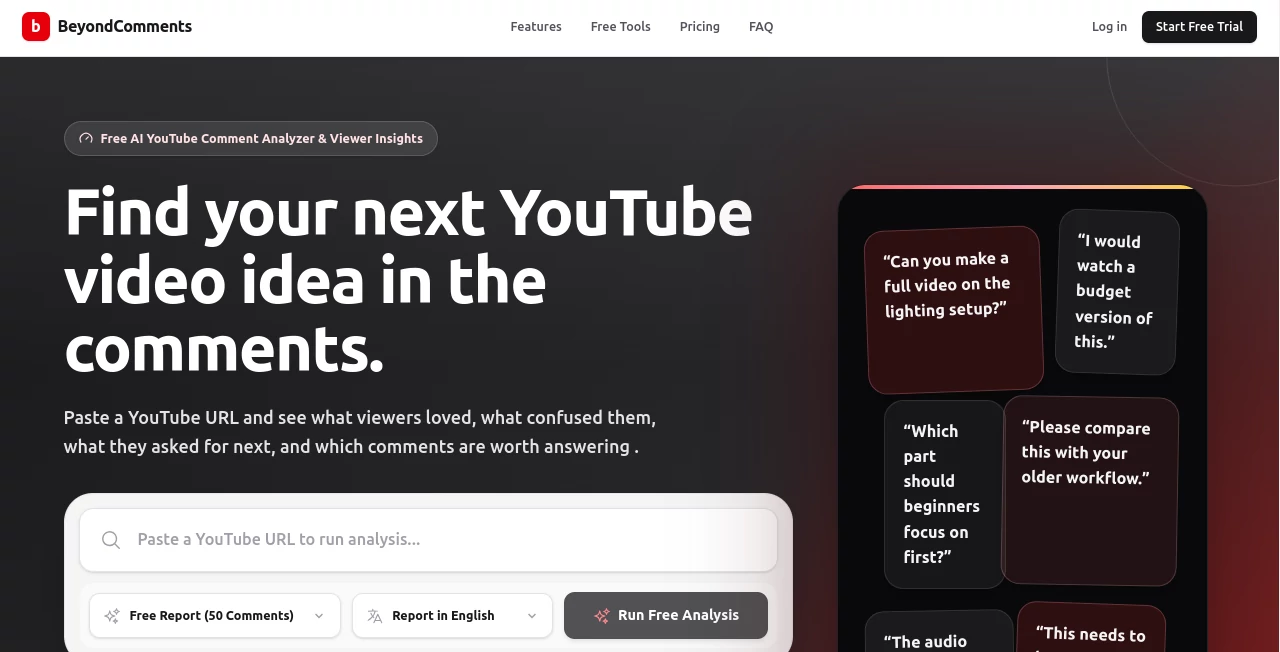
The experience is refreshingly clean. You paste a YouTube video URL, the tool pulls the comments, and within minutes you get a well-organized report. Everything is broken down into clear sections with highlights, sentiment overviews, and clickable comment clusters. You can quickly jump from a theme to the actual comments behind it. No complicated setup or steep learning curve — it feels like a helpful colleague summarizing the feedback for you.
Accuracy & Performance
The analysis is impressively on-point. It catches nuanced requests, spots confusion even when phrased differently, and identifies genuine excitement or frustration. Processing is fast even on videos with thousands of comments. Creators I’ve spoken with mention how it consistently surfaces ideas they would have missed while skimming manually. The sentiment and theme detection feel reliable rather than generic.
Capabilities
It goes well beyond basic sentiment. You get clustered themes, video idea suggestions based on requests, reply prioritization (which comments deserve your attention), sponsor/opportunity detection, audience segmentation, and exportable reports. It works on both new and old videos, helping you understand long-term patterns in your community. The output is practical — designed to help you create better content and build stronger connections with viewers.
Security & Privacy
Your video data and comment analysis stay private to your account. The tool only processes publicly available comments and doesn’t store them longer than needed for the report. It’s built with creators in mind, so there’s no risk of your audience data being misused or shared.
Use Cases
A cooking channel creator uploads a new recipe video and discovers viewers desperately want a vegetarian version — leading to their next high-performing video. A tech reviewer finds recurring questions about a specific feature and turns the answers into a dedicated follow-up. A gaming creator spots which parts of the game viewers loved most and plans future content around those moments. Even small channels use it to identify their most engaged fans and build better community relationships. It turns passive comment scrolling into active audience research.
Pros and Cons
Pros:
- Transforms overwhelming comment sections into clear, actionable reports.
- Surfaces video ideas and opportunities you’d likely miss otherwise.
- Saves hours of manual reading every week.
- Helpful for both new videos and mining old content for insights.
- Practical focus on creator needs rather than vanity metrics.
Cons:
- Very new or low-comment videos have less data to work with.
- Advanced bulk analysis and deeper historical reports are on paid plans.
Pricing Plans
It offers a generous free tier so you can test it on recent videos and see the value immediately. Paid plans unlock higher comment limits, bulk analysis, historical video scanning, and more frequent reports. The credit-based system is flexible — you only use what you need when you upload new content. Many creators find it quickly pays for itself through better content decisions and time saved.
How to Use BeyondComments
Go to the site, paste your YouTube video URL, and hit analyze. The tool pulls the comments and generates the report within minutes. Browse the summary sections first — what people loved, what confused them, suggested next topics — then dive into specific comment clusters. Use the insights to plan your next video, reply to important comments, or address common questions. You can save reports and come back later to compare audience sentiment over time. The whole process is fast enough to become part of your regular post-upload routine.
Comparison with Similar Tools
YouTube Studio gives you basic stats, but it doesn’t read what people actually say. Other comment tools often feel superficial or overwhelming. This one stands out by delivering structured, practical insights focused on content improvement and audience connection. It’s less about raw data and more about turning comments into clear next steps — exactly what busy creators need.
Conclusion
Your comment section is full of valuable feedback, ideas, and signals about what your audience truly wants. This tool helps you actually hear them without drowning in the noise. It turns one of the most time-consuming parts of being a creator into one of the most valuable. If you want to make better videos, build a stronger community, and grow with intention, this is one of the smartest additions you can make to your workflow.
Frequently Asked Questions (FAQ)
How long does analysis take?
Usually just a few minutes, even for videos with thousands of comments.
Can I analyze old videos?
Yes — you can gain insights from any public video with comments.
Is there a free version?
Yes, with generous limits so you can test it on your recent videos.
Does it work for small channels?
Absolutely — even channels with fewer comments get useful insights.
Can it help me find video ideas?
Yes — it actively surfaces requests and recurring themes from your audience.
AI YouTube Assistant , AI Research Tool , AI Analytics Assistant , AI Response Generator .
These classifications represent its core capabilities and areas of application. For related tools, explore the linked categories above.

BeyondComments Alternatives Product

ClearWork

CoinIQ

Toflow AI

ModelsLab

OnlyTraction

Harvey

Needle

DidYouSEO

JSON to TOON…