Bimg AI
What is Bimg AI?
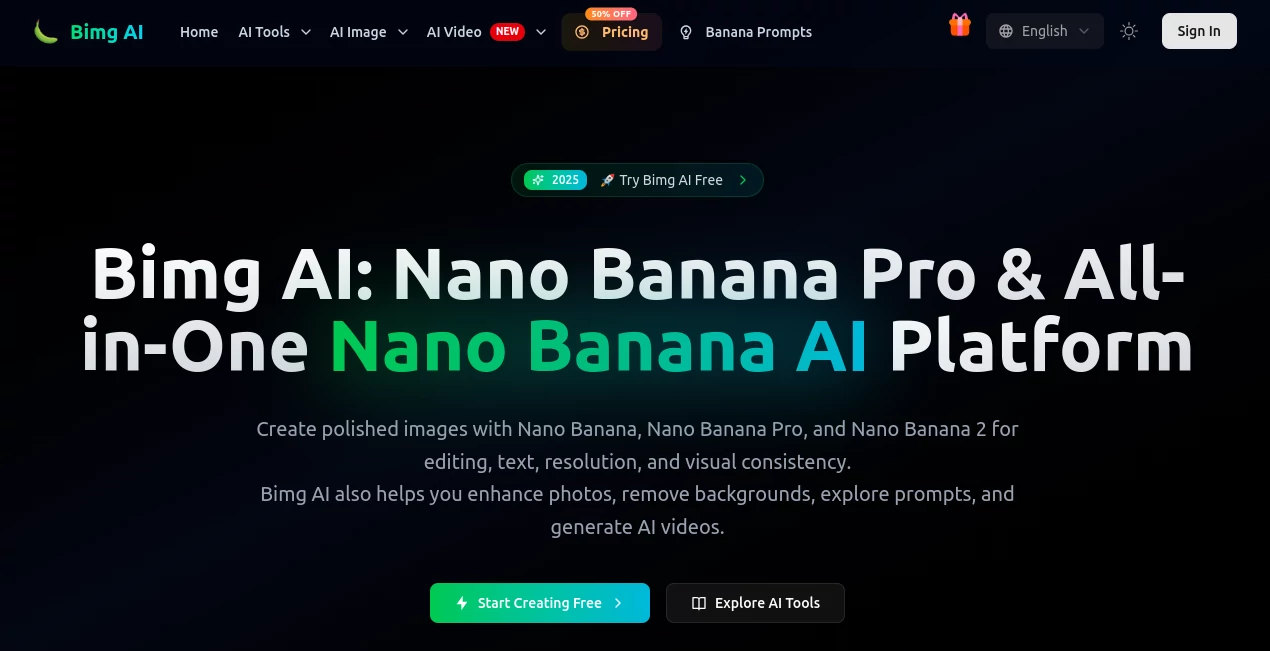
Creating a polished visual often takes more than simply generating an image. You may need to change a background, keep a product consistent across several scenes, sharpen an old photo, remove unwanted elements, or turn a finished concept into a video. Bimg AI brings many of these steps into one creative workspace, with Nano Banana, Nano Banana Pro, and Nano Banana 2 at the center of the experience.
The platform is particularly interesting for creators who want to move quickly between generation and editing instead of jumping between several separate applications. You can start with a text prompt, upload a reference image, refine the result with natural-language instructions, enhance the finished visual, and continue into AI video creation when the project calls for motion.
For example, an online store could upload a product photograph, create a polished promotional scene, adjust the lighting and background, and then use the finished image as the starting point for a short advertising video. That kind of workflow makes the platform useful well beyond simple image generation.
Key Features
- Nano Banana image generation and editing with text prompts and reference images.
- Nano Banana Pro and Nano Banana 2 for more advanced image creation, text rendering, and higher-resolution output.
- AI image generation for product visuals, social media graphics, concept art, thumbnails, and promotional content.
- AI image upscaling for improving the resolution of existing visuals.
- AI background removal for creating cleaner product and design assets.
- Old photo restoration for refreshing faded or damaged photographs.
- AI image unblurring for improving the appearance of blurry images.
- A prompt library that provides reusable ideas and examples for creative projects.
- Reference image support for maintaining visual consistency across generations.
- AI video generation through access to several video models.
- Commercial licensing options on paid plans.
User Interface
The workspace is designed around a straightforward creation flow. Users can select an image model, add reference images, describe what they want to create, choose an aspect ratio and resolution, and start the generation process. The interface also makes it possible to browse inspiration rather than forcing users to begin every project with a blank prompt.
One practical detail is the support for long descriptions, with the creation interface allowing prompts of up to 5,000 characters. That gives experienced users room to describe composition, lighting, characters, products, typography, and other visual details without having to reduce everything to a short sentence.
Accuracy & Performance
Visual accuracy depends heavily on the selected model, reference material, and prompt. The advanced models are aimed at projects where details matter, particularly text-heavy designs, product imagery, multilingual visuals, and consistent characters or scenes.
The Pro model can produce output up to 4K on higher plans, while the platform also provides 2K output in lower tiers. Reference-image support is another useful part of the workflow because it gives creators a stronger starting point when a generic text prompt is not enough.
Performance also benefits from having image enhancement tools in the same environment. Instead of exporting a generated image to another service simply to upscale or sharpen it, users can continue refining the asset within the same workflow.
Capabilities
The platform covers a surprisingly broad range of creative tasks. Its image capabilities include text-to-image generation, image editing, style transfer, product visualization, poster creation, character assets, and visual concepts. Natural-language editing can be used for changes such as replacing an object, modifying lighting, changing colors, or moving a subject into a different environment.
The style-transfer capabilities are useful when a creator wants to explore different visual directions without rebuilding a concept from scratch. A photograph can be transformed toward an illustration, watercolor, oil-painting, or other artistic treatment while retaining important elements of the original idea.
There is also a bridge from still images to video. The platform provides access to models such as Veo, Sora, Seedance, Kling, and Wan, allowing users to experiment with motion, advertisements, storyboards, and short-form visual storytelling.
Security & Privacy
When working with AI creative platforms, users should always consider what images and reference materials they upload, particularly when working with private photographs, unreleased products, or client assets. The service provides account-based creative workflows and asset storage, while commercial licensing is included with its paid plans.
For professional projects, it is still sensible to review the current terms of service, privacy documentation, and licensing conditions before uploading confidential material or using generated content in a commercial campaign.
Use Cases
- E-commerce: Create product scenes, promotional images, listing visuals, and advertising assets while keeping important product details recognizable.
- Social media: Produce post graphics, campaign concepts, thumbnails, stickers, and visual variations without starting every design from zero.
- Marketing: Develop advertising concepts and branded imagery for campaigns across different channels.
- Content creation: Turn ideas, characters, and story concepts into visual assets and eventually expand them into video.
- Photography: Restore old photographs, sharpen blurry images, remove backgrounds, and improve resolution.
- Storyboarding: Build consistent scenes from reference images and prepare visual concepts for later video generation.
- Graphic design: Experiment with posters, diagrams, illustrations, typography, and different artistic directions.
- Brand development: Explore visual styles and create reusable creative assets for campaigns and product launches.
Pros and Cons
Pros
- Combines image generation, editing, enhancement, and video creation in one workspace.
- Supports multiple advanced image and video models.
- Reference images make character, product, and scene consistency easier to manage.
- Higher-tier plans support up to 4K image output.
- Useful image utilities such as background removal, upscaling, restoration, and unblurring are included.
- A prompt library can help users discover practical starting points for new projects.
- Free credits allow new users to test the workflow before paying.
Cons
- Advanced generations consume credits, so frequent users need to monitor usage.
- The large selection of models and tools may take some time for new users to explore.
- The best resolution and higher-volume workflows are reserved for more expensive plans.
- Results can still vary depending on the prompt, reference image, and model selected.
Pricing Plans
A free starting option provides 20 credits, allowing new users to experiment without entering a credit card. Paid access is structured around subscriptions and credit usage, with annual billing offering lower effective monthly prices.
The Starter plan is listed at $14.99 per month when paid monthly, with a lower effective price of $10.49 per month on annual billing. It includes 4,200 credits per year, advanced image models, selected video models, reference-image support, image enhancement, and commercial licensing.
The Pro plan is listed at $39.99 per month monthly, or an effective $19.99 per month with annual billing. It increases the yearly credit allowance to 19,200, supports up to 4K output with the Pro image model, provides more reference images and batch tasks, and adds faster processing and an unlimited commercial license.
The Premium plan is listed at $119 per month monthly, with an effective annual price of $59.50 per month. It provides 66,000 credits per year, faster processing, permanent creative asset storage, advanced editing capabilities, and a dedicated account manager.
How to Use the Platform
- Sign up and start with the available free credits.
- Choose an image model based on the type of result you need.
- Enter a detailed prompt describing the subject, environment, composition, style, and other important details.
- Upload reference images when you need stronger control over a character, product, scene, or visual style.
- Select the preferred aspect ratio and resolution.
- Generate the image and review the result.
- Use natural-language editing to adjust the background, lighting, colors, objects, clothing, or other elements.
- Enhance the finished image with upscaling, background removal, restoration, or unblurring when necessary.
- Use the prompt library for inspiration if you are unsure how to approach a particular visual style.
- Move the finished concept into an AI video workflow when you want to turn a still image into motion.
Comparison with Similar Tools
Many AI image generators focus primarily on turning text into pictures. This platform takes a broader approach by combining generation with editing and image utilities. That difference becomes noticeable when a project requires several consecutive steps.
A creator who only needs occasional text-to-image generation may prefer a simpler specialist tool. However, someone producing product campaigns, social content, storyboards, or repeated visual variations may benefit from having generation, editing, enhancement, and video workflows available from the same account.
The multi-model approach is another advantage for users who like to compare different creative systems. Rather than being locked into a single generation method, users can select from several image and video models depending on the project.
Conclusion
For creators who want more than a basic text-to-image generator, this platform offers a practical collection of tools for building and refining visual content. Its strongest point is the workflow: generate an idea, edit it with natural language, improve the final image, and continue into video without constantly moving assets between different services.
The combination of Nano Banana models, reference-image editing, enhancement utilities, prompt inspiration, and access to multiple video models makes it suitable for everything from quick social graphics to product campaigns and visual pre-production. Free credits also make it easy to test the experience before committing to a paid plan.
Frequently Asked Questions (FAQ)
What can I create with the platform?
You can create and edit AI images, product visuals, social media graphics, posters, concept art, stickers, thumbnails, storyboards, and other creative assets. AI video generation is also available through several supported video models.
Can I edit an existing image?
Yes. You can upload an image and use natural-language instructions to modify backgrounds, lighting, colors, objects, clothing, scenes, and other visual elements while attempting to preserve important parts of the original composition.
Does it support reference images?
Yes. Reference images can be uploaded to guide the generation process. Depending on the plan, users can upload multiple references, which can be useful for products, characters, visual styles, and consistent scenes.
Can I generate high-resolution images?
Yes. Resolution options vary by model and subscription. The advanced image model supports output up to 4K on eligible plans, while lower tiers provide access to lower maximum resolutions.
Is there a free option?
Yes. New users can start with 20 free credits and test image creation and other features without providing a credit card.
Can the generated content be used commercially?
Paid plans include commercial licensing, with the higher plans offering broader commercial usage terms. Users should review the current licensing terms for specific projects and intended use.
AI Photo & Image Generator , AI Video Generator , AI Image to Image , AI Text to Image .
These classifications represent its core capabilities and areas of application. For related tools, explore the linked categories above.

Bimg AI Alternatives Product
gpt image

Nano Banana 2

Nano Banana …
Edensign

Createimg.ai

img2img.net

Z Image Turbo

Nano Banana …

bridger west…