

















Blipix
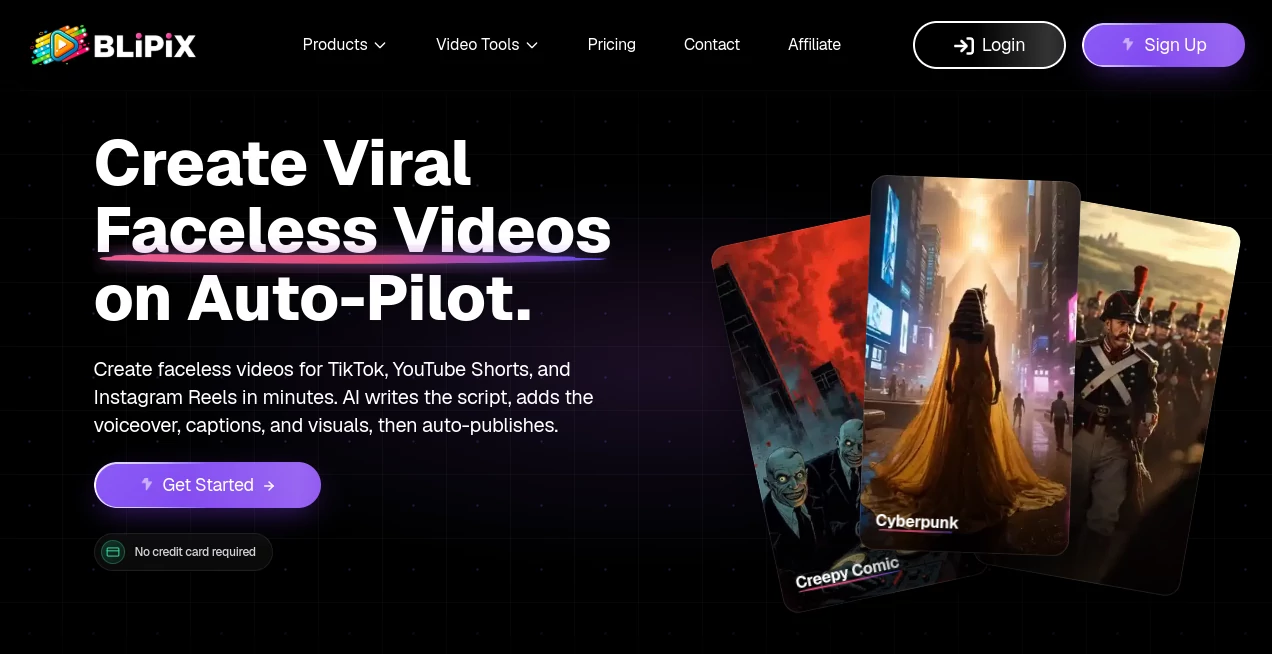
What is Blipix?
Creating engaging short-form videos no longer requires expensive equipment, advanced editing skills, or even appearing in front of a camera. This platform streamlines the entire production workflow by transforming a simple idea into a polished video complete with AI-generated visuals, natural voice narration, captions, background music, and automated publishing.
Built for creators, marketers, educators, and businesses, it dramatically reduces the time spent producing content while maintaining impressive quality. Whether the goal is growing a YouTube Shorts channel, publishing daily TikTok videos, or managing multiple social media accounts, everything can be handled from one intuitive workspace.
What makes this solution particularly attractive is its ability to automate repetitive tasks without sacrificing creative control. Users remain free to edit scripts, customize visuals, change voices, select music, and schedule content while the AI manages the heavy lifting behind the scenes.
Key Features
User Interface
The dashboard is clean, modern, and designed for speed. Even first-time users can move from an initial concept to a finished video within minutes. Every editing option is clearly organized, allowing creators to modify scripts, captions, visual styles, voiceovers, music, and publishing schedules without feeling overwhelmed.
Accuracy & Performance
The AI generates complete video scripts based on a chosen topic, matches scenes with relevant visuals, adds synchronized subtitles, and produces natural-sounding narration. Video rendering is fast, making it practical for creators who publish content consistently. Multiple artistic styles and support for dozens of languages help produce content for different audiences around the world.
Capabilities
- Generate faceless videos from simple text prompts.
- Create AI-written scripts automatically.
- Add realistic AI voiceovers.
- Generate matching visuals for every scene.
- Include automatic captions.
- Choose from numerous artistic image styles.
- Support videos in multiple languages.
- Create short and long-form videos.
- Customize titles, music, visuals, and narration.
- Schedule automatic publishing for major social platforms.
- Create AI avatars and UGC-style content.
- Produce videos suitable for monetization.
Security & Privacy
The platform emphasizes secure handling of user projects and account information while providing commercial usage rights for generated videos. Users maintain ownership of their finished content, making it suitable for business, marketing, and commercial publishing.
Use Cases
- Growing YouTube Shorts channels.
- Publishing TikTok videos every day.
- Creating Instagram Reels automatically.
- Building anonymous educational channels.
- Producing storytelling videos.
- Creating historical and documentary shorts.
- Generating motivational content.
- Producing marketing campaigns.
- Creating multilingual social media videos.
- Managing multiple content series with automated publishing.
Pros and Cons
Pros
- Very easy to learn for beginners.
- Complete video production from a single prompt.
- No camera or editing experience required.
- Automatic script writing and narration.
- Supports more than twenty visual styles.
- Multiple language support for international audiences.
- Automatic publishing saves significant time.
- Commercial rights for generated videos.
Cons
- Advanced creators may still want external editing software for highly customized projects.
- Higher production volumes require larger subscription plans.
- AI-generated visuals may occasionally benefit from manual refinement for highly specific subjects.
Pricing Plans
Several subscription options are available for different types of creators. Starter plans are suitable for testing a new channel, while Creator, Pro, and Premium plans provide additional credits, more publishing capacity, faster rendering, and features designed for growing businesses and production teams. Annual subscriptions include additional savings.
How to Use Blipix
Start by selecting a topic or entering your own script idea. Choose your preferred voice, visual style, background music, and language. The AI generates a complete video with narration, captions, and visuals automatically. Preview the result, make any desired edits, then publish immediately or schedule automatic posting across supported social media platforms.
Comparison with Similar Tools
Many AI video generators focus primarily on converting text into video clips, while others specialize in avatar creation or editing. This platform combines script generation, AI imagery, narration, subtitles, background music, video editing, scheduling, and automated publishing into one workflow. Instead of switching between several different applications, creators can manage nearly every production step from a single dashboard, making content creation faster and more consistent.
Conclusion
For anyone looking to produce high-quality faceless videos consistently, this platform offers an impressive balance of automation, creative flexibility, and publishing convenience. From generating scripts to scheduling uploads, nearly every repetitive task is handled intelligently, allowing creators to focus on ideas instead of technical production. Whether building a personal brand, managing client campaigns, or growing monetized social channels, it provides a practical and highly efficient solution for modern video creation.
Frequently Asked Questions (FAQ)
Can beginners create professional videos?
Yes. The workflow is designed so that even users with no editing experience can generate polished videos quickly.
Can the generated videos be monetized?
Yes. Commercial usage rights are provided, allowing creators to monetize eligible content on supported platforms.
Does it support multiple languages?
Yes. Videos can be created in dozens of languages, making it suitable for reaching international audiences.
Can videos be scheduled automatically?
Yes. Users can connect supported social media accounts and automate publishing according to their preferred schedule.
Is manual editing possible after AI generation?
Absolutely. Scripts, captions, music, visuals, narration, and other elements can all be customized before publishing.