
AI Book Cover Generator
What is AI Book Cover Generator?
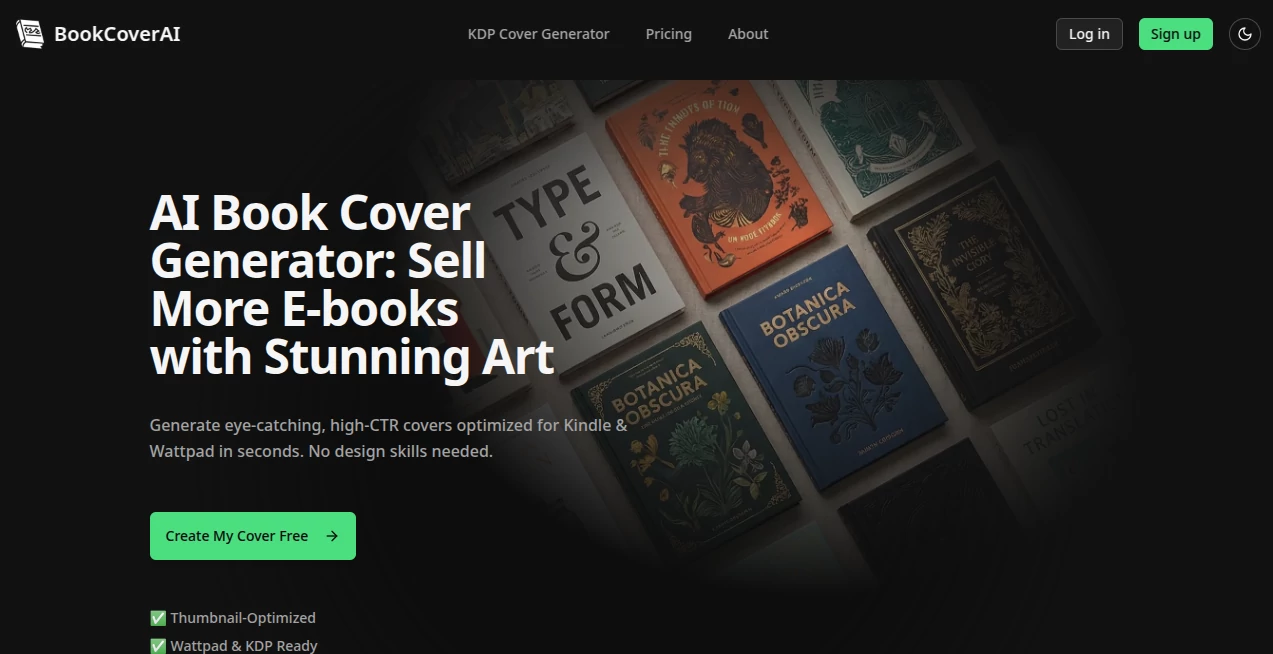
Nothing stops a potential reader faster than a mediocre book cover. A great one, on the other hand, makes someone pause, click, and buy. This tool makes designing that great cover surprisingly easy and fast. You describe your book — genre, tone, key elements, even a rough idea of the mood — and it generates multiple professional-looking options that actually feel like real book covers, not generic AI art. I've seen indie authors go from "I have no idea what to put on my cover" to having several strong choices in under five minutes. The difference in how seriously their book is taken is immediate.
Introduction
Most authors pour their heart into the story, only to struggle when it comes time to package it. Hiring a designer is expensive and slow, while doing it yourself often ends in frustration or amateur results. This platform bridges that gap beautifully. It understands book design conventions — typography, composition, genre expectations — and turns your description into covers that look like they belong on bookstore shelves. Whether you're writing romance, thriller, fantasy, nonfiction, or children's books, it adapts intelligently. The best part? It respects your vision while offering creative suggestions you might not have thought of yourself.
Key Features
User Interface
The process is delightfully simple. You enter your book title, subtitle, author name, and a description of the story or desired vibe. Then you choose a genre or style direction. Within seconds, it presents several strong variations. You can regenerate, tweak prompts, or refine specific elements like color palette or mood. The interface stays clean so you can focus on choosing what feels right for your book rather than learning software.
Accuracy & Performance
It consistently respects genre expectations — moody lighting for thrillers, soft tones for romance, epic scale for fantasy — while still feeling unique to your story. Text placement is intelligent, and typography choices usually work well on the first try. Generation is quick, letting you explore many directions without waiting around. The quality is high enough that many authors use the outputs directly or with only minor tweaks from a designer.
Capabilities
You can generate full wrap-around covers, ebook covers, or just the front. It supports a wide range of styles and genres, understands mood and atmosphere, and handles both illustrated and photographic directions. You can upload reference images for style guidance, adjust aspect ratios, and create multiple concepts quickly. The results are print-ready resolution, making it suitable for both self-published paperbacks and professional-looking ebooks.
Security & Privacy
Your book details and generated covers remain private to your account. The platform doesn't use your specific prompts for training in a way that exposes your work. This matters especially for authors who want to keep their concepts under wraps until launch.
Use Cases
A first-time romance author generates several beautiful covers in one evening and picks the one that best captures the emotional tone of her story. A thriller writer tests different dark, mysterious concepts until he finds the one that feels tense enough to hook readers. A nonfiction author creates a clean, professional cover that builds credibility in their field. Even established authors use it to quickly mock up concepts before hiring a designer for final polish. It's become a smart first step in the publishing process for many.
Pros and Cons
Pros:
- Extremely fast way to get professional-looking concepts.
- Strong understanding of genre design conventions.
- Multiple variations let you explore directions quickly.
- High-resolution outputs suitable for print and digital.
- Affordable alternative to hiring a designer early on.
Cons:
- Very specific or unusual concepts may need prompt refinement.
- Some designs still benefit from a human designer for final polish.
- Free tier has daily limits for heavier users.
Pricing Plans
It offers a generous free tier that lets you generate several covers to test the quality. Paid plans unlock unlimited generations, higher resolution, commercial rights, and priority processing. The pricing is reasonable for indie authors and small publishers, especially when you consider how much time and money it saves compared to traditional design routes.
How to Use BookCoverAI
Start by entering your book title and a description of the story or desired mood. Add genre tags or style references if you have them. Generate several options and browse through them. Pick your favorites, refine the prompt for better results if needed, then download the high-resolution files. Use the variations to decide on direction before investing in final design work or use them directly for ebooks and pre-launch marketing. The whole process is fast enough that you can explore many creative directions in one session.
Comparison with Similar Tools
Many AI image generators can create book covers, but they often ignore genre conventions or produce generic results. This one is specifically tuned for book design, paying attention to typography, composition, and market expectations. It strikes a better balance between creative freedom and professional polish than general-purpose tools, making it more practical for authors who need covers that actually sell books.
Conclusion
A strong book cover is often the first handshake between your story and a potential reader. This tool makes getting that strong first impression faster, easier, and more affordable than ever. It won't replace every talented human designer, but it gives authors powerful creative control and professional starting points that can save weeks of back-and-forth. For indie authors and small publishers especially, it's become an essential part of the publishing toolkit — turning the stressful question of "what should my cover look like?" into an exciting creative conversation.
Frequently Asked Questions (FAQ)
How long does it take to generate covers?
Usually just a few seconds per variation, so you can explore many options quickly.
Can I use the covers commercially?
Yes — covers generated on paid plans come with full commercial rights.
Do I need design experience?
Not at all. The tool handles the heavy lifting while letting you guide the direction through simple prompts.
Can I upload my own images for reference?
Yes, you can guide the style and elements with reference images.
Is it good for ebook covers only?
It works excellently for both ebook and full paperback wrap-around covers.
AI Photo & Image Generator , AI Art Generator , AI Design Generator , AI Text to Image .
These classifications represent its core capabilities and areas of application. For related tools, explore the linked categories above.
AI Book Cover Generator details
Website unavailable — View Alternatives
Pricing
- Free
Apps
- Web App
Categories

AI Book Cover Generator Alternatives Product
nano banana

grok images

Z-Image Free

Trending AI …

NanoBanana2

ai image cre…

PolyBuzz

Wplace Toolk…

string art g…