
BookCoversLab
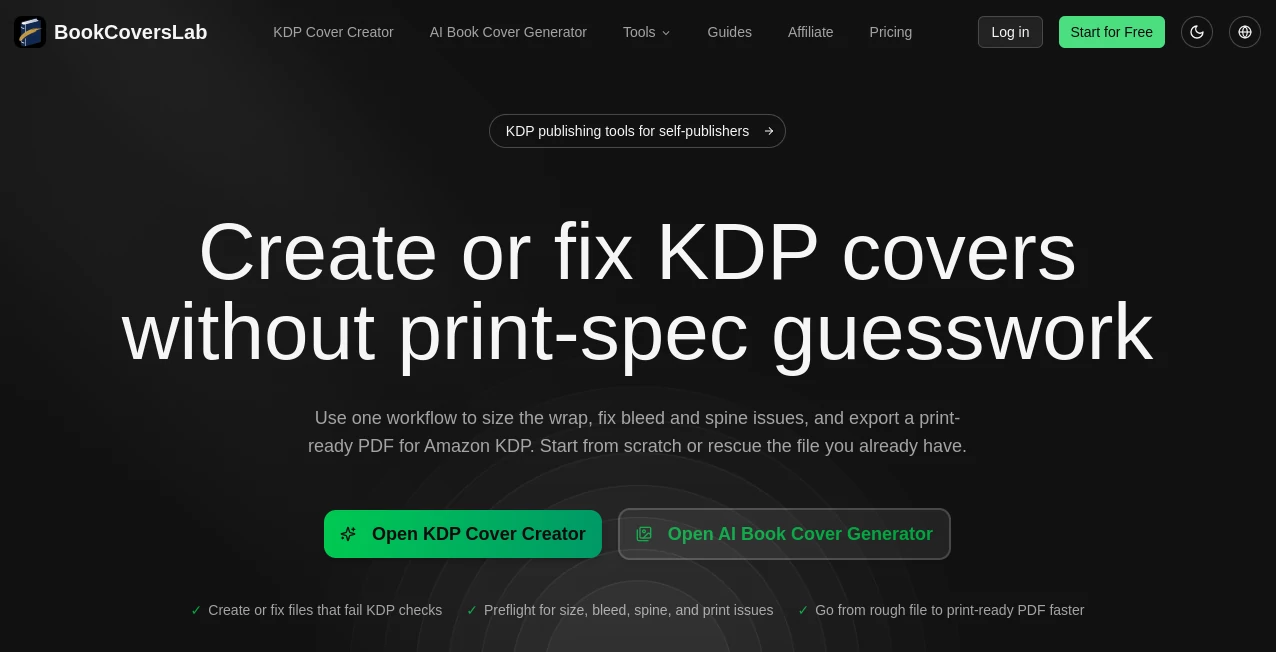
What is BookCoversLab?
I still remember the first time I published a book. I spent weeks trying to design a cover myself, then paid a designer who delivered something decent but not quite right. The whole process felt slow and expensive. Then I tried this tool and everything clicked. You describe your story in plain English, pick a genre, and a few seconds later you’re looking at covers that actually feel like they belong on a bookstore shelf. No more staring at blank canvases or waiting days for revisions. It’s fast, beautiful, and surprisingly on-point with the mood of your book.
Introduction
Authors pour their hearts into stories, but many struggle when it comes time to package them. A great cover can make the difference between someone scrolling past and someone clicking “buy now.” This platform makes creating that perfect first impression accessible to every writer — whether you’re self-publishing your first novel or an experienced author refreshing an older title. It uses AI trained specifically on book cover design, so the results look professional rather than generic. The best part? You stay in full control, tweaking colors, fonts, and composition until it feels exactly right for your story.
Key Features
User Interface
The interface is refreshingly simple and focused. You start by typing a short description of your book or pasting your blurb. Then you choose genre, mood, and preferred art style. The generator gives you multiple high-quality options in seconds. What I love most is the built-in editor — you can change colors, swap elements, adjust text placement, and regenerate specific parts without starting over. It feels like working with a patient designer who never gets tired of revisions.
Accuracy & Performance
The AI understands genre conventions remarkably well — fantasy covers feel magical, thrillers look tense, romance covers carry that emotional warmth. It reads your description and pulls out key themes, characters, and tone without turning your book into a literal illustration. Generation is fast, usually under 15 seconds per batch, and the quality is consistent enough that most authors find at least one winner in the first round.
Capabilities
You can generate full wraparound covers for print, eBook-specific designs, series-consistent branding, and even 3D mockups to see how your book will look on Amazon. It supports multiple aspect ratios, lets you upload your own reference images or author photos, and includes professional typography options. Whether you need something minimalist and elegant or bold and eye-catching, it adapts beautifully while keeping commercial standards in mind.
Security & Privacy
Your book descriptions and generated covers stay private to your account. The platform doesn’t train on user data in a way that exposes your unpublished work. For authors who are protective of their stories before launch, that respect for privacy is genuinely appreciated.
Use Cases
A debut fantasy author generates 12 different covers in one evening and picks the one that best captures the epic tone of her story. A romance writer creates consistent branding across a five-book series in under an hour. A non-fiction author testing different subtitles uses the tool to see which cover design gets the strongest gut reaction from beta readers. Even traditional publishers have started using it for rapid concept exploration before commissioning final artwork. It fits beautifully into every stage of the publishing journey.
Pros and Cons
Pros:
- Extremely fast — go from idea to professional-looking covers in minutes.
- Strong understanding of genre expectations and market trends.
- Powerful built-in editor for fine-tuning without losing quality.
- Affordable compared to hiring a designer for multiple concepts.
- Great for both eBook and full print wraparound designs.
Cons:
- Very niche or highly specific artistic visions may still benefit from a human designer for final polish.
- Some advanced commercial licensing options are on higher tiers.
Pricing Plans
It offers a generous free tier so you can test the quality with your own book ideas. Paid plans unlock unlimited generations, higher resolution downloads, commercial licensing, and advanced editing features. Many authors find that even the basic paid plan pays for itself after avoiding one traditional design commission. The pricing feels fair and transparent for the value it delivers.
How to Use BookCoversLab
Sign up (takes seconds), go to the generator, and describe your book in a few sentences. Add genre tags, mood keywords, or upload a reference image if you have one. Click generate and review the batch of covers. Pick your favorites, then use the editor to adjust colors, fonts, placement, or regenerate specific elements. When you’re happy, download high-resolution files ready for Amazon, IngramSpark, or your designer. The whole process can genuinely take less than 15 minutes once you get the hang of it.
Comparison with Similar Tools
Many AI image generators can create book covers, but most produce generic or fantasy-heavy results that don’t translate well to actual book marketing. This platform is specifically trained on book cover design, so the compositions, typography, and market awareness are noticeably stronger. It also gives you proper editing tools and commercial-ready outputs, which generic art generators often lack. For authors who want something that actually looks like a real book cover, the difference is clear.
Conclusion
Your book deserves a cover that stops scrollers and makes readers curious enough to click. This tool makes creating that cover fast, affordable, and genuinely enjoyable. It respects your vision, understands the market, and gives you professional results without the usual stress and expense. Whether you’re publishing your first book or your fifteenth, it’s one of those rare tools that actually makes the publishing journey smoother and more exciting.
Frequently Asked Questions (FAQ)
How long does it take to generate covers?
Usually 10–20 seconds per batch of variations.
Can I use the covers for commercial publishing?
Yes — paid plans include full commercial rights.
Do I need design experience?
Not at all. The tool is built for authors, not designers.
Can I edit the generated covers?
Yes, the built-in editor lets you change colors, text, elements, and regenerate parts easily.
Is it good for series covers?
Excellent for that — many authors use it to create consistent branding across multiple books.
AI Art Generator , AI Graphic Design , AI Design Generator , AI Image to Image .
These classifications represent its core capabilities and areas of application. For related tools, explore the linked categories above.

BookCoversLab Alternatives Product
Seedream 5.0

Normal Map G…

Better Image

RemoveText

Wplace Toolk…

AI Consisten…

imagine 2.0

AI Anime

whisk ai