
















imagine 2.0
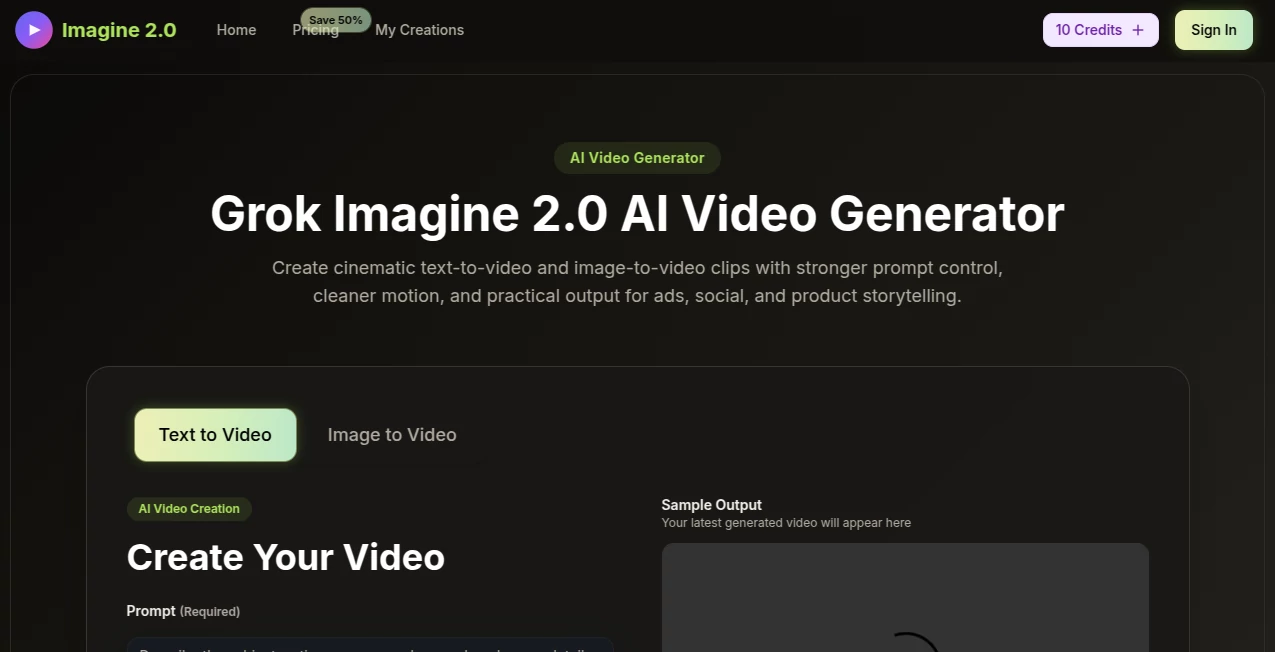
What is imagine 2.0?
You know that feeling when you have a perfect image in your head, but you just can't seem to create it? Maybe you've spent hours tinkering with complex design software, or gotten frustrated when other AI tools completely missed the point of your prompt. Honestly, I've been there more times than I'd like to admit. It's exhausting.
That's exactly why this platform feels like such a breath of fresh air. It's built for real people who need high-quality images without the headache. Whether you're a marketer trying to whip up social media graphics, a small business owner needing product mockups, or just someone who loves bringing creative ideas to life, this tool gets you. It takes your words and transforms them into stunning visuals almost instantly, without forcing you to become a tech expert first.
What really caught my attention is how naturally it handles different styles. You can go from a super realistic product shot to a playful cartoon illustration in the same conversation. It doesn't feel stiff or robotic. The images come out looking like they were made with care, which is rare to find in a tool that prioritizes speed. Let’s dive into what actually makes this thing work so well.
Key Features
This isn't just another text-to-image generator that spits out generic pictures. The platform packs some serious functionality under the hood, yet keeps everything simple enough that you won't need to watch hours of tutorials. Here’s a closer look at the standout stuff.
User Interface
Some AI tools look like they were designed by engineers for other engineers. That is not the case here at all. The layout is clean, minimal, and surprisingly intuitive. You land on the page, and you immediately understand what to do. There is a clear space for your prompt, a few straightforward options for adjusting size or style, and a big generate button.
I really appreciate how uncluttered everything feels. You are not bombarded with a hundred confusing sliders or technical terms that mean nothing to the average user. It focuses on the creative process, not the technical process. Even if you are someone who has never touched an AI tool before, you will probably create something usable within your first minute. That ease of use makes all the difference when you are on a tight deadline.
Accuracy & Performance
Let's be real for a second. A lot of image generators look great when you give them simple prompts, but the moment you ask for something specific, they fall apart. You ask for a "red apple on a wooden table," and you get a green apple floating in space. That frustration is real, and it wastes a ton of time.
This tool handles detailed instructions surprisingly well. When you describe a specific composition, lighting setup, or color palette, it actually listens. It’s not perfect every single time, of course, but the hit rate is much higher than what I have experienced with many competitors. The speed is also a major win. Most images render in just a few seconds. You are not sitting there staring at a loading bar wondering if your generation will crash. It keeps the creative momentum going, which is invaluable when you are in the zone.
Capabilities
The platform really shines in its versatility. It supports a wide range of creative needs. You can generate everything from photorealistic portraits and landscapes to more stylized illustrations, 3D renders, and concept art. It handles different aspect ratios easily, so you can create content specifically formatted for Instagram stories, YouTube thumbnails, or wide presentation slides without cropping out half your image.
Another capability that stands out is how it handles iterative creation. You can take an image you like and tweak the prompt to refine it further. Maybe you want to change the lighting from "sunset" to "neon noir," or shift the mood from "peaceful" to "dramatic." The model adapts to these shifts without losing the core identity of the original image. It feels like having a conversation with a collaborative creative partner rather than just entering commands into a machine.
Security & Privacy
If you are creating content for a business, you have probably wondered about ownership and data privacy. It’s a valid concern, especially with how fast generative AI has been moving. The good news is that the platform takes this seriously. Your prompts and the images you generate are treated with a reasonable level of confidentiality.
While you should always double-check the latest terms, the general principle is that you maintain ownership over your creations. They aren't just going to take your cool logo idea and feed it to the public domain. For professionals worried about intellectual property, this peace of mind is worth its weight in gold. You can experiment freely without stressing that your brand assets are being mishandled.
Use Cases
Honestly, the range of things you can do with this is pretty wide. It’s not just for one specific type of user. Here are a few ways people are actually using it that might surprise you.
- Social Media Managers: Creating scroll-stopping Instagram carousels, TikTok thumbnails, or LinkedIn banners that actually look on-brand, all without hiring a full-time graphic designer.
- E-commerce Store Owners: Generating professional product mockups, lifestyle images, and varied backgrounds to test which visuals convert best, saving thousands on photoshoots.
- Content Creators & YouTubers: Designing unique video thumbnails that stand out in a crowded feed, or generating custom artwork for video backgrounds and merchandise.
- Real Estate Agents: Virtually staging empty rooms with furniture to help potential buyers visualize the space, or generating exterior shots of renovated properties.
- Authors & Bloggers: Creating unique cover art or featured images for articles without worrying about stock photo licensing or generic visuals.
Pros and Cons
Let’s keep it honest. No tool is a miracle worker, and it helps to know where something excels and where it might fall a little short. Here is the breakdown based on real usage.
Pros:
- Incredibly fast rendering speed, even for complex prompts.
- Intuitive interface that requires zero learning curve.
- High accuracy when it comes to following specific prompt instructions.
- Versatile style range, from photorealism to illustration.
- Flexible pricing options, including a free tier to test the waters.
Cons:
- The free tier likely includes watermarks, which isn't great for final products.
- Extremely niche or obscure concepts might still require multiple attempts.
- Occasional struggles with generating perfectly legible long-form text inside images.
Pricing Plans
Money talks, right? You want to know if this is going to break the bank or if it offers good value. The pricing model is pretty straightforward, which I appreciate. There is usually a free tier that gives you a daily dose of credits. This is perfect for testing things out or for hobbyists who only need a few images a week.
For the heavy hitters, the paid plans bump you up to higher credit limits, faster processing speeds, and—most importantly—they remove the watermark. Once you subscribe, you get commercial-use rights, which is non-negotiable if you are using these images for a business. Compared to other high-end tools that charge a premium just for access, this one sits comfortably in the "affordable but powerful" sweet spot. You aren't paying for a bloated suite of features you will never use; you are paying for solid, reliable generation.
How to Use Imagine20.com
Getting started is almost laughably simple. You don't need a degree in prompt engineering or a Discord account filled with bots. Just head to the website. You will see a text box staring you right in the face. That is your canvas.
Type in what you want to see. Be as detailed or as simple as you like. For example, "A fluffy white Samoyed dog wearing sunglasses on a beach at sunset" works great. Click the generate button. Wait about five to ten seconds. Boom, you have four variations of that idea. If you like one, download it. If you want to tweak it, just change the words and hit generate again. It’s that fluid. You can also adjust the size ratio depending on where you plan to post the image. It takes longer to describe how to do it than it actually takes to do it.
Comparison with Similar Tools
You might be thinking, "Okay, but how does this stack up against the big names like Midjourney or DALL-E?" That is a fair question. The big boys have massive brand recognition. Midjourney often produces that "wow factor" artistic look, but it lives inside Discord, which is a nightmare for some users to navigate. DALL-E is great, but it has stricter content filters that can feel overly restrictive.
This tool finds a nice middle ground. It sacrifices a tiny bit of that hyper-specific artistic flair that Midjourney specialists love, but it gains massive points in accessibility and speed. It is much easier to use and generally faster. For 90% of business use cases—thumbnails, ads, social posts, concepting—you will not notice a drop in quality, but you will absolutely notice the difference in workflow efficiency. It is the reliable workhorse, not the temperamental racehorse.
Conclusion
Look, the world of AI image generation is crowded. But this platform carves out its own space by focusing on what actually matters to the average creator: speed, simplicity, and accuracy. It doesn't try to do a million things. It tries to do one thing really well—turn your text into great images without a fight.
Whether you are just messing around for fun or trying to hit a tight deadline for a client, this tool is a solid option to have in your back pocket. The free tier is generous enough that you have nothing to lose by giving it a shot. Go play with it, break it, see what weird stuff you can create. Chances are, you will be pleasantly surprised by how often it reads your mind. It is one of those rare tools that actually feels like it was built by people who understand creative frustration.
Frequently Asked Questions (FAQ)
Do I need to create an account to use the tool?
You might be able to test basic features without an account, but to save your work and access higher resolution downloads, you will likely need to sign up. It takes about ten seconds.
Can I use the images I generate for my business?
Yes, absolutely. As long as you are on a paid plan, you generally get full commercial rights to your creations. You can use them in ads, on products, or for your website. Free tier images are usually for personal exploration only.
Why do some images look slightly weird around the hands or fingers?
Honestly, that is a limitation of almost every AI image generator currently available. Human anatomy (especially hands) is historically tough for AI. This tool handles it better than most, but you might still see a weird finger now and then. Just generate a few variations, and you will usually find a good one.
Is there a mobile app, or does it work on my phone?
The website itself is optimized to work beautifully on your phone's browser. You don't need to download a heavy app. Just open Chrome or Safari, visit the site, and you can generate images right from your couch.
What happens if I run out of generation credits for the month?
If you are on a free plan, you just wait until the next day when your credits reset. If you are on a paid plan, you can usually purchase a top-up pack of extra credits, or simply wait for your monthly renewal.