


















BrickLens
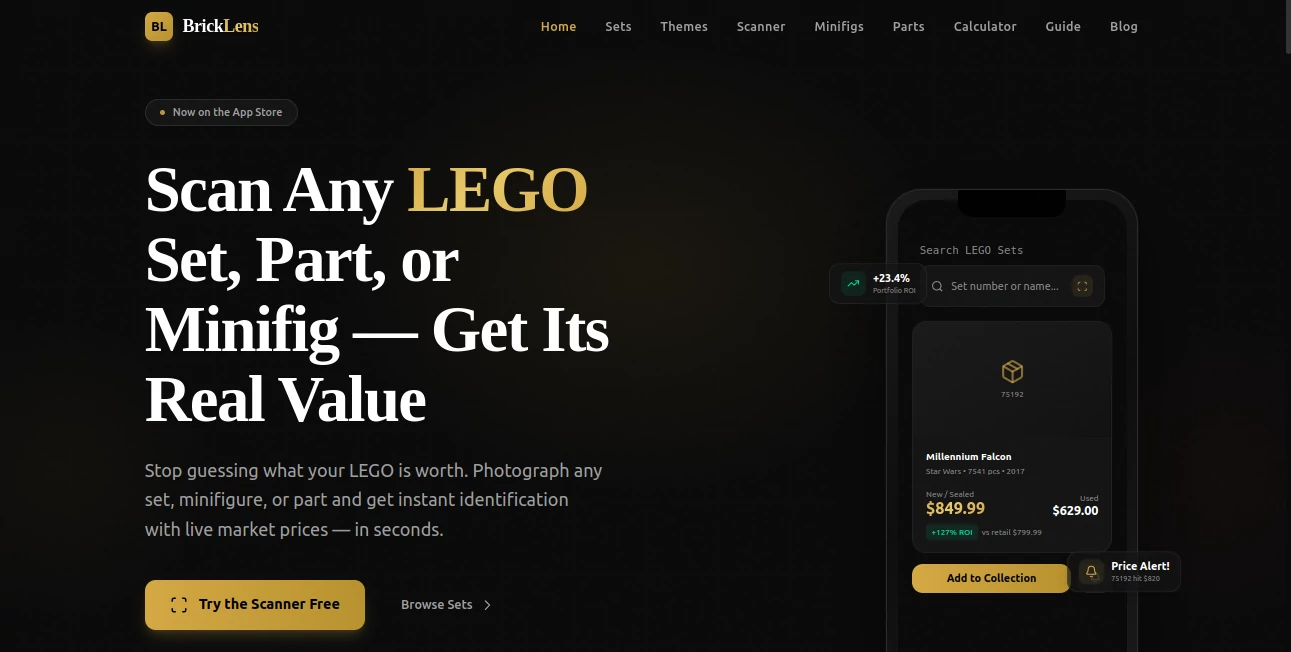
What is BrickLens?
Let’s be real for a second. You’ve got amazing products to sell. But your product photos? They’re just… flat. And in today’s online shopping world, flat doesn’t cut it anymore. Customers want to spin things around, zoom in, and really feel like they’re holding the item before clicking “buy.” That’s exactly where this platform steps in to save the day.
I’ve been testing quite a few 3D tools lately, and most of them either take forever to process or spit out models that look like melted plastic. This one? Different story. It takes your regular product images and transforms them into interactive 3D models that actually look like the real thing. No fancy equipment needed. No 3D modeling degree required. Just your phone, your product, and about twenty minutes of your time.
What caught my attention right away is how straightforward the whole process feels. You snap some pictures following the in-app guide, upload them, and then something pretty magical happens behind the scenes. The AI does its thing while you grab a coffee. Come back, and there’s your model ready to be placed on your product pages, social media feeds, or even AR experiences.
Key Features
User Interface
The first thing you’ll notice is how clean and uncluttered everything looks. No confusing menus. No technical jargon that makes your head spin. You open the app, and it literally walks you through each step like a friendly assistant who actually wants to help. The in-app instructions for taking photos are surprisingly detailed – they tell you exactly how many angles you need, what kind of lighting works best, and how to position your product for optimal results.
Everything is organized in a way that makes sense. Your generated models live in one place. The export options are clearly labeled. And if you get stuck? The help section actually answers real questions instead of just pointing you to a generic FAQ page. It feels like someone designed this who has actually tried to create 3D models before and got frustrated with overcomplicated tools.
Accuracy & Performance
Here’s where things get interesting. The accuracy level genuinely surprised me during testing. I threw all sorts of objects at it – a glass vase, a metal bracelet, even a fuzzy stuffed animal. Each time, the AI managed to capture the essential shapes and textures without turning things into a distorted mess. Transparent objects like glassware? Handled beautifully. Reflective surfaces like jewelry? No problem at all.
Processing times vary depending on what you’re generating. 2D images come back in seconds – perfect for quick social media posts or email campaigns. The 3D models take about fifteen minutes on average. That might sound like a while, but compared to traditional 3D modeling that takes days or weeks, it’s basically lightning speed. You can queue up multiple products and let the system work through them while you focus on other things.
According to a Shopify study mentioned on their site, 3D models can boost conversion rates by as much as 94%. That’s not a small number. When customers can actually interact with your products from every angle, they feel more confident about what they’re buying. Less hesitation means more completed checkouts.
Capabilities
This tool handles a surprisingly wide range of object types. Solid textured items like vases, bowls, and home decor pieces work exactly as you’d expect. But it also manages trickier categories that most AI models struggle with. We’re talking transparent glassware, reflective jewelry and metals, smooth objects with no texture at all, and even larger items like furniture pieces.
Once your model is ready, you’re not stuck with just one output format. The platform automatically generates images and videos alongside your 3D model. That means you can drop a 360-degree spinning video on your Instagram feed, use high-res images on your product pages, and embed the interactive model for desktop shoppers who want the full experience. Everything works together seamlessly.
The augmented reality capability deserves its own mention. Customers can project your products into their own space using their phone cameras. A lamp in their living room. A vase on their coffee table. A pair of shoes on their floor. That kind of try-before-you-buy experience builds trust in a way that static images just can’t match.
Security & Privacy
For ecommerce store owners, this matters more than most people think. Your product images are your intellectual property. The last thing you want is some random platform using your assets to train their AI models without permission. While the specific privacy details are outlined in their terms of service, the platform is built by Byrst Inc., a registered company with clear business information available publicly. Always a good sign when a tool isn’t hiding behind anonymous contact forms and PO boxes.
The models you generate are yours to use commercially. No weird licensing restrictions that come back to bite you later. No watermarks on your paid work. Just clean assets ready for your store. For small business owners who’ve been burned by shady “free” tools before, that peace of mind is worth something.
Use Cases
Ecommerce product pages – This is the obvious one, but it’s also the most valuable. Replace flat images with interactive models and watch how much longer customers stay on your product pages. More time engaging with your products usually means more sales.
Social media marketing – The automatically generated videos are perfect for Instagram Reels, TikTok, and Facebook posts. A spinning 3D view of your product catches way more attention than another static photo in someone’s feed. I’ve seen engagement rates jump significantly just by swapping standard posts with these generated videos.
Augmented reality shopping – For furniture, home decor, or any product where size and scale matter, AR changes the game completely. Customers can see exactly how that lamp looks on their nightstand or whether that chair fits in their corner. Returns drop dramatically when people know exactly what they’re getting.
Email marketing campaigns – Those 2D images that generate in seconds are perfect for newsletters and promotional emails. You can showcase new arrivals or featured products with professional-grade visuals without hiring a photographer for every single item.
Marketplaces and comparison sites – If you list products on Amazon, Etsy, or other platforms, having high-quality 3D assets gives you a competitive edge. Better visuals lead to more clicks, and more clicks lead to more sales. Simple math.
Pros and Cons
What works really well:
- The learning curve is practically nonexistent. Anyone who can take a photo with their phone can use this tool.
- Processing times are reasonable – fifteen minutes for a 3D model is genuinely impressive compared to traditional methods.
- The variety of objects it can handle is broader than most competitors. Reflective and transparent items don’t break the AI.
- Automatic generation of images and videos alongside the 3D model saves so much time.
- No design experience or expensive software required. Just your phone and your product.
Where it could improve:
- The free tier is limited, so serious users will need a paid plan for volume work.
- For extremely complex objects with lots of intricate details, you might need to do some cleanup afterward. It’s not magic – just very good AI.
- Processing happens on their servers, so you need an internet connection. No offline mode for those working remotely with spotty connections.
- Large catalogs with hundreds of products will require patience or a higher-tier plan for batch processing.
Pricing Plans
The platform offers several tiers designed for different types of users. The Starter plan runs at around $30 monthly, which works well for small shops testing the waters or businesses with just a handful of products to convert. You get a solid number of monthly credits and access to core features.
The Pro plan sits at roughly $150 per month and opens up significantly more capacity. This is where you get higher processing priority, more concurrent tasks, and better support response times. Perfect for growing stores with regular product launches.
For larger operations, the Pro+ plan runs about $800 monthly and includes everything at scale. Enterprise-level capacity, dedicated support, and the fastest processing speeds available. There’s also a free option to get started – you can test the basic features before committing to any paid plan. Always smart to try before you buy.
(Note: Pricing mentioned here is based on available information. Check the current rates directly on their pricing page as these figures can change.)
How to Use BrickLens
Getting started takes about five minutes from download to your first upload. Here’s the step-by-step process based on my experience:
Step one – Download the app from your phone’s app store. The setup process is straightforward – create your account, verify your email, and you’re in.
Step two – Select what type of model you want to create. You can choose between 2D images (which generate in seconds) or full 3D models (around fifteen minutes). Pick based on your current needs.
Step three – Follow the in-app photography guide. This part matters more than you might think. The app tells you exactly how many photos to take, from what angles, and under what lighting conditions. Don’t skip this – good input photos make good output models.
Step four – Upload your images and let the AI do its work. This is the coffee break portion of the process. You’ll get a notification when your model is ready.
Step five – Review your generated assets. The app organizes everything in one place – your 3D model, plus automatically generated images and videos. Download what you need or export directly to your preferred platform.
Step six – Deploy your assets across your ecommerce site, social channels, email campaigns, and anywhere else your customers interact with your products. The whole process, from first photo to published model, can easily fit within your lunch hour.
Comparison with Similar Tools
Most AI 3D generators fall into two categories. There are the high-end enterprise solutions that cost thousands of dollars and require technical expertise. Then there are the hobbyist tools that produce cute but unusable models perfect for memes and nothing else. This platform sits in a sweet spot between them – affordable enough for small businesses but powerful enough to deliver professional results.
Compared to traditional 3D modeling services where you pay hundreds of dollars per product and wait weeks for delivery, the speed difference is massive. You’re not getting Hollywood-level CGI, but you’re also not paying Hollywood-level prices. For most ecommerce stores, the quality-to-cost ratio heavily favors this approach.
Other AI tools I’ve tested often struggle with specific materials. Glass turns opaque. Metal looks like plastic. Fuzzy textures turn into blobs. This one handles those edge cases noticeably better. The transparent and reflective object support alone puts it ahead of many competitors.
Where some tools focus exclusively on 3D output, having the automatic image and video generation built in adds real practical value. You don’t need to jump between different platforms for different asset types. Everything comes from one upload session.
The main trade-off? Processing time. Some competitors promise faster generation in exchange for lower quality. Others deliver higher quality but take hours instead of minutes. Fifteen minutes feels like a reasonable middle ground for most use cases.
Conclusion
Here’s the bottom line. If you’re an ecommerce store owner tired of flat product photos and expensive 3D studios, this tool deserves a serious look. It won’t replace a professional product visualization team for massive enterprises with unlimited budgets. But for small to medium-sized businesses? It’s a game-changer.
The process works. The results look good. And most importantly, it actually delivers on the promise of making 3D models accessible to regular business owners without technical backgrounds. You don’t need to learn Blender. You don’t need to hire freelancers. You just need your phone, your product, and twenty minutes.
Start with the free tier. Test it with one of your products. See the difference an interactive 3D model makes on your product page. My guess? You’ll wonder why you waited so long to make the switch.
Frequently Asked Questions (FAQ)
Do I need any design or 3D modeling experience to use this?
Not at all. The whole point is removing that barrier. If you can take photos with your phone, you can create 3D models with this tool.
What types of products work best?
Solid objects with clear textures work great. But it also handles transparent items like glassware, reflective items like jewelry, and even larger furniture pieces. Most standard ecommerce products will work fine.
How long does generation take?
2D images return in seconds. Full 3D models take about fifteen minutes on average. Processing times can vary based on server load and model complexity.
Can I use the models for commercial purposes?
Yes. Models generated on paid plans are yours to use commercially on your website, social media, ads, and other business channels.
Is there a free option to test things out?
Yes. The free tier lets you test the basic functionality before deciding on a paid plan. Perfect for trying it with a few products first.
What platforms can I export to?
The platform generates downloadable assets that work across most ecommerce platforms, social media channels, and email marketing tools. You can also embed interactive models directly on your website.
AI 3D Model Generator , AI E-commerce Assistant , AI Product Description Generator .
These classifications represent its core capabilities and areas of application. For related tools, explore the linked categories above.

BrickLens Alternatives Product

BillEasy Inc

ModelsLab

SAM 3D

HISAB 360

Lebesgue: AI…

Image to Thr…

etsyseotools

wigoo

AI Product P…
