
Budi AI
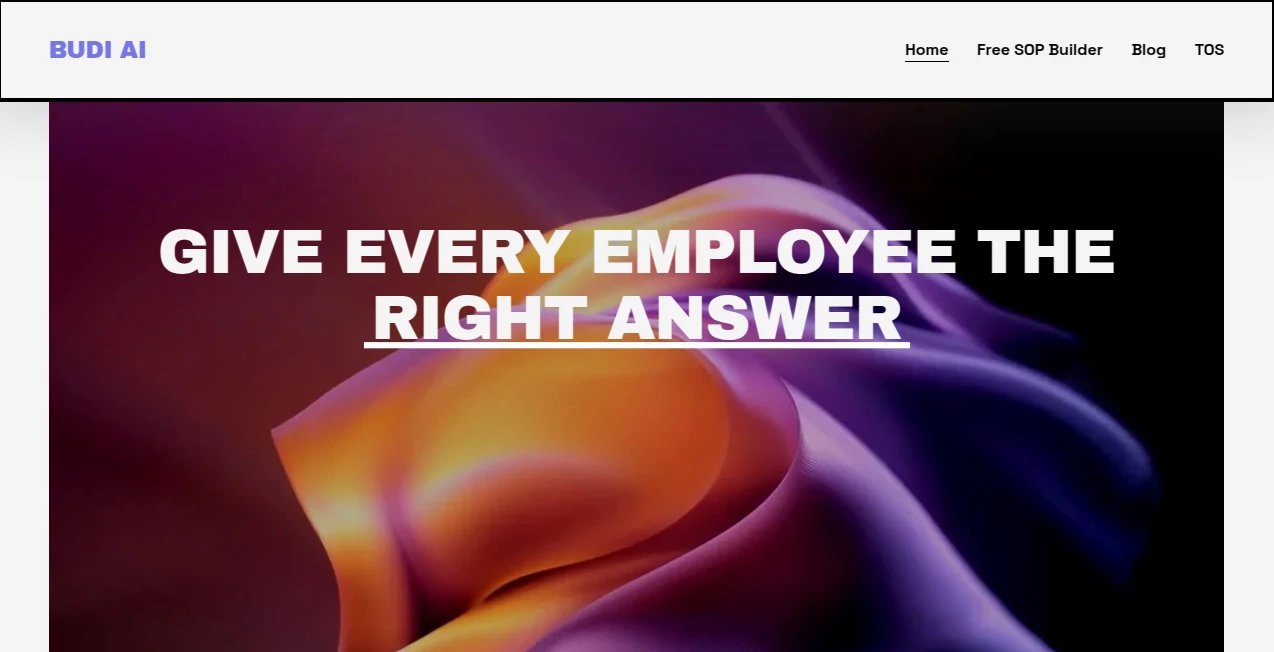
What is Budi AI?
Budi AI is an AI-powered employee training and knowledge platform designed to help growing teams get answers from the information they already have. Instead of leaving new employees to search through manuals, policies, and standard operating procedures, the platform turns business documentation into an accessible source of answers and training.
The idea is particularly useful for companies where managers repeatedly answer the same operational questions. A well-written SOP may contain the right information, but it does not help much when an employee cannot find the relevant section at the moment they need it. This approach puts that knowledge closer to the people actually doing the work.
The platform is positioned around faster onboarding, fewer interruptions, better knowledge retention, and more consistent day-to-day operations. It is especially relevant to businesses with frontline teams and repeatable processes.
Key Features
- Turn company documents into instant answers for employees.
- Use SOPs, manuals, policies, and other business documentation as a knowledge source.
- Help new hires find operational information without constantly relying on managers.
- Identify knowledge gaps while employees are working.
- Create customized training modules from selected documents.
- Set a passing score for generated training material.
- Choose different difficulty levels when creating training modules.
- Preserve operational knowledge as teams grow and responsibilities change.
User Interface
The public website presents a straightforward workflow: upload your documents and start using the platform. The emphasis is less on complicated configuration and more on getting existing business knowledge into a usable format quickly.
For a manager, this is an appealing approach. There is no need to build a completely separate knowledge library from scratch before employees can benefit from it. The product is designed around the documents a business already uses.
Accuracy & Performance
The usefulness of an internal AI knowledge system depends heavily on the quality and completeness of the documents provided to it. When SOPs and policies are current and clearly written, employees have a much better foundation for getting useful answers.
The platform's strongest performance advantage is practical rather than purely technical: it can reduce the time employees spend searching through documentation or waiting for someone more experienced to respond. The site specifically highlights faster onboarding, real-time knowledge access, and fewer manager interruptions.
Capabilities
The platform combines two closely related functions: knowledge access and employee training. Teams can use their existing documents as the foundation for answering employee questions, while selected documents can also be turned into custom training modules.
The training workflow allows users to select source documents, choose a passing score, select a difficulty level, and generate a training module. This makes the system more useful than a simple document-search tool because the same operational knowledge can be used for both everyday questions and structured learning.
Security & Privacy
The public website provides dedicated Privacy Policy and Terms of Service pages, which is important for a platform intended to work with internal business documentation. However, the publicly available product information does not provide enough technical detail to make specific claims about encryption standards, data residency, retention periods, or enterprise security certifications.
Businesses considering using the platform for sensitive internal documents should therefore review the current privacy and terms documentation and confirm the applicable data-handling practices before uploading confidential material.
Use Cases
Employee onboarding: New hires can use existing company documentation to find answers without repeatedly asking managers for basic operational information.
SOP access: Teams that depend on detailed procedures can make those instructions easier to access during daily work.
Frontline operations: Employees in restaurants, manufacturing, services, and other operational environments can benefit from having procedures available when questions arise.
Training programs: Managers can select relevant documents, define a passing score and difficulty level, and turn business knowledge into customized training material.
Knowledge retention: When experienced employees leave or responsibilities move between teams, documented processes remain available as a shared source of operational knowledge.
Reducing repetitive questions: Managers who spend a large part of their day answering the same process-related questions can shift routine information requests toward a self-service model.
Pros and Cons
- Pros: Focuses on a practical business problem rather than adding another generic AI chatbot.
- Pros: Works around existing SOPs, manuals, policies, and documentation.
- Pros: Combines employee Q&A with training content generation.
- Pros: Offers configurable passing scores and difficulty levels for generated training modules.
- Pros: Particularly relevant to businesses with repeatable operational processes.
- Cons: The quality of results depends on the quality and accuracy of the source documentation.
- Cons: Public information about integrations and advanced enterprise capabilities is currently limited.
- Cons: Detailed public information about security architecture and data-handling controls is limited.
Pricing Plans
The public website currently promotes a free trial and encourages teams to upload their documents and start using the platform, but it does not publicly display a detailed pricing table with plan names and recurring prices.
For organizations evaluating the product, contacting the provider is the most reliable way to confirm current pricing, available plans, user limits, document limits, and any features intended for larger teams.
How to Use
Getting started follows a simple document-first workflow.
- Upload the relevant company documents, such as SOPs, manuals, policies, or training material.
- Allow the platform to use those documents as the foundation for employee knowledge access.
- Let team members use the resulting knowledge source when they need answers.
- Select appropriate documents when you want to create training material.
- Choose a passing score for the training module.
- Select the desired difficulty level.
- Generate the customized training module and use it as part of employee onboarding or ongoing training.
Comparison with Similar Tools
Traditional knowledge bases generally require employees to know where information is stored and then manually locate the relevant page or document. Generic AI assistants, on the other hand, may not be grounded in a company's actual operating procedures.
This platform takes a more focused approach by connecting AI assistance directly to business documentation and employee training. That makes it particularly attractive for companies whose main challenge is not generating new content, but making existing operational knowledge easier to use.
It is also different from a conventional learning management system. Rather than focusing only on courses and structured lessons, the platform places everyday access to company knowledge alongside generated training. For teams where employees frequently need quick answers while working, that distinction can be valuable.
Conclusion
For businesses that rely on SOPs, manuals, policies, and repeatable processes, this platform addresses a very familiar problem: important information exists, but employees do not always know where to find it or whom to ask.
Its combination of AI-powered answers and document-based training makes it especially interesting for onboarding and operational teams. The ability to turn selected documents into training modules adds another practical layer, allowing the same knowledge to support both day-to-day work and structured employee development.
The strongest fit is likely to be organizations with growing teams, frequent onboarding, and managers who spend too much time repeating the same instructions. If your company's knowledge already lives in documents, turning that information into something employees can actively use may be a worthwhile step toward more consistent operations.
Frequently Asked Questions (FAQ)
What type of businesses can benefit from this platform?
It is designed around employee onboarding, operational knowledge, SOPs, and training, making it particularly relevant to industries such as food and beverage, manufacturing, and services where employees regularly follow documented procedures.
Can it use existing company documents?
Yes. The platform is specifically built around uploading existing business documents and using them as a source for employee answers and training.
Can it create training modules?
Yes. Users can select documents, choose a passing score, select a difficulty level, and generate a customized training module.
Can it help with employee onboarding?
Yes. Faster onboarding is one of its central use cases, allowing new employees to find answers from company knowledge instead of depending entirely on managers.
Does it replace an employee manager?
No. Its purpose is to reduce repetitive information requests and make documented knowledge easier to access. Managers still remain responsible for decisions, guidance, and situations that require human judgment.
Is pricing publicly available?
The current public website promotes a free trial but does not display a detailed pricing table. Businesses should contact the provider for current pricing and plan information.
What documents can be useful as a knowledge source?
SOPs, manuals, policies, work instructions, and other operational documentation are the most natural sources because the platform is designed around turning existing business knowledge into accessible answers and training.
AI SOP , AI Knowledge Management , AI Coaching , AI Knowledge Base .
These classifications represent its core capabilities and areas of application. For related tools, explore the linked categories above.

Budi AI Alternatives Product

Peanut AI

MacroMicro

ModelsLab

LongTerMemory

Meet Submind

Patches Answ…

obbylist

GetFIT App

Manifestly C…