
CallPrompter
What is CallPrompter?
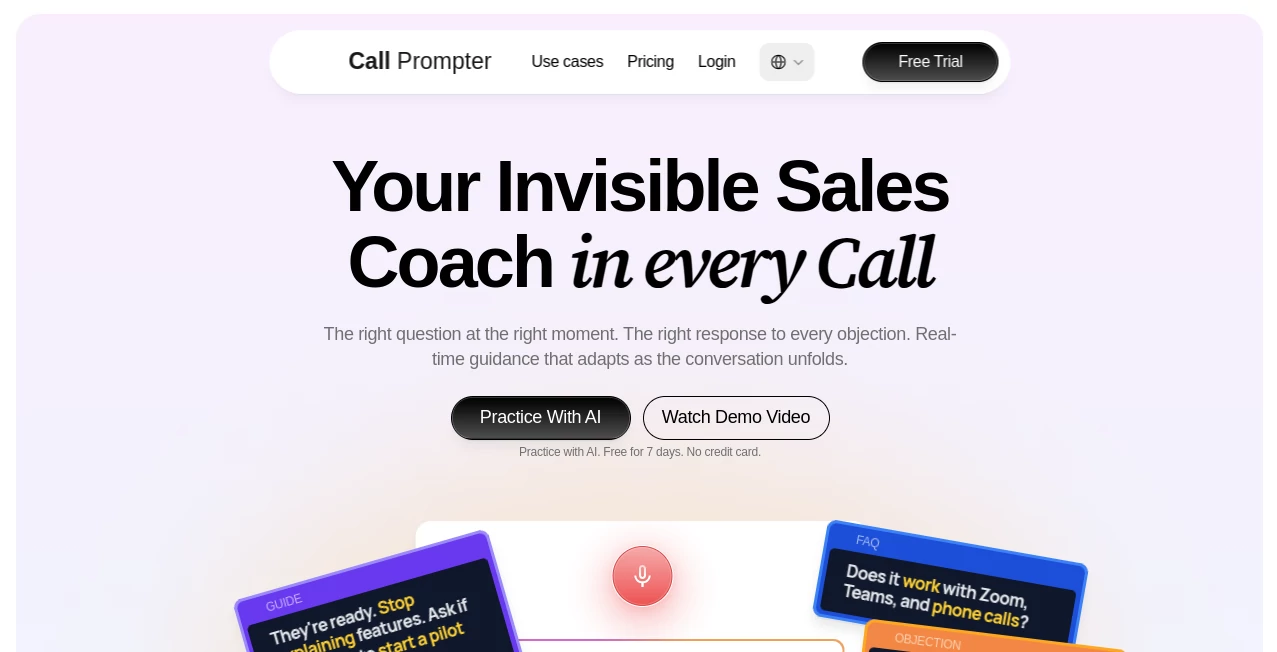
Handling live sales conversations can be stressful, especially when unexpected questions or objections appear. This AI-powered coaching platform provides real-time guidance during calls, helping professionals stay confident without interrupting the natural flow of the conversation. Instead of searching through notes, users receive timely prompts, suggested responses, and coaching cues exactly when they need them.
Key Features
User Interface
The desktop interface is clean and distraction-free. Helpful prompts appear as floating overlays that remain visible only to the user, making presentations and screen sharing look completely professional.
Accuracy & Performance
The platform listens to conversations in real time and quickly recognizes important discussion points, allowing relevant suggestions to appear within moments. This fast response helps users react naturally during important meetings.
Capabilities
- Real-time AI coaching during live calls
- Automatic objection handling suggestions
- Dynamic sales scripts that adapt to conversations
- Discovery question recommendations
- AI practice sessions with realistic buyers
- Shared team playbooks for consistent messaging
- Works with Zoom, Microsoft Teams, Google Meet, and phone calls
Security & Privacy
The software is designed with privacy in mind. Its invisible overlay never appears in screen recordings or screen sharing sessions, while customer audio is not stored on remote servers, helping organizations maintain greater control over sensitive conversations.
Use Cases
- Sales representatives handling discovery calls
- SDRs and BDRs improving objection handling
- Startup founders pitching products to prospects
- Sales managers training new team members
- Customer-facing professionals preparing for important conversations
Pros and Cons
- Pros
- Real-time coaching instead of post-call feedback
- Invisible during presentations and recordings
- Quick setup with AI-generated scripts
- Supports multiple communication platforms
- Useful for both beginners and experienced sales teams
- Cons
- Best suited for sales-focused workflows
- Advanced features require a paid subscription
- Language support is currently limited compared to some competitors
Pricing Plans
A free seven-day trial allows users to build scripts and practice with AI buyers. Paid plans include Starter at $99 per month and Pro at $249 per seat each month, offering live coaching, unlimited practice sessions, team collaboration, and management tools.
How to Use CallPrompter
Install the desktop application, create a sales playbook manually or generate one with AI, add objection responses and discovery questions, then start a supported call. As the conversation progresses, helpful prompts and coaching signals automatically appear on screen, making every discussion feel more organized and confident.
Comparison with Similar Tools
Many coaching platforms focus on analyzing conversations after meetings have ended. This solution stands out by assisting users while the conversation is still happening. The combination of invisible overlays, adaptive scripts, AI coaching, and instant objection handling creates a much more practical experience for professionals who need guidance in the moment rather than after the opportunity has passed.
Conclusion
For professionals who regularly participate in sales conversations, live demos, or client meetings, this platform offers a refreshing approach to AI coaching. Real-time assistance, intelligent prompts, and an unobtrusive interface help users communicate more confidently while keeping every interaction natural and engaging.
Frequently Asked Questions (FAQ)
Does it work with popular meeting platforms?
Yes. It supports Zoom, Microsoft Teams, Google Meet, phone calls, and other audio sources.
Can other participants see the prompts?
No. The floating overlay remains invisible during screen sharing, recordings, and presentations.
Is there a free version?
A seven-day free trial is available so users can explore the main features before subscribing.
Can teams share scripts?
Yes. Higher-tier plans allow organizations to share playbooks and coaching resources across their sales teams.
Is it suitable for beginners?
Absolutely. New sales professionals can learn faster by receiving contextual guidance throughout live conversations.
AI Sales Assistant , AI Productivity Tools , AI Team Collaboration , AI Meeting Assistant .
These classifications represent its core capabilities and areas of application. For related tools, explore the linked categories above.

CallPrompter Alternatives Product

GameClick.io

Enji

TypingFirst

Picmim

Unix Timesta…

DemoDash

Hairstyle An…

4ga Boards

Linkflare