
















Hairstyle Analysis
What is Hairstyle Analysis?
Let’s be honest: choosing a new hairstyle is tricky. You scroll through Pinterest for hours, save a hundred photos, and still end up wondering, “Will this actually look good on me?”
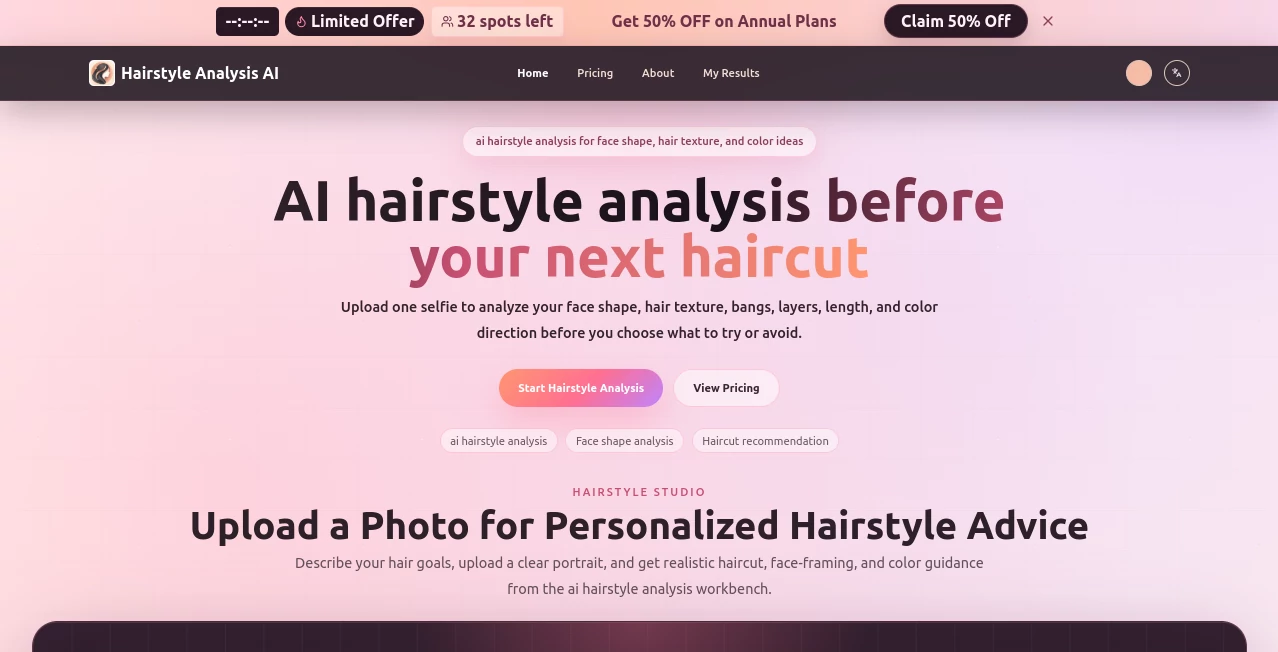
That’s where this tool comes in. Forget generic inspiration boards. This platform uses artificial intelligence to look at your face—your unique bone structure, your hair texture, even your current length—and gives you recommendations that actually make sense for you. It feels less like a robot giving advice and more like that one stylish friend who always knows what works. You just upload a clear selfie, and within moments, you get a visual breakdown of what styles, bangs, layers, and even colors would complement your features best.
Key Features
What makes this platform stand out from the endless sea of “hairstyle inspiration” blogs? It’s all about the details. The AI doesn’t just guess; it analyzes. And it does so in a way that feels intuitive, not overwhelming.
User Interface
The moment you land on the page, you’ll notice there’s no clutter. No confusing buttons, no pop-ups begging for your email. Just a clean, simple upload area. You choose your photo, answer a couple of quick questions about what you’re looking for (like “more volume” or “low maintenance”), and let the system do its thing. The whole process is broken down into four logical steps, so you never feel lost. It’s designed for regular people, not tech wizards.
Accuracy & Performance
Here’s where things get impressive. The engine examines key facial landmarks—jawline shape, forehead height, cheekbone prominence—and cross-references that data with thousands of hairstyle archetypes. In testing, the analysis of face shape (oval, round, square, heart) was spot on. It even picks up on visible hair texture (wavy, straight, curly) and current length. You won’t get a generic “you should try layers” message; you’ll get a specific reason why, based on your proportions.
Capabilities
This isn’t just a face shape detector. The tool generates a full “salon-ready” brief. It looks at bangs (curtain, blunt, side-swept), layers, potential color directions, and overall haircut length. The output is a visual board that summarizes all the recommendations. You can take this board directly to your barber or stylist. Suddenly, explaining “I want it a bit shorter here but longer there” becomes a thing of the past. You just show them the analysis.
Security & Privacy
Nobody wants their selfies floating around the internet. The platform takes this seriously. Uploads are processed securely, and you have full control. There’s no hidden clause about using your face for training data unless you explicitly agree. For those who are extra cautious, the "Value Pack" allows you to run multiple analyses without storing history unless you save it. It respects your privacy while still delivering high-quality results.
Use Cases
Think this is just for women looking for a dramatic chop? Think again. Here are three real-world scenarios where this tool saves the day:
- The “I’m Bored with My Look” Browsing Session: You’ve had the same haircut for two years. You want a change but have no idea what to ask for. Run your photo through the analysis, and suddenly you have three solid directions to consider.
- The Barber Appointment Anxiety: Guys, this one is for you. You sit in the chair and mumble “...just clean it up.” The stylist does something, and you hate it. With the generated salon brief, you walk in with a visual guide. No miscommunication. No surprises.
- Color Commitment Issues: Thinking of going from brunette to balayage? The AI evaluates your skin tone relative to potential color directions. It won’t dye your hair for you, but it will tell you if a warm caramel or an ash blonde is more likely to suit your complexion.
Pros and Cons
No tool is perfect, but this one comes pretty close for the price point. Here is the honest breakdown:
Pros: The accuracy of the face shape detection is seriously good. It saves you hours of indecisive scrolling. The output is actionable—you can actually take the results to a stylist. Pricing is flexible, so you don’t need a subscription to try it once. Plus, the visual board is a game changer for communication.
Cons: It relies heavily on photo quality. If your selfie has bad lighting or shadows on your face, the analysis might ask for a retake. Also, while it suggests color directions, it doesn’t actually “photoshop” the new hairstyle onto your head (it provides a board, not a deepfake video). Finally, very unusual or extreme hairstyles (think avant-garde fashion cuts) might not be in the database yet.
Pricing Plans
You won’t get trapped into a recurring fee just to see what bangs look like on you. The platform offers a few straightforward options starting at just $2.99 per month. There is a low-cost “Unlock Pack” for users who just want to analyze a single photo—perfect for the curious first-timer. If you are a stylist or someone who changes their look often, the “Value Pack” or annual plan offers better value. Keep an eye on the site banner; limited-time discounts on annual plans pop up regularly, sometimes saving you a significant chunk of change compared to paying monthly.
How to Use Hairstyle Analysis
Ready to see what the hype is about? Here is the step-by-step to get your personalized salon brief in under three minutes:
- Step 1: Upload a clear photo. Make sure it’s a front-facing selfie with decent lighting. The AI needs to see your jawline, forehead, and hair texture clearly.
- Step 2: Describe your goals. There is a small text box. Type in what you are looking for—like "low maintenance waves" or "sharp corporate cut."
- Step 3: Review the analysis. The AI processes the image and spits out its findings. It will show you your determined face shape, texture analysis, and initial suggestions.
- Step 4: Refine the results. You can tweak the preferences here. Once you are happy, generate the final salon brief and save it to your phone.
Seriously, it takes longer to find your phone charger than it does to get your analysis.
Comparison with Similar Tools
Most "hairstyle" tools out there fall into two categories: cheap filters that just dump a wig onto your head via AR, or celebrity look-alike generators that tell you which star you resemble. This platform does neither. Those AR wigs look fake and never account for your hair’s actual texture or density. Celebrity look-alikes are fun for a party trick but useless for a haircut appointment.
This tool focuses on analysis over manipulation. It doesn't try to pretend you have hair you don't; it works with what is already there. It gives you a written and visual blueprint. While other tools prioritize entertainment, this one prioritizes communication between you and your stylist. That is a completely different league of utility.
Conclusion
If you are tired of playing Russian roulette with your haircuts, just give this a try. For the price of a cup of coffee, you remove the guesswork. You get a second opinion that is based on geometry and data, not on the mood of the stylist that day. It respects your time, your privacy, and your desire to look good. Whether you are a guy needing a clean fade or someone planning a major chop, this is the easiest money you’ll spend on your hair routine. Go take that selfie and see what your best look actually is.
Frequently Asked Questions (FAQ)
Does this actually work for men and women?
Yes. The face shape and texture analysis is completely unisex. It works for short hair, long hair, thinning hair, thick hair—the principles are the same.
Can I just use a photo from my camera roll?
Absolutely, as long as it is a clear front-facing shot. Avoid heavy filters or weird angles, as those will confuse the detection.
Will this replace my actual hairstylist?
No, and it doesn't try to. Think of it as a research assistant. It gives you the plan; the professional still does the cutting and coloring. It just stops them from doing something you hate.
What if I don't like the suggestions?
You can refine the results or retake the analysis. The AI learns from your preferences if you do the "refine" step. It's not a dictator; it’s a guide.
Is my photo saved on their servers?
By default, no. The analysis runs, and the image is flushed unless you pay for a plan that includes storage or explicitly save the result. Check the privacy policy for the exact retention terms, but generally, it is very hands-off.