
Ciaro Pro
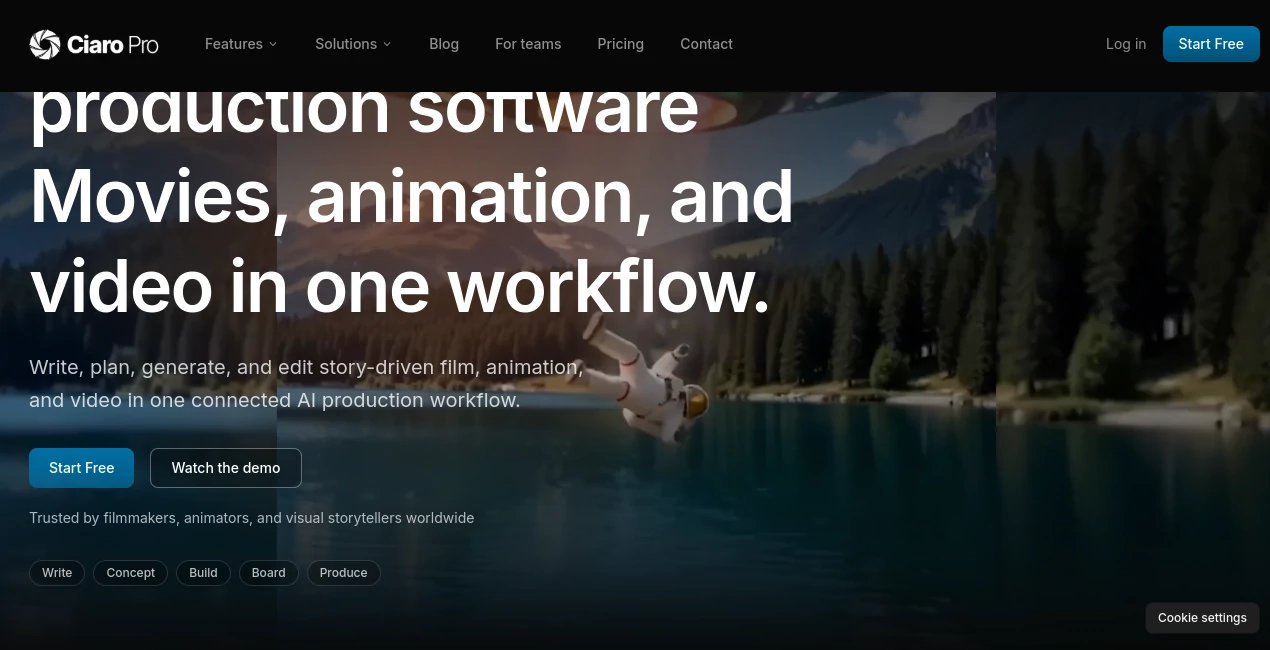
What is Ciaro Pro?
Creating a professional film or animated production often means switching between multiple applications for writing, storyboarding, character design, video generation, editing, and project management. That fragmented process can slow production, introduce inconsistencies, and make collaboration difficult. This platform solves that challenge by bringing every essential stage of production into one connected creative environment.
Designed for filmmakers, animation studios, creative agencies, and independent storytellers, it transforms the journey from an initial screenplay into a polished final video. Scripts, scenes, characters, assets, storyboards, generated media, and editing timelines remain linked throughout the entire workflow, allowing teams to focus on storytelling instead of managing disconnected software.
Whether producing a short film, commercial, animated series, concept trailer, or branded content, creators gain a streamlined production pipeline that improves consistency while reducing repetitive work. The result is a faster creative process without sacrificing artistic control or visual quality.
Key Features
User Interface
The workspace is thoughtfully organized around the natural production pipeline. Instead of opening separate tools for each task, creators move smoothly from script writing to shot planning, storyboard creation, asset management, AI generation, and final editing inside one unified dashboard. The clean layout makes even complex productions easier to manage, while collaboration tools help every team member stay aligned throughout the project.
Accuracy & Performance
One of the strongest advantages is its ability to maintain continuity across long-form productions. Characters, environments, props, scenes, and references remain connected throughout the workflow, reducing inconsistencies that frequently appear when switching between independent AI generators. Support for multiple image and video engines, together with high-quality 4K, HDR, and EXR exports, provides professional-level output suitable for demanding productions.
Capabilities
- AI-assisted screenwriting and screenplay importing.
- Visual shot planning linked directly to script scenes.
- Character creation with consistent appearance across productions.
- Storyboard generation connected to production assets.
- AI image generation using reference-based workflows.
- AI video generation within the same production pipeline.
- Lip-sync generation for speaking characters.
- Image editing with inpainting, outpainting, zooming, and cropping.
- Pose detection and reusable character poses.
- Built-in production timeline and video editing environment.
- Collaborative project management for creative teams.
- Support for animation, commercials, documentaries, and feature film production.
Security & Privacy
Projects remain organized within dedicated workspaces where teams can securely collaborate on scripts, assets, storyboards, and generated media. Original written content created by users remains their intellectual property, while production assets stay connected throughout the workflow to simplify version control and reduce file management issues. Team collaboration features also minimize the need for external file sharing during production.
Use Cases
- Producing AI-assisted short films.
- Developing animated television episodes.
- Creating concept trailers and proof-of-concept videos.
- Producing branded marketing films.
- Generating storyboards for pre-production.
- Designing consistent characters for animation projects.
- Building commercial video campaigns.
- Collaborating across distributed production teams.
- Rapid prototyping for creative agencies.
- Independent filmmaking with limited production budgets.
Pros and Cons
Pros
- Complete script-to-video production workflow.
- Excellent character and scene consistency.
- Integrated storyboard and editing pipeline.
- Professional collaboration features.
- Supports multiple AI image and video models.
- High-quality export options including 4K and HDR.
- Reduces the need for multiple disconnected applications.
Cons
- Advanced production features may require some learning for beginners.
- Professional projects can benefit from paid subscription plans.
- Large productions may require significant computing resources depending on selected AI models.
Pricing Plans
A free plan is available for creators who want to explore the production workflow before committing to a subscription. Paid plans unlock additional production capabilities, expanded resources, collaboration features, and higher usage limits suitable for professional creators, studios, and production teams.
How to Use Ciaro Pro
Begin by creating or importing a screenplay. Break the script into scenes and transform them into visual shot plans. Design characters, environments, and production assets before generating storyboards. Continue by producing AI-generated images and videos while maintaining continuity throughout the project. Assemble scenes inside the integrated editing timeline, review the final production, and export the completed film in your preferred format.
Comparison with Similar Tools
Many AI video generators concentrate on producing individual clips from prompts, requiring creators to rely on separate software for writing, storyboarding, asset management, and editing. This platform takes a different approach by connecting every production stage into one continuous workflow. That integrated structure makes it particularly attractive for long-form storytelling, animated productions, and collaborative filmmaking where continuity and project organization are essential.
Conclusion
For filmmakers, creative studios, animation teams, and storytellers looking for more than a simple AI video generator, this platform offers a remarkably complete production environment. By combining writing, planning, storyboarding, asset management, AI generation, editing, and collaboration into one connected workspace, it significantly reduces production complexity while giving creators greater creative control. It is an impressive solution for anyone aiming to produce cinematic content with a faster, more organized workflow.
Frequently Asked Questions (FAQ)
Who is this platform designed for?
It is built for filmmakers, animation studios, creative agencies, marketing teams, and independent content creators.
Can existing screenplays be imported?
Yes. Existing scripts can be imported and transformed into connected production workflows.
Does it support team collaboration?
Yes. Multiple team members can work together on scripts, assets, storyboards, approvals, and editing within shared projects.
Can it create both images and videos?
Yes. The platform supports AI-powered image generation, video generation, storyboarding, character creation, and editing inside the same workflow.
Is there a free version?
Yes. A free plan is available for users who want to explore the platform before upgrading to premium plans.
AI Animated Video , AI Image to Video , AI Video Generator , AI Team Collaboration .
These classifications represent its core capabilities and areas of application. For related tools, explore the linked categories above.

Ciaro Pro Alternatives Product

AI Animate I…

Seedance 2 V…
Kling 3.0
Render of Dr…

Nano Banana …

AI Pixel Ani…
Kling 3 AI

seedream 5

KKV AI