
Cleanup My Phone
What is Cleanup My Phone?
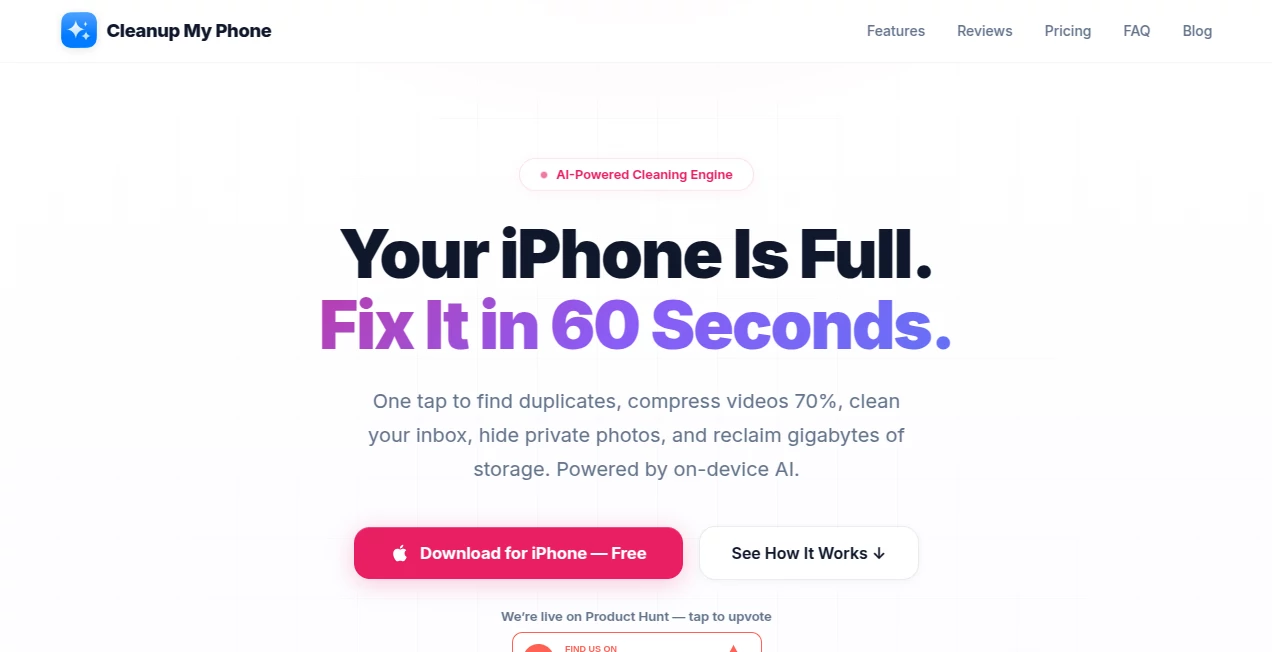
Cleanup My Phone is an AI-powered iPhone utility designed for people who are tired of seeing storage warnings, sorting through thousands of photos, or spending an evening deleting unwanted files one by one. Its main idea is simple: scan the device, identify what is taking up unnecessary space, and make cleanup much faster.
The app combines on-device AI photo analysis, video compression, email cleanup, private photo storage, and several useful iPhone maintenance tools in one place. A scan can identify duplicate and blurry photos, old screenshots, large videos, and other items that are often forgotten. The service claims that many cleanup tasks can be completed in around 60 seconds, making it particularly useful when storage is suddenly running low.
What makes the approach especially interesting is its focus on local processing. Photo analysis and several AI-powered features run directly on the iPhone using Apple's on-device technologies, so the user's photo library does not need to be uploaded to a remote server.
Key Features
- AI-powered duplicate photo detection
- Blurry photo and screenshot detection
- Video compression with H.264 and H.265
- Batch video compression with adjustable settings
- Email cleanup for Gmail, iCloud, Outlook, Yahoo, AOL, and IMAP accounts
- One-click email unsubscribe support
- 30-day Recovery Vault for deleted photos and videos
- Encrypted private photo and video vault with Face ID
- Swipe-based photo cleanup
- HEIC to JPEG conversion
- Device health and storage monitoring
- Contact and calendar cleanup tools
- Private browser with ad and tracker blocking
- Speaker cleaning and testing tools
- Home Screen, Lock Screen, and StandBy widgets
- AI Cleanup Coach running on the device
User Interface
The interface is built around a straightforward cleanup workflow rather than a complicated collection of settings. The main screen provides a quick overview of storage usage and items that may need attention, while separate sections handle photos, videos, email, backups, private content, and additional device utilities.
The swipe-to-clean mode is a particularly approachable touch. Instead of opening menus and selecting individual images, users can review photos one at a time, keeping or removing them with a swipe. There is also an undo option, and deletions can be reviewed before the final confirmation.
For someone who has accumulated years of screenshots, travel photos, downloaded images, and short video clips, this type of interface can make an otherwise tedious task feel much more manageable.
Accuracy & Performance
The photo-cleaning system uses Apple's Vision and Core ML technologies to identify duplicates, blurry images, screenshots, and other candidates for removal. It also includes photo-quality scoring to help users keep stronger images when several similar shots exist.
Video compression is another practical part of the application. It supports H.264 and H.265 codecs, multiple compression levels, adjustable resolution and bitrate, and batch processing. According to the product information, videos can be reduced by up to 70 percent while maintaining visual quality, although the exact result naturally depends on the original video and selected compression settings.
The app also reports cleanup results before users commit to deleting items, which is useful when storage decisions need to be made carefully.
Capabilities
This is more than a duplicate-photo finder. The broader toolkit covers several common iPhone maintenance tasks. Users can analyze storage, monitor battery information, test internet speed, clean duplicate contacts, remove unwanted calendar entries, convert HEIC images to JPEG, and locate particularly large files.
The email cleaner expands the idea beyond phone storage. It can categorize messages, identify major senders, remove unwanted email in bulk, and support unsubscribe actions. This makes it useful for people whose digital clutter extends beyond their camera roll.
There are also convenience features such as automatic cleanup schedules, scanning while charging, storage trends, widgets, Live Activities, and an AI Cleanup Coach that recommends a safer order for dealing with storage-consuming content.
Security & Privacy
Privacy is one of the strongest aspects of the product. The service states that photos and videos are processed on the iPhone rather than uploaded to its servers. Its AI-powered photo analysis relies on Apple's on-device frameworks, keeping the user's personal library local.
Email connections are also designed to communicate directly between the iPhone and the user's email provider. Account credentials for supported services that require app-specific passwords are stored in Apple's iOS Keychain rather than being sent to the company's servers.
The application also avoids requiring an account for normal use and states that it does not use advertising identifiers or tracking SDKs. Anonymous crash reports may be collected for troubleshooting, but the product states that it does not analyze the user's photo library remotely.
Another useful safeguard is the 30-day Recovery Vault. Deleted photos and videos remain available locally for recovery before they are permanently removed, reducing the risk of an accidental cleanup becoming a permanent mistake.
Use Cases
Freeing up iPhone storage: Users approaching their storage limit can scan for duplicates, blurry photos, screenshots, large files, and videos that are consuming disproportionate amounts of space.
Cleaning a large photo library: Someone with several years of photos can use AI detection, quality scoring, Smart Albums, and swipe-based cleanup to work through a library more efficiently.
Reducing video storage: People who regularly record 4K videos can batch-compress large files and choose the desired balance between file size and quality.
Managing an overloaded inbox: Users with thousands of promotional, social, or unwanted messages can categorize and clean email across several major providers.
Protecting private photos: Personal photos and videos can be moved into an encrypted vault protected by a PIN and Face ID, with additional features such as a decoy vault and break-in detection.
Routine device maintenance: Automatic cleaning schedules, storage trends, battery information, speed testing, and other utilities make the app suitable for people who want regular maintenance rather than a one-time cleanup.
Pros and Cons
Pros
- On-device AI processing for major photo-analysis features
- No account required for normal use
- Strong focus on privacy and local processing
- Useful combination of photo, video, email, and device tools
- Video compression supports both H.264 and H.265
- 30-day recovery protection for deleted photos and videos
- Face ID protected private photo vault
- Supports multiple email providers
- Batch operations can save considerable time
- Includes a free trial before upgrading
Cons
- The feature set is primarily aimed at iPhone and iPad users
- Some advanced functionality requires a paid plan
- Video compression results vary depending on the original media and selected settings
- Users with very small photo libraries may not need such a broad cleanup toolkit
Pricing Plans
The application can be downloaded for free and offers a three-day trial of its premium features. After the trial, users can choose between several payment options depending on how frequently they expect to use the service.
- Weekly: $4.99 per week, including AI cleaning, unlimited video compression, email cleanup, Recovery Vault, and private storage.
- Monthly: $9.99 per month, with the same core premium features.
- Yearly: $29.99 per year, providing a lower effective daily cost and including the three-day trial.
- Lifetime: $39.99 as a one-time purchase, including future updates according to the product's pricing information.
The pricing structure gives occasional users a short-term option while making the yearly or lifetime plans more attractive for people who expect to keep the cleanup toolkit installed for the long term.
How to Use the App
Start by installing the application on a compatible iPhone or iPad and allow the requested access to your photos. The initial scan can then analyze the library for duplicates, blurry images, screenshots, and other potential cleanup candidates.
Review the results instead of deleting everything automatically. Protected items can be excluded, and the preview screens make it easier to decide what should stay. Once the selection looks right, confirm the cleanup and use the Recovery Vault if you later need to restore something.
For large videos, open the compression section, select the files you want to reduce, and choose a compression level. Multiple videos can be processed together, with progress shown during the operation.
If email cleanup is needed, connect a supported mailbox and review categories, senders, and unsubscribe suggestions. For private media, move selected photos or videos into the protected vault and secure access with Face ID and a PIN.
Comparison with Similar Tools
Many phone-cleaning utilities concentrate mainly on finding duplicate photographs. This product takes a broader approach by combining photo analysis with video compression, email management, privacy tools, diagnostics, and everyday iPhone utilities.
The privacy model is another notable difference. Instead of depending on a cloud service to analyze a photo collection, the product emphasizes Apple's on-device frameworks. That can be particularly appealing to users who want intelligent cleanup without sending their personal media library to an external server.
The 30-day Recovery Vault is also useful when compared with simple deletion tools. Rather than treating every cleanup as immediately irreversible, the application provides a recovery period for deleted photos and videos.
For someone looking only for basic duplicate detection, a simpler utility may be enough. For users who want one application covering storage management, photo organization, compression, email cleanup, and privacy features, the broader toolkit is a meaningful advantage.
Conclusion
Keeping an iPhone organized becomes surprisingly difficult once a camera roll reaches thousands of images and videos. Add years of screenshots, large recordings, unwanted email, duplicate contacts, and other digital clutter, and manual cleanup quickly turns into a chore.
This application addresses that problem with a practical combination of AI-assisted photo organization, video compression, email cleanup, recovery protection, and device utilities. Its strongest selling point is arguably the decision to keep major AI processing on the device, which gives privacy-conscious users a more comfortable way to manage personal media.
The three-day trial makes it easy to test whether the tools actually uncover enough unnecessary data to justify the upgrade. For people who frequently see the “Storage Almost Full” warning or simply want a cleaner, more organized iPhone, it is a well-rounded option worth considering.
Frequently Asked Questions (FAQ)
Is the app safe to use?
The product states that photos, videos, and email content are processed locally where applicable and are not uploaded to its servers. It also uses Apple's Keychain for supported credentials and provides a local Recovery Vault for deleted media.
Does the app permanently delete photos immediately?
No. Deleted photos and videos are placed in a 30-day Recovery Vault, giving users an opportunity to restore them before permanent removal.
How much storage can video compression save?
The product states that compression can reduce video storage by up to 70 percent. Actual savings depend on the source video, codec, resolution, bitrate, and compression level selected.
Does it work with Gmail and other email providers?
Yes. The email cleaner supports Gmail, iCloud Mail, Outlook, Yahoo, AOL, and other IMAP mailboxes.
Can private photos be hidden?
Yes. Private photos and videos can be moved into an encrypted vault protected by a PIN and Face ID. The feature also includes additional privacy options such as a decoy vault and break-in detection.
Can I try the premium features before paying?
Yes. A three-day free trial is available, and the product states that no credit card is required to begin the trial.
Does the app work on iPad?
Yes. The application is optimized for both iPhone and iPad and supports responsive layouts and multitasking.
Can HEIC photos be converted to JPEG?
Yes. A built-in converter can batch-convert HEIC images to JPEG and provides an adjustable quality setting for different sharing, printing, and compatibility needs.
These classifications represent its core capabilities and areas of application. For related tools, explore the linked categories above.
Cleanup My Phone details
Website unavailable — View Alternatives
Pricing
- Freemium
Apps
- Web App
- iOS App
Categories

Cleanup My Phone Alternatives Product

AnyToURL

Chrome Sidek…

gpt-plus.ai

Speech Text

FINIITE AI

Fina Money

Workik

PineBill

Classroom Sc…