

















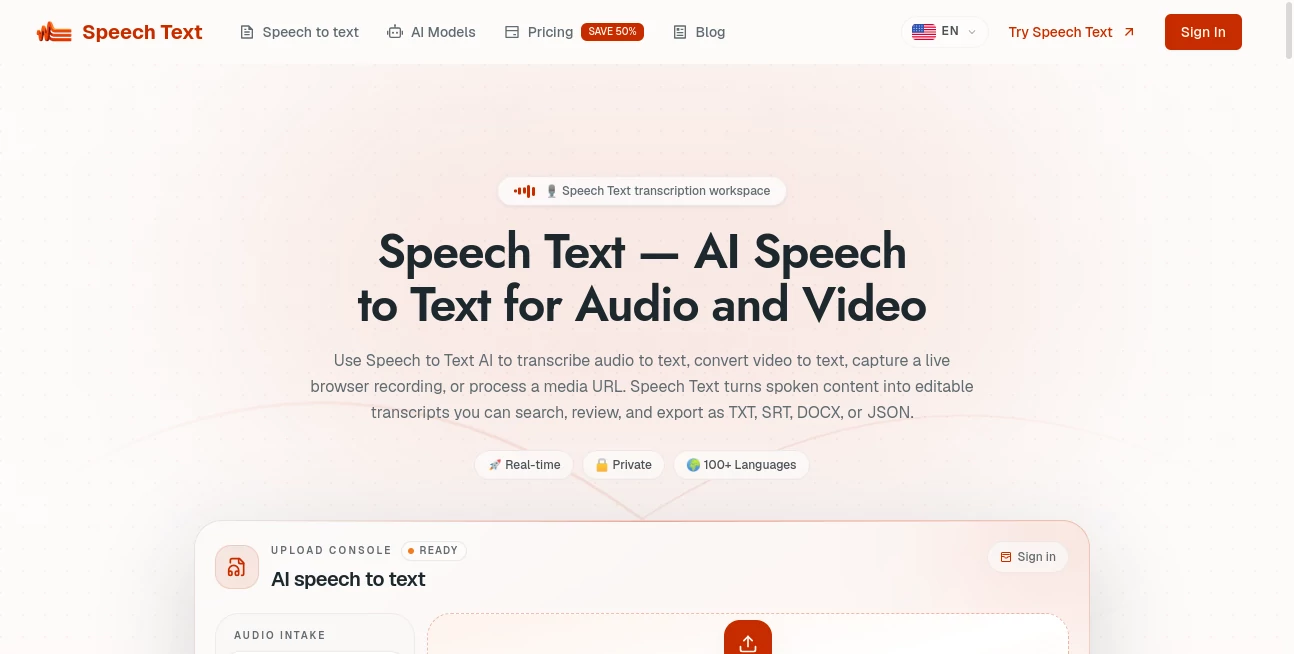
What is Speech Text?
SpeechText is an advanced speech-to-text solution designed to help users transform spoken words into accurate written content quickly and efficiently. The platform provides a simple way to convert audio recordings, conversations, interviews, and voice notes into editable text, making it easier for professionals, creators, students, and businesses to manage information.
With a focus on speed, accuracy, and ease of use, this tool helps remove the time-consuming process of manual transcription. Whether you need to capture meeting discussions, create written records from audio files, or turn ideas into documents, it offers a practical workflow that saves valuable time.
Key Features
User Interface
The platform provides a clean and straightforward experience that allows users to start converting audio into text without complicated settings. The simple interface makes it accessible for beginners while still being useful for professionals who need a reliable transcription workflow.
Users can upload audio content and receive a written version quickly, reducing unnecessary steps and making the overall process smooth. The organized design helps users focus on their content rather than managing technical settings.
Accuracy & Performance
One of the main strengths of this solution is its ability to deliver accurate speech recognition results. It is built to understand natural speech patterns and convert spoken language into readable text with strong performance.
The technology helps users handle different types of recordings, including conversations, presentations, interviews, and educational materials. This makes it a useful choice for anyone who needs dependable transcription results.
Capabilities
The tool provides powerful speech conversion capabilities that support various productivity workflows. Users can transform voice content into text for documentation, content creation, research, and communication purposes.
- Fast speech-to-text conversion
- Audio transcription for different types of recordings
- Time-saving automated text generation
- Useful for meetings, interviews, and voice notes
- Improved workflow for content creators and professionals
Security & Privacy
Protecting user information is an important part of any transcription service. The platform is designed to provide a secure environment where users can process their audio content while maintaining control over their data.
For businesses and professionals working with private conversations or important recordings, having a reliable transcription solution with privacy considerations can make daily workflows more comfortable.
Use Cases
Speech-to-text technology can support many different industries and personal workflows. Content creators can use it to turn spoken ideas into articles, scripts, and social media content. Journalists can quickly create transcripts from interviews, while students can convert lectures into searchable notes.
Businesses can benefit by documenting meetings, creating internal reports, and improving communication between teams. Researchers, podcasters, and professionals who regularly work with audio files can also save significant time by automating transcription tasks.
- Podcast and video transcription
- Meeting notes and business documentation
- Educational lecture conversion
- Interview transcription
- Voice note organization
- Content creation workflows
Pros and Cons
Pros
- Easy-to-use transcription workflow
- Reduces manual typing time
- Useful for multiple professional scenarios
- Helps organize spoken information efficiently
- Suitable for creators, students, and businesses
Cons
- Accuracy may depend on audio quality
- Advanced requirements may need specialized solutions
- Performance can vary depending on language and recording conditions
Pricing Plans
Pricing details may vary depending on available features and usage requirements. Users should check the official platform for the latest subscription options, limits, and available plans.
Different users may have different needs, from occasional transcription tasks to regular professional usage, so choosing the right plan depends on audio volume and required features.
How to Use SpeechText
Using the platform is designed to be simple and efficient. Users can follow a basic process to convert their audio into written content:
- Upload an audio file or provide voice content.
- Allow the system to process the recording.
- Review the generated transcript.
- Edit, copy, or use the text for personal or professional projects.
This straightforward workflow makes speech transcription accessible even for users who have no technical background.
Comparison with Similar Tools
Compared with traditional transcription methods, AI-powered speech recognition tools provide a faster and more convenient solution. Manual transcription can take hours for a single recording, while automated systems help users complete the same task in a much shorter time.
Many transcription platforms focus on different areas, such as business meetings, content production, or multilingual support. This solution stands out by focusing on providing an efficient and user-friendly experience for everyday speech conversion needs.
Conclusion
SpeechText provides a practical solution for anyone looking to convert spoken content into written text with less effort. Its simple workflow, useful transcription capabilities, and focus on productivity make it a valuable tool for creators, professionals, students, and businesses.
By reducing the time spent on manual transcription, this technology allows users to focus more on creating, analyzing, and sharing information. For anyone working regularly with audio content, it can become an essential part of a modern digital workflow.
Frequently Asked Questions (FAQ)
What is SpeechText used for?
It is used to convert spoken audio into written text for tasks such as transcription, documentation, content creation, and note-taking.
Who can benefit from this tool?
Content creators, businesses, students, researchers, journalists, and anyone who works with audio recordings can benefit from automated transcription.
Can it replace manual transcription?
For many common transcription tasks, automated speech recognition can significantly reduce the need for manual typing and improve productivity.
Does audio quality affect transcription results?
Yes. Clear recordings with less background noise generally produce better transcription accuracy.
Is it suitable for professional use?
Yes, it can support professional workflows such as meetings, interviews, reports, and content production where written records are needed.