


















ClipMake AI
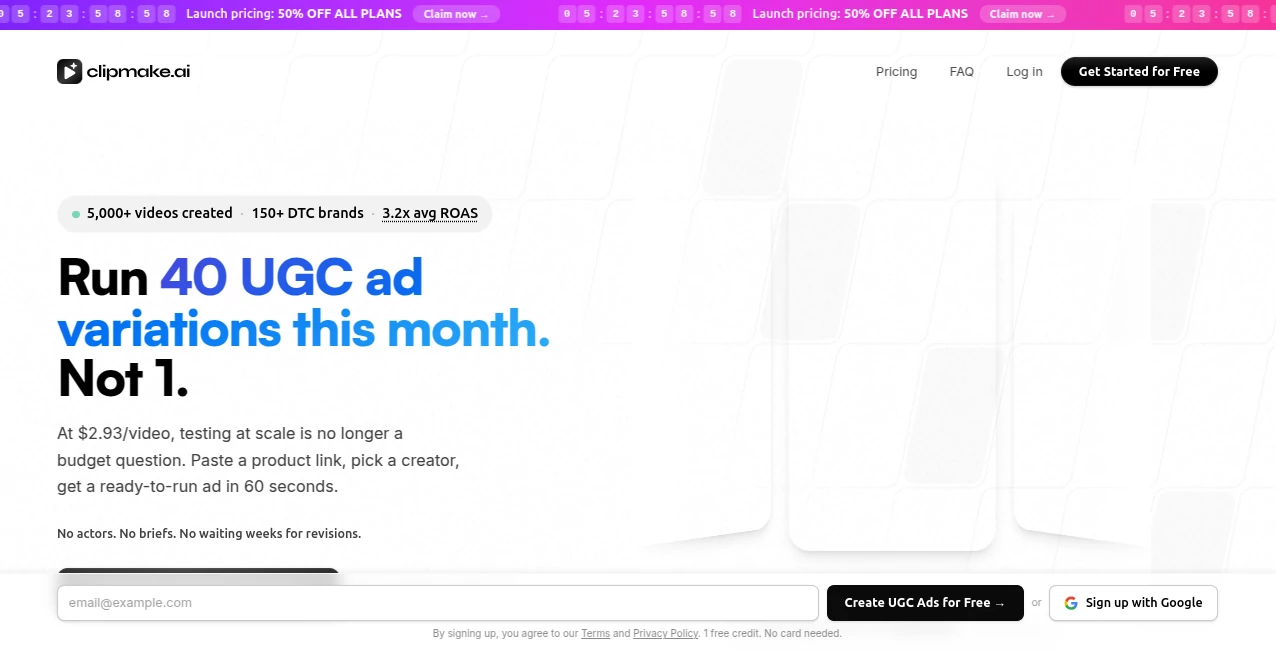
What is ClipMake AI?
There’s a special kind of satisfaction when you take a long video you poured your heart into and suddenly find perfect little moments that people actually stop scrolling for. This tool makes that happen with surprising ease. You drop in a YouTube link or upload your footage, and it intelligently finds the best parts, adds captions, and turns them into ready-to-post shorts that feel natural and engaging. I’ve seen creators go from hours of manual editing to uploading multiple high-performing clips in the time it takes to have a coffee. It’s not just about cutting video—it’s about finding the spark that makes people watch, like, and share.
Introduction
Long-form content is where the depth lives, but short-form is where the attention is. The gap between the two used to mean hours of tedious editing. ClipMake bridges that gap beautifully by using AI to analyze your full video, identify engaging segments, and craft polished short clips optimized for TikTok, Instagram Reels, and YouTube Shorts. It’s become a favorite for YouTubers, podcasters, educators, and marketers who want to repurpose their existing content without losing the original magic. The best part? The clips don’t feel like obvious AI cuts—they often look like someone carefully chose the perfect moment.
Key Features
User Interface
The dashboard is refreshingly straightforward. You paste a YouTube link or upload your video, and everything else flows naturally from there. It shows suggested clips with previews, lets you tweak captions and hooks easily, and offers one-click export for different platforms. No overwhelming timelines or complicated editing software required. It feels more like having a smart assistant who already watched your video and knows exactly which parts will work best.
Accuracy & Performance
It does an impressive job spotting truly engaging moments—hooks, emotional peaks, funny bits, or valuable tips—rather than just random cuts. Captions are accurate and well-timed, and the AI understands context well enough to keep the energy consistent across a clip. Processing is fast even for longer videos, and the output quality holds up for social media standards. Many users notice their repurposed clips perform better than some of their original short-form content.
Capabilities
Beyond basic clipping, it adds smart captions, trending audio suggestions, hook detection, and platform-specific formatting. You can generate multiple variations from one video, adjust clip length, and refine selections manually if needed. It works particularly well for tutorials, interviews, vlogs, and talking-head content. The result is a full pipeline from long video to multiple ready-to-post shorts with minimal effort.
Security & Privacy
Your videos are processed securely and not stored longer than necessary. The platform focuses on delivering the clips without unnecessary data retention. For creators uploading original or client content, that respectful approach provides confidence to use the tool regularly.
Use Cases
A YouTuber repurposes one long tutorial into 8–10 short clips that drive traffic back to the full video. A podcaster turns interview highlights into snackable Reels that grow their audience. An e-commerce brand creates quick product explanation clips from longer demo videos. Teachers break down lessons into bite-sized explanations students actually watch. It shines anywhere long content exists but short attention spans dominate.
Pros and Cons
Pros:
- Finds genuinely engaging moments instead of just random cuts.
- Smart captions and formatting save hours of manual work.
- Fast turnaround from long video to multiple ready clips.
- Great for consistent brand presence across platforms.
- Simple enough for beginners but powerful for regular creators.
Cons:
- Highly creative or artistic videos may need more manual selection.
- Free tier has usage limits; heavy creators benefit from paid plans.
- Some very niche content can occasionally need prompt guidance.
Pricing Plans
It offers a free tier with limited monthly minutes—perfect for testing and light use. Paid plans unlock more processing time, higher priority, advanced features, and removal of any watermarks. The pricing feels fair for the time it saves, especially when one good viral clip can pay for months of use.
How to Use ClipMake
Paste your YouTube link or upload your video file. The AI analyzes the content and suggests the best clip segments. Review the suggestions, edit captions or trim if needed, then generate the final versions. Download or schedule directly to your social channels. For best results, try different hook variations and see which ones your audience responds to. The whole process can turn a one-hour video into a week’s worth of content in under half an hour.
Comparison with Similar Tools
Many clipping tools simply cut on silence or basic keywords. This one understands content value and storytelling flow better, resulting in clips that feel intentionally chosen. While some alternatives are faster for very basic cuts, ClipMake often produces higher-performing shorts with better captions and platform optimization. It strikes a nice balance between automation and creative control.
Conclusion
In today’s content world, one long video should work harder than just sitting on one platform. ClipMake makes that possible by turning thoughtful long-form content into attention-grabbing shorts without killing the original soul. It saves creators massive amounts of time while helping them reach new audiences. If you create videos but struggle to keep up with short-form demands, this tool can become one of your smartest allies. The results speak for themselves—more reach, more engagement, and way less editing fatigue.
Frequently Asked Questions (FAQ)
How long does processing take?
Usually just a few minutes for most videos, depending on length.
Can I edit the AI suggestions?
Yes—you have full control to trim, adjust captions, or regenerate specific parts.
Does it add captions automatically?
Yes, with good timing and readability optimized for social media.
Is it only for YouTube videos?
No—it works with uploaded videos from any source as well.
What platforms are the clips optimized for?
TikTok, Instagram Reels, YouTube Shorts, and similar vertical formats.
AI Animated Video , AI Video Generator , AI Short Clips Generator , AI Repurpose Assistant .
These classifications represent its core capabilities and areas of application. For related tools, explore the linked categories above.

ClipMake AI Alternatives Product

Kling 5.0

Happy Horse

Vidtool AI

LTX 2.3 AI V…

Seedance AI

Nano Banana …

Trump AI Vid…

Image2

See dance 2.…
