

















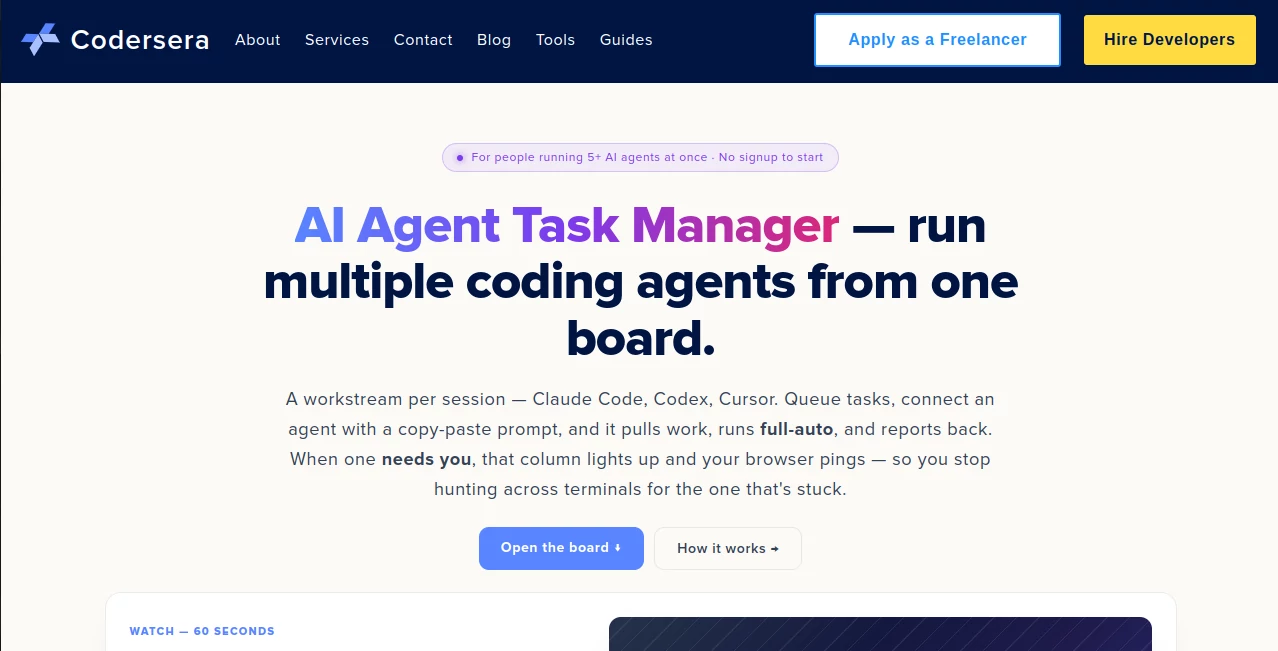
What is AI Agent Task Manager?
AI Agent Task Manager is a practical workspace for developers who run several autonomous coding agents at the same time. Instead of switching between terminals and trying to remember which session is working, waiting, or blocked, it puts every agent session into a single visual board.
The idea is straightforward: each workstream represents one agent session, while each task contains the actual instructions the agent needs to complete its work. Claude Code, Codex, Cursor, and other tools capable of making HTTP requests can work through the board, allowing developers to queue work and let agents move through it with much less supervision.
It is particularly useful for developers who have moved beyond running one AI coding session at a time. Once three, five, or more agents are active, keeping track of everything manually becomes surprisingly difficult. A centralized board gives that activity some structure without forcing developers into a complicated project-management system.
Key Features
- Separate workstreams for individual AI coding sessions
- Ordered task queues for each workstream
- Support for Claude Code, Codex, Cursor, and custom HTTP-based agents
- Copy-and-paste bootstrap prompts for connecting agents
- Autonomous pull, work, completion, and repeat workflow
- "Needs you" attention signals when an agent requires a decision
- Browser and Web Push notifications
- REST API for agent communication
- Up to 24 concurrent workstreams per board
- Unlimited tasks and completed tasks on the free system
- Manual board usage is available even without automation
User Interface
The interface follows a board-based approach that is easy to understand at a glance. A column represents a workstream, and cards inside the column represent queued tasks. This makes the relationship between an agent and its assigned work immediately visible.
The layout is especially helpful when several sessions are running simultaneously. Rather than opening multiple terminal windows just to discover what each agent is doing, a developer can check the board and identify active work, completed tasks, queued items, and sessions waiting for human input.
The experience also works on mobile browsers, although drag-and-drop is naturally more comfortable with a mouse or stylus. On touch devices, the task editing interface provides a more practical way to move cards.
Accuracy & Performance
The value of this system is less about generating code itself and more about making autonomous coding workflows predictable. Tasks are passed to an agent with their instruction body intact, while completion results are recorded as short summaries on the board.
A useful detail is the separation of task queues. Each agent receives the next task from its own workstream rather than pulling from one large shared list. This reduces confusion when different sessions are handling unrelated branches, features, tests, or maintenance work.
Long-polling is also supported through the agent protocol, allowing an agent to wait for new work instead of repeatedly checking the server. For developers running agents for extended periods, that makes the workflow cleaner and avoids unnecessary busy polling.
Capabilities
The strongest capability is parallel task execution. A developer can create separate streams for front-end work, backend changes, testing, documentation, or other parts of a project and connect individual agent sessions to them.
The workflow can continue without constant interaction. An agent pulls the highest-priority queued task, works on it, reports a result, and moves toward the next task. When human judgment is genuinely required, the agent can raise an attention flag rather than simply remaining stuck without explanation.
The REST protocol also makes the system flexible. Because the communication layer is based on HTTP requests, developers are not restricted to a single AI coding product. Custom scripts and other agent frameworks can interact with the same workflow when they support the required requests.
Security & Privacy
Security is handled differently depending on how the board is used. Anonymous boards remain in the browser, while signed-in boards are associated with the user's account and stored in the service's database.
Agent connections use a personal API key. According to the service documentation, the key is displayed only when generated and stored as a SHA-256 hash. It is scoped to the user's board, and keys can be regenerated to invalidate an older credential.
Developers should still treat an agent key like a password and avoid placing it in public repositories, screenshots, shared logs, or other locations where it could be exposed.
Use Cases
A common scenario is parallel feature development. One coding agent can work on the front end, another can handle an API change, and a third can run through tests or supporting tasks. Each session has its own queue, so progress can continue independently.
It can also work well for overnight maintenance. A developer might queue small documentation updates, dependency changes, cleanup tasks, or low-risk refactoring before leaving work. The agents can process those tasks while the developer is away, with attention notifications reserved for situations that require a real decision.
Another useful workflow is separating a major refactor from new feature development. One workstream can handle the larger refactor while another agent works on a smaller feature on a separate branch. This is much easier to monitor when both sessions are visible from the same board.
For solo developers, the board can become a dedicated layer for AI work. Personal tasks remain separate from autonomous coding tasks, making it easier to distinguish what requires human attention from what can safely be delegated to agents.
Pros and Cons
- Pros: Free to use, no signup required for basic board usage, designed specifically around parallel AI coding sessions, supports multiple agent platforms, provides independent task queues, includes attention notifications, and offers a simple REST protocol.
- Pros: Developers can also use the board manually, so automation is optional rather than mandatory.
- Pros: The workstream model makes it easy to separate projects, branches, features, tests, or different agent sessions.
- Cons: The system is primarily useful for developers already working with autonomous coding agents rather than people looking for a conventional team project-management platform.
- Cons: Touch-based drag-and-drop can feel less convenient than using the board with a mouse or stylus.
- Cons: Users connecting autonomous agents need to understand API keys, terminal sessions, and basic developer workflows.
Pricing Plans
The board is available for free. There is no signup requirement for trying the basic board, and the service states that there are no artificial free-tier limits on tasks. A board can support up to 24 concurrent workstreams, with unlimited tasks per stream and unlimited completed tasks over its lifetime.
Signing in becomes useful when connecting autonomous agents and synchronizing the board across devices. Agent connections require a personal API key, while the basic manual experience can be used without creating an account.
How to Use the Tool
Start by creating a workstream for each AI coding session you want to manage. You might create separate streams for a front-end agent, backend agent, testing agent, or individual projects.
Next, add tasks to the appropriate workstream. Give each card a clear title and provide detailed instructions, including relevant file paths, requirements, constraints, and acceptance criteria. The instruction body is what the connected agent receives as its task.
When you are ready to automate a stream, use the connection option to generate an API key and copy the provided bootstrap prompt into a fresh Claude Code, Codex, or Cursor session. The agent can then pull its next task, work on it, report completion, and continue with the following item.
If the agent encounters a situation requiring human judgment, it can raise an attention flag. The corresponding workstream becomes visibly marked as needing attention, and supported browser or push notifications can alert you. Once the issue is resolved, the agent can resume its workflow.
Comparison with Similar Tools
Traditional project-management platforms such as Trello, Linear, and Jira are excellent for teams of people, but their workflow assumptions are different. They generally expect a human to take ownership of a task and manually update its status. This board is designed around autonomous sessions that can pull and complete work themselves.
A document or spreadsheet can provide a basic record of what different agents are doing, but it usually requires manual updates and does not provide a dedicated agent protocol. A terminal multiplexer such as tmux or Zellij can display several sessions at once, but it does not provide the same semantic overview of which session is working, finished, queued, or waiting for a human decision.
The main distinction is therefore not that it replaces every project-management tool. Instead, it fills a narrower gap: coordinating multiple autonomous coding agents without turning the developer's desktop into a maze of terminal windows.
Conclusion
For developers experimenting with one AI coding agent, a dedicated task board may feel unnecessary. Once several autonomous sessions are running at the same time, however, visibility becomes a real productivity issue.
This solution addresses that problem with a focused workstream-and-queue model. The interface stays simple, the automation layer is lightweight, and developers retain control when an agent reaches a decision it cannot safely make alone.
Its biggest strength is that it does not try to become another all-purpose project-management platform. It concentrates on the increasingly common workflow of running multiple AI coding agents in parallel and gives those sessions a shared place to receive work, report progress, and request human attention.
Frequently Asked Questions (FAQ)
What is this tool designed for?
It is designed for managing multiple autonomous AI coding agents from a single browser-based task board. Each workstream represents an agent session, while its cards contain the tasks that session should process.
Is the tool free?
Yes. The board is free, and the service states that there are no artificial limits on the number of tasks. A board can have up to 24 concurrent workstreams.
Which AI coding agents can connect?
The workflow is built and tested for Claude Code, Codex, and Cursor. Because the underlying protocol uses HTTP requests, compatible custom scripts and other agent frameworks can also interact with it.
Do I need an account?
No account is required to try the basic board. Signing in is required when you want to connect autonomous agents or synchronize the board across devices.
What happens when an agent needs human help?
The agent can raise an attention flag. The relevant workstream is marked as needing you, and browser or Web Push notifications can alert you. After you provide the required decision, the task can be resumed.
Can I use it without connecting an AI agent?
Yes. The board can be used manually as a visual task-management system. Agent automation is an optional feature rather than a requirement.
Can multiple agents work on the same project?
Yes. You can create independent workstreams for different parts of the same project, such as front-end development, backend work, testing, or refactoring. Each stream maintains its own queue.
Is my data private?
Anonymous boards remain in the browser. Signed-in boards are stored in the service's database and associated with the user's account. The service states that user data is not shared or sold and is not used to train models.
Can custom AI agents use the system?
Yes. The protocol is based on HTTP, so any agent or script capable of making the required requests can potentially drive the board. This includes custom agent frameworks and self-hosted setups.