

















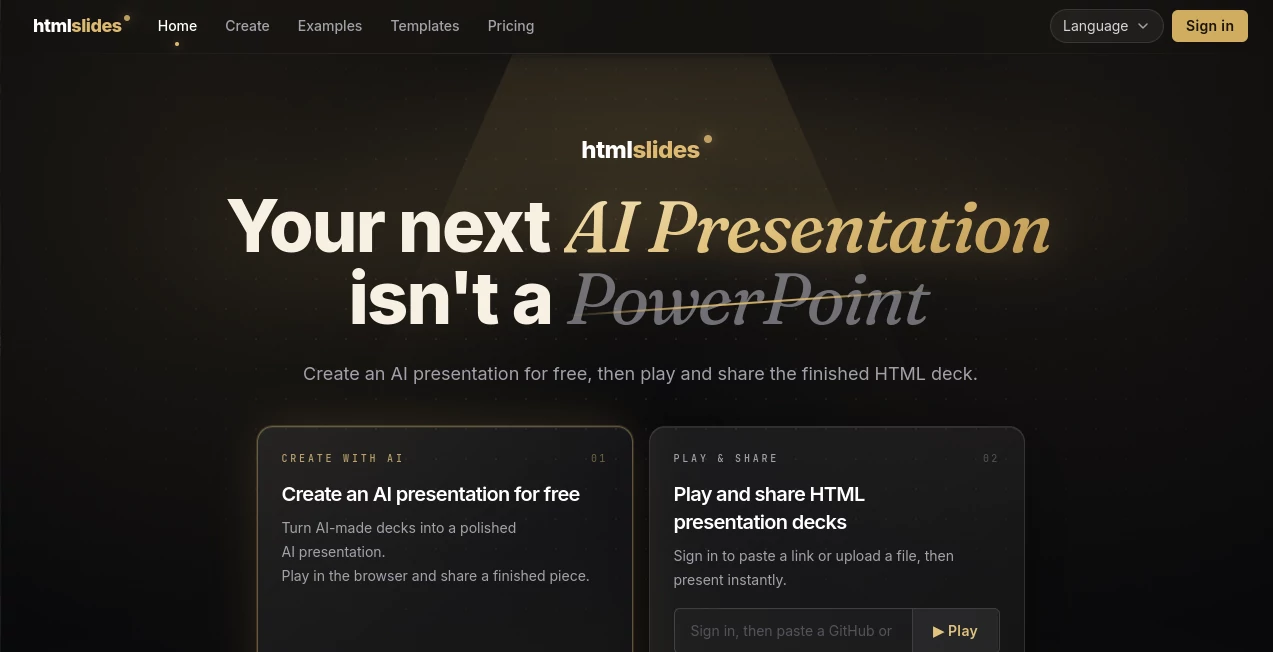
What is HTMLSlides?
Creating a professional presentation often takes more time than preparing the actual ideas behind it. Designing layouts, fixing alignment issues, adding animations, and making slides engaging can quickly become a frustrating process. HTMLSlides introduces a modern approach by helping users create dynamic HTML-based presentations with the power of AI.
Instead of being limited to traditional slide formats, this tool transforms ideas into interactive browser-based presentations that can be shared, embedded, and presented instantly. It combines AI-assisted creation with the flexibility of web technology, making it a strong choice for developers, founders, designers, educators, and professionals who want presentations that feel more alive.
The platform focuses on creating presentations that are not just visually appealing but also interactive. Users can generate decks with elements such as charts, timelines, comparison layouts, interactive cards, and other components that help audiences stay engaged. :contentReference[oaicite:0]{index=0}
Key Features
User Interface
The interface is designed around simplicity and flexibility. Users can start with an idea, a prompt, or existing content and transform it into a polished presentation workflow without dealing with complicated design software.
A major advantage is that presentations are created as HTML files, allowing them to work directly in modern browsers. This removes many common problems associated with traditional presentation files, such as compatibility issues or broken formatting when shared across different devices.
- Browser-based presentation experience
- Interactive HTML slide format
- Ready-to-use presentation templates
- Easy sharing through links or embedded content
- Support for custom presentation workflows
Accuracy & Performance
The platform focuses on turning ideas into structured visual stories rather than simply placing text onto slides. AI-assisted workflows help organize information into meaningful sections, choose suitable layouts, and create presentations that feel professionally designed.
Because presentations are generated as lightweight HTML files, they can run smoothly without requiring complex installation processes. Users can open and present their work directly in a browser environment.
Capabilities
The tool offers a wide range of presentation-building capabilities that go beyond traditional slide creation. It supports interactive components designed to make presentations more engaging and memorable.
- AI-assisted presentation generation
- Interactive charts and visual data elements
- Animated timelines and workflows
- Comparison tables and structured layouts
- Interactive cards and expandable content sections
- Single-file HTML presentations
- AI agent compatibility for advanced workflows
It can work with popular AI coding assistants and allows users to generate complete presentations from simple instructions, making it especially useful for technical teams and creative professionals. :contentReference[oaicite:1]{index=1}
Security & Privacy
Privacy is an important part of the platform philosophy. The presentation workflow supports local-first usage, allowing users to keep their files and creative projects under their own control.
For professionals working with internal reports, product strategies, or confidential presentations, having a workflow that does not require constant cloud dependency can provide additional peace of mind. :contentReference[oaicite:2]{index=2}
Use Cases
This presentation solution can be useful across many industries and professional scenarios.
- Business Presentations: Create startup pitches, investor updates, and company reports with interactive visuals.
- Education: Build engaging lessons, workshops, and learning materials.
- Marketing: Design product demonstrations, campaign presentations, and customer-facing materials.
- Developers: Create technical documentation, architecture presentations, and project showcases.
- Designers: Present creative concepts with richer visual storytelling.
- Teams: Share ideas through lightweight presentations that work anywhere.
Pros and Cons
Pros
- Creates modern HTML-based presentations instead of traditional static slides
- Interactive components improve audience engagement
- Works well with AI-assisted workflows
- No complicated presentation software required
- Flexible format suitable for developers and creators
- Supports browser-based sharing and presenting
Cons
- Users unfamiliar with HTML concepts may need time to understand the workflow
- Traditional PowerPoint users may need adjustment to a web-based approach
- Some advanced presentation editing features may require technical familiarity
Pricing Plans
The platform provides a free option for users who want to explore AI-powered HTML presentations. The core skill is available as a free and open-source solution, while additional presenter-focused features are available through upgraded plans. :contentReference[oaicite:3]{index=3}
- Free Plan: Access to core presentation creation features and basic workflows.
- Pro Options: Additional presenter tools and advanced presentation features.
The pricing approach is designed to remain accessible for individuals while offering extra value for professionals who regularly deliver presentations.
How to Use HTMLSlides
Getting started is simple and does not require traditional slide design skills.
- Choose a presentation idea or provide your existing content.
- Describe the type of presentation you want to create.
- Allow the AI workflow to structure the content and design.
- Review the generated HTML presentation.
- Present, share, or embed the final result.
For example, a startup founder can request a pitch deck with market analysis, growth charts, and product milestones, while a developer can create a technical presentation with architecture diagrams and interactive explanations.
Comparison with Similar Tools
Many AI presentation tools focus mainly on generating traditional slide formats. This platform takes a different direction by treating presentations as interactive web experiences.
Compared with standard presentation software, it offers more flexibility for animations, interactive elements, and browser-based sharing. Compared with simple AI slide generators, it provides more control for users who want presentations that feel closer to modern websites than static documents.
This makes it particularly attractive for people who value customization, technical flexibility, and unique presentation experiences.
Conclusion
HTMLSlides represents a fresh approach to creating presentations by combining artificial intelligence with the power of web technology. Instead of producing ordinary slides, it helps users build interactive, shareable, and modern presentation experiences.
Whether you are preparing a business pitch, teaching a class, presenting a technical project, or sharing creative ideas, this tool provides a practical way to transform concepts into professional-looking presentations faster.
For users who want more than traditional slide templates and prefer a flexible digital-first workflow, this solution offers an exciting alternative for the future of presentations.
Frequently Asked Questions (FAQ)
What type of presentations can be created?
Users can create business decks, educational presentations, technical showcases, product demonstrations, reports, and many other presentation formats.
Do I need coding experience to use it?
No. Beginners can use templates and AI-assisted workflows, while advanced users can take advantage of the HTML-based structure for deeper customization.
Can presentations be shared online?
Yes. Presentations can be played directly in a browser and shared through online links or embedded into websites.
Does it replace traditional presentation software?
It offers a different approach rather than a direct replacement. Users who want interactive, web-based presentations may find it more suitable than traditional slide applications.
Is there a free version available?
Yes. A free option is available, with additional features offered through upgraded plans for users who need advanced presentation capabilities.