
Content Refresher - WP Plugin
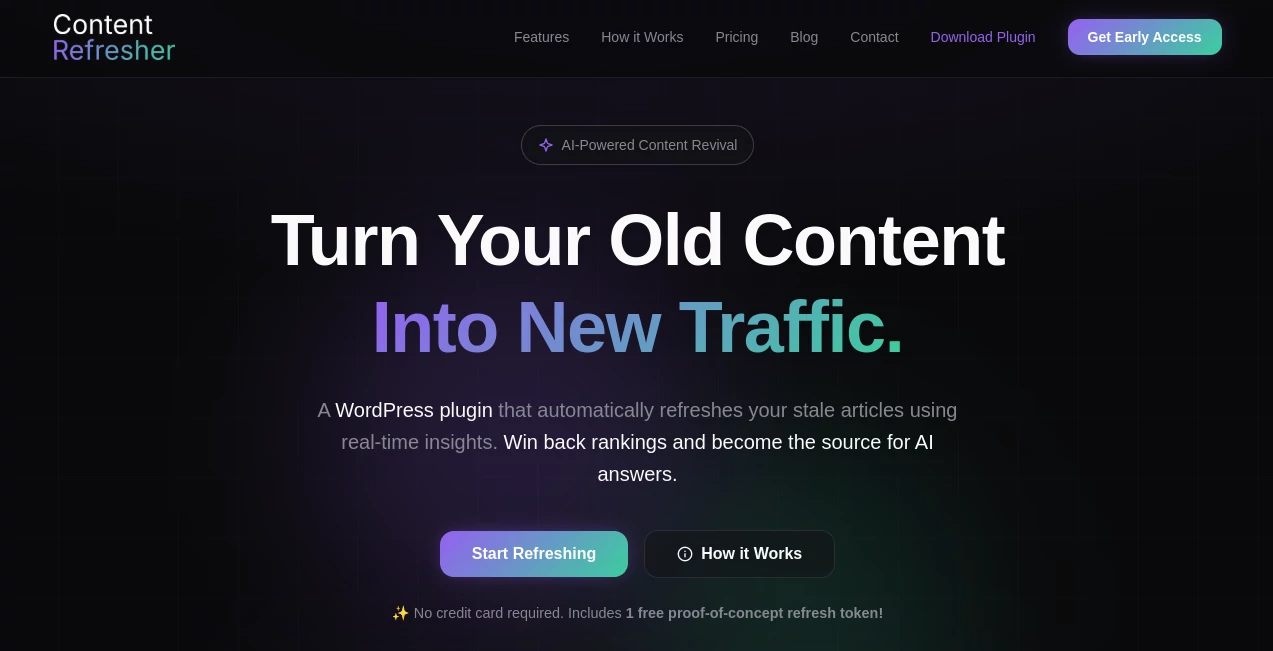
What is Content Refresher - WP Plugin?
That blog post you poured your heart into two years ago? It’s probably sitting there collecting digital dust while search rankings move on. This tool changes that story. You paste in your old content, and it returns a fresh, updated version that sounds like you — only better. Clearer, more engaging, and optimized for today’s search habits. I’ve seen marketers revive posts that were buried on page 3 and watch them climb back into the top spots. It’s not just rewriting; it’s giving your best work a second chance to shine.
Introduction
Content gets old faster than we like to admit. What ranked well last year can feel dated now — outdated stats, old examples, or writing styles that no longer match your voice. Instead of starting from scratch or letting good work fade, this platform intelligently refreshes existing articles while keeping your unique tone and expertise intact. It’s become a favorite for bloggers, agencies, and e-commerce teams who want to maintain topical authority without burning out on constant new writing. The best part? The refreshed pieces often perform better than the originals because they feel current and purposeful.
Key Features
User Interface
The experience is refreshingly straightforward. Paste your article, choose how thorough you want the refresh (light touch-up or full rewrite), and hit go. Side-by-side comparison shows your original next to the new version so you can see exactly what changed. No complicated dashboards or endless settings — just clean, focused controls that respect your time. Even non-writers find it easy to review and approve changes.
Accuracy & Performance
It keeps your core message and facts while updating language, flow, and relevance. SEO elements like headings, readability, and keyword opportunities get natural improvements without sounding forced. Processing is fast even on longer articles, and the output consistently maintains your brand voice rather than turning everything into generic corporate speak. The difference is noticeable: refreshed content reads like you wrote it yesterday, not years ago.
Capabilities
Beyond basic paraphrasing, it can update statistics, add current examples, improve structure for better readability, suggest stronger headlines, and optimize for search intent. You control how aggressive the changes are — from subtle polish to complete overhaul. It works beautifully on blog posts, landing pages, product descriptions, and long-form guides. The result is content that feels renewed rather than rewritten from scratch.
Security & Privacy
Your content stays private during processing. No training on your material, and nothing is stored longer than needed. For agencies and businesses handling client work, that discretion matters. You can work confidently knowing your intellectual property isn’t being used to feed someone else’s model.
Use Cases
A blogger revives a popular 2022 post about productivity tools and sees traffic nearly double after the refresh. An agency updates client evergreen content quarterly to maintain rankings without starting over. An e-commerce store refreshes product category pages with new trends and benefits, boosting conversion rates. SEO teams run batches of underperforming articles through it and watch them climb back up in search results. It’s especially powerful for anyone sitting on a library of good-but-dated content.
Pros and Cons
Pros:
- Keeps your original voice and expertise while making it feel current.
- Significant time savings compared to manual rewriting.
- Smart SEO improvements without keyword stuffing.
- Side-by-side comparison makes approval easy and transparent.
- Works on long-form content without losing quality.
Cons:
- Very niche or technical content may need some manual review after refresh.
- Free tier has reasonable limits for testing.
Pricing Plans
It starts with a generous free tier so you can test several articles and see the real difference. Paid plans unlock unlimited refreshes, longer documents, priority processing, and team collaboration features. Pricing is practical for both solo creators and growing agencies — many users say the time saved on just a few pieces easily covers the cost.
How to Use Content Refresher
Copy your existing article and paste it into the main box. Select your preferred refresh level — light, balanced, or comprehensive. Click generate and review the side-by-side version. Make any final tweaks you want, then export the new piece. For best results, read through once and adjust any specific details (like current year stats) that matter to your audience. The whole process usually takes just a few minutes per article.
Comparison with Similar Tools
Basic paraphrasing tools often strip away personality and sound robotic. Full AI writers require starting from scratch and lose your original insights. This one sits in the sweet spot: it respects what you already created, enhances it intelligently, and keeps your voice intact. It’s less about generating new content and more about intelligently updating what already works — which is exactly what most content libraries need.
Conclusion
Your best content deserves to keep working for you. Instead of letting old articles gather dust or forcing yourself to write everything new, this tool gives them a thoughtful second life. The results feel fresh, rank better, and save enormous time. For bloggers, marketers, and businesses with growing content libraries, it’s one of those rare tools that quietly becomes essential once you start using it.
Frequently Asked Questions (FAQ)
Will it change my writing style?
No — it works hard to preserve your unique voice while improving clarity and flow.
How much of the article gets changed?
You control that. Light mode makes subtle improvements; comprehensive mode rewrites more thoroughly.
Is it good for SEO?
Yes — it naturally improves structure, readability, and relevance for current search intent.
Can I process multiple articles?
Yes, paid plans support bulk refreshing for larger content libraries.
Do I need to edit the output?
Usually just light final touches. Most users publish after one quick review.
AI Paraphraser , AI Content Generator , AI SEO Assistant , AI Rewriter .
These classifications represent its core capabilities and areas of application. For related tools, explore the linked categories above.
Content Refresher - WP Plugin details
Website unavailable — View Alternatives
Pricing
- Free
Apps
- Web App
Categories

Content Refresher - WP Plugin Alternatives Product

Cataseo AI

Aiso

Astic AI

MaxAEO

BlogBuster

AI Story Gen…

Greetings Is…

TClaw AI Hum…

SEOAuthori