
CoreWeave
What is CoreWeave?
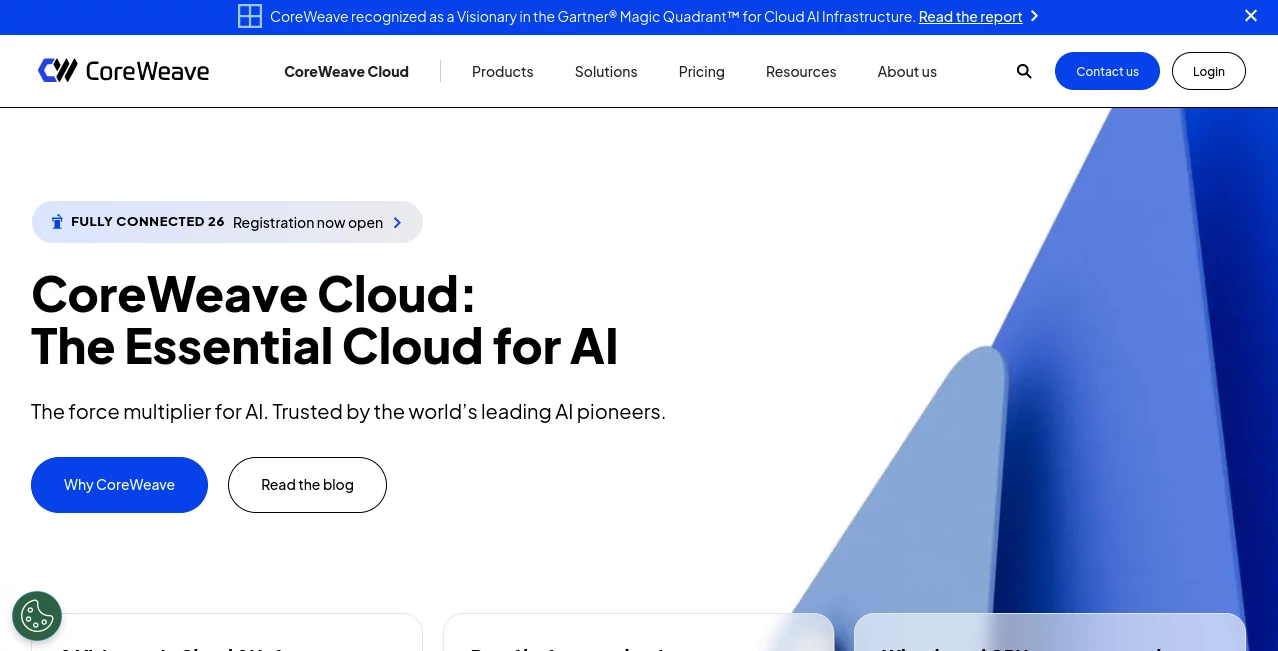
Building and running serious AI systems requires far more than access to a powerful GPU. Training large models, serving inference workloads, handling enormous datasets, and keeping production systems available all place demanding requirements on the underlying infrastructure. CoreWeave is an AI-focused cloud platform designed specifically around these challenges, giving developers, AI labs, startups, and enterprises access to high-performance GPU computing, storage, networking, and managed services.
Instead of treating AI as just another workload, the platform is built around it from the infrastructure layer upward. Its environment combines NVIDIA GPU infrastructure with a Kubernetes-native developer experience, high-speed networking, AI-oriented storage, observability, and cluster management.
That focus makes it particularly interesting for teams that have moved beyond experimenting with models and need infrastructure capable of supporting training, fine-tuning, inference, and other compute-heavy workloads. The platform is also designed for organizations that want more control over their infrastructure rather than relying exclusively on generalized cloud services.
Key Features
- GPU cloud infrastructure built around NVIDIA accelerators
- Kubernetes-native environment for AI workloads
- Bare-metal Kubernetes nodes for demanding compute workloads
- Support for AI model training, fine-tuning, and inference
- High-performance networking for multi-node GPU clusters
- AI-optimized object, file, and local storage options
- Managed Kubernetes services with preconfigured AI components
- Autoscaling at node and workload levels
- Cluster health management and observability tools
- On-demand, Spot, and reserved GPU capacity options
- Multi-region and multi-cloud workload portability
- Enterprise-focused security and compliance programs
User Interface
The experience is primarily designed for technical teams rather than casual users. Developers can manage infrastructure through a cloud console, APIs, Kubernetes workflows, and command-line tooling. This approach may feel more technical than a typical consumer-facing AI application, but that is also part of its appeal.
Teams already familiar with Kubernetes can work within an environment that feels recognizable while taking advantage of infrastructure specifically configured for AI. Managed clusters come with components such as GPU drivers, networking and storage interfaces, observability plugins, and Slurm-on-Kubernetes support, reducing some of the repetitive setup work normally associated with building an AI cluster.
Accuracy & Performance
Performance is one of the main reasons to consider this platform. Its infrastructure is designed around high-throughput AI training and inference rather than general-purpose cloud computing. The company reports up to 96% cluster goodput and 10x faster inference spin-up times for its AI workloads.
The networking layer is equally important when workloads span multiple GPUs or nodes. High-speed interconnects, including NVIDIA InfiniBand technologies, are designed to keep communication between accelerators fast enough for distributed workloads.
Real-world results can vary depending on the GPU configuration, model architecture, workload, networking topology, and software stack. Still, the infrastructure is clearly aimed at teams where seconds, hours, and GPU utilization translate directly into meaningful operational costs.
Capabilities
The platform covers much of the infrastructure required throughout the AI lifecycle. Compute resources can be used for model training, inference, experimentation, and high-performance computing. Available NVIDIA accelerators span Blackwell, Hopper, and Ada generations, with configurations ranging from individual GPUs to multi-node systems.
Its managed Kubernetes offering is particularly useful for teams that want Kubernetes control without having to assemble every part of an AI cluster themselves. Autoscaling, workload orchestration, GPU management, networking, storage integrations, and observability can be incorporated into the deployment workflow.
Storage is another major component. AI workloads often involve huge datasets and model checkpoints, so the platform provides object storage, distributed file storage, local storage, and dedicated storage solutions. Some storage configurations are designed for extremely large shared datasets and distributed training environments.
For inference, teams can choose between managed inference options and more hands-on Kubernetes-based deployments. This gives engineering teams flexibility to use open-source models, custom weights, fine-tuned models, and specialized serving stacks.
Security & Privacy
Security is built into multiple layers of the infrastructure, including physical data center controls, hardware, networking, identity management, Kubernetes, and data protection. The platform supports role-based access controls, workload isolation, encryption mechanisms, network segmentation, and other security controls for enterprise environments.
The company's security and compliance programs align with recognized standards including SOC 2, ISO 27001, ISO 27017, and ISO 27018. Customers can also access detailed security and compliance documentation through its trust and compliance resources.
For organizations handling sensitive workloads, these controls can be particularly important. As always, companies should review the applicable configuration, region, contractual terms, and compliance requirements before moving regulated data into any cloud environment.
Use Cases
- Large AI model training: Run distributed training workloads across high-performance GPU clusters.
- AI inference: Deploy models for production applications where latency, throughput, and predictable performance matter.
- Fine-tuning: Adapt open-source and custom models using dedicated GPU resources.
- Generative AI applications: Provide the compute and infrastructure required for image, video, language, and multimodal AI systems.
- AI research: Give research teams access to powerful accelerators without building an entire physical data center.
- High-performance computing: Run demanding computational workloads that benefit from GPU acceleration and high-speed networking.
- AI startups: Scale infrastructure as model usage and customer demand increase.
- Enterprise AI: Build production AI systems with enterprise security, networking, storage, and infrastructure controls.
- Distributed workloads: Connect large numbers of GPUs for workloads that require substantial inter-node communication.
Pros and Cons
- Pros: Purpose-built AI infrastructure, powerful NVIDIA GPU options, Kubernetes-native environment, high-performance networking, flexible storage, scalable infrastructure, strong enterprise security controls, and multiple GPU purchasing models.
- Cons: The platform is primarily aimed at professional and enterprise users, so beginners may face a steeper learning curve. GPU infrastructure can also become expensive when running large workloads continuously, making careful capacity planning important.
Pricing Plans
Pricing is primarily usage-based rather than a simple monthly subscription. GPU instances can be purchased on an on-demand basis, while Spot capacity and reserved commitments provide additional ways to manage infrastructure costs.
Current published pricing varies considerably depending on the GPU and configuration. For example, the listed North American rates include NVIDIA L40 instances from $10 per hour, L40S from $18 per hour, A100 configurations from $21.60 per hour, H100 configurations from $49.24 per hour, and H200 configurations from $50.44 per hour. Newer and larger configurations may have different pricing or require contacting sales.
Reserved compute capacity can provide discounts of up to 60% compared with on-demand pricing, depending on the commitment. Storage is priced separately, with AI Object Storage tiers currently starting at $0.015 per GB per month for cold storage, $0.03 for warm storage, and $0.06 for hot storage.
Because GPU availability, regions, hardware generations, and pricing can change, users should check the current pricing page before estimating the cost of a production deployment.
How to Use It
- Create an account and determine the type of AI workload you want to run.
- Select an appropriate NVIDIA GPU configuration based on model size, memory requirements, and expected workload.
- Choose the required compute, storage, and networking resources.
- Set up a Kubernetes environment if your workload requires container orchestration.
- Deploy your model, training pipeline, application, or other workload.
- Configure storage for datasets, checkpoints, model weights, and generated artifacts.
- Use monitoring and cluster health tools to track performance and reliability.
- Scale GPU capacity as workload requirements change.
- Review usage regularly and select on-demand, Spot, or reserved capacity according to your workload pattern.
Comparison with Similar Tools
The biggest difference between this platform and conventional public cloud infrastructure is its specialization. General-purpose clouds offer enormous catalogs of services for almost every type of application, while this platform concentrates heavily on the infrastructure requirements of AI and high-performance workloads.
Compared with traditional GPU rental providers, it also goes further than simply providing access to an accelerator. Kubernetes, networking, storage, observability, managed services, and cluster management are integrated into the broader environment.
This makes it a stronger candidate for teams running serious AI workloads than for someone who simply needs a GPU for a short personal experiment. A developer testing a small model may prefer a simpler service, while an AI company training large models or serving inference at scale may benefit much more from the deeper infrastructure stack.
Conclusion
For teams building AI at serious scale, infrastructure can become just as important as the model itself. Slow provisioning, inefficient GPU utilization, storage bottlenecks, networking limitations, or difficult cluster management can quickly turn an ambitious AI project into an expensive engineering exercise.
This platform takes a different approach by putting AI workloads at the center of its cloud architecture. Its combination of NVIDIA GPU access, bare-metal Kubernetes, high-speed networking, AI-focused storage, inference infrastructure, and enterprise security makes it a compelling option for organizations working on demanding AI projects.
It is not necessarily the simplest choice for someone looking for a beginner-friendly cloud server. For AI labs, developers, research teams, and enterprises that need serious compute and want substantial control over their environment, however, it offers a powerful infrastructure foundation for moving from experimentation to production.
Frequently Asked Questions (FAQ)
What is this platform used for?
It is primarily used for AI model training, inference, fine-tuning, generative AI applications, and other GPU-intensive or high-performance computing workloads.
Does it support NVIDIA GPUs?
Yes. The available infrastructure includes NVIDIA accelerators from multiple generations, including Blackwell, Hopper, and Ada GPU families.
Can developers use Kubernetes?
Yes. Its managed Kubernetes environment is designed specifically for AI workloads and runs on bare-metal infrastructure with GPU, networking, storage, and observability components.
Does it offer pay-as-you-go GPU access?
Yes. On-demand GPU instances are available, alongside Spot capacity and reserved compute options for different workload and budgeting requirements.
Is it suitable for enterprise AI workloads?
Yes. The platform provides enterprise-oriented security, networking, storage, observability, compliance programs, and infrastructure support designed for production AI workloads.
Can it be used for AI inference?
Yes. It provides inference infrastructure for production AI applications, including options for teams that want managed services as well as teams that prefer full control through Kubernetes.
Does it provide AI-focused storage?
Yes. Available storage options include AI Object Storage, distributed file storage, local GPU-node storage, and dedicated storage clusters designed for demanding AI workloads.
Is it suitable for beginners?
It can be used by developers with different levels of cloud experience, but its strongest value is for technical teams comfortable with GPUs, containers, Kubernetes, cloud infrastructure, and AI deployment workflows.
AI Data Mining , AI Developer Docs , AI Developer Tools , AI DevOps Assistant .
These classifications represent its core capabilities and areas of application. For related tools, explore the linked categories above.

CoreWeave Alternatives Product

AgentOne

Workik

Sourcetable

PatentFig AI

KaneAI

volume shade…
JSON to TOON…

UpMocker

AI Complianc…