

















PatentFig AI
Verified Blue CheckMark
Verified Blue CheckMark products are featured above free or unverified listings.
This badge indicates authenticity and builds trust, giving your product higher visibility across the platform.
Upgrade to get verified
Verified Blue CheckMark products are featured above free or unverified listings. This badge indicates authenticity and builds trust, giving your product higher visibility across the platform.
Upgrade to get verified
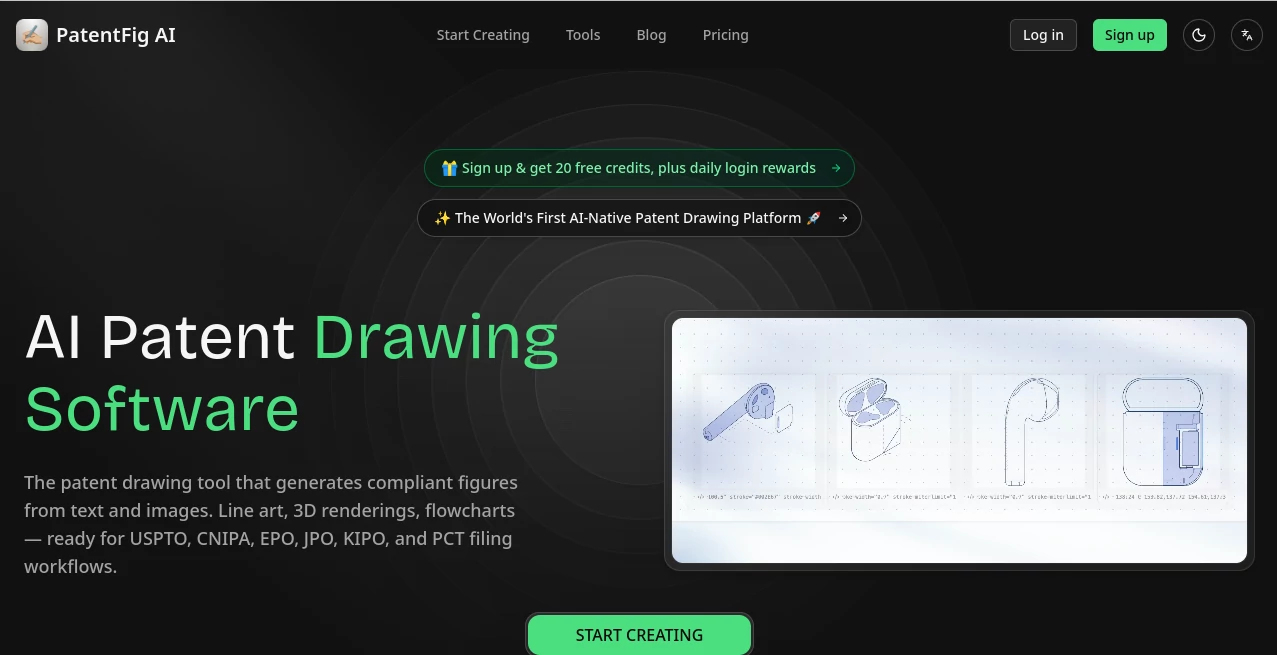
What is PatentFig AI?
Preparing patent illustrations has traditionally been one of the most time-consuming parts of the patent filing process. From manually creating technical drawings to revising multiple figure variations, inventors and intellectual property professionals often spend countless hours refining visuals before submission. This platform transforms that experience by using artificial intelligence to generate filing-ready patent figures from simple text descriptions, sketches, product photos, CAD screenshots, and reference images.
Instead of relying on conventional drawing software or outsourcing every revision, users can create clean patent illustrations in minutes. Whether working on mechanical devices, electronics, software flowcharts, medical equipment, or industrial systems, the platform streamlines the entire workflow while helping teams maintain consistency across multiple patent offices.
Designed specifically for patent professionals, startups, engineering teams, and inventors, it combines automation with practical editing tools, allowing users to iterate quickly without sacrificing quality or compliance.
Key Features
User Interface
The workspace is thoughtfully designed for productivity. Users can upload sketches or product images, describe an invention in natural language, choose the required drawing views, and generate multiple patent figures within a few clicks. Projects remain organized through built-in version control, making it easy to compare revisions or restore previous figure sets.
- Simple three-step generation workflow
- Natural language editing through chat-based commands
- Project-based organization
- Automatic version history
- Professional export options including PDF, PNG, SVG, and TIFF
Accuracy & Performance
The platform focuses on producing technical illustrations that follow common patent office conventions. It can generate detailed line art, multi-angle views, flowcharts, block diagrams, and technical renderings suitable for review before filing. Support for multiple international patent offices helps simplify preparation for global applications while reducing repetitive manual work.
- Patent-style line drawings
- Automatic reference numerals and leader lines
- Multi-view figure generation
- Support for various patent office formatting workflows
- Fast regeneration for revisions
Capabilities
The software supports much more than basic illustration. Users can begin with rough sketches, CAD exports, screenshots, photographs, or plain text descriptions and transform them into professional technical figures. Flowcharts, block diagrams, exploded views, sectional illustrations, and perspective drawings are all supported, making the platform useful for a wide variety of inventions.
- AI-generated patent line art
- 3D rendering support
- Flowchart creation
- Block diagram generation
- Multiple viewing angles
- Batch export for complete figure sets
Security & Privacy
Confidentiality is especially important when working with unpublished inventions. The platform emphasizes secure handling of customer content by encrypting information during transmission and storage. According to its published policies, uploaded files and generated figures are not used to train AI models, while users can delete projects whenever necessary. Enterprise customers can also request data processing agreements and non-disclosure agreements for additional protection.
Use Cases
- Preparing patent drawings for new inventions
- Creating USPTO-style technical illustrations
- Generating engineering flowcharts and block diagrams
- Producing multi-view product figures
- Supporting patent attorneys during drafting
- Helping inventors create professional filing materials
- Reducing illustration costs for startups
- Accelerating patent review cycles
Pros and Cons
Pros
- Purpose-built specifically for patent illustration workflows
- Accepts text, sketches, CAD images, and photos as input
- Supports multiple international patent office standards
- Built-in version management
- Professional export formats
- Strong emphasis on privacy and confidential invention data
Cons
- Final legal review is still recommended before filing
- Credit-based pricing may not suit occasional users with very limited needs
- Highly specialized for patent-related work rather than general illustration projects
Pricing Plans
The service offers flexible subscription options suitable for individual inventors and enterprise organizations.
- Free plan with monthly credits for evaluation
- Basic plan for independent inventors
- Pro plan for patent professionals and law firms
- Enterprise plan for high-volume organizations
How to Use PatentFig AI
Begin by uploading a sketch, reference image, CAD screenshot, or simply describing the invention in text. Select the desired drawing style or viewing angles, then allow the AI to generate patent-ready figures. Review the generated illustrations, make refinements using conversational editing commands, compare versions if needed, and export the final files in your preferred format for inclusion in patent documentation.
Comparison with Similar Tools
Unlike traditional graphic design applications that require extensive manual drawing skills, this platform focuses exclusively on patent illustration workflows. Its AI-assisted generation, automated line art creation, version management, international filing support, and conversational editing make it considerably more efficient for patent professionals than generic illustration software. Rather than replacing expert review, it significantly shortens the path from invention concept to filing-ready visual documentation.
Conclusion
Creating professional patent figures no longer has to involve lengthy manual drafting or expensive revision cycles. By combining artificial intelligence with workflows tailored specifically for intellectual property professionals, this platform helps inventors, engineering teams, and patent attorneys prepare high-quality technical illustrations much faster. Its combination of automation, editing flexibility, international compatibility, and strong privacy commitments makes it a valuable solution for anyone involved in modern patent preparation.
Frequently Asked Questions (FAQ)
Can I generate patent drawings from a simple sketch?
Yes. Users can upload sketches, photographs, CAD screenshots, or describe an invention using text to generate technical figures.
Does the platform support multiple patent offices?
Yes. It supports workflows designed for several major international patent offices, including USPTO, EPO, CNIPA, JPO, KIPO, and PCT filings.
Can I edit generated figures?
Yes. Figures can be refined using natural language instructions, allowing quick adjustments without recreating the entire drawing.
Is my confidential invention data protected?
According to the platform's published privacy information, customer content is encrypted, not used for AI model training, and users can manage or delete their projects.
Who is this platform best suited for?
It is ideal for inventors, patent attorneys, IP law firms, engineering teams, startups, and organizations preparing technical patent documentation.