CustomerGPT
What is CustomerGPT?
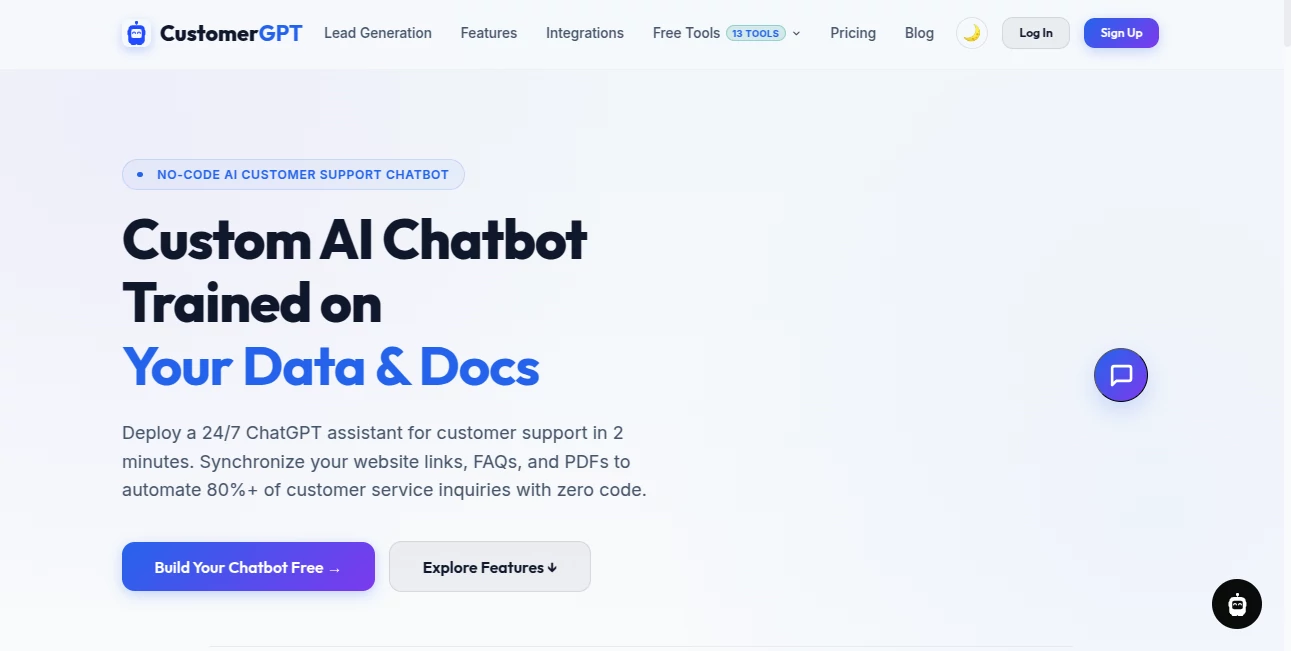
CustomerGPT is a no-code AI customer support platform designed to help businesses build a chatbot around their own website content, documentation, FAQs, and files. Instead of relying on a generic assistant that knows little about a particular business, it creates a support experience grounded in the information a company provides.
The setup is aimed at businesses that want to reduce repetitive support requests without building an AI system from scratch. Website URLs, sitemaps, help centers, PDFs, Word documents, Markdown files, and other sources can be used to create the chatbot's knowledge base. The result is an always-available assistant that can answer visitors' questions at any time.
For a SaaS company, online store, agency, or service business receiving the same questions every day, this can be particularly useful. A visitor looking for information about pricing, features, documentation, policies, or product usage can get an answer immediately rather than waiting for a support representative.
Key Features
- Website and Sitemap Crawling: Businesses can provide website URLs, sitemaps, or help centers and let the platform collect relevant information automatically.
- Document-Based Training: PDFs, DOCX, TXT, Markdown files, and other supported content can be added to build a knowledge base.
- Custom AI Support Agents: The chatbot is built around company-specific information rather than functioning as a general-purpose assistant.
- Multilingual Support: The platform supports more than 95 languages and can automatically detect the visitor's language.
- White-Label Customization: Businesses can adjust widget colors, avatars, typography, welcome messages, and the chatbot's position.
- Multiple Integrations: Connections are available for services such as Slack, Telegram, WhatsApp, Zendesk, Shopify, and other applications through integrations and Zapier webhooks.
- Automatic Knowledge Updates: Depending on the subscription tier, websites can be refreshed monthly, weekly, or daily.
- API and Webhook Access: Higher-tier plans provide API access, rate limiting, and webhook support for more advanced workflows.
User Interface
The platform takes a straightforward approach to chatbot creation. Rather than requiring users to understand model training, embeddings, vector databases, or complex AI infrastructure, the workflow centers on adding information and synchronizing it.
Once the knowledge base has been prepared, the resulting assistant can be placed on a website using a copy-and-paste HTML script. This makes the deployment practical for websites built with WordPress, Shopify, Webflow, React, Next.js, or standard HTML and JavaScript.
The customer-facing widget can also be adjusted to fit a company's visual identity. This matters more than it might seem: a support assistant that looks like part of the website feels considerably less intrusive than a generic third-party chat box.
Accuracy & Performance
The main strength of the platform is its grounding approach. Instead of expecting an AI model to know every detail about a company's products, the system retrieves information from the connected knowledge sources when answering questions.
Website content is crawled and indexed, while uploaded documents are processed and divided into smaller sections before being converted into embeddings. This retrieval-based workflow helps the assistant focus on the information supplied by the business.
The company states that its infrastructure is designed for fast responses and lists a 99.99% uptime SLA. Actual response quality will naturally depend on the quality, completeness, and freshness of the information used for training.
Capabilities
There is more here than a basic website chatbot. The platform can combine information from websites, documentation, cloud services, uploaded files, and direct text input into a centralized knowledge source.
Businesses can also connect the assistant to communication and support channels. This opens the door to workflows where simple questions are handled automatically while more complicated issues can be passed to an existing support system.
Another useful capability is multilingual communication. A visitor can ask a question in their preferred language while the assistant detects the language automatically, which can be valuable for businesses serving international customers.
Security & Privacy
Security is positioned as an important part of the platform. The service states that it uses SOC 2 Type II certified infrastructure, tenant-isolated vector storage, cryptographic data boundaries, CAPTCHA protection, and semantic safeguards.
The company also states that its platform supports GDPR and HIPAA compliance requirements, with features such as PII masking, configurable data retention controls, and EU data residency options. Businesses handling sensitive information should still review the applicable terms, data-processing agreements, and compliance documentation before deploying it in a production environment.
For larger organizations, the Enterprise offering includes signed DPAs and additional controls intended for corporate deployments.
Use Cases
- SaaS Customer Support: Answer questions about features, pricing, documentation, account usage, and product workflows without requiring a support employee to respond to every basic request.
- E-commerce: Help shoppers find product information, policies, and answers to frequently asked questions.
- Documentation Portals: Turn large documentation libraries into a conversational support experience.
- Agencies: Create separate assistants for different clients while maintaining isolated environments and customized branding.
- Professional Services: Give prospective and existing customers instant access to service information and frequently requested details.
- Lead Generation: Engage website visitors while they are researching a product or service and provide immediate answers before they leave the site.
- Internal Knowledge: Companies can use connected documentation and files to make organizational information easier to access through natural-language questions.
Pros and Cons
Pros:
- No-code setup makes it accessible to non-technical teams.
- Supports websites, documents, direct text, and cloud-based knowledge sources.
- More than 95 languages are supported.
- Website chatbot deployment can be completed with a copy-and-paste script.
- White-label customization allows businesses to match their existing branding.
- Higher plans offer APIs, webhooks, automatic scanning, and multiple chatbot deployments.
- Security features are designed with business and enterprise requirements in mind.
Cons:
- The Starter plan is relatively expensive for very small websites or personal projects.
- Advanced automation and API capabilities are reserved for higher subscription levels.
- Answer quality depends heavily on the accuracy and freshness of the supplied knowledge sources.
- Organizations with very simple support requirements may not need the broader feature set.
Pricing Plans
The pricing structure is designed around the size of the knowledge base, chatbot volume, team requirements, and automation needs.
- Starter: $59 per month, including one chatbot widget, up to 1,000 pages, one team member, and up to 4,000 messages per month.
- Growth: $129 per month, with up to two chatbots, 10,000 pages, four team members, 10,000 monthly messages, integrations, API access, and rate limiting.
- Scale: $429 per month, supporting up to three chatbots, 50,000 pages, ten team members, 40,000 monthly messages, automatic scanning, webhooks, integrations, and API access.
- Enterprise: Custom pricing for large organizations, with support for up to 10,000 chatbots, 500,000 pages, 10,000 team members, custom message volumes, advanced integrations, and enterprise-oriented support.
An additional 5,000-message monthly add-on is available for $39 per month. The service also advertises a 14-day money-back guarantee and allows users to begin without entering a credit card.
How to Use It
- Open an account and access the dashboard.
- Add the website URLs, sitemap, documentation, or help center you want the assistant to understand.
- Upload supporting documents such as PDFs, DOCX, TXT, or Markdown files when needed.
- Connect supported cloud services or other data sources if your business keeps documentation outside the website.
- Start the synchronization process and allow the platform to process and index the information.
- Test the chatbot with realistic customer questions and check whether the answers accurately reflect your documentation.
- Customize the chatbot widget so it matches your brand.
- Copy the generated HTML script into your website to publish the assistant.
- Keep the knowledge source updated so the chatbot continues to reflect current products, policies, and documentation.
Comparison with Similar Tools
Traditional customer-support platforms generally focus on ticket management, human-agent workflows, and conversation history. AI chatbot platforms, on the other hand, can provide automated answers but may require significant configuration to understand a company's specific information.
This platform sits between those approaches by combining a knowledge-based AI assistant with customer-support integrations. Its emphasis on crawling websites and documentation makes it particularly interesting for businesses that already have a substantial amount of online information but want a faster way for customers to access it.
The biggest distinction is therefore not simply that it provides an AI chatbot. It is the combination of custom data ingestion, automated knowledge retrieval, website deployment, multilingual support, integrations, and higher-tier automation in one service.
Conclusion
For businesses receiving a steady stream of repetitive customer questions, an AI assistant trained on company-specific information can make a noticeable difference. The platform offers a practical route from existing websites and documents to a functioning support chatbot without requiring a development team to build the underlying AI infrastructure.
Its strongest appeal is the combination of easy deployment and deeper customization. A small business can start with a single website widget, while larger organizations can move toward multiple assistants, automated synchronization, APIs, webhooks, and isolated client environments.
It is not a replacement for every human-support scenario, especially when a question requires judgment, account access, or a sensitive business decision. But for documentation, FAQs, product questions, and first-line customer conversations, it offers a compelling way to make support available around the clock.
Frequently Asked Questions (FAQ)
Can the chatbot be trained without a website?
Yes. Businesses can enter plain text directly through the administration panel or upload supported documents such as PDF, DOCX, TXT, and Markdown files.
Can I train it using PDFs and Word documents?
Yes. Supported files can be uploaded and processed to extract their text, divide the content into sections, generate embeddings, and add the resulting information to the chatbot's knowledge base.
Does it support multiple languages?
Yes. The platform states that it supports more than 95 languages and automatically detects the language used by visitors.
Can I add the chatbot to WordPress or Shopify?
Yes. After training, the system provides a copy-and-paste HTML script that can be added to websites including WordPress, Shopify, Webflow, React, Next.js, and standard HTML and JavaScript sites.
Does it automatically update when website content changes?
Automatic synchronization depends on the subscription tier. Growth includes monthly automatic refreshes, while Scale provides daily scanning and weekly synchronization. Enterprise plans can support more advanced webhook-triggered updates.
Can agencies create chatbots for multiple clients?
Yes. Scale and Enterprise plans are designed to support agency workflows, including separate client environments, customized branding, and centralized administration.
Is there an API?
API access is available on the Growth, Scale, and Enterprise plans, with rate limiting and additional integration capabilities on the higher tiers.
Can the chatbot connect to Slack and other services?
Yes. Available integrations include Slack, Telegram, WhatsApp, Zendesk, Shopify, and other applications through integrations and Zapier webhooks.
How quickly can the chatbot be trained?
Training can take anywhere from a few seconds to several minutes depending on the amount of content being processed. The service processes the training workload asynchronously so the dashboard can remain usable during the process.
AI Lead Generation , AI Chatbot , AI Customer Service Assistant .
These classifications represent its core capabilities and areas of application. For related tools, explore the linked categories above.

CustomerGPT Alternatives Product

Sales Prospe…

Supawazap

Vapi

Medialyst

FlowGPT

Reloq

SoulChat
Zinng

FiveMinChat