

















FiveMinChat
Verified Blue CheckMark
Verified Blue CheckMark products are featured above free or unverified listings.
This badge indicates authenticity and builds trust, giving your product higher visibility across the platform.
Upgrade to get verified
Verified Blue CheckMark products are featured above free or unverified listings. This badge indicates authenticity and builds trust, giving your product higher visibility across the platform.
Upgrade to get verified
What is FiveMinChat?
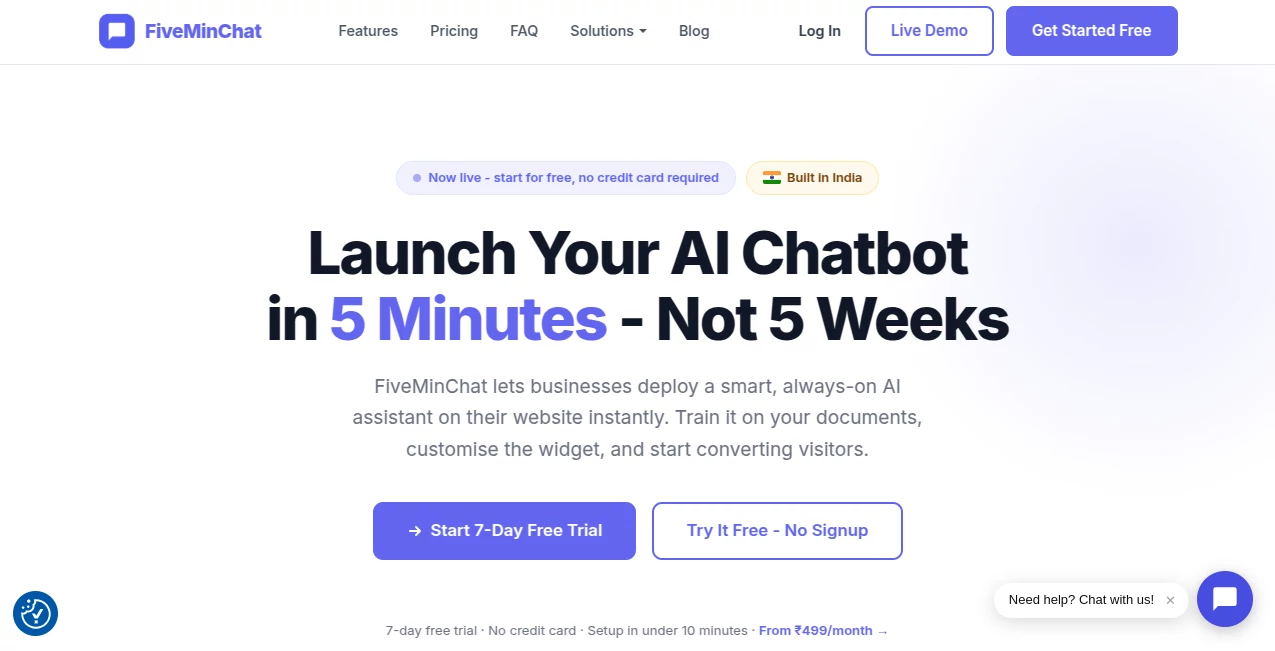
FiveMinChat is an AI-powered chatbot solution designed to help businesses add a smart customer assistant to their websites quickly and easily. Built for companies that want to improve customer communication without complicated development processes, this platform allows businesses to create a customized chatbot trained on their own website content, documents, and FAQs.
The idea is simple: instead of leaving website visitors waiting for answers, businesses can provide instant assistance 24/7. Whether a customer wants information about services, pricing, schedules, products, or general questions, the AI assistant can respond naturally using business-specific knowledge.
With a setup process that takes only a few minutes, the platform is especially useful for small businesses, startups, educational organizations, clinics, agencies, and service providers that need reliable customer support without hiring additional staff.
Key Features
- AI-Powered Website Chatbot: Create an intelligent assistant that answers visitor questions using your own business information.
- Knowledge Base Training: Upload documents or connect website content so the chatbot understands your services, products, and policies.
- No-Code Installation: Add the chatbot to almost any website with a simple code snippet without requiring technical expertise.
- Lead Capture: Collect visitor details and potential customer inquiries automatically.
- Custom Branding: Adjust chatbot appearance, greeting messages, colors, and personality to match your brand.
- 24/7 Customer Support: Keep helping customers even outside business hours.
- Website Content Crawling: Allow the AI assistant to learn from existing pages and information.
User Interface
The interface is designed with simplicity in mind. Users can configure their chatbot from a clean dashboard without dealing with complicated settings. Adding files, customizing the chatbot identity, and preparing the knowledge base can be completed through straightforward steps.
The website widget itself feels natural for visitors. It appears as a familiar chat window, allowing customers to ask questions in the same way they would communicate with a human support representative.
Accuracy & Performance
The platform focuses on delivering relevant answers by using business-specific data instead of relying only on general AI knowledge. This approach helps companies create more accurate responses related to their own products, services, and internal information.
Powered by modern language technology, the chatbot can understand natural questions rather than forcing visitors to select predefined options. This creates smoother conversations and reduces frustration for customers.
Capabilities
The tool provides businesses with multiple practical capabilities, including automated customer support, FAQ handling, visitor engagement, and lead generation. It can learn from PDFs, text files, and website pages, making it suitable for businesses with different types of information.
From answering admission questions for education centers to helping customers understand service options, the assistant can adapt to different industries and business requirements.
Security & Privacy
Security and data protection are important considerations for businesses using AI tools. The platform is designed to keep business information separate and focuses on using customer-provided content to generate relevant responses.
Businesses maintain control over the information used for chatbot training, allowing them to update content whenever services, prices, or policies change.
Use Cases
This AI chatbot solution can support many types of organizations that want faster communication and better customer experiences.
- Educational Centers: Answer questions about courses, schedules, fees, and enrollment.
- Healthcare Providers: Provide information about appointments, services, and general inquiries.
- Real Estate Businesses: Respond to property questions and capture potential buyers.
- E-commerce Stores: Help shoppers find information about products and policies.
- Professional Services: Assist visitors with common questions before direct contact.
- Small Businesses: Provide automated support without needing a dedicated support team.
Pros and Cons
Pros
- Fast setup with minimal technical requirements.
- Can learn from business documents and website content.
- Helps reduce repetitive customer support tasks.
- Provides assistance around the clock.
- Customizable chatbot appearance and behavior.
Cons
- Best results depend on the quality of uploaded business information.
- Advanced customization options may require higher-tier plans.
- Businesses with very complex workflows may need additional integrations.
Pricing Plans
The platform offers subscription plans designed for different business sizes. Plans include options for small businesses starting with basic chatbot needs as well as higher-capacity packages for companies with larger website traffic.
- Starter Plan: Designed for small businesses with essential AI chat and lead capture features.
- Growth Plan: Suitable for growing companies requiring more conversations and larger knowledge bases.
- Pro Plan: Built for businesses that need higher limits, more content capacity, and advanced usage.
A free trial option allows businesses to test the chatbot experience before committing to a paid subscription.
How to Use FiveMinChat
Getting started is a simple process:
- Create an account and access the chatbot dashboard.
- Add business information by uploading files or connecting website content.
- Customize the chatbot name, appearance, and welcome message.
- Add the chatbot code to your website.
- Monitor conversations and improve responses over time.
The entire process is designed for business owners who want an AI assistant without depending on developers or lengthy setup procedures.
Comparison with Similar Tools
Compared with traditional chatbot builders, this platform focuses more on content-based AI responses rather than manually creating hundreds of question-and-answer rules. This makes it easier for businesses to maintain because updating information does not require rebuilding conversation flows.
While many customer support platforms offer chatbot features as part of larger systems, this solution focuses specifically on helping businesses quickly deploy an AI assistant trained on their own information.
Conclusion
For businesses looking for a practical way to automate customer conversations, this AI chatbot platform offers a simple and effective solution. Its combination of quick installation, business-specific training, customization options, and automated support makes it a valuable choice for organizations that want to improve website engagement.
Instead of allowing potential customers to leave with unanswered questions, businesses can provide immediate assistance and create better digital experiences. The platform is especially appealing for small and medium-sized businesses that want the benefits of AI without complicated technology requirements.
Frequently Asked Questions (FAQ)
What type of businesses can use this AI chatbot?
It can be used by educational centers, clinics, online stores, agencies, service providers, and many other businesses that need automated website communication.
Does it require coding knowledge?
No. The setup process is designed for non-technical users, and the chatbot can be added with a simple installation step.
Can the chatbot learn from my own documents?
Yes. Businesses can provide their own files and website information so the AI assistant can answer questions based on their specific content.
Can I customize the chatbot design?
Yes. Users can adjust branding elements such as colors, greetings, and chatbot identity to better match their website.
Is there a free trial available?
Yes. Businesses can test the service through a free trial before choosing a subscription plan.