


















Cuto
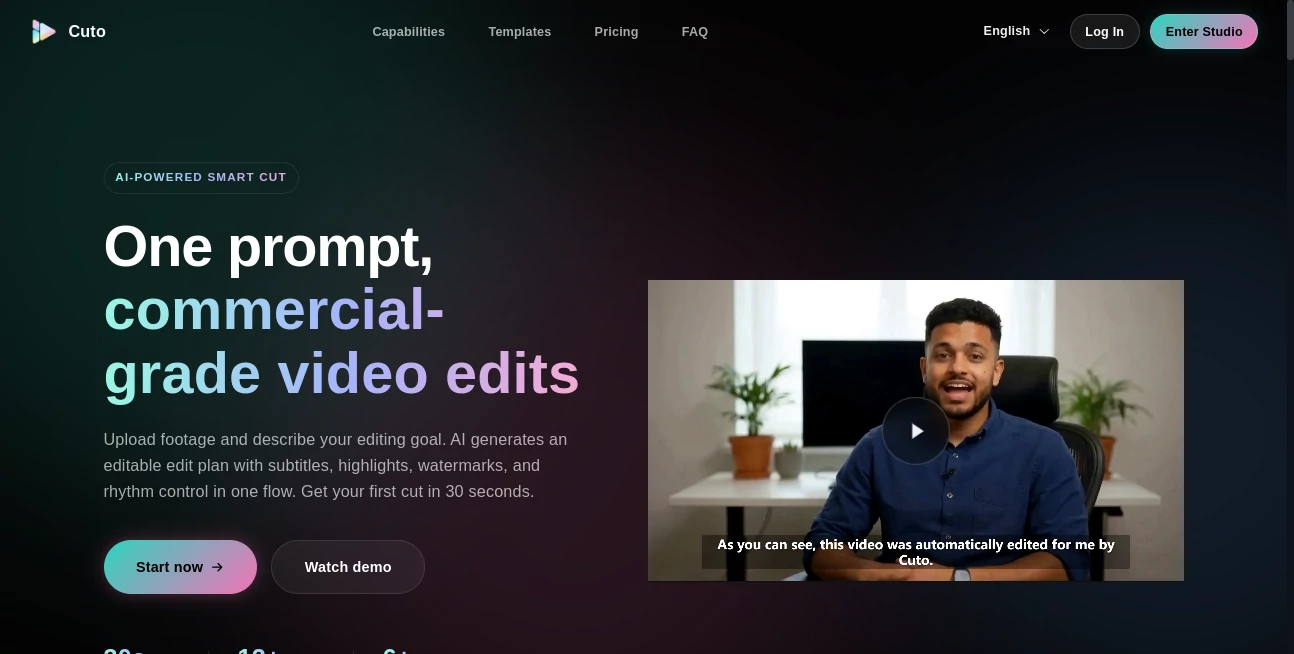
What is Cuto?
There’s something incredibly satisfying about watching raw footage transform into a clean, engaging video without spending hours on tedious trimming and timing. This tool handles exactly that—taking your clips and intelligently cutting the boring parts, adding smooth transitions, and even suggesting the best moments to keep. I’ve used it on travel footage that was full of shaky handheld moments and long pauses, and the result looked like I had an actual editor working beside me. The best part? It still feels like your video, just better.
Introduction
Most people who shoot video end up with way more footage than they need. Hours of clips full of awkward pauses, shaky starts, and filler that kills pacing. Manually cutting it all down is exhausting. This platform changes the game by using smart AI to understand what’s worth keeping and what can go. It doesn’t just chop randomly—it respects the flow, timing, and emotion of your content. Creators, marketers, and even casual phone filmmakers are finding it saves them hours while delivering results that look thoughtfully edited. It’s the kind of tool that makes you wonder how you ever managed without it.
Key Features
User Interface
The interface is refreshingly straightforward. Upload your clips, and the timeline appears with smart suggestions already highlighted. You can accept AI cuts with one click or fine-tune manually. Everything feels intuitive—no steep learning curve or hidden menus. The preview updates in real time as you make changes, so you stay in the creative flow instead of constantly switching tabs or waiting for renders.
Accuracy & Performance
The AI is surprisingly good at understanding context. It detects natural pauses, removes filler words, and keeps the energetic moments that actually matter. Cuts feel smooth rather than abrupt, and the pacing often improves dramatically. Processing is fast even with longer videos, and the results hold up well across different shooting styles—from smartphone vlogs to more polished footage.
Capabilities
Beyond basic trimming, it offers auto scene detection, intelligent caption suggestions, background music matching, color correction, and one-click social media formatting for different platforms. You can remove silences, enhance audio clarity, and even generate short highlight reels automatically. It works with a wide range of video lengths and styles, making it useful for everything from quick TikToks to longer YouTube content.
Security & Privacy
Your videos are processed securely and not stored longer than necessary. No unnecessary data collection, and you maintain full ownership of your content. For creators who handle client work or personal projects, that peace of mind is important.
Use Cases
A travel vlogger uploads an hour of raw footage and gets back a tight 8-minute highlight reel ready for YouTube. A small business owner records product demos and quickly turns them into polished social media ads. A teacher records lessons and automatically creates shorter, engaging clips for students. Content creators use it weekly to turn long recordings into multiple platform-ready pieces without burning out on editing. It shines wherever time is limited but quality still matters.
Pros and Cons
Pros:
- Saves enormous time on the most boring parts of editing.
- Cuts feel natural and respectful of the original content.
- Smart suggestions help when you’re stuck on pacing.
- Works well for both beginners and more experienced creators.
- Fast processing even with longer videos.
Cons:
- Very artistic or experimental footage may need more manual adjustment.
- Advanced effects and heavy customization still require traditional editors.
- Free tier has limits that power users quickly outgrow.
Pricing Plans
It starts with a generous free plan that lets you test the quality on several videos per month. Paid tiers unlock unlimited processing, higher resolution exports, priority speed, and advanced features like batch editing. The pricing feels fair for the hours it saves—many users say it pays for itself after editing just one big project.
How to Use Cuto
Upload your raw video clips to the dashboard. The AI analyzes and suggests cuts automatically. Review the timeline, accept or adjust suggestions, add music or captions if desired, and export in your preferred format. For longer projects, use batch mode to process multiple clips at once. The whole process is fast enough that you can go from raw footage to final video in minutes rather than hours.
Comparison with Similar Tools
Many video editors are either too basic or overwhelmingly complex. This one sits in a sweet spot—smart enough to do real work for you, but still gives you full control when you want it. Where some tools feel generic, the cuts here feel thoughtful and natural. It’s especially strong for creators who want professional-looking results without professional-level time investment.
Conclusion
Good video doesn’t have to take forever to make. This tool removes the most painful parts of editing while keeping the soul of your original footage intact. It lets you focus on the fun stuff—storytelling, creativity, sharing—rather than getting stuck on technical details. For anyone who creates video regularly, it’s one of those rare tools that genuinely makes the process more enjoyable and the results better.
Frequently Asked Questions (FAQ)
How long does processing take?
Most videos finish in a few minutes, even longer ones process surprisingly fast.
Can I edit the AI suggestions?
Yes—you have full control over the timeline and can adjust or override any cut.
Does it work with phone videos?
Absolutely—it handles smartphone footage particularly well.
Is there a watermark on free exports?
Small watermark on free tier; paid plans remove it completely.
Can I export in different aspect ratios?
Yes—easy toggles for vertical, horizontal, and square formats.
AI Animated Video , AI Video Generator , AI Video Editor , AI Video Enhancer .
These classifications represent its core capabilities and areas of application. For related tools, explore the linked categories above.

Cuto Alternatives Product

Pinci.ai

Wan 2.7

JoyFlix AI

See dance 2.…

v04 ai

Kling 3 AI

Kling O1

Seedance Art

pvz fusion
