
DescribeImage
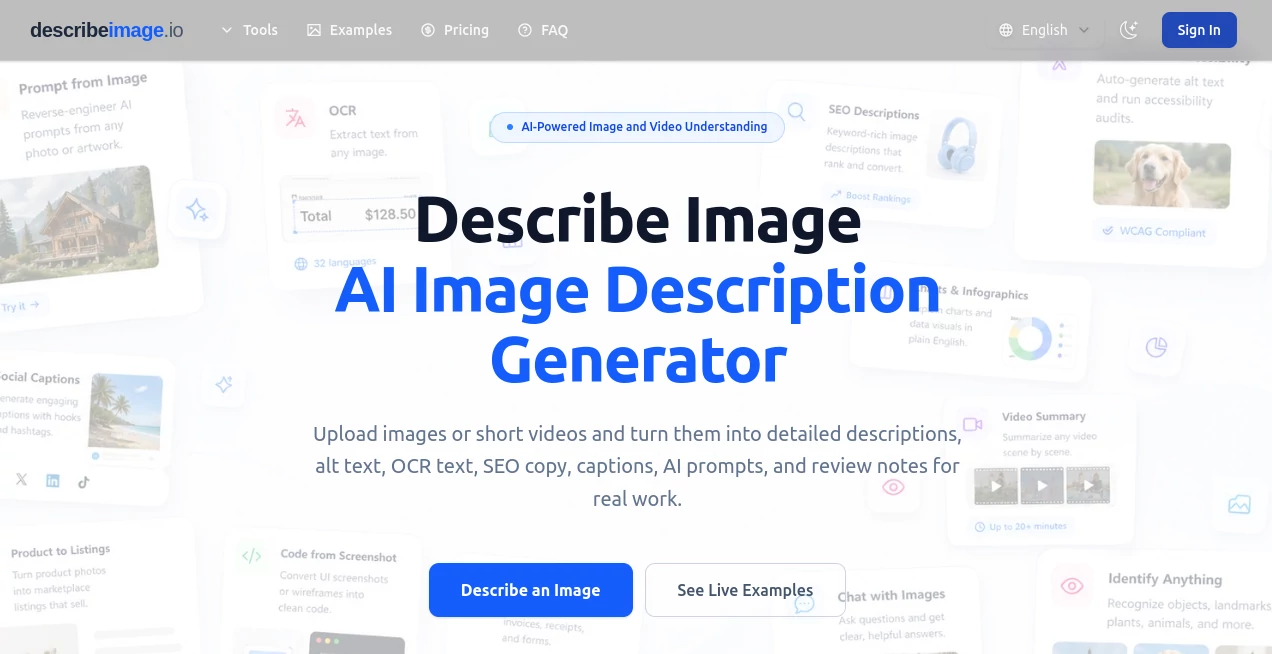
What is DescribeImage?
In a world where visual content dominates communication, understanding images quickly and accurately has become essential. This platform is designed to transform images into meaningful, easy-to-read descriptions that feel natural and human-written rather than robotic or overly technical.
Whether you are working on accessibility improvements, content creation, or data organization, this tool helps bridge the gap between visual input and written understanding. It focuses on clarity, context, and readability so that even complex visuals can be interpreted in seconds.
Key Features
User Interface
The interface is designed with simplicity in mind. Users can upload an image and receive a structured description without dealing with complicated settings. Everything feels straightforward, even for first-time users.
Accuracy & Performance
The system is built to recognize objects, scenes, and contextual relationships within images. Instead of listing random elements, it focuses on delivering coherent explanations that reflect what is actually happening in the image.
Capabilities
- Converts images into detailed textual descriptions
- Identifies objects, people, and environments
- Provides context-aware summaries
- Supports multiple image types and visual styles
- Useful for both simple and complex visuals
Security & Privacy
User data handling is treated with care. Uploaded images are processed securely, ensuring that privacy remains a priority throughout the experience. This makes it suitable for both personal and professional use cases.
Use Cases
- Improving accessibility for visually impaired users
- Generating alt-text for websites and blogs
- Helping content creators describe visuals faster
- Supporting researchers working with image datasets
- Enhancing product descriptions for e-commerce listings
Pros and Cons
Pros
- Fast and easy image-to-text conversion
- Human-like and readable output
- Useful for accessibility and SEO
- No technical expertise required
Cons
- Advanced customization options may be limited
- Complex scenes may still require manual refinement
Pricing Plans
The platform typically offers multiple pricing options depending on usage needs. Users can often start with basic access and upgrade for higher limits or additional features. This makes it flexible for both casual users and professionals handling large volumes of images.
How to Use the Tool
Getting started is simple. Users upload an image, wait a few seconds, and receive a generated description. The output can then be copied, edited, or used directly in content workflows such as blog posts, product listings, or accessibility tools.
Comparison with Similar Tools
Compared to other image description solutions, this platform focuses more on natural language flow rather than mechanical labeling. While many tools only identify objects, this one emphasizes context and readability, making the output more suitable for publishing and real-world usage.
Conclusion
This tool is a practical solution for anyone who needs quick, reliable, and human-readable image descriptions. It simplifies the process of turning visuals into text while maintaining clarity and context. For creators, developers, and businesses alike, it offers a smooth way to enhance visual content without extra effort.
Frequently Asked Questions (FAQ)
-
What is this tool used for?
It converts images into clear written descriptions that can be used for accessibility, content creation, and documentation.
-
Does it support all image types?
It works with most common image formats and can handle both simple and complex visuals.
-
Is technical knowledge required?
No, the platform is designed for easy use without any technical background.
-
Can the output be edited?
Yes, users can modify or refine the generated text according to their needs.
AI Writing Assistants , AI Content Generator , AI Image Recognition .
These classifications represent its core capabilities and areas of application. For related tools, explore the linked categories above.

DescribeImage Alternatives Product

Nano Banana

Top AI Writi…
genie 4

Touchpoint

Instantly Id…

Ryne AI

nano banana …
GPT Image 2 …

Hintder AI