
DevShip
What is DevShip?
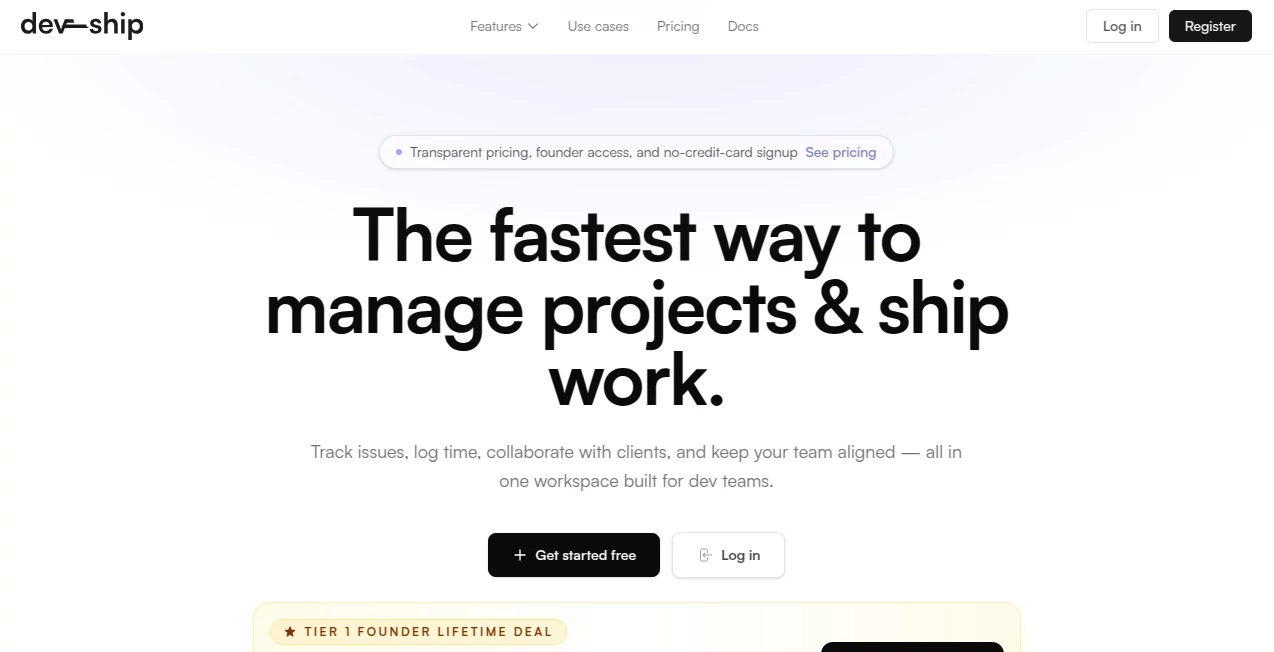
Most project tools feel bloated and slow. You end up jumping between five different apps just to know what’s happening and who’s doing what. This one changes that. It brings issue tracking, time logging, client collaboration, and team alignment into one clean workspace built specifically for developers and delivery teams. I’ve watched small agencies go from chaotic email threads and scattered spreadsheets to a single place where everything just flows. The difference in speed and clarity is noticeable from day one.
Introduction
DevShip was created for teams that actually ship software—not just talk about it. It replaces the usual fragmented tool stack with a focused system that handles intake, prioritization, progress tracking, client visibility, and time logging without unnecessary complexity. Whether you run an agency delivering client work or an internal product team pushing features, it keeps everyone aligned without slowing you down. The interface feels fast and modern, and the thoughtful details—like AI voice notes and a clean triage queue—make daily work noticeably smoother. It’s the kind of tool you don’t notice until you realize how much less context-switching you’re doing.
Key Features
User Interface
The design is calm and purposeful. A powerful command palette lets you create issues, switch projects, or jump to views without touching the mouse. Issues have clean threads with attachments, mentions, and automatic voice note transcription. The client portal is separate and focused, so customers see only what they need without cluttering your team workspace. Everything loads quickly and feels built by people who actually write code and ship products.
Accuracy & Performance
Time tracking is precise and tied directly to issues, giving clear visibility into where hours are going. The triage queue keeps incoming work organized before it hits the main backlog. Notifications and updates stay relevant instead of noisy. Teams report finishing work faster because they spend less time hunting for information and more time actually building.
Capabilities
It includes full issue tracking with priorities, statuses, and tags; built-in time logging; a dedicated client portal for requests and visibility; project organization with role-based access; AI voice notes that transcribe automatically; and a triage system to keep the main queue clean. Everything stays in one place—no more switching between Jira, Slack, email, and spreadsheets. The command palette and keyboard shortcuts make power users especially happy.
Security & Privacy
Role-based permissions keep client data and internal work properly separated. The system is designed for professional delivery teams, with clear controls over who sees what. Whether you’re working with external clients or internal stakeholders, sensitive information stays protected while maintaining the transparency teams actually need.
Use Cases
An agency managing multiple clients uses the client portal to let customers submit requests and track progress without bombarding the team chat. A product team uses the triage queue to review incoming bugs and features before they hit the main sprint. A freelance developer logs time directly against issues for accurate client billing. Teams that previously felt overwhelmed by tool sprawl report feeling more in control and shipping noticeably faster once everything lives in one focused workspace.
Pros and Cons
Pros:
- Replaces multiple tools with one clean, fast workspace.
- AI voice notes and command palette save real time every day.
- Client portal keeps external communication organized and professional.
- Built by people who understand development workflows.
- Transparent, founder-friendly pricing with a generous lifetime deal option.
Cons:
- Still growing, so some advanced reporting features are in active development.
- Teams deeply invested in other ecosystems may need time to migrate.
Pricing Plans
Pricing is straightforward and honest—no per-seat surprises. A free tier lets teams start without a credit card. The Pro+ plan offers everything most growing teams need, and there’s currently a limited Tier 1 Founder Lifetime Deal for $149 (one-time) for the first 100 teams. It’s one of the most attractive lifetime offers I’ve seen for a serious project tool.
How to Use DevShip
Sign up with no credit card, create your first project, and start adding issues. Invite team members and clients with the right permissions. Use the command palette to move fast—create tasks, log time, or jump between views. Record voice notes on issues for quick updates that get transcribed automatically. Review the triage queue regularly to keep the main backlog clean. As your workflow grows, the system scales with you without adding complexity.
Comparison with Similar Tools
Traditional tools like Jira can feel heavy and overly complex for smaller teams. Generic project apps lack the developer-focused details like voice notes, strong time tracking, and thoughtful client portals. DevShip sits in a sweet spot: powerful enough for real delivery work, simple enough that teams actually enjoy using it. The combination of speed, clarity, and client visibility makes it stand out for agencies and product teams who value shipping over ceremony.
Conclusion
When your tools get out of the way, your team ships faster and with less stress. DevShip delivers exactly that—a focused, modern workspace built for people who build software. It respects your time, keeps clients happy, and gives you clear visibility without the usual overhead. If you’re tired of tool sprawl and just want to focus on delivering great work, this is worth trying today.
Frequently Asked Questions (FAQ)
Do I need a credit card to start?
No— you can start completely free with no card required.
Is there a lifetime deal available?
Yes—limited Tier 1 Founder Lifetime access is currently available for the first 100 teams.
Can clients use the system?
Yes— the dedicated client portal gives them a clean view without overwhelming your internal workspace.
Does it support time tracking for billing?
Absolutely—time logs are tied directly to issues and easy to export for client reports.
How fast is the interface?
Very fast. The team clearly optimized for developers who hate slow tools.
AI Workflow Management , AI Project Management , AI Team Collaboration , AI Developer Tools .
These classifications represent its core capabilities and areas of application. For related tools, explore the linked categories above.

DevShip Alternatives Product

DemoDash

MindSnapz

BillEasy Inc

Gemini Omni

OGimage

GOLANG COLLE…

Chatzy AI

ClawBridge

Lovable APP