

















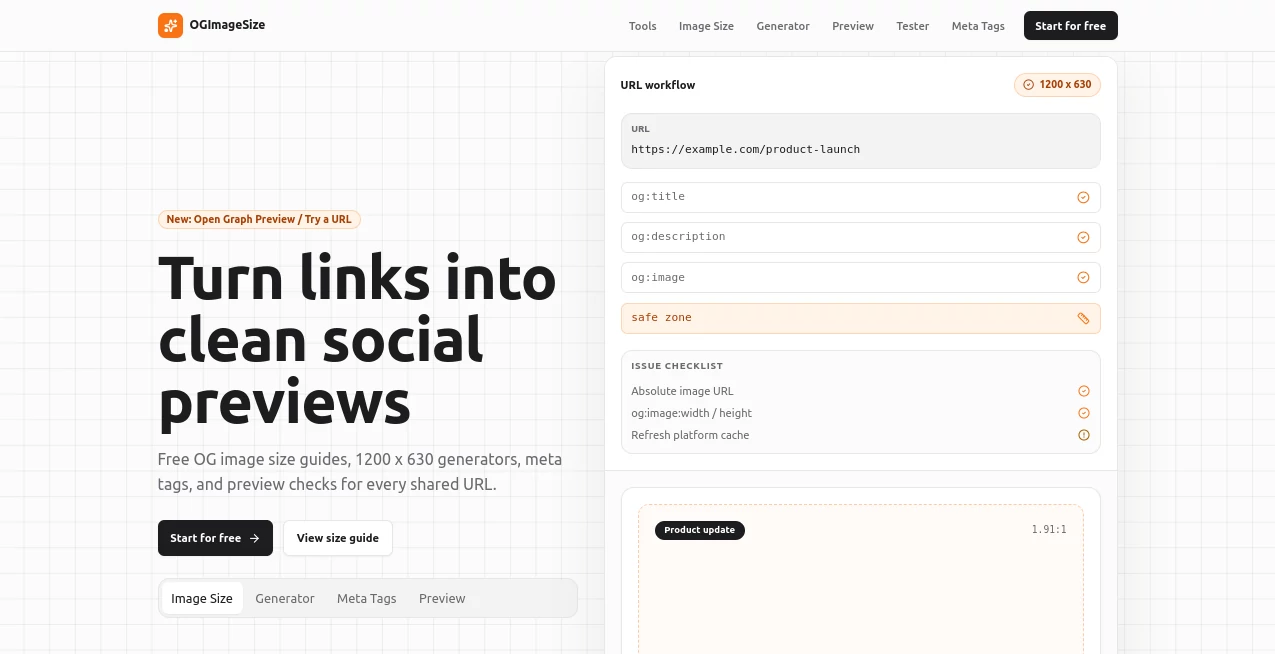
What is OGimage?
Creating an eye-catching social media preview is one of the easiest ways to increase clicks and make shared content look more professional. This online solution focuses on helping website owners, bloggers, developers, and marketers generate properly sized Open Graph images without dealing with complicated graphic design software. Whether you're publishing a blog post, launching a product, or promoting a landing page, attractive preview images make a noticeable difference.
Instead of starting from a blank canvas, users can generate polished preview graphics using customizable layouts, typography controls, colors, backgrounds, and branding options. Everything happens directly inside the browser, making the workflow fast and convenient. Even someone with no design experience can create social sharing images that look clean and professional.
The platform is especially valuable for content creators who regularly publish articles and want every shared link on Facebook, LinkedIn, X, Discord, Slack, and other platforms to display an attractive preview card. With flexible templates and developer-friendly options, it serves both beginners and experienced professionals equally well.
Key Features
User Interface
The interface is refreshingly straightforward. Every editing option is organized into logical sections, allowing users to modify titles, subtitles, typography, colors, layouts, logos, and backgrounds while seeing a live preview. There is almost no learning curve, making the design process enjoyable instead of overwhelming.
Accuracy & Performance
The generated images follow recommended Open Graph dimensions, ensuring that previews display correctly across major social media platforms. Rendering is quick, and live updates allow users to experiment with different visual styles before exporting the final image.
Capabilities
- Create Open Graph images with recommended dimensions.
- Choose from multiple professional layout templates.
- Customize titles and subtitles.
- Adjust typography, font size, and font weight.
- Modify colors and background styles.
- Add company logos for brand consistency.
- Generate SEO-ready Open Graph and Twitter meta tags.
- Preview designs in real time.
- Produce dynamic image URLs.
- Support developer integration through API endpoints.
- Export high-quality images suitable for websites and blogs.
Security & Privacy
Because the editor works directly in the browser and focuses on generating visual assets rather than storing sensitive project information, users can quickly create images without lengthy registration processes. This lightweight workflow makes it particularly attractive for teams that need speed and convenience while maintaining control over their branding assets.
Use Cases
- Generating social media preview images for blog posts.
- Creating branded Open Graph cards for company websites.
- Designing attractive previews for product launches.
- Improving click-through rates from social media sharing.
- Building consistent branding across multiple web pages.
- Creating preview graphics for newsletters.
- Supporting developer workflows with dynamic image generation.
- Preparing promotional images for online campaigns.
Pros and Cons
Pros
- Simple browser-based editor.
- Professional layout templates.
- Live preview while editing.
- Developer-friendly API support.
- Automatic generation of SEO meta tags.
- Clean and intuitive user experience.
- No advanced graphic design skills required.
Cons
- Primarily focused on Open Graph image creation rather than full graphic design.
- Advanced image editing features are intentionally limited.
- Best suited for website preview graphics instead of general marketing design.
Pricing Plans
The platform offers an accessible online experience that allows users to create Open Graph images directly from their browser. Available plans and future premium features may evolve over time, making it suitable for both individual creators and professional teams looking for scalable solutions.
How to Use
Start by selecting a layout that matches your content style. Enter a compelling page title and an optional subtitle, then customize fonts, colors, spacing, and branding elements such as logos. Watch the live preview update instantly while making adjustments. Once satisfied, export the image and copy the generated Open Graph meta tags into your website for proper social media sharing.
Comparison with Similar Tools
Many image editors require users to manually set dimensions, arrange elements, and prepare exports before creating social sharing graphics. This solution simplifies the entire workflow by concentrating specifically on Open Graph image generation. Instead of offering hundreds of unrelated editing tools, it provides purpose-built templates, automated sizing, developer integration, and SEO-focused metadata generation, making the process significantly faster for website owners and marketers.
Conclusion
Strong social previews often determine whether someone clicks a shared link or scrolls past it. This platform removes the complexity from creating professional Open Graph images by combining beautiful templates, real-time editing, branding options, and developer-friendly functionality into a streamlined browser experience. Whether managing a personal blog, an online business, or a large content platform, it provides an efficient way to improve visual presentation and strengthen social media performance.
Frequently Asked Questions (FAQ)
What is an Open Graph image?
An Open Graph image is the preview graphic displayed when a webpage is shared on platforms like Facebook, LinkedIn, X, and many messaging applications.
Do I need graphic design experience?
No. The editor is designed so beginners can create professional-looking preview images with minimal effort.
Can I customize fonts and colors?
Yes. Typography, colors, layouts, backgrounds, and branding elements can all be customized.
Is API integration available?
Yes. Developer-oriented functionality includes dynamic image generation and API support for automated workflows.
Who benefits most from this platform?
Content creators, bloggers, SEO specialists, developers, agencies, and digital marketers who regularly publish web content will gain the most value.