

















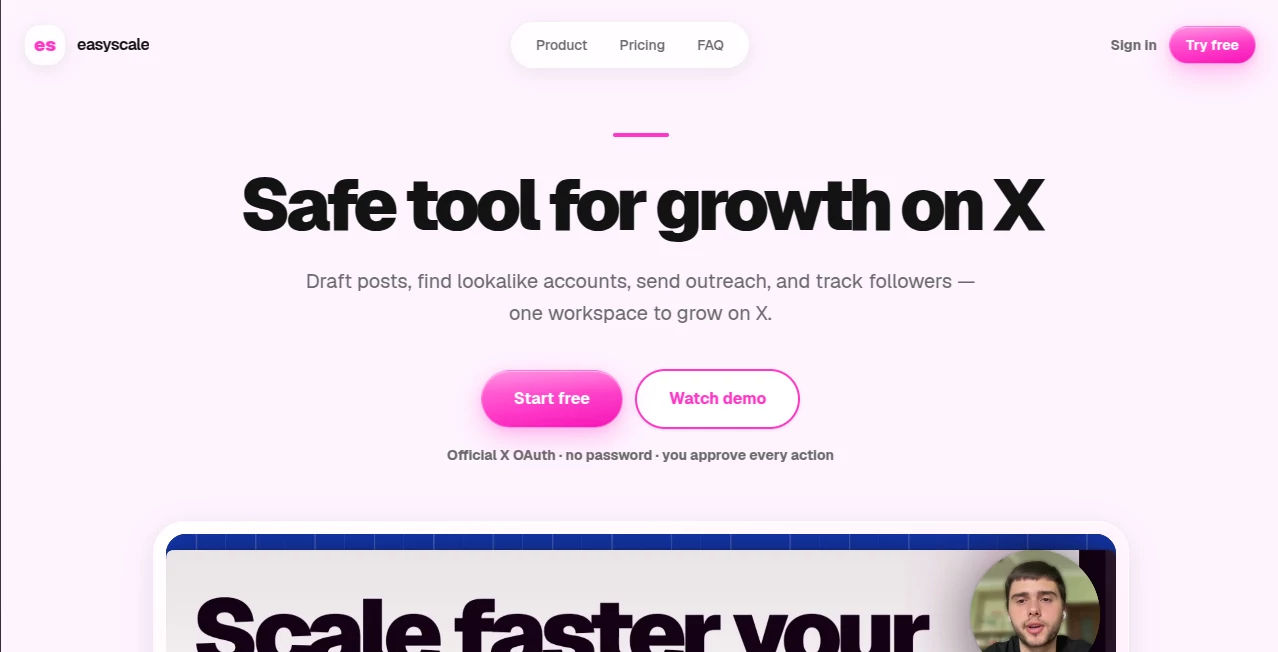
What is easyscale?
easyscale is a focused AI workspace built for founders, creators, indie hackers, agencies, and teams that want to grow on X without handing their account over to an unattended automation bot. It brings content creation, scheduling, audience discovery, replies, outreach, and follower tracking into one place while keeping the user involved in every important action.
The idea is refreshingly simple: instead of generating a pile of generic posts and letting automation take over, the platform uses your context and gives you drafts that you can review, edit, and approve. Publishing, replies, and direct messages are sent through your connected X account using the official API, so the workflow stays under your control.
For someone trying to build a recognizable presence on X, this approach can be particularly useful. You can plan a posting rhythm, respond to conversations, discover relevant accounts, and manage outreach without constantly jumping between different tools.
Key Features
User Interface
The workspace is organized around the main activities involved in growing an X presence. The Agent handles post creation and rewriting, Planner provides a content calendar, Comments brings replies into a single inbox, and Outreach organizes potential contacts through a simple pipeline.
The interface is designed around practical workflows rather than a long list of disconnected AI features. For example, a founder can turn an idea into a draft, refine the wording, place it on the publishing calendar, and later handle responses from the same workspace. Agencies and users managing multiple projects can also keep separate outreach boards for different audiences.
Accuracy & Performance
The quality of the generated content depends heavily on the context provided by the user, but the workflow is designed to avoid completely generic AI output. The assistant can work from your own context and lets you edit every draft before publication.
Audience discovery is also based on live X search together with follower and following graphs from selected accounts. This makes the discovery process more relevant than simply searching for random profiles by keyword.
There are also practical usage limits. Direct-message activity has a daily cap, while X API rate limits may apply to publishing and follower synchronization. These restrictions help keep activity paced rather than encouraging large automated campaigns.
Capabilities
- Draft and rewrite posts for X.
- Schedule and publish posts through the official X API.
- Use personal context when creating content.
- Maintain a publishing queue and content calendar.
- Collect replies to your own posts in one inbox.
- Generate AI-assisted reply drafts for comments.
- Discover lookalike accounts using X search and follower graphs.
- Organize prospects through outreach boards.
- Create personalized direct-message drafts with placeholders.
- Track new followers, unfollows, and accounts that do not follow you back.
- Review public X profiles and receive profile improvement suggestions.
- Connect compatible AI agents through MCP.
- Use separate project boards for different audiences or clients.
Security & Privacy
Account access is handled through official X OAuth rather than asking users to provide their X password. This is an important distinction for anyone considering a social media automation product.
The platform also follows a user-approval model. Posts, replies, and outreach messages can be reviewed and edited before they are sent. It does not position itself as a bulk-spam system or an unattended bot running continuously in the background.
For outreach, users decide which contacts move through the pipeline and when a message is ready to send. This gives the user more control over both the content and the pace of communication.
Use Cases
Founders can use the platform to turn product ideas, lessons, and company updates into a consistent stream of X content without starting from a blank page every day.
Creators building a personal brand can combine scheduled posts with comment management, making it easier to remain active after publishing rather than focusing only on the initial post.
B2B companies and service businesses can use the outreach workflow to identify accounts that resemble their target audience, organize prospects, and prepare personalized messages. Instead of sending the same message to hundreds of users, the workflow is intended for smaller, more deliberate conversations.
Agencies can also separate projects and client audiences into individual boards. This is useful when different clients require different positioning, target accounts, and communication styles.
Pros and Cons
Pros
- Combines content, engagement, outreach, and follower insights in one workspace.
- Uses official X OAuth instead of asking for an account password.
- Users approve posts, replies, and DMs before they are sent.
- Includes AI-assisted post and reply creation.
- Provides live account discovery based on X signals and follower graphs.
- Includes a public X profile review without requiring an account.
- Supports MCP connections for compatible AI agents.
- Useful for founders, creators, B2B teams, and agencies.
Cons
- The service is specifically focused on X rather than multiple social networks.
- Users still need to review content if they want a genuinely personal voice.
- Direct-message activity is subject to a daily cap.
- X API rate limits can affect some publishing and synchronization operations.
- The subscription becomes paid after the trial period.
Pricing Plans
The service keeps its paid offering straightforward. New users can start with a 7-day trial without entering a credit card. After the trial, the subscription costs $24.99 per month and can be canceled at any time.
The monthly plan includes the main workspace features, including the X Assistant, Planner, Comments inbox, Outreach boards, follower insights, profile review inside the application, and MCP support.
There is also a public X Profile Review that can be used without signing up. Users can enter a public profile and receive an index, several profile metrics, and recommendations for improvement.
How to Use the Tool
- Create an account and start the 7-day trial.
- Connect your X account using official OAuth when you want to publish, reply, send DMs, or synchronize follower information.
- Provide useful context about your product, audience, niche, or personal brand.
- Use the assistant to turn ideas into posts and refine the generated drafts.
- Add approved content to the planner to create a consistent publishing schedule.
- Review incoming comments from the centralized inbox and edit AI-generated reply suggestions before sending.
- For outreach, describe the type of people you want to reach and explore relevant accounts.
- Move suitable contacts through the outreach pipeline and personalize their messages.
- Review follower changes to understand who is joining or leaving your audience.
- If you use an MCP-compatible agent, create an MCP token and connect the workspace to your preferred agent.
Comparison with Similar Tools
Many X-focused products concentrate on only one part of the workflow, such as scheduling posts or generating content. This platform takes a broader approach by combining content creation with comments, audience discovery, outreach, follower monitoring, and profile analysis.
Another notable difference is the approval-based workflow. Instead of treating automation as a replacement for the account owner, the system keeps the user involved before content or communication is sent. That makes it better suited to people who care about maintaining a recognizable personal voice.
Its MCP integration is another useful distinction for technically minded users. Compatible agents such as Claude Desktop or Cursor can access the connected workspace through MCP, allowing users to combine their preferred AI development environment with their X workflow.
For someone who only needs a basic social media scheduler, a simpler product may be enough. For a founder who wants content planning, engagement, audience research, outreach, and follower insights connected together, the broader workflow can be much more practical.
Conclusion
Growing on X is rarely just about publishing more posts. The difficult part is maintaining a consistent voice, participating in conversations, finding the right people, and turning attention into meaningful relationships. This platform brings those activities into a single workspace while leaving the final decisions with the account owner.
The combination of AI-assisted writing, scheduling, comment management, lookalike account discovery, outreach, follower insights, profile analysis, and MCP support makes it a strong option for founders and creators who want a more organized approach to X growth.
The 7-day trial also makes it relatively easy to test the workflow before committing to the monthly subscription. For users who prefer controlled automation over fully unattended social activity, this is one of the platform's most appealing characteristics.
Frequently Asked Questions (FAQ)
What is this tool designed for?
It is designed to help founders, creators, businesses, and agencies manage their presence on X through AI-assisted content creation, scheduling, engagement, outreach, and audience insights.
Does it require my X password?
No. X accounts are connected through official OAuth, so users do not need to provide their X password.
Does it automatically publish posts?
The workflow keeps the user in control. Posts can be drafted, edited, scheduled, and published through the official X API, with approval required before publishing.
Can it help with replies?
Yes. Replies to your own posts can be collected in one inbox, where AI-generated response drafts can be edited before they are sent.
Can it find potential customers on X?
Yes. The outreach workflow can use live X search and follower or following graphs from selected accounts to identify lookalike profiles that may fit a target audience.
Can it send direct messages?
Yes. Users can prepare personalized outreach messages and send them through their connected X account. A daily DM cap is applied to keep activity paced.
Is there a free trial?
Yes. New users receive a 7-day trial, and no credit card is required to start the trial.
How much does the paid plan cost?
The subscription costs $24.99 per month after the 7-day trial. The plan can be canceled at any time.
Can I review an X profile without signing up?
Yes. The public X Profile Review can analyze a public profile without requiring an account and provides an index, profile metrics, and actionable recommendations.
Does it support MCP?
Yes. Users can create an MCP token and connect compatible AI agents such as Claude Desktop or Cursor to work with the same workspace.
Is it suitable for agencies?
Yes. Outreach can be organized into separate project boards, allowing agencies and multi-product teams to keep different audiences, briefs, and communication workflows separate.