


















ELSELAND AI
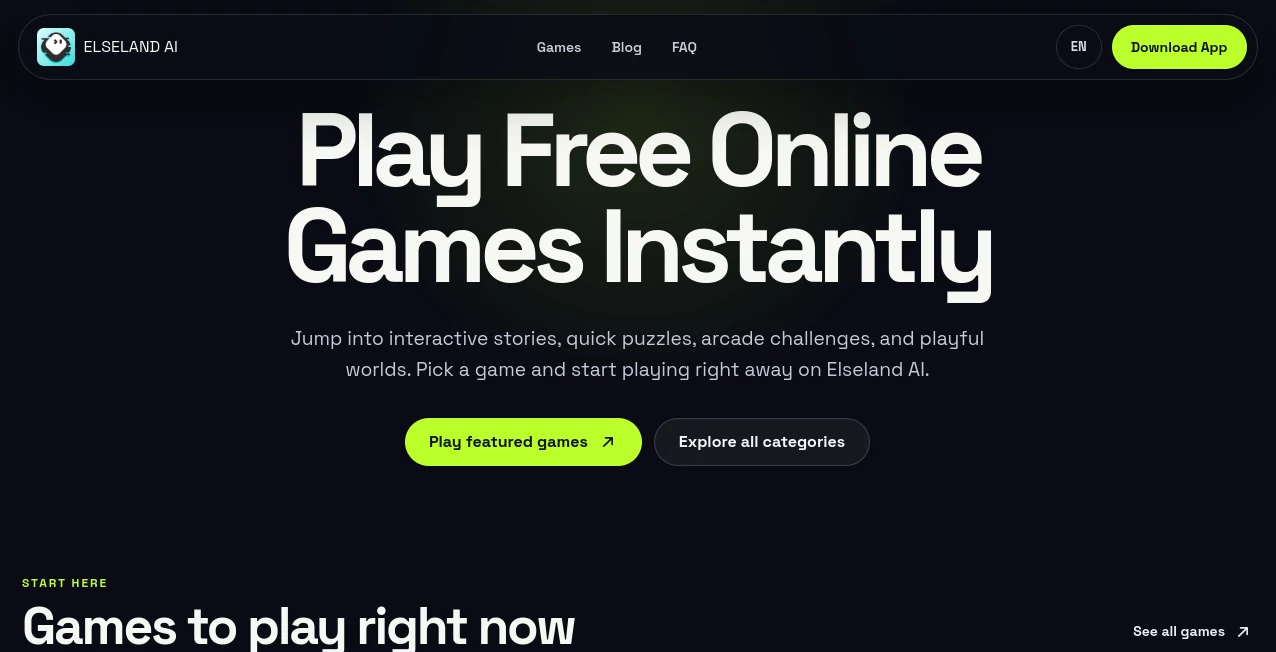
What is ELSELAND AI?
Creating a game usually starts with a simple idea, but turning that idea into something people can actually play can take a lot of time. Elseland AI takes a different approach by letting creators begin with a prompt, character, mechanic, map, or story and turn it into a playable game experience.
The platform is designed as both an AI game maker and a playground. Instead of requiring users to begin with a traditional game engine or a large amount of code, it focuses on getting a first playable version running quickly. From there, creators can test the game, change individual elements, and gradually develop the world.
What makes the concept particularly interesting is the emphasis on the playable loop. Users can experiment with goals, rules, controls, feedback, win conditions, and replay elements before spending time expanding the rest of the game. For someone who has plenty of game ideas but finds traditional development tools intimidating, this can make the first step considerably easier.
Key Features
- No-code game creation for interactive experiences
- Prompt-based generation of playable game concepts
- Instant playtesting for checking game loops
- Local remixing of individual game elements
- Support for RPG, puzzle, arcade, adventure, casual, and story-based experiences
- 3D editor for maps, scenes, characters, props, and playable spaces
- AI NPC players for more interactive worlds
- World logic for quests, goals, triggers, resources, and events
- Physics and interaction systems for movement and objects
- More than 400 reusable assets, including characters, buildings, vehicles, props, and maps
- Character-driven storytelling and roleplay experiences
- Community gallery for discovering games and experiments
User Interface
The interface is built around the idea of moving from an idea to something playable without making the creator work through a complicated development process first. The workflow is straightforward: describe an idea, generate a playable loop, test it, and then remix the parts that need improvement.
This approach is useful when experimenting with several concepts. For example, a creator could start with a simple arcade mechanic, play it, discover that the difficulty feels wrong, and adjust that part rather than rebuilding the entire project. The visual 3D editor also provides a more hands-on way to work with scenes, characters, maps, and objects.
Accuracy & Performance
For an AI game creation platform, the most important measure is not simply how quickly an idea is generated. The resulting game needs to have understandable rules, responsive interactions, sensible objectives, and a loop that is actually enjoyable to play.
The platform addresses this by putting playtesting directly into the creation process. Creators can check controls, goals, feedback, win states, difficulty, and replay elements early. This is a practical workflow because a game can look interesting on paper while feeling completely different once someone starts playing it.
Performance can also depend on the complexity of the world, interactions, assets, and systems being used. As with any browser or AI-powered creation environment, creators should test their specific projects rather than assuming that every type of game will behave identically.
Capabilities
The platform goes beyond generating a basic mini game. Its feature set is aimed at building interactive worlds with logic, physics, character actions, resources, events, and AI-controlled characters.
Creators can start with a small loop and expand it into a larger environment. World logic can be used for quests and triggers, while physics systems handle elements such as movement and collisions. The 3D editor provides a way to arrange scenes and playable spaces, and reusable assets can speed up the process of building a more detailed environment.
Another useful capability is local remixing. Instead of changing everything after every test, creators can focus on one element such as a level, rule, character, map, interface, difficulty setting, voice element, physics setup, or story event. That makes experimentation feel much closer to iterative game design than one-shot content generation.
Security & Privacy
Privacy and data-handling information should always be reviewed in the current product documentation and applicable terms before using the platform for sensitive material. The public product pages focus primarily on game creation, playable worlds, roleplay, and community experiences rather than providing extensive technical details about data retention or enterprise security controls.
For creators working on private concepts, unpublished game projects, or commercially sensitive ideas, checking the latest privacy policy and service terms before uploading proprietary material is a sensible precaution.
Use Cases
Rapid game prototyping: Developers and designers can use the platform to turn a rough mechanic into something playable before committing to a larger production.
Indie game experimentation: Independent creators can explore arcade, puzzle, RPG, casual, adventure, and story concepts without starting with a full traditional development workflow.
Game design education: Students and beginners can experiment with rules, objectives, player feedback, and game loops while focusing on the design itself.
Interactive storytelling: Writers and creators can combine characters, environments, and story ideas into interactive experiences rather than keeping the concept limited to text.
3D world prototyping: Creators can experiment with maps, scenes, characters, props, movement, and spatial interactions before expanding the scope of a project.
AI NPC experiments: Creators interested in more dynamic worlds can use AI NPC players that react within scenes, interact with systems, and participate in quests or other game events.
Pros and Cons
Pros
- No-code approach lowers the barrier to experimenting with game ideas.
- Playable prototypes can be created directly from concepts and prompts.
- Playtesting is integrated into the creative workflow.
- Local remixing makes targeted changes easier.
- Supports both small games and broader interactive worlds.
- 3D editing and reusable assets provide more room for visual experimentation.
- AI NPCs can add additional interaction to game worlds.
Cons
- Creators looking for deep traditional game-engine control may still need specialized development tools.
- Advanced projects may require more planning than a simple prompt can provide.
- Public pricing and plan details should be checked directly before making a purchasing decision.
- The platform may not replace a complete professional game-development pipeline for every type of commercial project.
Pricing Plans
Current public pages do not provide enough detailed pricing information to confidently list specific subscription prices or usage limits. Access, creation limits, and any paid plans may change as the product develops, so users should check the current product or app-store information before choosing a plan.
This is particularly important for creators planning larger projects, since the practical value of an AI game-making platform can depend on limits around generations, assets, publishing, storage, or other usage allowances.
How to Use the Platform
1. Start with an idea. Describe a game concept, character, mechanic, map, or story. A simple idea is enough for the first experiment.
2. Generate a playable loop. Turn the concept into goals, rules, feedback, controls, and a basic game experience that can actually be tested.
3. Playtest the result. Play through the experience and look for problems with difficulty, controls, objectives, feedback, or the overall flow.
4. Remix what needs work. Instead of rebuilding everything, change the specific part that is causing a problem. This could be a rule, character, level, map, interface, difficulty, physics setup, or story element.
5. Expand the world. Once the core loop works, add more maps, characters, assets, quests, interactions, events, and other systems to turn the prototype into a richer playable world.
Comparison with Similar Tools
Traditional game engines provide extensive control over programming, graphics, physics, assets, and deployment, but they can also require a significant learning curve. AI-assisted game creation platforms take a more experimental route by helping users move from an idea to a playable result faster.
The main strength here is the combination of AI generation, playtesting, local remixing, 3D editing, reusable assets, and interactive world systems. It is particularly appealing for someone who wants to explore whether an idea is fun before investing heavily in development.
It is not necessarily a replacement for every professional game engine. A large commercial production with highly customized systems, specialized rendering requirements, or complex production pipelines may still benefit from conventional development tools. For rapid experimentation and accessible game creation, however, this approach offers a compelling alternative.
Conclusion
Turning a game idea into something playable is often the hardest part of getting started. This platform makes that first step much more approachable by combining AI-assisted creation with immediate playtesting and iterative remixing.
The ability to start from a prompt, mechanic, character, map, or story and gradually develop it into a playable world is especially useful for beginners, indie creators, designers, and anyone who enjoys experimenting with game concepts.
The strongest part of the experience is the workflow itself: make something small, play it, identify what does not work, change that specific part, and then expand. With 3D editing, reusable assets, world logic, physics, and AI NPCs available as projects become more ambitious, the platform offers considerably more than a simple game generator.
For creators who want to experiment with AI-powered games without immediately committing to a traditional development workflow, it is a promising option worth exploring.
Frequently Asked Questions (FAQ)
What is Elseland AI?
Elseland AI is an AI game maker and playground designed for creating, playing, testing, remixing, and sharing interactive games and playable worlds.
Can I create games without coding?
Yes. The platform is designed around no-code game creation, allowing users to begin with prompts, characters, mechanics, maps, or stories instead of starting with traditional programming.
What types of games can I create?
It supports a variety of concepts, including RPGs, puzzle games, arcade experiences, adventure games, casual games, story games, sandbox worlds, quizzes, and roleplay experiences.
Does it support 3D game creation?
Yes. The platform includes a visual 3D editor for working with maps, scenes, characters, props, towns, and other playable spaces.
Can I add AI characters to a game?
Yes. AI NPC players can react and move within scenes, participate in quests, and interact with systems in the game world.
Is it free to use?
Current access and pricing details should be checked on the live product or relevant app-store listing because publicly available pages do not provide enough information to confirm specific plans or usage limits.
Can I test a game before expanding it?
Yes. Playtesting is a central part of the workflow, allowing creators to evaluate controls, goals, feedback, win states, difficulty, and replay elements before making the world larger.
AI Game , AI Character .
These classifications represent its core capabilities and areas of application. For related tools, explore the linked categories above.
ELSELAND AI details
Website unavailable — View Alternatives
Pricing
- Free
Apps
- Web App
- iOS App
Categories

ELSELAND AI Alternatives Product

black souls

Consistent C…

NYT Sudoku

Ai Angels

6 Letter Wor…

jujutsu zero…

TriviaFlow

ao3dle

Free GPT IMG
