


















Elvean
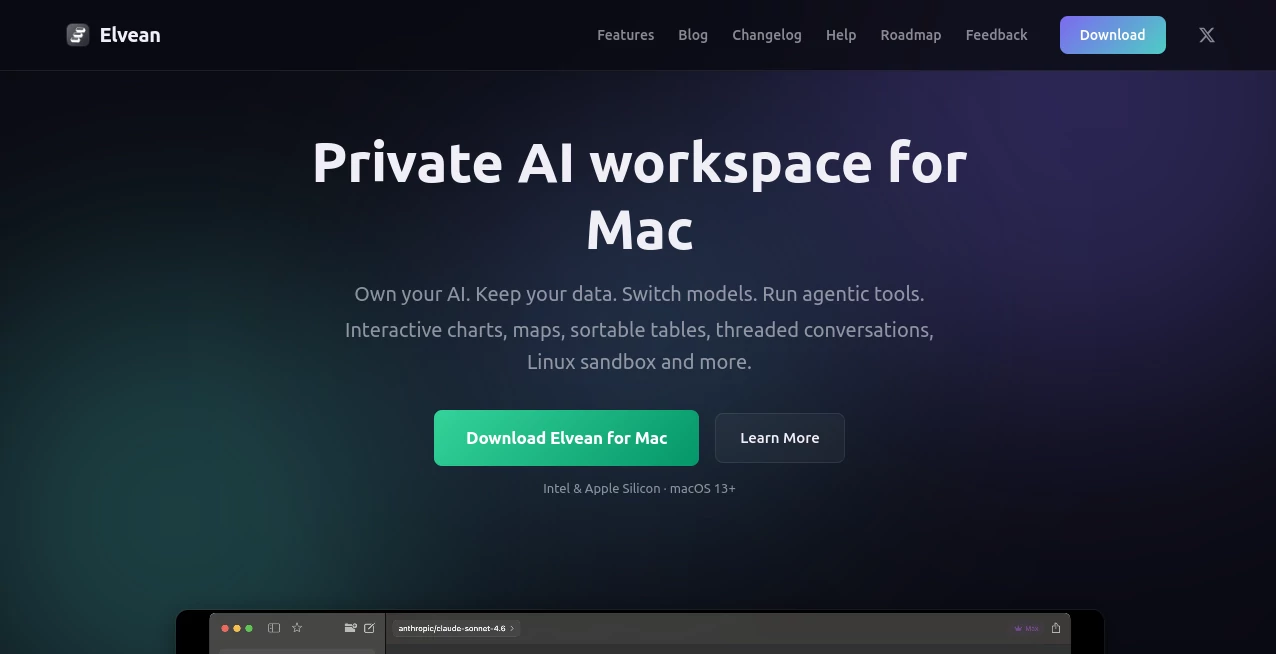
What is Elvean?
I got tired of juggling a dozen browser tabs and different AI apps just to get work done. One for chatting with Claude, another for local models, a third for searching. Then I tried this native Mac app and everything clicked into one clean space. It feels like the AI assistant I always wanted on my desktop — fast, private, and powerful enough to handle real projects instead of just quick questions. The first time I switched models mid-conversation without losing context, I knew this was different.
Introduction
Most AI tools force you into their ecosystem. This one puts you in control. It’s a beautifully built native Mac app that connects to every major model — local ones like Ollama and cloud providers like Claude, OpenAI, Gemini, and more — all in one place. You bring your own keys, keep your data on your machine, and get rich, interactive responses that go far beyond plain text. Whether you want to run everything offline or mix local speed with cloud intelligence, it adapts to how you work. For Mac users who value privacy and flexibility, it feels like the app we’ve been waiting for.
Key Features
User Interface
The design is pure Mac — clean, responsive, and thoughtful. Conversations feel natural with threaded branching so you can explore ideas without cluttering the main chat. You can @mention different models mid-conversation and switch instantly. Built-in rendering for charts, sortable tables, maps, and image galleries makes responses actually useful instead of walls of text. It launches fast, stays light on resources, and includes a system-wide prompt panel you can trigger from anywhere on your Mac.
Accuracy & Performance
Because it’s native and optimized for Apple Silicon (and works great on Intel too), it feels snappy even with complex tasks. Local models run efficiently, and cloud calls are quick with smart caching. The agentic tools handle multi-step reasoning reliably, and the knowledge base grows smarter the more you use it. In daily work, it consistently delivers coherent, context-aware responses without the lag or disconnection issues I’ve seen in other tools.
Capabilities
You get threaded conversations, interactive charts and tables, embedded Apple Maps, a full Linux sandbox for code execution, a growing filesystem-based knowledge base with auto-distill, web search, screenshot-to-AI, and more. Projects keep shared context across chats, and you can attach files that the model can read and edit. It supports voice input, Markdown editing of responses, and exports to multiple formats. Whether you’re doing research, writing code, analyzing data, or planning trips, it turns AI into a true workspace companion.
Security & Privacy
Your data stays yours. No account is required to start using it. API keys are stored securely in macOS Keychain, conversations run locally when possible, and nothing is sent to third-party servers unless you explicitly use a cloud model. It’s built with privacy in mind from the ground up — no telemetry, no training on your data, no surprises.
Use Cases
A developer runs local models for sensitive code work while jumping to Claude for creative brainstorming in the same window. A researcher builds a living knowledge base that grows with every paper and article they analyze. A student organizes notes, generates charts from data, and studies with interactive explanations. A business owner plans trips with embedded maps and keeps client conversations organized in clean threads. It fits naturally into almost any thoughtful Mac workflow.
Pros and Cons
Pros:
- Truly native Mac experience that feels fast and integrated.
- Support for virtually every model — local and cloud — in one app.
- Rich, interactive outputs (charts, maps, tables) instead of plain text.
- Strong privacy focus with no forced accounts or data sharing.
- Powerful agentic tools and knowledge base that grow with you.
Cons:
- Some advanced collaboration features are still evolving.
- Best performance on Apple Silicon (though it works well on Intel).
Pricing Plans
It’s generous from the start — the core app is free forever with unlimited conversations and full local model support. You only pay providers directly for cloud usage (bring your own keys). Paid upgrades unlock priority features, expanded capabilities, and support for heavier workflows. Many users stay happily on the free tier for everyday use, which says a lot about how capable the base experience already is.
How to Use Elvean
Download the app, open it, and start chatting right away — no sign-up needed. Add your API keys if you want cloud models, or connect local ones through Ollama or LM Studio. Create a project for persistent context, attach files, and begin exploring. Use @mentions to switch models, branch threads for side explorations, and watch rich outputs like charts and maps appear inline. The more you use it, the smarter your personal knowledge base becomes. It quickly becomes part of your daily Mac routine.
Comparison with Similar Tools
Browser-based chats feel disconnected from your desktop. Official apps lock you into one provider. This one gives you the best of both worlds — native speed and integration plus unmatched model flexibility — while adding rich rendering and agentic tools that others lack. For Mac users who want control and capability without compromise, it stands in a league of its own.
Conclusion
AI should feel like a natural extension of your Mac, not something you visit in a browser. This app delivers that experience with privacy, power, and polish. It turns scattered AI usage into a cohesive, productive workspace that grows with you. If you’re serious about using AI effectively on your Mac, this is one of the smartest tools you can add to your setup.
Frequently Asked Questions (FAQ)
Do I need an account to use it?
No. Download and start immediately. No email or sign-up required.
Can I use it completely offline?
Yes — with local models through Ollama, LM Studio, or MLX.
How do cloud models work?
You bring your own API keys and pay providers directly — no markup.
Is my data private?
Extremely. No telemetry, conversations stay on your device, keys in macOS Keychain.
Does it work on Intel Macs?
Yes, it supports both Intel and Apple Silicon on macOS 13+.
AI Workflow Management , AI Productivity Tools , AI Developer Tools , AI Notes Assistant .
These classifications represent its core capabilities and areas of application. For related tools, explore the linked categories above.

Elvean Alternatives Product

FormRoyale

EntreDash

Skillselion

Presenti AI

Video To Text

AutoChangelog

AI Workflow …

Slackactivity

Emergent
