

















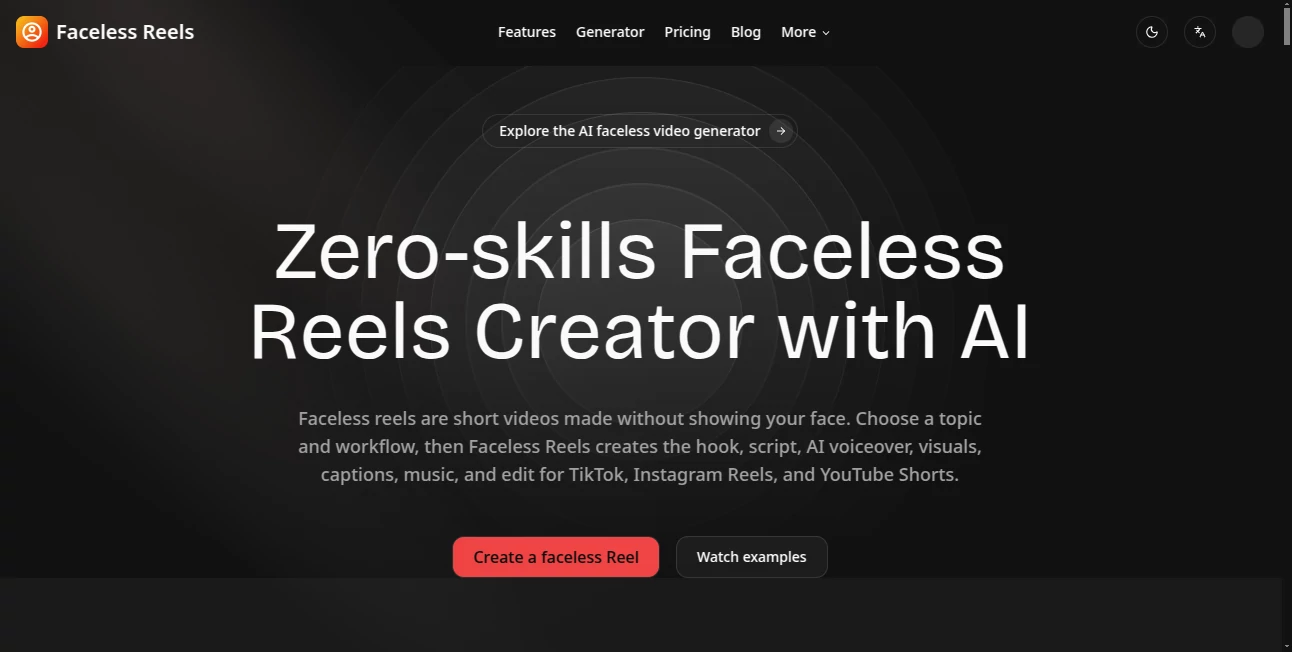
What is Faceless Reels?
I’ve always admired creators who post consistently on TikTok, Instagram, and YouTube Shorts, but the thought of being on camera every day stopped me cold. Then I found this tool and everything changed. You give it a topic or idea, pick a style, and it builds the full video — hook, script, voiceover, visuals, captions, and music — ready to post. No filming, no editing timeline, no face on screen. The first time I generated a complete Reel in under five minutes, I felt like I’d discovered a cheat code for content creation.
Introduction
Short-form video is one of the most powerful ways to grow an audience right now, but it demands constant output. Faceless Reels removes the biggest barriers: the need to appear on camera and the heavy lifting of production. It turns simple ideas into polished vertical videos that look and sound professional. Whether you want to share stories, teach facts, review products, or build a brand, it handles the repetitive work so you can focus on strategy and creativity. Many creators I know have gone from sporadic posting to daily content without burning out, all because the process finally feels sustainable.
Key Features
User Interface
The workspace is clean and guided. You choose a ready-made workflow (storytelling, doodle explainer, brainrot style, etc.), describe your topic, and the tool generates the full package. Previews appear quickly so you can tweak the script or visuals before finalizing. Everything stays in one flow — no jumping between different apps for voice, captions, or editing. It feels designed for speed rather than complexity, which is exactly what busy creators need.
Accuracy & Performance
The AI understands context well, producing hooks that actually grab attention and visuals that match the narration. Voiceovers sound natural, captions are timed properly, and the editing rhythm feels intentional. Generation is fast enough to keep momentum going, and the consistency across videos in the same series is impressive. It rarely produces the weird artifacts or off-tone results that plague many other video tools.
Capabilities
It supports multiple popular formats and niches — scary stories, history, mythology, product explainers, anime-style tales, and more. You can generate from text prompts, use templates for repeatable styles, add custom music or TikTok sounds, and export for TikTok, Instagram Reels, YouTube Shorts, and other platforms. The guided workflows make it easy to maintain a consistent brand look while varying the content.
Security & Privacy
Your ideas and generated content stay within your account. The platform focuses on delivering the videos without unnecessary data collection or sharing. For creators building personal brands or testing multiple niches, that sense of control and privacy is reassuring.
Use Cases
A history enthusiast builds a daily “Dark History” series that grows quickly because the storytelling feels engaging and consistent. A product creator generates faceless review Reels that drive traffic to their store without ever appearing on camera. A teacher turns lesson summaries into short educational clips for social media. A storyteller publishes bedtime-style horror tales that get strong engagement from night-time scrollers. The common thread is consistent output without the usual production burnout.
Pros and Cons
Pros:
- Complete faceless workflow — no camera, no on-screen presence required.
- Guided templates make consistent, high-quality content easy to produce.
- Fast generation lets you create and test multiple ideas quickly.
- Built-in voiceover, captions, and music save hours of editing time.
- Multiple export options for all major short-form platforms.
Cons:
- Best results come from clear, well-structured prompts.
- Longer or highly complex videos may need manual refinement.
- Heavy daily use benefits from a paid plan for more credits.
Pricing Plans
New users get signup credits to test the quality right away. Monthly and yearly plans provide more credits, watermark-free exports, priority generation, and access to additional workflows. The pricing is straightforward and scales with how much content you want to produce. Many creators find that even the basic paid plan pays for itself through time saved and extra reach.
How to Use Faceless Reels
Sign up and choose a workflow that matches your style (storytelling, explainer, brainrot, etc.). Enter your topic or idea, customize any details like tone or music preference, and generate. Review the draft — tweak the script or visuals if needed — then export for your chosen platform. With practice, you can go from idea to ready-to-post video in minutes. For series, set up repeatable templates to maintain consistency across multiple videos.
Comparison with Similar Tools
Many AI video tools require heavy manual editing or produce generic-looking results. This one stands out by offering complete, ready-to-post faceless Reels with strong storytelling focus and platform-specific optimization. It removes more of the production friction than most alternatives while keeping creative control in your hands.
Conclusion
Creating short-form content consistently is one of the biggest challenges for creators today. This tool makes it dramatically easier by handling the heavy lifting while letting you steer the vision. If you’ve ever wanted to build a faceless presence but felt held back by time or camera shyness, it’s worth exploring. The results can be genuinely engaging, and the time it saves lets you focus on what matters most — growing your audience and sharing your ideas.
Frequently Asked Questions (FAQ)
How long does it take to generate a video?
Most videos are ready in a few minutes, depending on length and complexity.
Do I need video editing experience?
No — the tool handles scripting, visuals, voiceover, captions, and editing automatically.
Can I customize the output?
Yes — you can refine scripts, choose styles, and adjust elements before exporting.
Which platforms does it support?
TikTok, Instagram Reels, YouTube Shorts, and other vertical video formats.
Is there a free way to try it?
Yes — new users get credits to test the quality before choosing a plan.