

















Facy AI
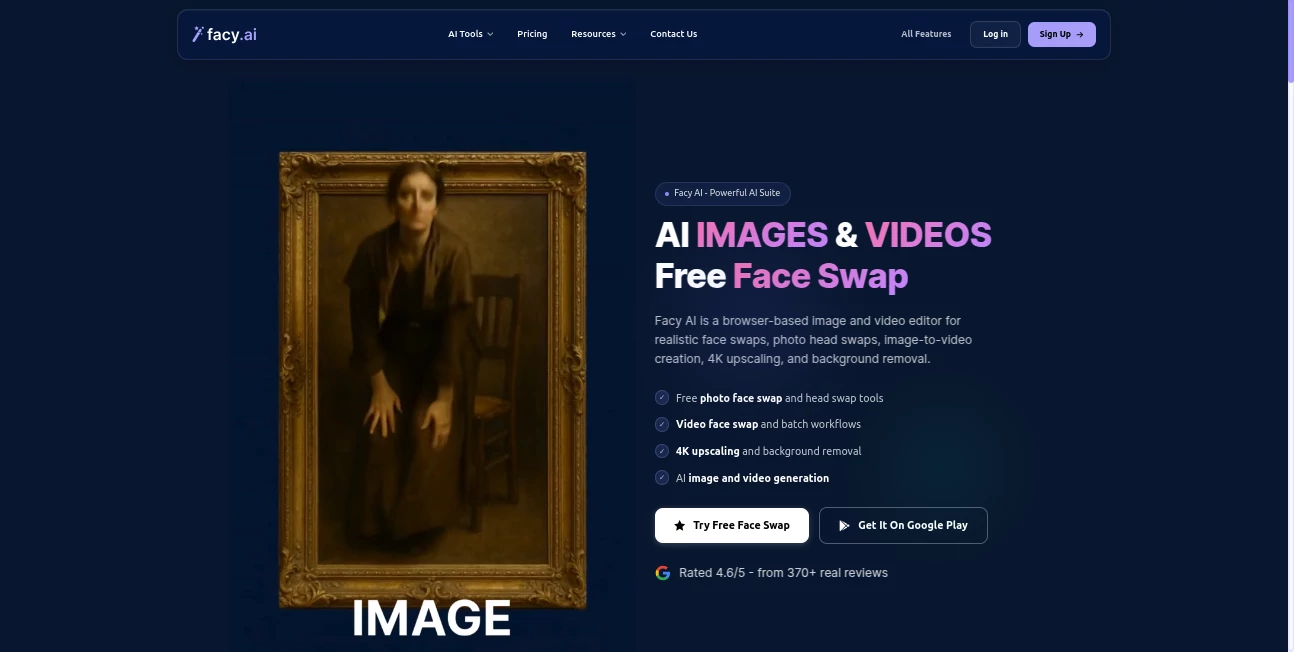
What is Facy AI?
Facy AI is a browser-based creative platform designed for people who want to edit, generate, enhance, and transform visual content without installing complicated desktop software. It brings several practical AI workflows into one place, including face and head swapping, image generation, image-to-image editing, background removal, image upscaling, and video creation.
What makes the platform particularly appealing is the way its tools are separated by task. Instead of learning a large editing application just to complete one small job, users can choose the specific workflow they need, upload their media, describe the desired result when necessary, and download the finished file.
The service is useful for casual creators as well as people working on social media posts, product visuals, marketing material, creative experiments, and other visual projects. Several image-processing features are available for free, while more demanding video and generation workflows use credits or require a paid plan.
Key Features
- AI Face Swap: Replace a face in a photo with another face while aiming for natural blending and consistent facial details.
- Video Face Swap: Apply face replacement to video clips with AI-assisted tracking and blending.
- AI Image Generator: Create original images from text prompts with support for photorealistic, artistic, anime, product, and marketing-oriented styles.
- AI Image-to-Image Editing: Upload an existing image and describe changes such as modifying clothing, expressions, lighting, colors, objects, or backgrounds.
- AI Image-to-Video: Turn a still image into an animated clip by describing movement, camera direction, expressions, or changes within the scene.
- Text-to-Video: Generate video clips from written descriptions without needing existing footage.
- AI Image Upscaling: Increase image resolution and improve visible detail, with higher-quality output available through premium options.
- Background Removal: Remove backgrounds while preserving important edges and visual details.
- Batch Face Swap: Process multiple face-swap images in a single workflow, which is useful when working with larger collections.
- Head Swap: Replace heads in photographs while maintaining a more complete body and composition transformation.
User Interface
The interface is built around individual creative tools rather than a complicated editing workspace. Users can select the task they want to complete, upload their source material, provide a prompt where required, and wait for the result.
This approach works especially well for newcomers. Someone who only wants to remove a background does not have to navigate through dozens of unrelated editing controls. Likewise, a creator working on an image-to-video project can concentrate on describing the movement instead of learning a traditional video editor.
The image generator also includes practical prompt presets such as cinematic portrait, photorealistic, product photo, fantasy scene, and marketing visual, making it easier to start with a usable direction.
Accuracy & Performance
Performance depends on the selected workflow, source material, and processing requirements. Simple image operations can be completed quickly, while video generation naturally takes longer because of its higher computational requirements.
For face swapping, clear photographs with a reasonably similar angle and lighting can help produce more convincing results. The service states that many face changes can be completed within seconds, while image-to-video generation may take several minutes depending on the workload.
The image generation workflow provides multiple model choices and lets users select different image shapes, including square, landscape, portrait, widescreen, and vertical formats. This is particularly useful when preparing content for different publishing platforms.
Capabilities
The platform covers a surprisingly broad range of visual tasks. A creator can start with a photograph, modify it with a text instruction, upscale the result, remove its background, or turn the image into a short video. Alternatively, an idea can begin with nothing more than a written prompt.
The image-to-image editor is especially flexible for controlled creative changes. For example, a user can request a different outfit, alter a facial expression, change the environment, add an object, or combine two source images into a new scene.
For image-to-video work, prompts can describe subject movement, facial expressions, background activity, camera movement, and pacing. More advanced workflows can also use step-by-step prompts and an optional prompt expansion feature on supported premium video generation tools.
Security & Privacy
Privacy is an important consideration for any service that processes personal photographs. The platform states that uploaded materials are automatically removed from its servers within two days. It also requires users to confirm that they have the necessary rights or permissions to upload and edit the material they provide.
There are also restrictions around certain content. Celebrity and public-figure faces are automatically rejected by its celebrity detection system, and content involving minors is prohibited. Users are expected to avoid deceptive, harmful, or unauthorized uses of generated media.
These safeguards make the service more suitable for legitimate creative work, provided users remain responsible for the images they upload and the way they use the resulting content.
Use Cases
- Social Media Content: Create profile images, promotional graphics, short videos, and attention-grabbing visual posts.
- Marketing: Generate product visuals, advertising concepts, campaign graphics, and promotional video material.
- Photography: Restore image quality, upscale photographs, remove backgrounds, and experiment with alternative compositions.
- Creative Projects: Transform existing images into new scenes, styles, characters, or visual concepts.
- Product Presentation: Create product-oriented visuals and modify backgrounds or compositions without traditional editing software.
- Video Creation: Animate still photographs or create short video clips from written descriptions.
- Personal Projects: Experiment with face swaps, image transformations, portraits, and other visual ideas.
Pros and Cons
- Pros: Wide selection of image and video AI tools in one browser-based platform.
- Pros: Several image-processing features can be used for free.
- Pros: Supports both prompt-based generation and editing of existing images.
- Pros: Includes useful workflows such as batch face swapping, background removal, upscaling, and image-to-video generation.
- Pros: Premium options support higher-quality processing and more demanding video workflows.
- Cons: Video generation requires more processing time and is more restricted than basic image processing.
- Cons: Advanced usage depends on credits or paid access.
- Cons: Content restrictions can prevent some face-swap scenarios, particularly those involving celebrities or prohibited material.
Pricing Plans
A free option is available with unlimited image processing, although free processing uses medium quality and may have slower processing times. New accounts can also receive free credits for supported advanced workflows.
The paid plans are designed for users who need higher quality, faster processing, batch processing, and access to video generation. The Basic plan is listed at $19.99 for one month during the current offer, with a stated regular price of $47.99. It includes unlimited image processing, up to 4K UHD quality, batch processing, faster processing, no CAPTCHA, early access to new features, and support for up to 20 videos per month with videos up to two minutes long.
The Plus plan is listed at $89 per month and expands video usage to 25 videos per month, with video lengths of up to 20 minutes. The Pro plan is listed at $399 per month and increases the allowance to 30 videos per month, with video lengths of up to 60 minutes.
Pricing and feature availability can change, so users should check the current plan information before purchasing.
How to Use It
Getting started is straightforward and does not require a traditional software installation.
- Step 1: Open the platform on a computer or smartphone and select the AI tool that matches the task.
- Step 2: Upload the required photo, video, or other source material.
- Step 3: If the selected workflow supports prompts, describe the desired transformation as clearly as possible.
- Step 4: Choose the available settings, model, resolution, or aspect ratio when applicable.
- Step 5: Start the generation or editing process and wait for the result.
- Step 6: Preview the output and download it if it meets your requirements.
For the best results, source images should generally be clear and well lit. When using generative tools, describing the subject, environment, lighting, camera angle, movement, and overall mood can give the system more useful direction.
Comparison with Similar Tools
Many AI creative services focus heavily on a single category, such as image generation, face replacement, or video creation. This platform takes a broader approach by combining several of these workflows under one service.
Its strongest advantage is convenience. A user may need to generate an image, edit that image, remove its background, improve its resolution, and finally animate it. Having these functions available within the same browser-based environment reduces the need to move files between multiple applications.
It is not necessarily the right choice for every professional production workflow. Users who need a highly specialized video editor, advanced manual photo retouching, or extremely granular creative controls may still prefer dedicated professional software. For fast AI-assisted visual production, however, the combination of tools makes it a compelling option.
Conclusion
For creators who want practical AI image and video capabilities without installing complex software, this platform offers an appealing collection of tools in one place. Its combination of face swapping, image generation, image editing, upscaling, background removal, and video generation covers many of the tasks that normally require several separate services.
The free image-processing options make it easy to experiment before committing to a paid plan, while premium tiers provide more processing power and additional video capabilities. The browser-based workflow is another strong point, particularly for users who value speed and simplicity.
With sensible source images, clear prompts, and a little experimentation, it can become a useful part of a creator's everyday visual workflow, whether the goal is social content, marketing material, photography experiments, or short-form video production.
Frequently Asked Questions (FAQ)
Is the platform free to use?
Yes. Several image tools are available for free, and new accounts can receive free credits for supported advanced features. Video and higher-compute workflows may require credits or a paid plan.
Can I create images from text?
Yes. The image generator accepts text prompts and supports several styles, including photorealistic, artistic, anime, product, and marketing visuals.
Can I turn an image into a video?
Yes. The image-to-video workflow allows users to upload a still image and describe the movement they want to see. Prompts can include subject movement, expressions, camera motion, and environmental changes.
Does it support face swapping?
Yes. It provides photo face swapping, video face swapping, batch face swapping, multiple-face workflows, GIF face swapping, and head swapping.
Can I use the generated content commercially?
Commercial use is supported for appropriate projects when users own the source material or have the necessary permissions. Users should also follow applicable laws, third-party rights, the service terms, and any restrictions associated with their selected plan.
Are uploaded images stored permanently?
No. The platform states that uploaded materials are automatically removed from its servers within two days.
Can celebrity photos be used for face swapping?
No. An automated celebrity detection system rejects materials containing celebrity faces. Users should also avoid unauthorized impersonation or deceptive use of generated media.
What image formats are supported?
Common formats including JPG, JPEG, PNG, and WEBP are supported. Clear and well-lit source images generally provide better results.
Does it work on mobile devices?
Yes. The service is browser-based and can be accessed from both computers and smartphones.
What are the paid plans?
The current plans include Basic, Plus, and Pro options. They provide higher-quality processing, faster workflows, batch processing, and different levels of video generation access.
AI Image to Video , AI Face Swap Generator , AI Image to Image , AI Text to Image .
These classifications represent its core capabilities and areas of application. For related tools, explore the linked categories above.

Facy AI Alternatives Product

Seedream 4.0…

Kling 3.0 – …

ImagineToVid…

z image

Sovibe AI

Edit Stamp
Seedance 2.0
Kling 3 AI

Z-Image
