


















Fhynix
What is Fhynix?
Managing work, family responsibilities, personal goals, and daily routines can quickly become overwhelming without the right system. This intelligent productivity platform is designed to simplify modern life by bringing calendars, tasks, reminders, routines, and AI-powered planning together in one intuitive workspace. Instead of juggling multiple apps, users can organize every aspect of their schedule from a single dashboard.
What makes this solution particularly appealing is its focus on meaningful time management rather than simply completing endless to-do lists. By combining artificial intelligence with personalized scheduling, voice and text input, calendar synchronization, and smart recommendations, it helps people prioritize what truly matters. Whether you're a busy professional, student, entrepreneur, or parent, the platform encourages healthier routines while making everyday planning significantly easier. Its ability to integrate calendars, generate reminders through WhatsApp, and create events using natural language creates a seamless planning experience that feels both modern and practical.
Key Features
User Interface
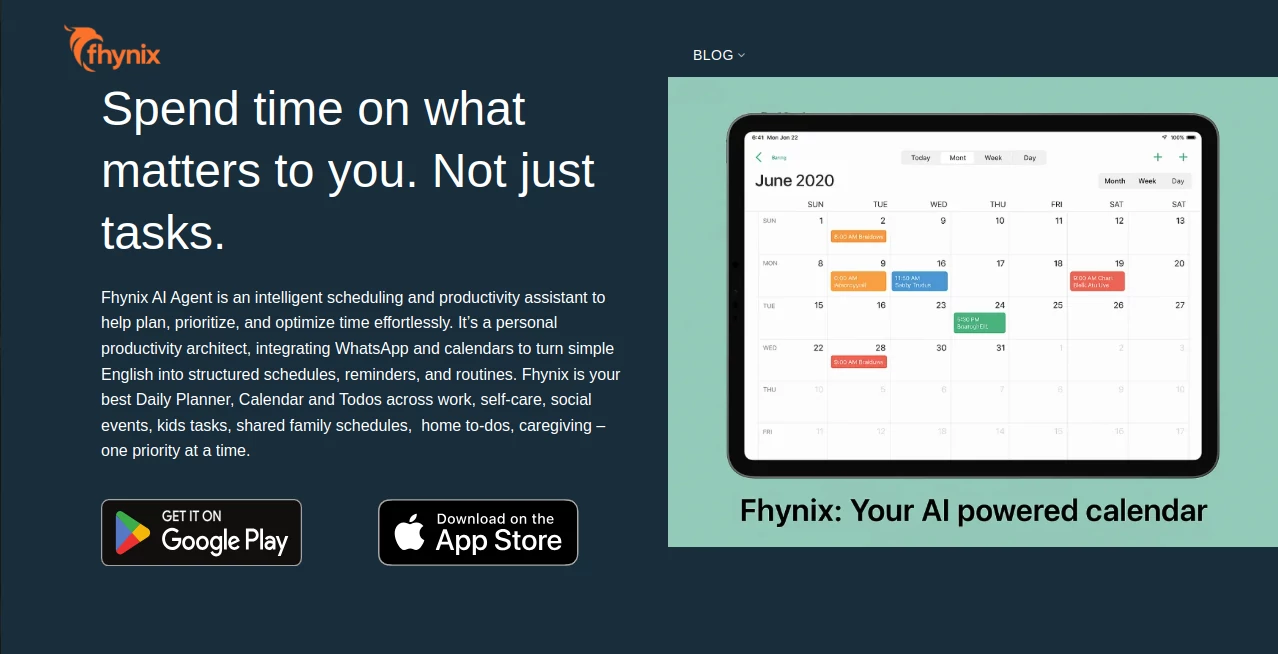
The interface is clean, welcoming, and designed for everyday users rather than productivity experts. Navigation feels natural, allowing users to quickly switch between calendars, tasks, habits, notes, and routines. Calendar views remain uncluttered even when managing multiple schedules, making it simple to visualize both personal and professional commitments.
Accuracy & Performance
Natural language processing allows users to create events simply by typing or speaking requests such as scheduling recurring workouts or upcoming appointments. Calendar synchronization ensures that information remains consistent across connected calendars, reducing scheduling conflicts and missed events. Smart reminders delivered through the application and WhatsApp help users stay on track throughout the day.
Capabilities
- AI-powered event creation using text or voice
- Unified calendar management
- Task and to-do organization
- Habit and routine planning
- Personalized productivity recommendations
- WhatsApp reminders
- Daily planning dashboard
- Calendar integrations
- Lifestyle organization tools
- Community-driven productivity insights
- Travel and activity planning assistance
- Goal-focused scheduling
Security & Privacy
User privacy receives careful attention. Personal data remains under user control, with account deletion options available upon request. Third-party integrations require explicit permission before accessing calendar information, helping users maintain transparency over connected services. The platform also states that personal information is not sold to third parties, providing additional confidence for privacy-conscious individuals.
Use Cases
- Planning daily work schedules
- Managing family calendars and children's activities
- Building healthy habits and routines
- Tracking fitness schedules
- Organizing study sessions and assignments
- Scheduling client meetings and deadlines
- Planning vacations and personal events
- Managing household responsibilities
- Creating recurring reminders
- Balancing professional and personal commitments
Pros and Cons
Pros
- Combines multiple productivity tools into one platform.
- Natural language event creation saves time.
- Supports voice and text input.
- WhatsApp reminders improve task visibility.
- Personalized recommendations encourage healthier routines.
- Easy calendar integration reduces context switching.
- Clean and beginner-friendly interface.
Cons
- Some advanced capabilities may continue evolving.
- Users heavily invested in another productivity ecosystem may need time to migrate.
- Full experience depends on connecting existing calendars.
Pricing Plans
The platform currently offers its core services free of charge. According to the available information, premium features or paid plans may be introduced in the future as additional capabilities become available.
How to Use Fhynix
Begin by creating an account and connecting your existing calendars. Add upcoming appointments, tasks, or recurring routines using either voice commands or simple text instructions. Organize activities into categories such as work, health, family, or personal growth. Enable reminders to receive timely notifications through both the application and WhatsApp. Over time, review scheduling insights and recommendations to build routines that better match your priorities and create a healthier work-life balance.
Comparison with Similar Tools
Unlike traditional calendar applications that primarily focus on scheduling events, this platform combines intelligent planning, habit building, AI-assisted event creation, reminders, lifestyle organization, and productivity insights within a single ecosystem. Many task management applications require separate tools for calendars, notes, and routines, whereas this solution centralizes these functions to reduce complexity and improve daily organization. Its emphasis on balancing personal happiness alongside productivity also gives it a unique perspective compared to conventional planning software.
Conclusion
For anyone looking to gain better control over busy schedules without sacrificing personal well-being, this productivity platform delivers an impressive balance of intelligent automation and practical organization. By combining AI-powered scheduling, unified calendars, reminders, routines, and personalized recommendations, it transforms everyday planning into a smoother and more enjoyable experience. Rather than simply helping users accomplish more tasks, it encourages them to spend their time on the activities that matter most, making it a valuable companion for modern life.
Frequently Asked Questions (FAQ)
Is it suitable for personal and professional planning?
Yes. It is designed to organize work tasks, family responsibilities, personal goals, and daily routines within one unified platform.
Can I create events using natural language?
Yes. Users can add appointments and recurring activities by simply typing or speaking their requests.
Does it integrate with existing calendars?
Yes. Multiple calendars can be connected to provide a consolidated scheduling experience.
Are reminders available?
Yes. Users receive reminders through both the application and WhatsApp notifications.
Is the service free?
Currently, the platform offers its core features free of charge, with the possibility of premium services being introduced in the future.
AI Productivity Tools , AI Task Management , AI Scheduling .
These classifications represent its core capabilities and areas of application. For related tools, explore the linked categories above.
Fhynix details
Website unavailable — View Alternatives
Pricing
- Free
Apps
- Web App
- iOS App
- Android App
Categories

Fhynix Alternatives Product

Zamicus

Manus

Presenti AI

Skygen AI

Alloy

Kaamfu

Miro

UPDF AI

Thinkesta
